
Best Mechanical Keyboards for Typing and Work in the UK
Quiet, beautifully built boards from Keychron, Logitech and NuPhy — chosen for people who type all day, not gamers chasing rainbow lighting.
We link to the exact model on Amazon UK. Prices change often, so check the live price before you buy. As an Amazon Associate we earn from qualifying purchases.
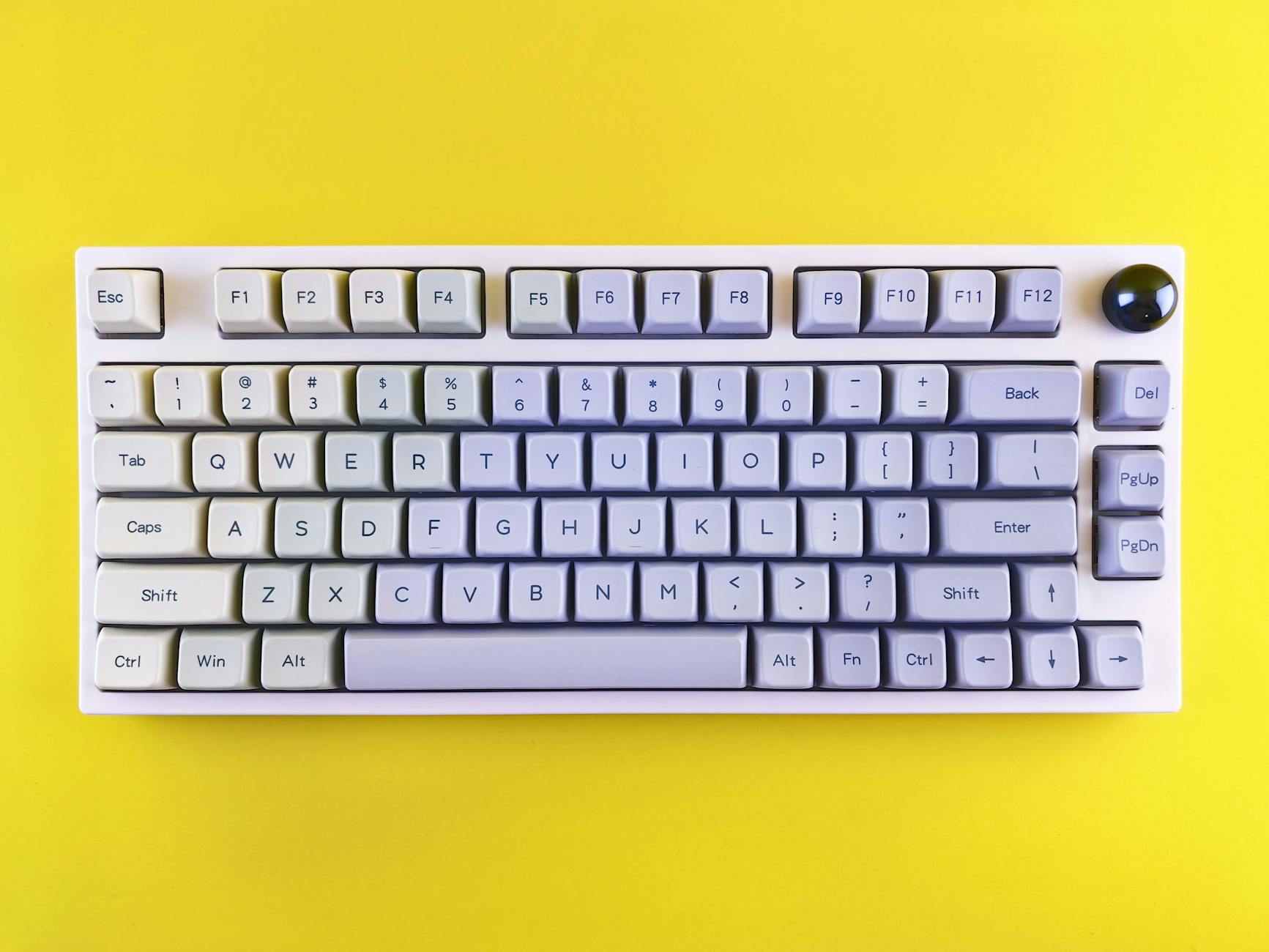
A productivity-first desk setup leans towards muted keycaps, soft acoustics and tidy wireless connectivity.
What we'll cover
- What makes a keyboard good for work
- Keychron Q1 Pro — the wireless flagship
- Keychron Q1 Max & Q1 Ultra 8K
- Keychron Q3 Max & Q5 Max
- Logitech MX Mechanical range
- NuPhy low-profile & full-profile boards
- Head-to-head comparison
- Sound, switches and acoustics
- Who should buy what
- FAQs and final verdict
What Actually Matters in a Work Keyboard
Before we dive into specific models, it's worth being honest about what separates a great typing board from a great gaming board. For work, the headline numbers — 8,000 Hz polling, sub-millisecond latency — barely register in day-to-day use. What you feel instead is the acoustics, the stability of the case, the comfort of the switches over a long session, and whether the keyboard can hop between your work laptop and personal machine without a fuss.
That's why this list leans so heavily on gasket-mounted aluminium boards and low-profile wireless designs. A gasket mount softens each keystroke and gives that satisfying, muffled "thock" that's become the holy grail of office typing. Hot-swap sockets mean you can change the feel without soldering. And multi-device Bluetooth means one keyboard quietly handles your entire desk.
Quiet, refined acoustics
Gasket mounts, dampening foam and quiet switch options keep a busy office (or a sleeping partner in the next room) happy.
Multi-device wireless
Bluetooth pairing across two or three machines, plus a low-latency 2.4 GHz dongle on the more advanced boards, means one keyboard for the whole desk.
Real customisation
QMK/VIA and the newer ZMK firmware let you remap keys, build macros and tune behaviour without ever touching bloated software.
Proper UK layout
An honest ISO-UK option with the tall Enter key and correct symbols matters far more for work than most people realise.
Keychron Q1 Pro — The Long-Running Premium Pick
See Keychron Q1 Pro on Amazon UK
If you ask a room full of keyboard enthusiasts which board to recommend to someone moving from a membrane keyboard into the "nice" end of the hobby, an awful lot of them will say the Keychron Q1 Pro. It's a 75% wireless aluminium flagship that's earned its reputation by simply getting the fundamentals right, and it remains one of my default recommendations for anyone who types for a living.
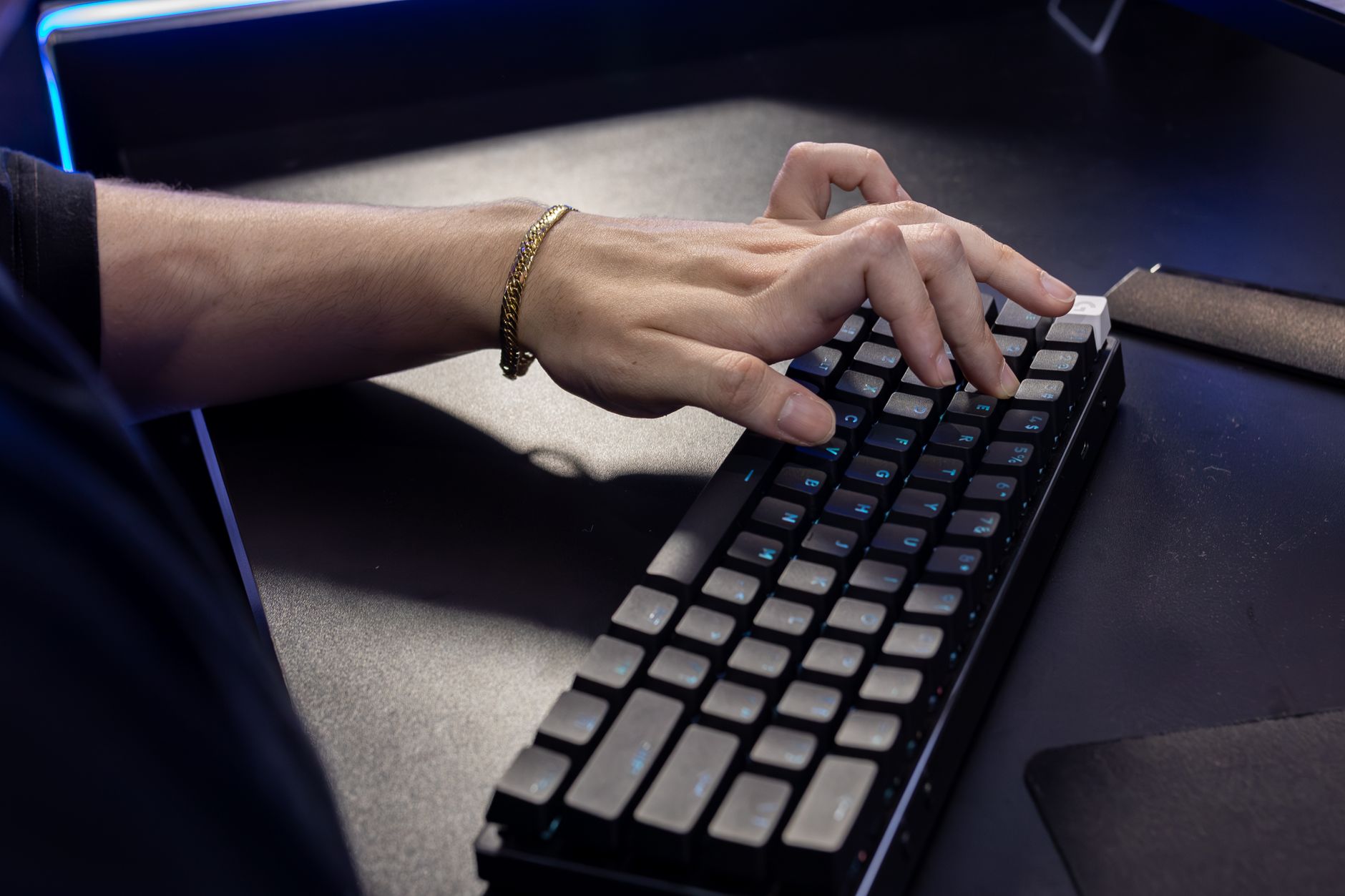
The Q1 Pro's full-metal body is, in one reviewer's words, "surprisingly heavy" — a good thing for typing stability.
The full-metal, double-gasket build (with neoprene pads and a plastic plate) gives the Q1 Pro a planted, dead-on-the-desk feel that cheaper boards just can't match. It connects to up to three devices over Bluetooth 5.1 or runs wired over USB-C, and the 4,000 mAh battery delivers up to 100 hours of use between charges — though as with every keyboard, that figure assumes backlighting off and the lower polling rate; run it lit and at 8K polling and you will see a fraction of it. Hot-swap sockets accept both 3-pin and 5-pin MX switches, and you get Gateron G Pro switches in Red, Brown or Blue depending on whether you want linear smoothness or tactile feedback.
Crucially for British buyers, the Q1 Pro is available in a proper ISO-UK layout, alongside German, Spanish, French, Swiss and Nordic options. The south-facing per-key RGB is there if you want it, but it's discreet enough to leave off entirely — exactly the restraint a work board should have. One reviewer summed it up neatly: keeping the sturdy build, quality switches and QMK customisability of the original Q1 whilst making it fully wireless is "an unbeatable combination."
Pros
- Superb full-aluminium, gasket-mounted build
- Genuine ISO-UK layout available
- Hot-swap (3-pin and 5-pin) for easy switch changes
- Full QMK/VIA customisation
- Up to 100 hours of Bluetooth battery
Cons
- No 2.4 GHz wireless (Bluetooth only)
- Heavy — not a board you'll carry around
- Plastic plate rather than a metal one
Keychron Q1 Max & Q1 Ultra 8K — The Step-Ups
See Keychron Q1 Max & Q1 Ultra 8K on Amazon UK
Check today's price & availability on Amazon UK
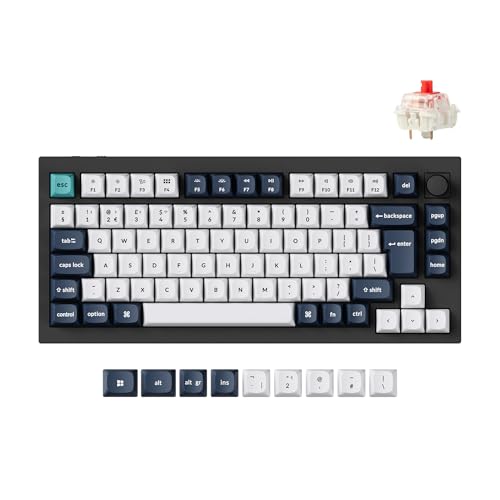
If the Q1 Pro is the dependable favourite, the Q1 Max and the newer Q1 Ultra 8K are the upgrade paths for people who want a little more. They share the same 75% (82-key) layout but push the engineering further.
Keychron Q1 Max
See Keychron Q1 Max on Amazon UK
Check today's price & availability on Amazon UK
The Q1 Max is the natural evolution of the Pro. The case is CNC-machined from 6063 aluminium, sandblasted and finished across 24-plus manufacturing stages, and it tips the scales at just under four pounds (roughly 1.8 kg). That heft translates into wonderfully solid, audiophile-grade typing acoustics. The big practical upgrades are connectivity and endurance: you get 2.4 GHz wireless on top of Bluetooth 5.1 and wired USB-C, support for up to five devices in total (one 2.4 GHz plus three Bluetooth), and battery life jumps to a quoted 180 hours from the same 4,000 mAh cell.
Switch options here are Keychron's Gateron Jupiter family — Banana and Brown for tactile fans, Red for linear lovers — and they're some of the nicest factory switches you'll find on a pre-built board. The Q1 Max is also available in ISO-UK layout via Keychron's UK store.
Keychron Q1 Ultra 8K

See Keychron Q1 HE 8K on Amazon UK
Check today's price & availability on Amazon UK
Reviewed in March 2026, the Q1 Ultra 8K is the newest member of the family and is pitched as a direct upgrade over the Q1 Max — with the reviewer noting that "almost everything" has been improved. The headline changes are a switch to the web-based ZMK firmware (no download required to remap keys), 8,000 Hz polling over wireless, and a frankly enormous battery rated at roughly 600–660 hours. The new Keychron Silk POM switches — Banana and Brown tactiles, Red linear — are described as smooth and wobble-free, and the aluminium case wears a smooth new finish over the familiar double-gasket structure.

The 2026 Q1 Ultra 8K swaps QMK for browser-based ZMK and stretches battery life into the hundreds of hours.
The Q1 Ultra 8K launches at $229.99 (about £199) fully assembled in the US, sold through the Keychron store and Amazon. UK buyers can order direct from keychron.uk.
Which Q1 should you pick?
For most office workers, the Q1 Pro is plenty — it nails the build and feel that matter. Step up to the Q1 Max if you want 2.4 GHz wireless and longer battery, or the Q1 Ultra 8K if you specifically want the newest switches, browser-based remapping and battery life measured in months rather than days. The 8K polling is a lovely bonus but won't change your typing life.
Keychron Q3 Max & Q5 Max — TKL and Numpad Productivity

See Keychron Q3 Max & Q5 Max on Amazon UK
Check today's price & availability on Amazon UK
Not everyone gets along with a 75% layout. If you miss your function row spacing or rely on a number pad, Keychron has you covered with two larger boards that are arguably even better suited to office life.
Keychron Q3 Max — the all-rounder
See Keychron Q3 Max on Amazon UK
Check today's price & availability on Amazon UK
The Q3 Max is an 80% tenkeyless board that's broadly regarded as the best all-round mechanical keyboard for productivity. It keeps the full-aluminium CNC case and double-gasket mount of the rest of the range, adds 2.4 GHz wireless alongside Bluetooth 5.1 and USB-C, and runs at a 1,000 Hz polling rate. You get Gateron G Pro switches with hot-swap support for both 3-pin and 5-pin MX switches, QMK/VIA customisation through the Keychron Launcher, and an optional rotary encoder knob — brilliant for volume or scrolling through long documents.
Keychron Q5 Max — the office workhorse

See Keychron Q5 Max on Amazon UK
Check today's price & availability on Amazon UK
If you live in spreadsheets, the 96% Q5 Max is the one to beat. It squeezes in a full number pad whilst staying more compact than a traditional full-size board, and it's RTINGS' top-ranked Keychron — aimed squarely at office and productivity users who want every key without the desk sprawl.
| Feature | Q1 Pro (75%) | Q3 Max (TKL) | Q5 Max (96%) |
|---|---|---|---|
| Number pad | No | No | Yes |
| Function row | Compact | Full spacing | Full spacing |
| 2.4 GHz wireless | No | Yes | Yes |
| Case | Aluminium | Aluminium | Aluminium |
| Mount | Double-gasket | Double-gasket | Double-gasket |
| Software | QMK + VIA | QMK + VIA | QMK + VIA |
| Best for | Minimal desks | All-round work | Spreadsheet life |
| Buy | Out of stock | Check price | Check price |
| Buy | Check price | Check price |
Where to buy
Check the latest price and any current bundles on Amazon.
Logitech MX Mechanical — The Office Default
Shop Logitech MX Mechanical on Amazon UK
If Keychron is the enthusiast's choice, Logitech's MX Mechanical range is the safe, polished, walk-into-any-office option. These are low-profile boards built from the ground up for multi-device productivity, and the Tactile Quiet switch option is exactly what its name promises — tactile feedback with the volume turned right down.
Logitech's MX Mechanical Mini trades aluminium heft for low-profile comfort and effortless device switching.
Two sizes, one philosophy
The MX Mechanical Mini is a compact tenkeyless design, whilst the full-size MX Mechanical adds a number pad. They share the same switches and connectivity, so you simply pick the footprint that suits your desk.
Tactile Quiet switches
Purpose-built low-profile switches that deliver a satisfying bump without the clack — ideal for shared offices and video calls.
10-month battery life
You'll charge this thing roughly once a year. For a wireless work keyboard, that's a genuine quality-of-life win over chasing daily top-ups.
Multi-device switching
Built for hopping between a laptop, desktop and tablet, the MX Mechanical is the natural partner for Logitech's wider MX ecosystem.
Pros
- Low-profile comfort, easy to adapt to
- Tactile Quiet switches genuinely live up to the name
- Excellent ~10-month battery life
- Seamless multi-device productivity focus
- Choice of TKL (Mini) or full-size
Cons
- No hot-swap or deep QMK/VIA-style customisation
- Low-profile feel won't satisfy enthusiasts wanting full travel
- Less of that premium aluminium "thock" the Keychrons offer
The MX Mechanical line is the easiest "buy it and forget it" recommendation here — perfect if you want a quiet, reliable work board without falling into the rabbit hole of switches and keycaps.
NuPhy — Low-Profile Flair and Whisper-Quiet Switches

See NuPhy on Amazon UK
Check today's price & availability on Amazon UK
NuPhy has carved out a brilliant niche between Keychron's enthusiast heft and Logitech's corporate polish. Their boards are characterful, beautifully finished and — importantly for this guide — available with some seriously quiet switches.
NuPhy Air75 V3 — the travel companion
Shop NuPhy Air75 V3 on Amazon UK
The Air75 V3 is a low-profile wireless 75% board with custom Gateron Nano switches that offer 3.5mm of travel — surprisingly satisfying for something this slim. It uses a gasket mount and an aluminium top case, and the whole thing is light and thin enough to slide into a laptop bag. If you split your time between the office, home and the occasional café, this is the one to consider.
NuPhy Node75 — gestures and 1,000-hour battery

See NuPhy Node75 on Amazon UK
Check today's price & availability on Amazon UK
The Node75 is a full-profile tri-mode 75% board with a couple of clever tricks. There's a touch-bar gesture slider for things like volume and scrolling, an enormous battery rated at around 1,000 hours with the backlight off, and — the part that matters most for work — the option of ultra-quiet Blush Max switches. If silence is your priority, this is one of the quietest options in the whole guide.
NuPhy Node 100 & Creative Engine — full-size focus
Shop NuPhy Node 100 & Creative Engine on Amazon UK
The Node 100 is a full-size 100% wireless board built productivity-first, with comfortable MSA-profile keycaps, Blush Max linear switches and configuration through NuPhy's browser-based NuPhyIO software. The Creative Engine, meanwhile, is a full-size, low-profile, Mac-first board with a colossal 1,200-hour battery, hot-swap sockets and full QMK/VIA support — a rare combination of slimline design and deep customisation.
Sound & Switches — The Heart of a Work Board
This is where the rubber meets the road for typing. The benchmark bars below aren't lab figures — they're my qualitative take on how these boards stack up across the things that matter for all-day office use, scored relative to each other. Acoustics, in particular, is where the gasket-mounted aluminium Keychrons and NuPhy's Blush Max switches really pull ahead.
Quiet doesn't mean dull
Linear switches like Gateron Reds and NuPhy's Blush Max are your friends in a shared office — smooth, soft and low on clack. Tactile options (Gateron Browns, Jupiter Bananas, Logitech's Tactile Quiet) give you that reassuring bump without the noise of a clicky Blue. If you want maximum quiet, avoid anything labelled "Blue" or "clicky" entirely.
Who Should Buy What
The all-day typist
Go for the Keychron Q1 Pro or Q3 Max. The gasket-mounted aluminium build and tactile Gateron switches make long writing sessions a genuine pleasure.
The spreadsheet warrior
The Keychron Q5 Max gives you a full numpad in a compact 96% body — RTINGS' top-ranked Keychron for office use.
The corporate desk
The Logitech MX Mechanical (or Mini) is quiet, low-profile, lasts ~10 months per charge and switches between devices effortlessly.
The commuter
NuPhy's Air75 V3 is slim, light and gasket-mounted — the best low-profile travel board on this list.
The silence seeker
The NuPhy Node75 with Blush Max switches is about as quiet as a mechanical board gets, with a ~1,000-hour battery to boot.
The Mac user
The NuPhy Creative Engine is a Mac-first, low-profile board with hot-swap, QMK/VIA and a vast 1,200-hour battery.
Our Overall Rating
Taking the range as a whole — and weighting things the way a working professional actually would — here's how these productivity boards score across the categories that matter for typing and office life.
For pure typing satisfaction, the gasket-mounted aluminium Keychrons set the bar across the board.
Frequently Asked Questions
The Verdict
For the majority of people who want a fantastic keyboard for typing and work, the Keychron Q1 Pro remains my default recommendation: a full-aluminium, gasket-mounted, ISO-UK-friendly board with hot-swap switches and proper QMK/VIA customisation. It nails the things that matter for all-day use and asks little in return.
If you want more, the Q1 Max adds 2.4 GHz and 180-hour battery, whilst the 2026 Q1 Ultra 8K brings new Silk POM switches, browser-based ZMK and a battery measured in months. Need a number pad? The Q5 Max is the office workhorse, and the Q3 Max is the best all-rounder.
Prefer something quieter and corporate-friendly? The Logitech MX Mechanical range is the easy, reliable pick with its Tactile Quiet switches and ~10-month battery. And if low-profile design, portability or near-silence is your priority, NuPhy's Air75 V3, Node75 and Creative Engine are genuinely brilliant alternatives. There's no single "best" here — but there is a perfect board for your particular desk, and somewhere in this list, it's waiting.
- Keychron Q1 Max & Q1 Ultra 8KView on Amazon
- Keychron Q3 Max & Q5 MaxView on Amazon
- Keychron Q5 MaxView on Amazon
- NuPhyView on Amazon
- NuPhy Node75View on Amazon