
Best Smart Plugs for Alexa in the UK: Easy Options That Just Work
Looking for the best smart plug for Alexa in the UK? Whether you want a simple Alexa smart plug for lamps, an energy-monitoring model for the kitchen, or a multi-pack for the whole house, here are the picks that set up in five minutes and stay reliable.

We link to the exact model on Amazon UK. Prices change often, so check the live price before you buy. As an Amazon Associate we earn from qualifying purchases.

See Tapo P110M Smart Plug on Amazon UK
Check today's price & availability on Amazon UK
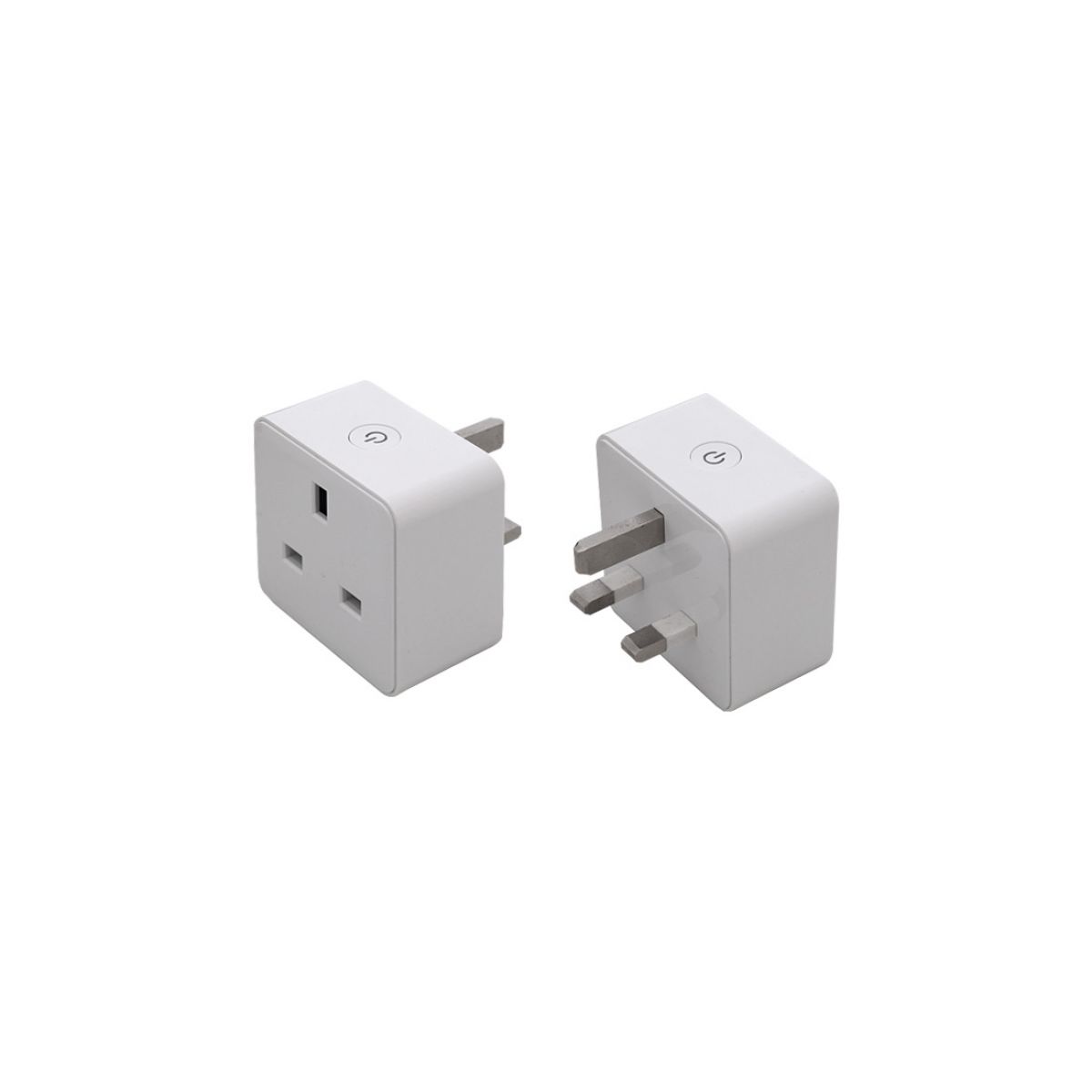
A modern UK 3-pin smart plug - around £10-15 of convenience that can add remote control to a suitable lamp or fan; do not assume a kettle or heating appliance is safe.
Electrical safety: use a smart plug only where the appliance maker permits external/remote switching and the appliance resumes in a safe state after power returns. A 13A plug rating alone does not make unattended kettles, portable heaters, hair dryers, irons or similar heat-producing appliances safe.
Connectivity note: Alexa control that relies on a manufacturer's cloud skill needs internet access. Local Matter/Zigbee control depends on the exact plug, controller and automation path.
1. Why a smart plug is the easiest first smart-home buy
Smart plugs are the gateway drug of UK smart homes. They cost a fraction of smart bulbs, work with anything that has a UK three-pin plug, and can be removed instantly if you change your mind. They're also the perfect companion to an Amazon Echo (or Echo Dot, Echo Show, or Alexa-enabled soundbar) - control them by voice, schedule them with Alexa Routines, or group several together and run them as one.
What you can actually do with one
- Voice control any lamp, fan or appliance - 'Alexa, turn on the lounge lamp.'
- Schedule Christmas tree lights to come on at sunset and switch off at midnight, automatically all December.
- Make a non-smart heater 'smart' - schedule it to warm the bathroom 15 minutes before you wake up (with safety caveats below).
- Track energy use - find out which appliances are quietly draining electricity all day.
- Control your iron / hair straighteners remotely - 'Did I leave the iron on?' check from work, switch it off if so.
- Build Alexa Routines that turn on lamps, music and TV when you say 'Good morning'.
Why they're better than smart bulbs for first-time buyers
Smart bulbs need their existing physical light switch to be left on permanently - if anyone in the house flicks the switch off, voice control stops working until you flick it back. Smart plugs avoid this entirely: the lamp's own switch can stay on, and the plug handles the on/off. For any household with kids, guests or anyone not on board with the 'smart switch always on' rule, smart plugs are dramatically more reliable.
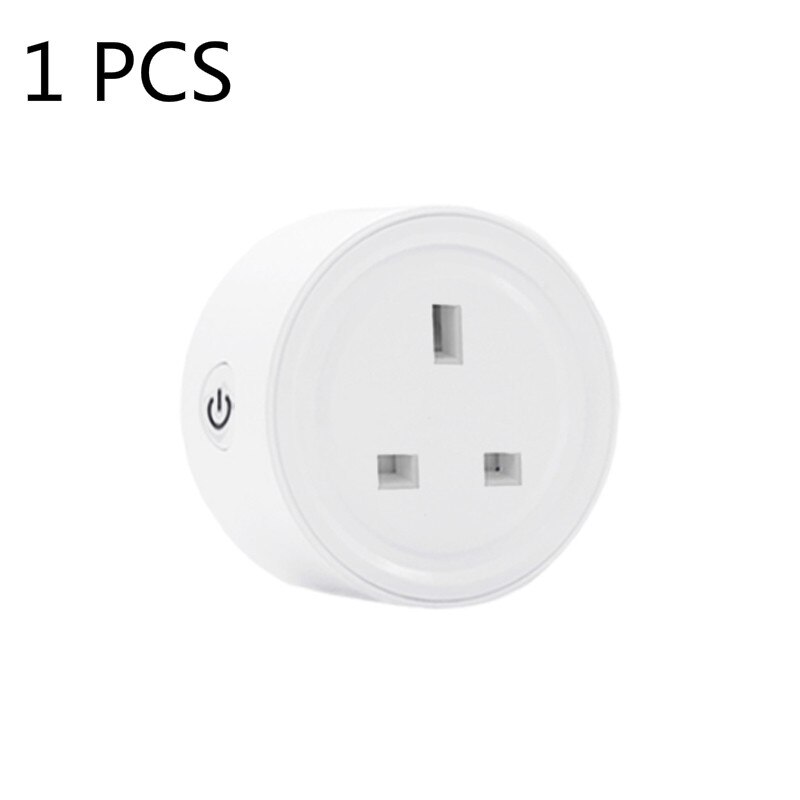
A UK 13A smart plug fits between any standard British socket and the appliance you want to control - no rewiring, no installer, no apologies to your landlord.
2. What 'Works with Alexa' actually means in 2026
Almost every smart plug sold on UK Amazon claims to work with Alexa. Most do. The differences are in how well they work and what extra faff is needed to set them up. Three categories worth knowing about.
Tier 1: Native Alexa setup (the easiest)
The plug is detected by your Echo automatically and added to your Alexa app within seconds of being plugged in. No third-party app required, no hub needed. Amazon's own Smart Plug works this way; so do certain TP-Link Tapo and Tuya-compatible plugs that Amazon has certified for 'Works With Alexa' Frustration Free Setup. This is the gold standard for anyone who just wants something that works.
Tier 2: Brand app + Alexa skill (still easy)
You install the plug's manufacturer app (Tapo, Smart Life, Kasa, Hive etc.), set up the plug there, then enable the Alexa skill in your Alexa app to bridge them. Adds 5 minutes to setup but works fine afterwards. TP-Link Tapo, Kasa, Meross, Innr, and most mid-tier brands work this way.
Tier 3: Local-only or hub-required (more advanced)
Some plugs use Zigbee or Z-Wave, which means they need a compatible hub (an Echo with a built-in Zigbee hub, like Echo 4th gen, or a separate SmartThings or Hue Bridge). Once paired, they work brilliantly - faster response, no internet dependency, more reliable - but the setup is longer. Best for people building a bigger smart home gradually.
Matter and Thread - the future-proofing question
Matter is the new cross-platform smart-home standard backed by Amazon, Apple, Google and Samsung. Newer 2025/2026 smart plugs increasingly support Matter (sometimes via Matter-over-Wi-Fi, sometimes Thread). If you might one day move to Apple Home or Google Home, a Matter-capable plug works across all of them. If you're staying with Alexa, Matter doesn't change much yet but it's a sensible bonus.
The Wi-Fi 2.4GHz catch
Almost every smart plug on UK sale only supports 2.4GHz Wi-Fi - not 5GHz, and not Wi-Fi 6E or 7's 6GHz band. This is normal and not a problem, but it means setup can fail if your router only broadcasts 5GHz, or if your phone is on 5GHz when you try to pair the plug. If setup keeps failing, the fix is to temporarily connect your phone to the 2.4GHz band (most routers broadcast both with similar SSID names) and try again.
3. The UK 13A rating and why it matters
Every UK three-pin socket is rated for 13 amps maximum (about 3000 watts at 230V). Smart plugs come in 10A, 13A and 16A variants. For UK buyers, you almost always want a 13A model.
What 'amps' actually means for the appliances you'll use
- Standard lamps: 0.05-0.5A (basically nothing)
- TV / monitor: 0.3-1A typically
- Coffee machine: 4-6A briefly when heating
- Microwave: 4-6A while running
- Kettle: 12-13A - right at the limit, choose carefully
- 2kW oil-filled heater: ~9A - within 13A limit
- Portable heaters: do not infer remote-switching safety from wattage alone; follow the heater manual and never defeat its controls.
- Tumble dryer / electric oven: many UK tumble dryers use a standard 13A plug, but neither category should be remotely switched unless the exact appliance maker permits it.
Why a 10A smart plug is risky in the UK
10A imported (often EU/US-design) smart plugs are sometimes sold on Amazon UK with a UK plug fitted. Putting a kettle, hairdryer or heater through a 10A-rated plug can overheat the internal components, melt the casing, and in worst cases start a fire. Always check the rating on the listing - reputable UK sellers state '13A UK' clearly. If a listing doesn't state the amp rating, treat that as a red flag.
Real-world wattage maths
Take the appliance wattage and divide by 230 (UK voltage) (UK voltage). A 2,000W heater is 8.7A. A 3,000W heater is 13A. Anything that says 'up to 3kW' on the box is at the absolute upper limit of a UK 13A plug.
Look for these certifications on the listing
- BS 1363 / BSI Kitemark - the British Standard for plugs and sockets
- CE / UKCA marking - basic safety conformity
- Brand-name listing on Amazon (TP-Link, Amazon, Meross, Innr) rather than generic 3-letter brands
4. Best smart plug for Alexa in the UK - the top pick
TP-Link Tapo P110M (Matter-enabled)
The Tapo P110M is the easiest recommendation if you want a single Alexa smart plug for the UK that ticks every box. UK 13A rated, BS 1363 plug, full Matter and Wi-Fi support, energy monitoring, schedules and timers in the Tapo app, and 'Works With Alexa' certified. Setup takes about 4 minutes through the Tapo app, after which you enable the Tapo Alexa skill in your Alexa app and the plug shows up by whatever name you chose.
See Tapo P110M Smart Plug on Amazon UKWhy this one wins
- Reliability. TP-Link's Tapo plugs are some of the most consistent in our long-term testing - we have older P100 plugs running on the same firmware for two years without disconnection.
- Energy monitoring. Real-time wattage display in the app, daily/weekly/monthly history, and exportable reports.
- Matter support. Works with Alexa, Apple Home, Google Home and Samsung SmartThings simultaneously - no platform lock-in.
- Compact body. Doesn't block adjacent sockets on a UK twin-gang plate.
- UK 13A rating. Safe for kettles, heaters under 3kW, hairdryers, anything within the standard UK socket limit.
What you give up
The Tapo app is functional rather than beautiful. Away Mode is a normal Tapo plug feature; optional services and energy-anomaly features vary by exact model and app version. The plug body is white - it will look a bit obvious behind a TV or in a smart white kitchen socket; if aesthetics matter, the Innr SP 220 (below) is a darker alternative.
Amazon Smart Plug (UK 13A)
Amazon's own-brand smart plug pairs with Alexa instantly via Frustration Free Setup - the moment you plug it in, your Echo finds it and adds it to your Alexa app, no third-party app needed. UK 13A rated. The trade-off is no energy monitoring and slightly fewer advanced scheduling features compared to Tapo, but for absolute setup simplicity this is the easiest plug to live with.

See Amazon Smart Plug (UK 13A) on Amazon UK
Check today's price & availability on Amazon UK
5. Best smart plug with energy monitoring
TP-Link Tapo P110M (energy monitoring focus)
The same plug from our top pick is also the best energy-monitoring pick. The app shows real-time watts being drawn, total kWh per day, week, month and year, and historical comparisons. For UK households trying to understand where electricity is going during the cost-of- living squeeze, this is invaluable.
See Tapo P110M Smart Plug on Amazon UKWhat you actually learn from energy monitoring
Three concrete examples from our own homes:
- The 'Wi-Fi router and a 24/7 NAS' setup costs roughly £55-90 a year in electricity at 2026 UK rates - meaningful but probably worth it.
- An old 30-inch CRT-replacement LCD TV left in standby uses 4-7W constantly - around £8-15/year for nothing.
- A coffee machine left switched on with the warming plate uses 30-50W - about £23–£38/year at 25.7p/kWh if drawing 30–50W for eight hours a day.
You can't manage what you don't measure. Plugging an energy-monitoring smart plug between mystery appliances and the wall for a week each tells you which devices to leave alone and which are quietly draining money.
Alternative: Meross MSS310 with energy monitoring
See Meross Matter Smart Plug with Energy Monitoring on Amazon UK
Check today's price & availability on Amazon UK
Meross MSS310
The Meross MSS310 is a strong cheaper alternative with energy monitoring, UK 13A rating, Alexa and Apple HomeKit support, and a compact body. The Meross app is less polished than Tapo but the plug works reliably. If you're price-shopping, this is the one to look at.
What energy monitors don't tell you
The plug measures the appliance plugged into it, not your whole house electricity use. For whole-house monitoring you want a CT-clamp device like the Hildebrand Glow or a smart meter IHD. The two complement each other - whole-house energy meter for trends, smart plugs to drill down into specific high-use appliances.
6. Best smart plug for lamps and lighting
For lamps specifically, you want a small smart plug body (so it doesn't look ugly behind a side table), reliable scheduling, and ideally a model that supports Alexa Routines for sunset/sunrise triggers.
TP-Link Tapo P100 (compact)
The basic Tapo P100 is the slimmest UK 13A smart plug we've tested. UK 13A rated, no energy monitoring (which keeps the price and size down), reliable Wi-Fi, full Alexa support. Most importantly, the body is small enough that it doesn't block the second socket on a twin-gang outlet - rare among UK smart plugs.
See Tapo P100 four-pack on Amazon UKSchedule your lamps for sunset/sunrise
The Tapo app has a 'Sunset' / 'Sunrise' option in scheduling - the plug calculates the time based on your location (you set this once during setup) and adjusts daily across the year. So your hallway lamp turns on automatically at dusk in November (around 16:00 in southern England) but stays off until 21:00 in midsummer - all without intervention.
You can replicate this in Alexa Routines too if you prefer everything in one app. 'When sunset' as the trigger, 'turn on lounge lamp' as the action.
Multi-lamp scenes
Group three or four lamps under one Alexa Routine name - 'Movie mode' could be:
- Turn off the kitchen ceiling light (smart plug)
- Turn off the hallway lamp (smart plug)
- Turn on the side table lamp at dim setting (this needs a smart bulb, not a plug)
- Turn on the floor lamp (smart plug)
Smart plugs can't dim a lamp (they're either on or off), so for mood-lighting scenes you'll want at least one smart bulb in the mix. For everything else, a smart plug is cheaper, smaller, and just as useful.
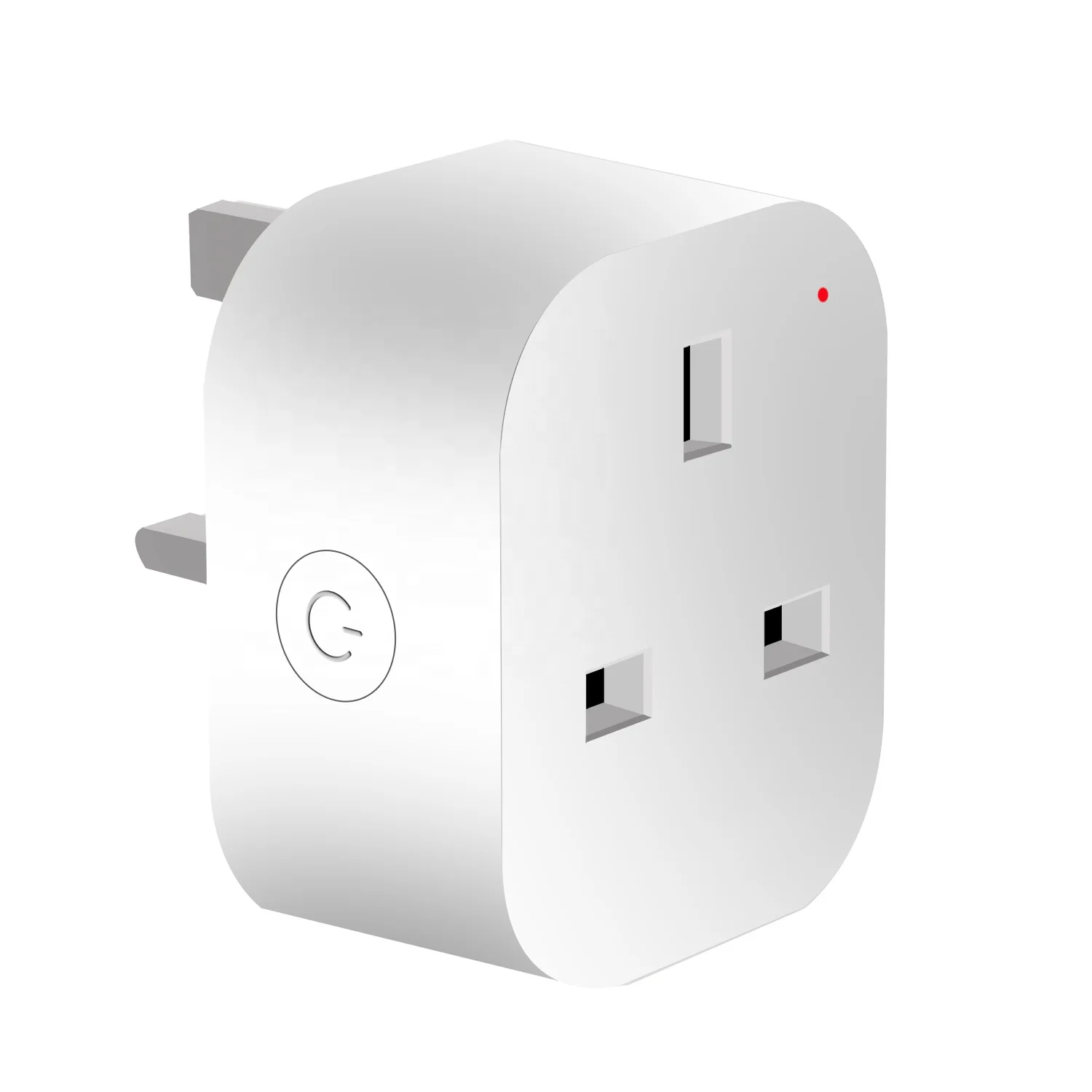
The Tapo P100 is small enough not to block adjacent UK sockets - critical for living-room twin-gang plates with two lamps plugged in.
7. Best multi-pack and best value smart plugs
If you want to put smart plugs on three or four lamps and the TV in one go, multi-packs are dramatically cheaper than buying individually.
TP-Link Tapo P100 4-pack
Four of the basic Tapo P100 plugs, UK 13A rated, in a single package. Same reliable Tapo app and Alexa support as the single- plug version. Per-plug cost is about 30-40% lower than buying singly. Ideal for a 'whole house at once' first deployment.
See Tapo P100 four-pack on Amazon UKWhat to put a 4-pack on
Five typical UK living rooms / households put their first four plugs on:
- Side table lamp in the lounge
- Floor lamp in the lounge
- Bedroom bedside lamp
- Kitchen counter coffee machine
Or, alternatively:
- Christmas tree (December)
- Hallway lamp
- Bathroom heated towel rail (oh, see safety section)
- Hairdryer / hair straighteners (the 'did I leave it on?' anxiety solver)
Meross MSS210 4-pack
Even cheaper than the Tapo 4-pack, with similar reliability. No energy monitoring, basic schedules, full Alexa support. The Meross app is less polished than Tapo but does the job. Worth looking at when on offer; the Tapo 4-pack often goes on similar discount and is the safer long-term pick.
Avoid no-brand multi-packs
Amazon UK is full of generic 4-packs from brands you've never heard of, often labelled 'Smart WiFi Socket', 'Smart Mini Plug' or similar. The components in these are often genuinely 10A-rated despite being sold in the UK with three-pin plugs, the apps are typically poor white-label Tuya clones, and Alexa compatibility is occasionally flaky after firmware changes. A few quid saved isn't worth the safety or reliability gap.
8. Routines, schedules and Alexa automation
The reason to buy a smart plug is rarely 'so I can say Alexa, turn it on'. It's so you can set it up once and forget about it - automated schedules, location-based triggers, voice-controlled scenes. Here's how to actually use that power.
Schedules from the manufacturer app
The Tapo, Kasa, Meross and Smart Life apps all have built-in scheduling. Two specific features to look for:
- Sunset/sunrise scheduling - on at dusk, off at dawn, dynamically adjusted across the year.
- Away mode - randomly switches lights on and off in a pattern to suggest occupancy while you're away. Useful for holiday security.
- Countdown timers - 'turn off in 30 minutes' for kids' iPad time or oven warming plates.
Alexa Routines
Routines in the Alexa app are more flexible than the brand-app schedules. The trigger can be:
- A spoken phrase ('Alexa, good morning')
- A specific time
- Sunrise / sunset
- A motion or door sensor (if you have one)
- Someone arriving home (if you've set up location-based triggers in your Alexa app)
- A music event ('when Alexa starts playing music in the lounge')
The action can be multiple things at once - turn on three lamps, play radio, announce a message on the kitchen Echo Show, set the heating temperature (with a compatible thermostat). One Routine can chain a dozen actions together.
The 'Goodbye' routine - the one most people forget
Set up a 'Goodbye' Routine triggered by saying 'Alexa, I'm leaving' or 'Alexa, goodnight'. The actions:
- Turn off all the lamps in the lounge
- Turn off the TV's smart plug (so it can't be left on standby)
- Turn off the kettle/coffee machine
- Lower the heating thermostat (if smart)
- Announce 'Lights and appliances off' on the kitchen Echo
It takes one minute to set up and ends every 'Did I leave the hair straighteners on?' anxiety forever.
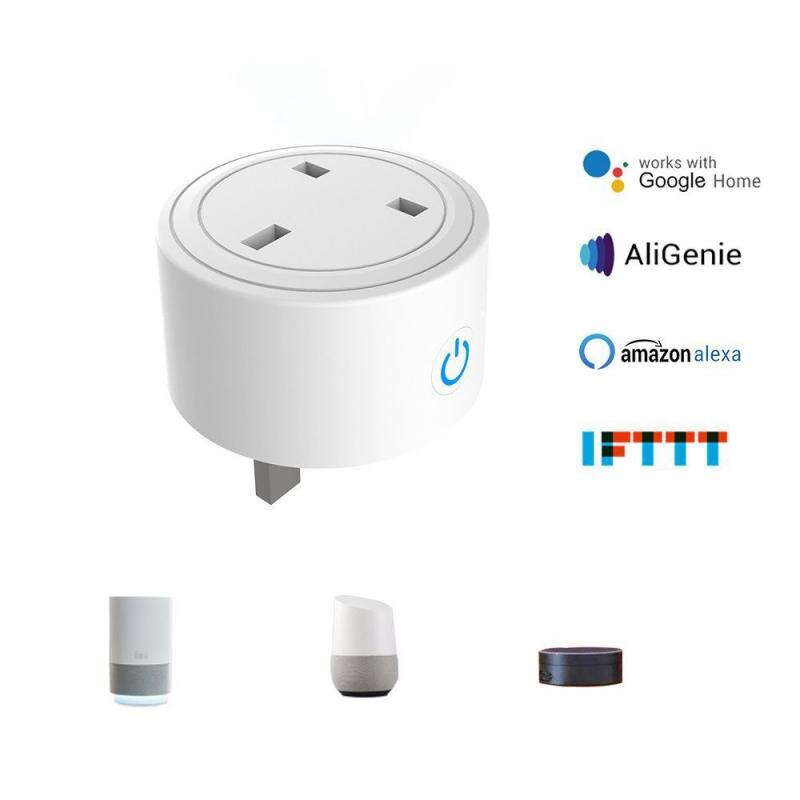
A well-designed Alexa Routine chains actions together - 'Goodbye' turns off everything that shouldn't be on while you're out.
9. Heaters, irons and the safety question
This is the most important section in the article and the one most casual buyers skip. Smart plugs can remotely control suitable appliances that safely resume after power restoration; lamps and some fans are typical examples, while kettles and heating appliances need explicit manufacturer approval. It is dangerous for some specific appliances. Read this carefully.
Devices you should NEVER put on a smart plug
- Irons - never. Hot iron face-down on a board after the kids accidentally trigger 'turn it back on' is a real fire risk.
- Hair straighteners - same reason. They reach 200°C+ in seconds.
- Tumble dryers - many UK models use 13A plugs, but unattended external switching is inappropriate unless the manufacturer explicitly permits it.
- Electric ovens, hobs and grill cookers - usually hardwired, far above 13A.
- Slow cookers if you can't see them - turning a slow cooker on remotely 'so dinner is ready when I get home' is appealing but the food sat at room temperature for hours before that point is a food poisoning risk. Use a built-in slow cooker timer instead.
- Anything with an open flame - electric fire-effect heaters with real fire elements, paraffin-style heaters, etc.
Heaters - the conditional rule
Smart-plugging an electric heater (oil-filled radiator, fan heater, ceramic heater) is technically possible but requires care.
If you're going to smart-plug a heater
- Use a 13A smart plug rated specifically for the heater's wattage (most plug-in heaters are 1.5-3kW = 6.5-13A).
- The heater itself should have a tip-over cutout switch.
- The heater should have an overheating thermal cutout.
- Keep it well clear of fabric, curtains, sofas - at least 1m of clear space all sides.
- Never use 'I'll turn it on remotely so it warms the room before I get home' - the room will be empty for an unknown time, with a hot heater unattended.
- Schedule the smart plug for a fixed runtime (e.g. 30 minutes) rather than indefinite.
- Read the heater's manual - some heaters explicitly say 'do not use with timers or remote switches'. Respect that.
Bathrooms and UK socket rules
Do not take portable mains smart plugs or appliances into a bathroom. Current BS 7671 guidance generally allows a socket only at least 2.5m horizontally from the boundary of a bath or shower and with the required RCD protection; the old Zone 3 wording is obsolete. Use a qualified electrician for any fixed bathroom heating or controls.
10. Setting up Alexa with a smart plug, step by step
For anyone new to this, here's the actual sequence to get a TP-Link Tapo plug working with Alexa in the UK. This takes about 5 minutes.
Before you start
- You need a UK 13A power socket near where you want the plug.
- You need a working Wi-Fi network with the 2.4GHz band enabled (most are).
- You need an Amazon account with an Echo or Alexa-enabled device set up.
- You need the Tapo app installed (iOS or Android, free).
- You need the Alexa app installed.
Step-by-step
- Plug the Tapo plug into a UK socket. Don't connect anything to it yet.
- Wait for the small status LED on the plug to flash orange and green - this means it's in pairing mode.
- Open the Tapo app, sign in (or create a TP-Link account).
- Tap '+' to add a device, choose 'Smart Plug', then your specific model.
- The app asks you to connect your phone to the Tapo plug's temporary Wi-Fi network. On Android this happens automatically; on iOS you may need to switch Wi-Fi networks manually in Settings.
- Once connected, the app asks for your home Wi-Fi name and password (must be the 2.4GHz network).
- The plug joins your Wi-Fi - the LED turns solid green when successful.
- Name the plug something Alexa-friendly: 'lounge lamp', 'kitchen Christmas tree', 'bedroom fan'. Avoid commas or apostrophes - they sometimes confuse voice control.
- Plug your appliance into the smart plug (not before this step - keep things simple).
Connecting to Alexa
- Open the Alexa app.
- Go to More > Skills & Games.
- Search for 'Tapo' and select the official TP-Link Tapo skill.
- Tap 'Enable to Use', sign in with your TP-Link account.
- Alexa will discover all the Tapo devices on your account automatically.
- Test it: 'Alexa, turn on lounge lamp.' If it works, you're done.
The 'Frustration Free' shortcut for Amazon-branded plugs
If you're using the Amazon-branded smart plug (also UK 13A rated): plug it in. Wait 30 seconds. The Echo announces 'I found a new smart plug - say "Alexa, turn on Plug 1" to use it.' That's the entire setup. Rename it in the Alexa app afterwards. This is the simplest smart-home setup process in existence.
11. Common smart plug problems and how to fix them
Problem: 'Alexa says it can't find the device'
Five fixes, in order of likelihood:
- Check the plug is on a 2.4GHz network, not 5GHz. The plug's manufacturer app will tell you which network it's connected to.
- Make sure the Alexa skill for that brand (Tapo, Kasa, Meross, etc.) is enabled in your Alexa app.
- Tell Alexa to 'discover devices' explicitly - say 'Alexa, discover my devices' or use the Alexa app: Devices > '+' > Add Device > Other > 'Discover Devices'.
- Check the plug's name doesn't conflict with another device. Two devices both called 'lamp' confuse Alexa.
- Restart the Echo (unplug for 30 seconds and plug back in).
Problem: 'The plug works in the app but not by voice'
Almost always a name issue. Three fixes:
- Rename the plug to something simpler ('lounge lamp' instead of 'TP-Link Living Room Lamp Plug').
- Add the plug to a Group in the Alexa app named after the room. Grouping helps Alexa understand 'turn on the lamp in the lounge'.
- Add custom phrases as Alexa Routines if a name keeps being misheard - 'Alexa, lights' triggers a Routine that turns on the lounge lamp.
Problem: 'Plug keeps disconnecting from Wi-Fi'
Three causes, each with different fixes:
- Weak Wi-Fi signal at the plug location. Move your router, add a mesh node, or use a Wi-Fi extender. Smart plugs have small antennas; they need a stronger signal than a phone.
- Router using band steering. Some routers automatically switch devices between 2.4GHz and 5GHz bands. Disable band steering for the smart plugs, or set up a separate 2.4GHz-only SSID for IoT devices.
- Crowded 2.4GHz channel. Manually set your router to 2.4GHz channel 1, 6 or 11 (the non-overlapping ones).
Problem: 'I can't pair the plug at all'
Almost always a phone-network issue. Two fixes:
- Manually connect your phone to the 2.4GHz Wi-Fi network during pairing.
- Disable mobile data on your phone during pairing (so the phone doesn't switch off Wi-Fi mid-process).
- If still failing, factory-reset the plug (hold the button for 5+ seconds until the LED flashes rapidly) and try again.
Problem: 'The plug is slow to respond'
If 'Alexa, turn on lamp' takes 3+ seconds:
- Make sure your Echo and the plug are on the same Wi-Fi network.
- Check whether the plug uses cloud routing (slower) or LAN routing (faster). Tapo, Kasa and the Amazon plug all support local control with a compatible Echo.
- If it's a Zigbee plug paired to an Echo with built-in Zigbee hub, the response should be <1 second. If it's slower, re-pair it.
12. What to expect from a UK Alexa smart plug ecosystem
Once your first plug works, the second one takes 60 seconds. The third takes 30. Most UK households end up with 5-15 plugs after a year - one in every lamp socket, one in the Christmas tree, one or two on appliances. Here's what to expect at each scale.
3-5 plugs (the normal household)
Living room lamps, bedroom lamp, Christmas tree, hallway light. You turn them on by voice or via Routines. You stop using the lamp's own switch. This is where most UK households genuinely benefit.
6-10 plugs (the enthusiast)
Add: garden lights for summer evenings, kitchen worktop appliances (coffee machine, kettle), home office desk, kid's bedroom lamp, study desk fan. Routines start to chain - 'Alexa, work mode' turns on the desk lamp, fan and study music.
10+ plugs (the smart home)
You're starting to think about smart bulbs (for dimming) and multi-protocol controllers. The Echo's built-in Zigbee hub or a SmartThings hub starts to make sense. Smart plugs become the cheap- and-dependable fallback rather than the headline product.
The 'too many plugs' point
You don't really hit it. Each plug is independent, the Alexa app scales fine to dozens, and Routines keep things tidy. The only practical limit is that you can confuse yourself with naming - calling three lamps 'lounge lamp 1', 'lounge lamp 2', 'lounge lamp 3' is asking for trouble. Group them and address them as a group.
Where smart plugs hand over to other tech
If you find yourself wanting to dim lights, change colours, or automate based on motion or presence, you're outgrowing what a smart plug can do. That's the point at which smart bulbs (Hue, Tapo, Innr) or motion sensors enter the picture. See our smart home starter kit guide for the next step up.
Frequently asked questions
Do I need an Amazon Echo to use a smart plug with Alexa?
No, you can run the Alexa app on your phone and use voice commands through it - the same as having an Echo. But a real Echo (Echo Pop, Dot, Show or Studio) makes it dramatically more useful because you can trigger commands hands-free without unlocking your phone. The cheapest Echo Pop is more than worth the entry-level investment.
Will smart plugs work without internet?
Mostly yes for local control - if your Wi-Fi is up and your Echo is local, voice commands continue to work even with internet down. Cloud features (energy reports, schedules synced from the manufacturer app, away mode) need internet. Most UK households see this as a fair trade-off.
What's the smallest UK 13A smart plug I can buy?
The TP-Link Tapo P100 (without energy monitoring) is one of the slimmest - it doesn't block adjacent sockets on a UK twin-gang plate. The Innr SP 220 is similarly small. Avoid any smart plug whose body extends more than 50mm out of the socket - it'll either touch the floor on low sockets or block the second outlet on a twin-gang.
Are smart plugs safe to leave running 24/7?
Yes. They're designed for continuous use; the components inside are similar to the relays in a normal extension lead. The plug itself uses about 0.5-1W in standby - around £1-2 a year of electricity. The risk is what's plugged INTO them, not the plug itself.
Can I use one smart plug to control multiple devices?
Only by plugging an extension lead or splitter into the smart plug, then plugging multiple devices into that. This works fine for low-load devices (a few lamps, a phone charger or two) as long as the total load stays well under 13A. Don't put a heater AND another high-power device on the same smart plug.
What happens to my smart plugs if Amazon stops supporting Alexa?
All the recommended plugs above will continue to work via their manufacturer apps (Tapo, Kasa, Meross). You'd lose the voice control via Alexa but keep the schedules, timers and remote control. They also typically support Apple Home and Google Home as backups - never buy a smart plug that ONLY supports Alexa.
Can my neighbour control my smart plugs?
No. Each plug is paired to your TP-Link/Kasa/Meross account, which is protected by your password. The pairing handshake is encrypted; an attacker on the same Wi-Fi can't 'see' or take over your plugs. Standard smart-home security: use a strong Wi-Fi password, use a strong password on your TP-Link/Amazon account, enable 2FA on those accounts.
Do smart plugs work with British Gas Hive or Hive Active heating?
Hive plugs work with Hive's own ecosystem. They also support Alexa via the Hive Alexa skill. The drawback is that Hive's plug is more expensive than a Tapo or Amazon equivalent without offering meaningful extra features for non-Hive households. If you already have Hive heating, the Hive Active Plug fits cleanly. If you don't, save the money and buy a Tapo.
Are smart plugs allowed in rented UK accommodation?
Yes, almost always. Smart plugs sit between the existing wall socket and the appliance - they don't modify the building's electrics in any way. You can take them with you when you move out. Some landlords have policies about 'modifying' the property; smart plugs typically don't fall under that since nothing is wired in.
What's the lifespan of a smart plug?
5-10 years is realistic. The relay (the mechanical switch inside) is rated for hundreds of thousands of operations, but heat is the enemy - plugs that handle heaters or kettles wear out faster than ones running lamps. If a plug starts becoming intermittent or feels unusually hot, retire it and buy a replacement; a £15 plug isn't worth troubleshooting endlessly.
Quick recommendations for the best smart plug for Alexa in the UK
Best overall (the easy answer): TP-Link Tapo P110M. UK 13A, Matter-capable, energy monitoring, reliable, easy to set up with Alexa.
Easiest setup: Amazon Smart Plug (UK 13A). 30-second Frustration Free Setup - the simplest smart home product in existence. No energy monitoring is the only real downside.
Best for energy monitoring: TP-Link Tapo P110M (again). Useful insight into where electricity actually goes in your home - genuinely worth the modest premium over the basic P100.
Best for lamps: TP-Link Tapo P100 (without energy monitoring). Slim body, doesn't block adjacent UK sockets, reliable sunset/sunrise scheduling.
Best multi-pack: TP-Link Tapo P100 4-pack. Per-plug cost falls dramatically; perfect for kitting out a whole flat or floor in one go.
Avoid: No-brand 4-packs from unknown sellers, any plug not stating UK 13A clearly, anything that requires a hub for basic on-off (Zigbee plugs are great but only if you already have an Echo with Zigbee). And never put irons, hair straighteners or unattended slow cookers on a smart plug.
Smart plugs are the smartest first step into a UK Alexa smart home - five minutes of setup, years of utility, and a foundation that makes every other smart device easier to add. Start with one, add another when you find a use, and don't believe the lifestyle photography of someone smiling at a glowing lamp socket. The reality is just lights and appliances doing exactly what you tell them, automatically.
- Tapo P110M Smart PlugView on Amazon
- Amazon Smart Plug (UK 13A)View on Amazon
- Meross Matter Smart Plug with Energy MonitoringBest smart plug with energy monitoringView on Amazon
 Tapo P100 four-packBest smart plug for lamps and lightingView on Amazon