
Best Mechanical Keyboards: Budget to Premium Picks
Hall-effect magnets, rapid trigger and 8K polling — the fast-twitch boards that win duels, all under a budget cap.
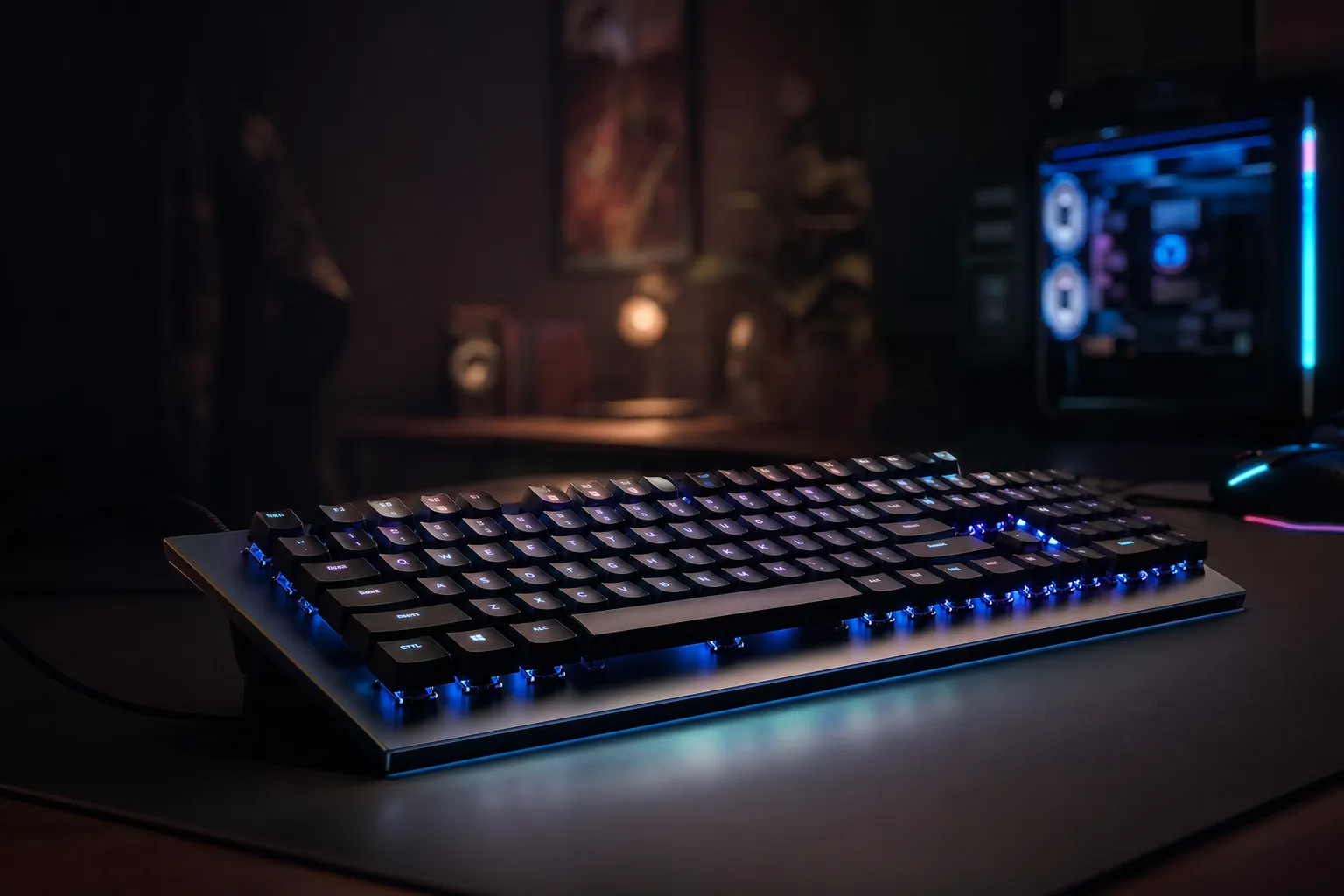
We link to the exact model on Amazon UK. Prices change often, so check the live price before you buy. As an Amazon Associate we earn from qualifying purchases.
Hall-effect boards have completely reshaped what's possible at the budget end of the gaming keyboard market.
A couple of years ago, telling someone they could buy a genuine hall-effect gaming keyboard with rapid trigger and an 8,000Hz polling rate for less than the cost of a AAA game would have got you laughed out of the Discord. Yet here we are. The technology that used to live exclusively on £200-plus flagships has trickled down so aggressively that the hardest part of writing this guide wasn't finding good boards — it was deciding which ones to leave out. This is a gaming-first round-up, deliberately separate from our typing-focused keyboard guide. If you care about how fast a key registers and how quickly it resets for the next tap, you're in the right place.
Why Hall-Effect Switches Matter for Gaming
Let's get the jargon out of the way first, because it genuinely matters for how these boards play. A traditional mechanical switch closes a physical metal contact at a fixed point in its travel — usually around 2mm down — and that's your actuation. It's fine. It's been fine for decades. But it's fixed, it's a single point, and the contact has to physically reset before it can fire again.
A hall-effect switch works completely differently. Instead of a metal contact, it uses a tiny magnet inside the switch and a sensor in the PCB that measures the magnet's position continuously as you press. Because the board knows precisely where the keystroke is at every fraction of a millimetre, it can do things a normal switch simply can't.
Adjustable actuation
You decide how far a key needs to travel before it fires. Want a hair-trigger 0.1mm for strafing in a shooter? Done. Want a deeper, more deliberate 2mm for a key you don't want to fat-finger? Also done — and on the same board, key by key.
Rapid trigger
This is the killer feature. Instead of resetting at a fixed point, the key resets the instant you start lifting your finger and re-fires the instant you press again. For counter-strafing and rapid repeated taps, it feels telepathic compared to a mechanical board.
Multiple actions per key
Because the board reads continuous depth, a single key can trigger different outputs depending on how far you press it — a half-press does one thing, a full press another. Dynamic Keystroke and analogue input both live here.
Lower latency, higher polling
Hall-effect boards are increasingly paired with 8,000Hz polling rates, meaning the keyboard reports its state to your PC up to 8,000 times a second — every 0.125ms. That's faster than you can consciously perceive, which is exactly the point.
The upshot is simple: for fast-paced competitive games — tactical shooters, fighting games, anything where the gap between input and reset decides who wins the trade — hall-effect is a real, measurable advantage. Whether you'll personally feel the difference depends on the game and your reflexes, but the ceiling is genuinely higher than a standard mechanical board. And crucially, all of that now exists comfortably under £120.
One thing worth flagging up front: "Snap Tap" and similar simultaneous-input features (where pressing a second movement key instantly overrides the first) have become a competitive grey area. Some games have banned the behaviour. Brilliant tech, but check your game's rules before you lean on it in ranked.
How I Tested and What I Looked For
My priorities for this guide are unapologetically gaming-led. A board can have a gorgeous typing thock and still be a poor choice for the things I care about here, so I weighted the criteria accordingly.
- Latency and polling: Does the board actually deliver the low-latency, high-polling figures it advertises, and does that translate to a responsive feel in-game?
- Rapid trigger quality: How fine is the adjustment, and how consistent is the reset across the whole board?
- Actuation range and granularity: The wider and finer the range, the more you can tailor each key to its job.
- Software: All this flexibility is worthless if the configuration tool is a nightmare. I rate ease-of-use heavily.
- Build and keycaps: It needs to survive years of frantic input, so I look for PBT keycaps and a solid chassis.
- Form factor: Compact layouts free up desk space for big mouse sweeps, which matters in shooters.
It's also worth being honest about the bigger picture. If money were no object, the Wooting 80HE is the board that stands head and shoulders above the rest for ease of use and excellent software — its Wootility configuration tool is the benchmark everyone else is chasing. But the 80HE sits at roughly £120 to £160 and beyond in the UK (US MSRP around £160 to £199, with UK retailers typically marking up 35 to 40% versus US pricing), which pushes it past the budget brief for most buyers. So whilst it's the reference point I keep coming back to, the boards below are the ones that actually fit a sub-£120 budget — and several of them get astonishingly close to that flagship experience for a fraction of the outlay.
Every board in this guide uses magnetic switches with adjustable actuation — the defining feature of the category.
The Best Hall-Effect Keyboards Under £120 at a Glance
Here's the quick version before we dive into each board individually. There's no single "best for everyone" here — the right pick genuinely depends on whether you prioritise raw value, layout, or a wireless lifestyle.
| Feature | Gamakay NS68 | Redragon K686 HE | Keychron K2 HE |
|---|---|---|---|
| Layout | 65% | 96% | Compact |
| Polling rate | 8,000Hz | 8,000Hz | 1,000Hz |
| Latency | 0.125ms | 0.125ms | — |
| Actuation range | 0.1–3.7mm | 0.1–3.4mm | Adjustable |
| Adjustment step | 0.01mm | 0.1mm | — |
| Connectivity | Wired & wireless | Wired | Wireless |
| Keycaps | PBT | PBT | — |
| Hot-swap switches | Yes | — | — |
| Headline feature | Snap Tap & DKS | Control knob | Up to 110h battery |
| Buy | Check price | Check price | Check price |
| Buy | Check price | Check price | Check price |
Gamakay x NaughShark NS68 — Best Value Overall

See Gamakay x NaughShark NS68 on Amazon UK
Check today's price & availability on Amazon UK
Gamakay x NaughShark NS68
If you'd told me you could get 8K polling, 0.01mm-step rapid trigger, hot-swappable magnetic switches and PBT keycaps in a single board, I'd have assumed you were talking about something three times the price. The NS68 is the board that made me sit up and properly take the budget hall-effect category seriously.
This is a 65% board, which is my favourite layout for gaming. You keep your arrow keys and a slim navigation column but lose the numpad and a chunk of dead space, which means your mouse hand gets far more room for those big, low-sensitivity flicks. On a cramped desk it's a genuine quality-of-life upgrade.
The switch specs are the headline. These are hall-effect magnetic switches with a stated 0.01mm rapid trigger accuracy and ultra-low latency of 0.125ms, backed by an 8K polling rate. The actuation is fully adjustable from 0.1mm right down to 3.7mm of travel in 0.01mm increments — that's an enormously fine level of control, matching what the premium boards offer. You can set your WASD cluster to a feather-light 0.1mm hair-trigger whilst keeping your reload and ability keys deeper to avoid accidental presses.
Beyond the basics, you get the modern feature set in full: Snap Tap for instant directional override, Dynamic Keystroke (DKS) for assigning multiple actions to a single key based on depth, and hot-swappable magnetic switches so you can swap out a dud or change feel without soldering. The PBT keycaps have side-mounted legends and a wavy texture that's a little unusual but feels grippy in practice, and a 1.5m Type-C cable comes in the box. There's also a choice of wired and wireless versions depending on how you like to set up your desk.
The 65% layout strips away the numpad to free up desk space for wide, low-sensitivity mouse movements.
Software is handled either through a downloadable Windows client or a web-based driver at QMK.top, both of which control actuation points, rapid trigger, keystroke options and RGB. The web tool is handy if you're moving between machines and don't want to install anything. It's not quite the polished Wootility experience, but it's perfectly usable once you've found your way around.
Where the NS68 shows its budget roots is the chassis. It's a solid plastic slab with no real flex or bending, which is reassuring from a durability standpoint, but it doesn't have the premium gasket-mounted bounce or acoustic tuning of a pricier board. For pure gaming I genuinely don't mind — a rock-solid, non-flexing base is arguably better for hammering keys — but if you want a luxurious typing experience as well, manage your expectations.
Pros
- Flagship-tier specs at an entry price: 8K polling, 0.125ms latency, 0.01mm steps
- Hot-swappable magnetic switches — rare at this price
- Snap Tap and Dynamic Keystroke included
- Space-saving 65% layout great for shooters
- PBT keycaps and both wired and wireless options
Cons
- Solid plastic chassis lacks premium acoustics and flex tuning
- Wavy keycap texture and side-printed legends won't suit everyone
- Software is functional rather than polished
- 65% means no dedicated function row — fine for many, limiting for some
Redragon K686 HE — Best for Full-Size Fans
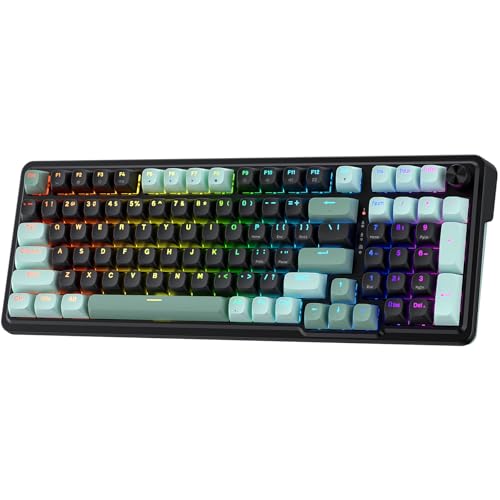
See Redragon K686 HE on Amazon UK
Check today's price & availability on Amazon UK
Redragon K686 HE (EISA)
Not everyone wants to sacrifice their numpad on the altar of mouse space. If you spreadsheet, MMO, or simply like having every key present and correct, the K686 HE is the hall-effect board that doesn't make you choose between gaming performance and a complete layout.
The K686 HE uses a 96% layout, which is a clever bit of design — it crams full-size functionality (function row, arrow cluster, navigation keys and a numpad) into a footprint barely larger than a tenkeyless board by squashing the gaps between key groups. You get everything, you just lose the wasted space. For anyone who's reluctant to give up their numpad, this is the sweet spot.
Under the keycaps sit Redragon's next-gen UltraMag magnetic switches, which use an anti-wobble dual-module floating structure — in plain English, the keys feel notably more stable and less rattly than you might fear at this price. Actuation is adjustable across a 0.1mm to 3.4mm range in 0.1mm precision, with rapid trigger on tap. The board also runs an 8K polling rate at 0.125ms latency, meaning inputs register faster than human perception. The actuation step here is 0.1mm rather than the NS68's finer 0.01mm, so you have slightly coarser control, but in real-world play the difference is academic.
Build quality punches above its weight too. The board uses POM switch components with a transparent light guide column, so the RGB has a lovely diffused glow rather than harsh spots of light. The plastic case sits at a gentle typing angle, sits on rubber pads to stop it skating around, and has dual-stage flip-out feet so you can dial in your preferred incline. There's also a control knob included — handy for volume, scrolling or whatever you map it to. The PBT keycaps are wear-resistant and shouldn't develop fading or that greasy shine over time.
Pro Tip
The K686 HE's web-based configuration tool keeps things refreshingly clean and offers four customisable profiles. Set one up with aggressive rapid trigger for shooters, one with deeper actuation for slower strategy games, one for typing, and keep a default — then switch between them without ever opening a manual.
Configuration runs through a web-based tool with a clean layout and those four profiles. Per-key actuation tuning means you can fine-tune individual keys, and the combination of 8K polling with rapid trigger delivers genuinely snappy movement in shooters — exactly the sort of responsiveness that was exclusive to £200-plus boards just a year ago. The only real catch for some buyers is connectivity: this one is wired only, via a side USB port. If a cable doesn't bother you, that's not a downside at all, and it sidesteps any wireless latency concerns entirely.
Pros
- Full functionality in a compact 96% footprint — keeps the numpad
- Anti-wobble UltraMag switches feel stable and refined
- 8K polling and rapid trigger for competitive responsiveness
- POM switch components, PBT keycaps and a tactile control knob
- Clean web software with four switchable profiles
Cons
- Wired only — no wireless option
- 0.1mm actuation step is coarser than some rivals' 0.01mm
- 96% layout still takes up more desk than a 65% or 60%
Keychron K2 HE — Best Wireless Hall-Effect

See Keychron K2 HE on Amazon UK
Check today's price & availability on Amazon UK
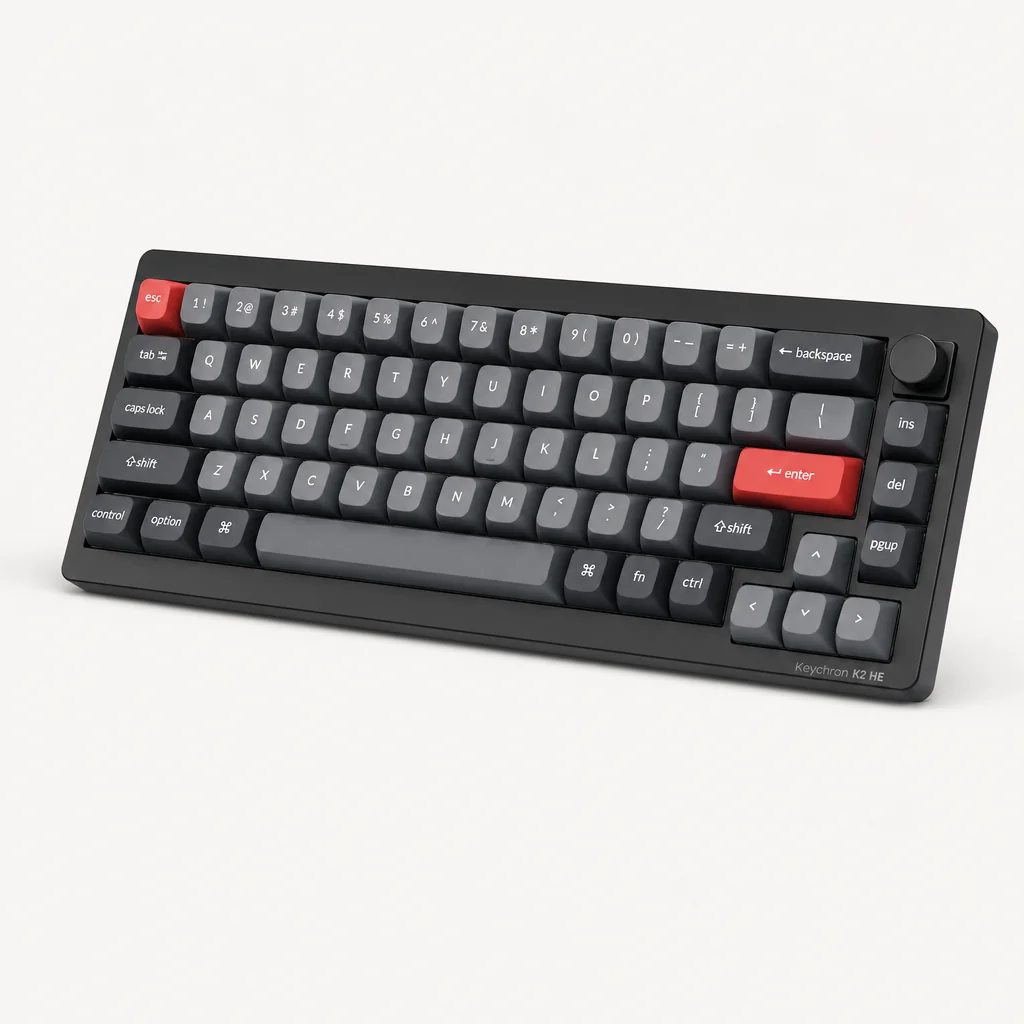
Keychron K2 HE
Wireless hall-effect keyboards usually carry a price premium that takes them well clear of a budget cap. The K2 HE is Keychron's answer to that — a quick, affordable hall-effect board that brings the technology to a wireless form factor without the usual surcharge.
This is the board for anyone who hates cable clutter, plays from the sofa, or moves their setup around. It's a compact board that feels great in hand and carries Keychron's typically smart, understated appearance — the sort of keyboard that looks just as at home on a tidy desk as it does jammed under your arm on the way to the lounge.
The headline trade-off is polling. Where the wired boards in this guide hit 8K, the K2 HE is rated at 1,000Hz — which, to be clear, is more than enough for the vast majority of players. The jump from 1,000Hz to 8,000Hz is a refinement that the most demanding competitive players chase; for everyone else, 1,000Hz wireless with hall-effect adjustable actuation is a fantastic, responsive experience. You still get the core benefit of the technology — tuneable actuation points — just without the extreme polling ceiling.
Battery life is a genuine highlight. You get up to 110 hours without lighting enabled, which is enough to forget the charger exists for the best part of a fortnight of normal use. Switch the RGB on and that figure drops, naturally, but there's still enough headroom for a full couch-gaming session with the lights blazing. Multiple connectivity modes mean you can pair it across several devices and hop between them, which is brilliant if your keyboard does double duty between a gaming PC and a work laptop.
Wireless hall-effect used to mean a steep price premium — the K2 HE makes it accessible.
Pros
- Affordable wireless hall-effect — historically a costly combination
- Up to 110 hours of battery without lighting
- Multiple connectivity modes for switching between devices
- Compact, smart design that feels great to use
- Adjustable actuation, the core hall-effect benefit, intact
Cons
- 1,000Hz polling rather than the 8K of wired rivals
- Lacks the headline rapid-trigger granularity figures of the Gamakay
- Wireless will always carry a sliver more latency than a wired connection
Wooting 60HE v2 — The Enthusiast's Choice (above our £120 ceiling)
Check Wooting 60HE v2 pricing and configurations
Wooting 60HE v2
Wooting is the name that practically invented this category in the public consciousness, and the 60HE v2 is its compact champion. If your priority is the most refined, most trusted hall-effect experience in the smallest possible footprint, this is the board enthusiasts keep pointing newcomers towards.
The 60HE v2 is a tiny 60% layout — fewer keys, but, as Wooting themselves put it, huge potential. The 60% form factor is purpose-built for competitive gaming: by ditching the function row, arrow cluster and numpad, it gives you the absolute maximum amount of desk real estate for mouse movement. Everything you've lost is accessible via layers, and once your muscle memory adapts it's no hardship at all. For tactical shooter players who run low sensitivity, a 60% board is something close to ideal.
The big upgrade in the v2 is the switches. Wooting's latest Lekker Tikken switches mean the board no longer feels like a second-rate typing experience — a long-standing criticism of earlier analogue boards. You get the full hall-effect suite: rapid trigger, adjustable actuation, and multiple actions per key, plus more besides. The sound is superb, more consistent and stable than before for both gaming and typing, which is a meaningful step up if you're someone who also hammers out documents between matches.
Wooting's trump card has always been software, and that remains the case. The Wootility configuration tool is widely regarded as the easiest and most capable in the business, and it's the single biggest reason the brand commands the loyalty it does. Setting up rapid trigger, tweaking actuation, or layering multiple actions onto a key is genuinely intuitive — no wrestling with clunky menus, no impenetrable jargon.
The 60HE v2 sits right at the top of the budget bracket and can edge over it depending on stock and any markups, so keep an eye out for sales. It's the priciest board here, but it's also the most polished, and the only one I'd describe as a true "buy once, forget about it" enthusiast option within touching distance of the cap.
Pros
- Best-in-class Wootility software — the easiest to configure, full stop
- New Lekker Tikken switches finally nail typing feel and sound
- Ultra-compact 60% layout maximises mouse space
- Full feature set: rapid trigger, adjustable actuation, multiple actions per key
- Superb, consistent and stable acoustics
Cons
- Priciest board here — can creep over the budget cap
- 60% layout has a learning curve for layer-based keys
- No numpad, function row or dedicated arrows
Performance Compared: How They Stack Up
It's hard to "benchmark" a keyboard the way you would a phone or a graphics card, but the responsiveness numbers do tell a clear story. Below I've visualised how the wired boards' polling rates and adjustment granularity compare, plus a rough gaming-responsiveness rating based on hands-on feel across fast-paced shooters. The wired 8K boards are essentially maxed out on the metrics that matter most for twitch play.
Polling rate is only part of the picture, though — adjustment granularity decides how precisely you can tune each key. Here the Gamakay's 0.01mm step shines, matching the finest figures in the category, with the Redragon a step coarser at 0.1mm (still excellent in practice).
And finally, my overall hands-on gaming-responsiveness impression, weighing latency, rapid trigger consistency and how the board feels under pressure in a clutch round. The takeaway: the gaps here are smaller than the price gaps. You're not paying for a vast performance leap as you climb the budget — you're paying for software polish, build refinement and brand trust.
The honest reality on 8K polling
Will you feel the difference between 1,000Hz and 8,000Hz? In a blind test, most players genuinely won't. The marketing makes a meal of it, but the bigger, more tangible upgrade over a standard mechanical board is rapid trigger and adjustable actuation — both of which every board here offers. Don't let polling-rate anxiety steer you away from the wireless Keychron if cable-free is what you actually want.
Pricing and Where to Look
The beauty of this category in 2026 is just how little it costs to get in. The budget hall-effect boards have effectively democratised technology that was locked behind premium price tags only a generation of products ago. Prices shift constantly with sales, stock and exchange rates — particularly on the boards imported directly from their manufacturers — so the smartest move is always to check the current listing rather than rely on a number that may be out of date by the time you read this.
Check the latest price and any current bundles on Amazon.
A quick word on the broader market, since it's relevant to value. The premium reference points in this space — boards with LCD displays, dedicated macro keys, 8,000Hz polling and 0.1mm rapid trigger — typically sit in the £160-plus territory, and UK buyers should be aware that retailers here tend to mark imported boards up by 35 to 40% versus their US sticker prices. That import-and-markup dynamic is exactly why the direct-from-manufacturer budget boards represent such compelling value: they sidestep a lot of that premium whilst delivering the features that actually matter in-game.
Which One Should You Buy?
Four very good boards, four different ideal owners. Here's how I'd steer you depending on what you actually do at your desk.
The Value Hunter
You want maximum features for minimum spend and don't mind a no-frills chassis. The Gamakay NS68 is unbeatable — 8K polling, 0.01mm steps, hot-swap switches and Snap Tap for an entry price.
The Full-Layout Loyalist
You refuse to give up your numpad and want every key present. The Redragon K686 HE's 96% layout, control knob and refined UltraMag switches are made for you.
The Cable-Hater
You game from the sofa or hop between devices. The Keychron K2 HE brings affordable wireless hall-effect with up to 110 hours of battery.
The Enthusiast
You want the best software, the cleanest sound and a competition-focused 60% layout — and you'll stretch the budget for it. The Wooting 60HE v2 is your board.
From ultra-budget to enthusiast-grade, there's a hall-effect board here for every type of player.
Frequently Asked Questions
The takeaway: rapid trigger and adjustable actuation are the real game-changers — and they're affordable now.
The Verdict
The single most striking thing about putting this guide together is how thoroughly the budget end has caught up. The technology that genuinely changes how you play — adjustable actuation and rapid trigger — is no longer a luxury. It's available across every board here, and the performance gaps between them are far smaller than the price gaps would suggest.
For most people, the Gamakay x NaughShark NS68 is the one I'd reach for first. It packs a near-complete flagship feature set — 8K polling, 0.125ms latency, 0.01mm actuation steps, hot-swap magnetic switches, Snap Tap and Dynamic Keystroke — into a space-saving 65% board at a price that feels almost unfair. It's the best value in the category, full stop.
If you can't live without a numpad, the Redragon K686 HE delivers the full layout, a lovely control knob and stable UltraMag switches with no real compromise on gaming responsiveness. If wireless freedom matters more than chasing the last few percent of polling, the Keychron K2 HE is a smart, long-lasting choice. And if you want the most polished experience money can buy near the cap — with the unbeatable Wootility software and superb acoustics — the Wooting 60HE v2 is the enthusiast's pick and the board the whole category measures itself against.
Whichever you choose, you're getting a genuine competitive tool rather than a marketing gimmick. That wasn't true at this price a year or two ago. It's a brilliant time to be a gamer with a tight budget and quick fingers.
- Gamakay x NaughShark NS68Best Value OverallView on Amazon
- Redragon K686 HEBest for Full-Size FansView on Amazon
- Keychron K2 HEBest Wireless Hall-EffectView on Amazon