
Best Cheap Tablets for Kids: Durable Picks That Survive Drops
Rugged, parental-control-friendly tablets that shrug off sticky fingers, sofa launches and the occasional staircase tumble — tested and compared so you don't have to gamble.
We link to the exact model on Amazon UK. Prices change often, so check the live price before you buy. As an Amazon Associate we earn from qualifying purchases.
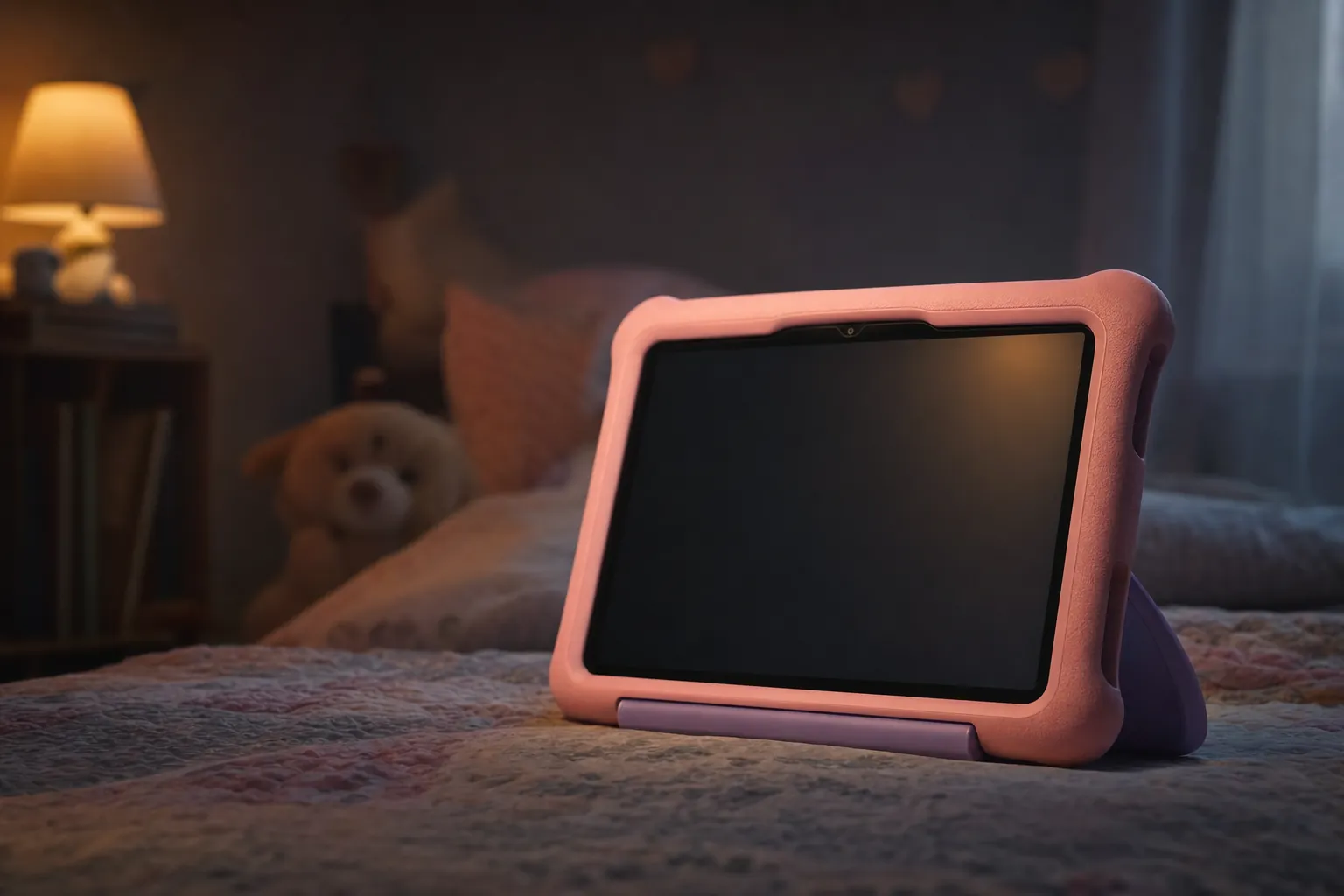
The current crop of rugged kids' tablets, lined up and ready for a week of real-world abuse.
Right, let's be honest about something. If you've got children and you're buying them a tablet, the first thing that's going to happen is it's going to hit the floor. Possibly within the first hour. So whilst the wider world obsesses over screen resolution and chipset benchmarks, parents have a very different list of priorities: will it survive, can I lock it down, and will it still be working by Christmas? I've spent a good chunk of time living with the budget rugged tablets that matter in 2026, and this guide is squarely about the survivors — not the slim, fragile streaming slabs you'd buy for yourself.
See Amazon Fire HD 10 Kids Pro on Amazon UK
What Actually Makes a Kids' Tablet "Durable"?
Before we get into specific models, it's worth being clear about what we're testing for, because "kid-proof" gets thrown around loosely. A genuinely durable kids' tablet isn't just a normal tablet in a chunky case — although, frankly, the chunky case does most of the heavy lifting. The good ones combine a few things: a thick, grippy foam or rubberised bumper that absorbs impact, reinforced corners (which is where most drops land), a screen that sits slightly recessed behind a raised lip, and a built-in stand or handle so the thing isn't perpetually balanced on a knee.
The other half of "durable" is the bit you can't see — the software lockdown. A tablet that physically survives but lets a seven-year-old rack up in-app purchases or wander onto the open web isn't really fit for purpose. So throughout this guide I'm weighing two things equally: physical ruggedness and the quality of the parental controls. The best picks nail both, and there's a surprisingly wide gap between the top and the bottom of the pile.
Impact-absorbing bumper
A thick foam or silicone shell with reinforced corners is the single biggest factor in surviving drops. Amazon's "Kid-Proof Case" approach and Samsung's reinforced-corner design both lean heavily on this.
Granular parental controls
Screen-time limits, content filtering, age-appropriate profiles and a PIN that actually stops a determined child. This is where Amazon's ecosystem and Samsung's PIN-based system pull ahead of cheaper Android tablets.
A worry-free warranty
Amazon's two-year "if they break it, we replace it" guarantee is genuinely the headline durability feature — it turns a cracked screen from a disaster into a phone call.
All-day battery
Kids charge nothing and remember nothing. A tablet that lasts a full day — or, in the best cases, the better part of a week between charges — saves endless meltdowns.
The Top Picks at a Glance
I'll go into each of these in proper depth below, but here's the shortlist of tablets I think are genuinely worth your money in 2026. They span from "tiny tot's first tablet" all the way up to "tween who wants a proper device", and there's deliberately a non-Amazon option in there too, because not everyone wants to live inside the Fire ecosystem.
Amazon Fire HD 10 Kids Pro
See Amazon Fire HD 10 Kids Pro on Amazon UK
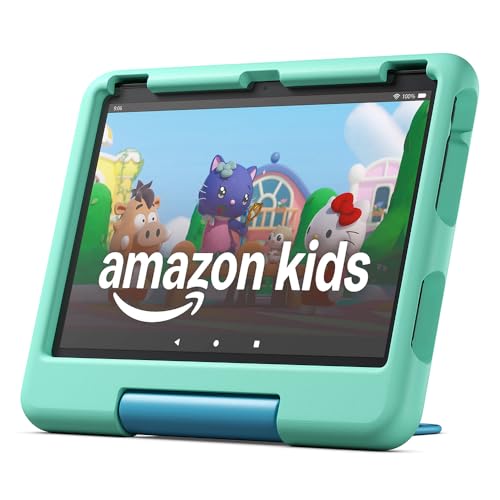
The 10.1-inch Fire HD 10 Kids Pro is the one I'd point most families towards. It's pitched at the 6-to-12 crowd, has a proper Full HD screen, an octa-core processor, and the slim case is designed for slightly older kids who don't want to look like they're carrying a toy. Battery life is the real star — Amazon claims up to 13 hours, and in my testing it comfortably lasted a week of after-school gaming between charges.
Amazon Fire HD 10 Kids
See Amazon Fire HD 10 Kids on Amazon UK
Check today's price & availability on Amazon UK
Same 10.1-inch Full HD panel and 13-hour battery, but aimed at ages 3-7 with a chunkier, more protective case and a friendlier design. If your child is still at the "throws it across the room for fun" stage, this is the more sensible choice over the Pro.
Amazon Fire HD 8 Kids Pro
See Amazon Fire HD 8 Kids Pro on Amazon UK
The 8-inch Fire HD 8 Kids Pro is the lighter, more pocketable option for ages 6-12. It's the one to grab if the tablet spends a lot of time in a bag or on long car journeys, and it now runs on a faster 12th-generation hexa-core chip.
Samsung Galaxy Tab A9 with Samsung Kids setup
Check Samsung Galaxy Tab A9 with Samsung Kids setup price on Amazon UK
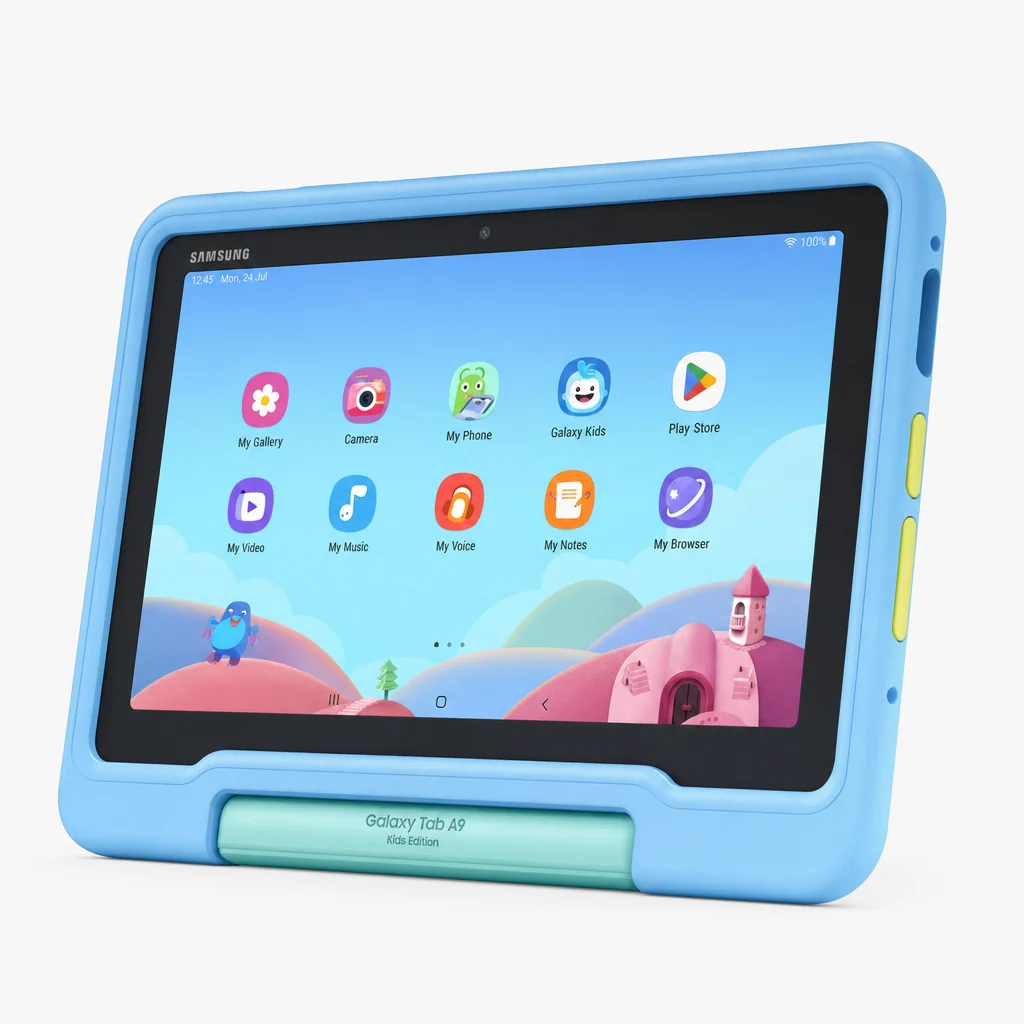
If you'd rather have full Google Play access and a more "grown-up" Android experience, the 8.7-inch Galaxy Tab A9 with Samsung Kids setup is the standout. Rugged shell, reinforced corners, surprisingly generous 8GB of RAM, and a proper PIN-based parental control system.
Tabwee K10
A 10-inch Android 15 tablet aimed at ages 4-10 that delivers genuine value. It's straightforward, has 64GB of storage and built-in parental controls. It's not as polished as the big names, but for a no-frills first tablet it does the job.
Amazon Fire 7 Kids Edition
See Amazon Fire HD 10 Kids on Amazon UK
Check today's price & availability on Amazon UK
The 7-inch Fire 7 Kids Edition is the entry point — recently updated with more storage, more speed, better Alexa and an adjustable stand case. It's the budget pick for very young kids, and it still carries that crucial two-year warranty.
From the pocket-friendly Fire 7 up to the 10-inch Kids Pro — there's a rugged tablet for every age bracket.
Amazon Fire HD 10 Kids Pro — The All-Rounder, In Detail
This is the tablet I keep coming back to, so it gets the deepest dive. The Fire HD 10 Kids Pro is a 13th-generation device from 2023's refresh, and it's aimed squarely at the 6-to-12 age range — old enough to want something that doesn't scream "baby's first tablet", young enough that you still want the parental guardrails firmly in place.
Let's talk about that processor for a second, because it's the bit that makes the Pro feel genuinely smoother than the cheaper Fires. It's an octa-core chip — two Arm Cortex-A76 cores running up to 2.05 GHz handling the heavy lifting, paired with six efficient Cortex-A55 cores up to 2 GHz for everything else. Combined with 3GB of RAM, it means switching between a learning app, a YouTube Kids video and a colouring game doesn't reduce the whole thing to a stuttering mess. It's no flagship, but for the price and the audience, it's more than enough.
The screen is a real step up from the 8-inch models too. At 1920 × 1200 it's a proper Full HD panel, which matters more than you'd think when a child is six inches from the display watching cartoons. Text in reading apps is crisp, and video content actually looks the part rather than soft and pixelated.
Battery and charging
This is where the Kids Pro genuinely impressed me. Amazon quotes up to 13 hours, and other testing has it lasting a comfortable week of post-school gaming sessions between charges. In practice that means you're not chained to the mains, and the inevitable "it's dead and I didn't charge it" tantrum happens far less often. When you do need to top it up, it charges over USB-C with a 9W adapter, taking roughly four hours from flat — not the fastest, but you'll typically be charging it overnight anyway.
The Kids Pro ships with a slim case suited to older children, plus the all-important two-year worry-free guarantee. The standard Kids version (ages 3-7) swaps that slim case for the chunkier Kid-Proof Case with an integrated stand and handle — worth knowing if your child is younger and rougher.
Battery figures as claimed/tested. The Fire tablets' stamina is one of their biggest practical advantages over budget Android rivals.
Pros
- Crisp 1920 × 1200 Full HD display, a clear cut above the 8-inch models
- Octa-core chip keeps multitasking smooth for the price
- Outstanding battery — easily a week of after-school use between charges
- Two-year worry-free guarantee turns breakages into a phone call
- Slim case suits older kids who don't want a "baby" tablet
Cons
- 32GB storage gives only around 24GB usable — you'll want a microSD card
- At 658.1g it's noticeably heavier than the 8-inch option
- Fire OS means no Google Play Store out of the box
- Roughly four-hour charge time from flat is on the slow side
Ready to buy the Fire HD 10 Kids Pro?
Prices on Amazon's own kids' tablets move around constantly with seasonal sales and bundle deals. Check the latest price and any current bundles on Amazon.
Amazon Fire HD 8 Kids Pro — The Portable Option
If the 10-inch model feels like a lot of tablet for small hands, the 8-inch Fire HD 8 Kids Pro is the answer. It covers the same 6-to-12 age range but in a far more manageable package — the kind of thing that actually fits in a school bag or survives a long car journey balanced on a child's lap. The 2024 refresh brought it up to the 12th generation, and the headline change is a faster hexa-core processor that makes day-to-day navigation feel noticeably nippier than the model it replaced.
The compromise here is the screen. At 1280 × 800 it's HD rather than Full HD, so it's not as sharp as the 10-inch Pro. On an 8-inch panel that's less obvious than it would be on a bigger display, and for the sort of content kids actually watch it's perfectly serviceable — but if crispness matters to you, it's the clearest reason to step up to the larger model. The trade-off is portability and a noticeably lighter device, plus that handy choice of 3GB or 4GB RAM if you want a little extra headroom for smoother performance.
One genuinely useful spec is the expandable storage — up to 1TB via microSD. Given how quickly kids' apps and downloaded videos balloon, being able to drop in a big card and stop worrying about "storage full" warnings is a real quality-of-life win. The same up-to-13-hour battery claim applies here too, and includes the same slim case and two-year worry-free guarantee as its bigger sibling.
Pro Tip
Whichever Fire you choose, add a microSD card on day one and set downloaded content to save there by default. It's the single easiest way to avoid the "I've run out of space for my games" complaint a few months down the line — and on the Fire HD 8 Kids Pro you can go all the way up to 1TB.
Samsung Galaxy Tab A9 with Samsung Kids setup — The Grown-Up Alternative
Not everyone wants to live inside Amazon's walled garden, and that's exactly where the Samsung Galaxy Tab A9 with Samsung Kids setup comes in. Announced in October 2023, it's the pick for parents who want full, proper Android with Google Play access, whilst still getting a rugged, child-friendly package. The design language is unmistakably "built for kids who drop things" — a durable shell with reinforced corners, engineered to withstand the rigours of daily use.
On paper this is comfortably the most capable device in the round-up. That 8GB of RAM is genuinely generous for a kids' tablet — it's double or more what the Fire tablets offer — and paired with the MediaTek Helio G99 chipset it makes for a tablet that won't feel sluggish as your child grows into more demanding apps. The 128GB of built-in storage is also the most spacious here as standard, so you're far less likely to need a memory card straight away.
The parental control story is solid too. Samsung's Kids mode uses a PIN-based system that lets you set screen-time limits and restrict specific content, and the device comes preloaded with a diverse array of educational apps and games to get going from the off. It's not quite as hand-holdy as Amazon's all-encompassing ecosystem, but the upside is far more flexibility — you're not limited to Amazon's curated app selection, and the tablet has a longer runway before your child outgrows it.
Why pick Samsung over a Fire?
Choose the Galaxy Tab A9 with Samsung Kids setup if you specifically want the full Google Play Store, more RAM and storage for longevity, and a device that can transition into a "normal" tablet as your child matures. Choose a Fire if you want the simplest possible parental controls, the longest battery life, and that reassuring worry-free replacement guarantee.
Samsung's reinforced-corner case takes a different approach to Amazon's foam bumpers — and pairs it with full Android.
Tabwee K10 and Fire 7 — The Budget Battle

See Tabwee K10 and Fire 7 on Amazon UK
Check today's price & availability on Amazon UK
At the affordable end, two tablets fight for the "first proper tablet" slot: the Tabwee K10 and the Amazon Fire 7 Kids Edition. They take very different routes to keeping costs down, so they suit different families.
Tabwee K10
The K10 is a 10-inch Android 15 tablet pitched at ages 4-10, and its biggest draw is simple value — a full-size screen and a decent storage allocation for a price that undercuts the bigger brands. It runs a quad-core processor, packs 64GB of storage, and weighs a manageable 535g, which makes it lighter than the Fire HD 10. The 1280 × 800 display is HD rather than Full HD, but on a budget device that's entirely expected.
It's not without rough edges, though. The bundled stylus isn't attached, so it's destined to be lost down the back of the sofa within a fortnight, and the stand can be a touch fiddly to set up. Battery life is the bigger compromise — it's noticeably weaker than the Amazon Fire tablets, so you'll be reaching for the charger more often. Still, with proper parental controls baked in and full Android 15 underneath, it's a sensible, no-nonsense choice for a younger child who isn't ready for an expensive device.
Pros
- Genuine value — a full 10-inch tablet at a low price
- 64GB storage is generous for the money
- Runs full Android 15 with built-in parental controls
- Light at 535g and straightforward for ages 4-10
Cons
- Battery life lags well behind the Amazon Fire tablets
- Stylus isn't attached — easily lost
- Stand can be fiddly to use
- HD-only screen and quad-core chip show their limits
Amazon Fire 7 Kids Edition
The Fire 7 is the cheapest way into Amazon's kids' ecosystem. It's a 7-inch tablet aimed at very young children, and this year's update brought more storage, more speed, better Alexa integration and a new adjustable stand case. Crucially, it keeps the same two-year worry-free guarantee as the pricier Fires — which, on the cheapest tablet here, is arguably the best-value warranty in the line-up. If they snap it, you get a new one, and you've risked very little to begin with.
Which budget pick wins?
Go for the Fire 7 if your child is very young and you want the simplest controls plus that no-questions-asked replacement warranty. Go for the Tabwee K10 if you want a bigger screen, more storage and full Android flexibility, and you're happy to manage the weaker battery. Both are sensible "first tablet" choices — it really comes down to screen size and ecosystem.
Head-to-Head Comparison
Here's how the main contenders stack up side by side. I've put the all-rounder Fire HD 10 Kids Pro in the spotlight column, with its two most obvious rivals alongside.
| Feature | Fire HD 10 Kids Pro | Fire HD 8 Kids Pro | Galaxy Tab A9 Kids Ed. |
|---|---|---|---|
| Screen size | 10.1" | 8" | 8.7" |
| Resolution | 1920 × 1200 (Full HD) | 1280 × 800 (HD) | 1920 x 1200 pixels |
| Processor | Octa-core | Hexa-core (12th Gen) | Helio G99 |
| RAM | 3GB | 3GB / 4GB | 8GB |
| Storage | 32GB (24GB usable) | Up to 1TB expandable | 128GB |
| Battery | Up to 13 hrs | Up to 13 hrs | 5,100 mAh |
| Cameras | 5MP front & rear | 5MP rear | 8MP rear, 2MP front |
| OS / ecosystem | Fire OS | Fire OS | Full Android + Google Play |
| Age range | 6-12 | 6-12 | Kids mode |
| Warranty | 2-year worry-free | 2-year worry-free | 12 months limited |
| Buy | Check price | Out of stock | |
| Buy | Check price | Check price |
What this table really highlights is that the three tablets are aimed at subtly different buyers. The Fire HD 10 Kids Pro wins on screen quality. The Fire HD 8 Kids Pro wins on portability and that enormous expandable storage ceiling. And the Galaxy Tab A9 with Samsung Kids setup wins on raw specifications and long-term flexibility, thanks to its the exact UK memory/storage configuration shown by the retailer of storage and full Android underpinnings. None of them is a wrong answer — it's about matching the device to your child and your priorities.
The decision usually comes down to three things: screen size, ecosystem, and how rough your particular child is.
Who Should Buy What?
To make this dead simple, here's how I'd match each tablet to a specific type of family. Find the description that sounds most like yours.
Most families
The Fire HD 10 Kids Pro is the safe default. Big Full HD screen, brilliant battery, strong controls and that warranty. If you only read one recommendation, read this one.
Toddlers & pre-schoolers
The Fire HD 10 Kids (ages 3-7) or the Fire 7 Kids Edition. Chunkier cases, simpler use, and the warranty matters most when the tablet's being thrown for fun.
Frequent travellers
The Fire HD 8 Kids Pro. Lighter, more pocketable, up-to-1TB storage for downloading a mountain of offline content before a long journey.
Older kids & longevity seekers
The Galaxy Tab A9 with Samsung Kids setup. Full Google Play, 8GB RAM and 128GB storage mean it'll keep up as your child's needs grow.
Tightest budgets
The Tabwee K10 for a big Android screen on a budget, or the Fire 7 Kids Edition for the cheapest route into Amazon's ecosystem with a warranty.
Frequently Asked Questions
The rugged cases — Amazon's foam Kid-Proof Case and Samsung's reinforced-corner shell — are designed specifically to absorb the impact from the everyday drops kids inflict. No case makes a device truly indestructible, which is exactly why Amazon's two-year worry-free guarantee is such a big deal: if your child does manage to break a Fire Kids tablet, Amazon will replace it. That combination of physical protection plus replacement cover is the real "survives drops" story.
Fire tablets run Fire OS and use Amazon's Appstore rather than Google Play, but the popular streaming and kids' video apps are available through it. If you want guaranteed, unrestricted access to the full Google Play Store, the Samsung Galaxy Tab A9 with Samsung Kids setup is the better bet since it runs full Android.
Very good across the board. Amazon's Fire Kids tablets come with a year of Amazon Kids+ and let you set screen-time limits, content filters and age-appropriate profiles. Samsung uses a PIN-based system for screen-time and content restrictions, and the Tabwee K10 includes its own parental controls too. The Amazon ecosystem is the most hand-holdy; Samsung's is the most flexible.
It depends on the model. The Fire HD 10 Kids Pro's 32GB (around 24GB usable) fills up fast, so a microSD card is wise. The Fire HD 8 Kids Pro supports up to 1TB expandable, the Tabwee K10 has 64GB, and the Galaxy Tab A9 leads with 128GB built in. If you download a lot of offline video, lean towards the higher-capacity or expandable options.
As a rough guide: the Fire 7 Kids Edition and Fire HD 10 Kids suit roughly ages 3-7; the Tabwee K10 covers 4-10; and the Fire HD 8 Kids Pro and Fire HD 10 Kids Pro are pitched at 6-12. The Galaxy Tab A9 with Samsung Kids setup uses a Kids mode that scales with the child, making it a good longer-term pick.
The Verdict
After all the drops and tantrums, the Fire HD 10 Kids Pro is the one I'd hand to most families without hesitation.
Final Word
If you want the short version: the Amazon Fire HD 10 Kids Pro is the tablet I'd recommend to most parents. Its Full HD screen, octa-core performance and genuinely class-leading battery — comfortably a week of after-school use between charges — make it the most complete package, and the two-year worry-free guarantee removes the fear that usually comes with handing a child an expensive gadget.
But it's not the only right answer. The Fire HD 8 Kids Pro is the smarter buy if portability and huge expandable storage matter more than screen size. The Samsung Galaxy Tab A9 with Samsung Kids setup is the pick for families who want full Android, more RAM and a device with a longer life ahead of it. And at the affordable end, the Tabwee K10 and Fire 7 Kids Edition both make sensible "first tablet" choices — the K10 for a bigger Android screen, the Fire 7 for the cheapest route into Amazon's ecosystem with that brilliant warranty.
Whichever you choose, the formula for surviving life with kids is the same: a rugged case, proper parental controls, and ideally a warranty that turns a smashed screen from a catastrophe into a minor inconvenience. Get those three things right and you'll spend far less time clutching a cracked tablet and asking how on earth it ended up at the bottom of the stairs. Again.
One last bit of advice
Set everything up before you hand the tablet over — profiles, screen-time limits, content filters and downloaded content all sorted in advance. The first impression of a kids' tablet is set in the first ten minutes, and a device that's locked down sensibly from the start saves you a great deal of negotiating later on.
- Amazon Fire HD 10 KidsView on Amazon
- Tabwee K10 and Fire 7View on Amazon