
Best 4K Monitors for Working From Home in the UK
Single-cable USB-C and Thunderbolt docking, genuinely accurate colour, and eye comfort that holds up across a full working day — five displays I'd happily put on a home desk.
We link to the exact model on Amazon UK. Prices change often, so check the live price before you buy. As an Amazon Associate we earn from qualifying purchases.
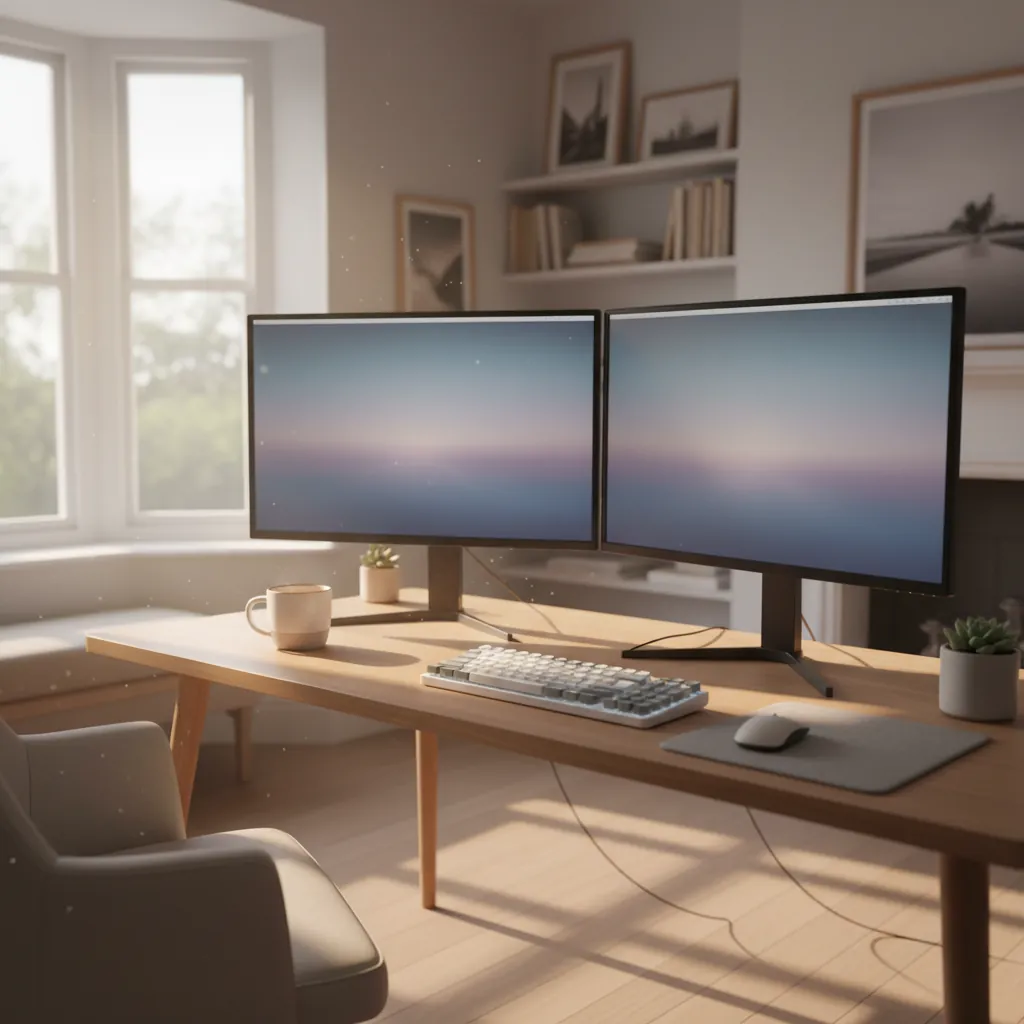
A tidy single-cable desk setup is the whole point of a modern 4K USB-C monitor.
If you've spent the last few years hunched over a laptop screen at the kitchen table, a good 4K monitor is the single most transformative upgrade you can make to a home office. But the brief I set myself here is narrower than "just buy something sharp": I wanted displays that dock your laptop with one cable, charge it whilst they're at it, reproduce colour you can actually trust, and don't leave your eyes feeling like sandpaper by 5pm. Those three pillars — USB-C docking, colour accuracy and eye comfort — separate a great work-from-home monitor from a merely pretty one.
I've pulled together five 4K monitors that, between them, cover the full spread from a no-compromise Thunderbolt 4 flagship to a genuinely capable budget panel that sneaks in under £400. Whether you're a spreadsheet warrior, a photo editor, or someone who just wants their MacBook to wake up to a charged battery and a clean desk every morning, there's something here for you. Let's get into it.
What this guide covers
- Why USB-C single-cable docking matters
- Dell UltraSharp U3225QE — the flagship
- Dell UltraSharp U2725QE — the 27-inch sibling
- BenQ DesignVue PD2706UA — for creators
- Iiyama ProLite XUB3293UHSN-B5 — budget hero
- Philips Brilliance 279P1 — the value all-rounder
- Colour accuracy compared
- Eye comfort and long-day usability
- Head-to-head comparison table
- Who should buy what
- FAQs and final verdict
Why single-cable USB-C docking changes everything
Let's start with the feature that ties this whole guide together. A USB-C or Thunderbolt monitor acts as a docking station built into the screen. Plug one cable into your laptop and you get video, data for any peripherals hanging off the monitor's USB hub, a wired Ethernet connection, and power delivery to charge the laptop — all simultaneously. No separate dock, no power brick on the desk, no fumbling behind the chassis every time you sit down.
The crucial number to watch is Power Delivery wattage. A thin-and-light ultrabook is happy with 65W, but a 14- or 16-inch creative laptop under load wants far more. That's why the two Dell UltraSharps in this guide, with their 140W of Power Delivery, are the gold standard — that's enough headroom to keep most laptops topped up even whilst you're hammering them. The BenQ and Philips deliver 90W, which suits the majority of business laptops nicely, and the Iiyama's 65W is aimed squarely at lightweight machines.
Power Delivery
From 65W on the Iiyama up to a laptop-charging 140W on both Dell UltraSharps — match the wattage to how power-hungry your machine is.
Built-in Ethernet
The Dells include a fast 2.5Gbps wired port; the Iiyama and Philips both add Gigabit-class Ethernet too — invaluable for stable video calls.
KVM switching
Both Dells and the Iiyama include a KVM, letting one keyboard and mouse jump between two connected machines — perfect for a work laptop plus a personal PC.
Dell UltraSharp 32 4K Thunderbolt Hub (U3225QE)

See Dell UltraSharp 32 4K Thunderbolt Hub (U3225QE) on Amazon UK
Check today's price & availability on Amazon UK
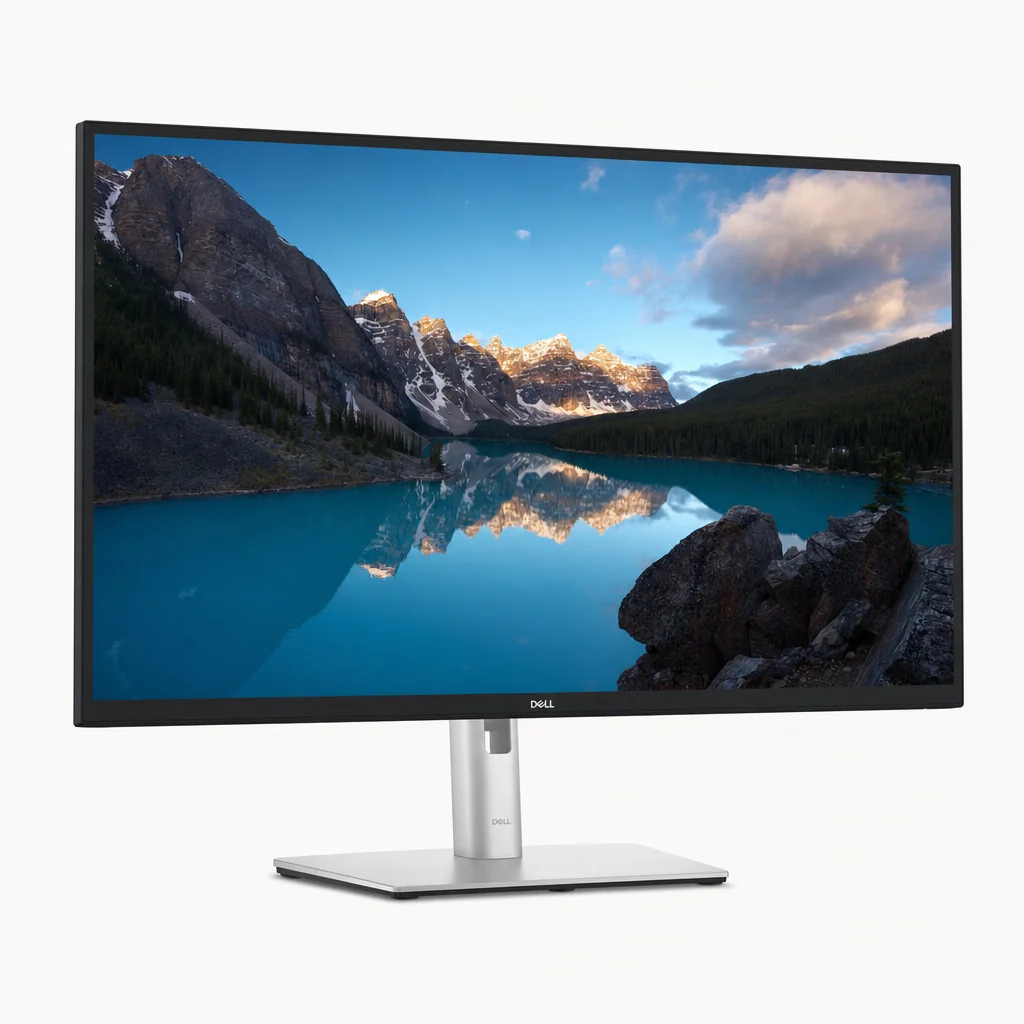
If money is no object and you want the most complete work-from-home display in this group, the U3225QE is it. This is a 31.5-inch panel built around Dell's enhanced IPS Black technology, which is the key to its standout image quality. IPS Black pushes the static contrast ratio up to 3,000:1 — roughly double the typical 1,000–1,200:1 you get from a conventional IPS screen — so blacks look genuinely deep rather than the washed-out grey IPS has historically been criticised for.
The U3225QE's enhanced IPS Black panel delivers a 3,000:1 static contrast ratio — unusually deep blacks for an IPS display.
The connectivity here is what genuinely sets it apart. Thunderbolt 4 with 140W Power Delivery handles the docking and the charging, and alongside that you get HDMI, DisplayPort, and a second DisplayPort output for daisy-chaining a second monitor off the same cable. There's a 2.5Gbps Ethernet port for rock-solid wired networking, six USB-A ports, and — my favourite practical touch — a pop-out front hub with quick-access USB-C and USB-A, so plugging in a memory card reader or a phone doesn't mean groping around the back.
It also runs at 120Hz, which you'd not strictly need for spreadsheets but absolutely notice every time you drag a window or scroll a long document. The whole thing feels fluid. Throw in DisplayHDR 600 certification and KVM switching between two PCs, and it's hard to think of a feature you'd actually miss — except, notably, speakers, which Dell has omitted entirely. You'll need a separate desk speaker or a headset.
On eye comfort, the U3225QE earns a genuine headline: it's among the world's first 4K monitors to carry TÜV Rheinland's 5-star Eye Comfort rating, the highest the body awards. That's backed by a 30% reduction in blue light achieved without skewing colour accuracy, plus ambient light sensors and a low-reflectance panel coating. For an all-day working display, that combination is exactly what you want.
Pros
- 3,000:1 IPS Black contrast for deep, rich blacks
- 140W Thunderbolt 4 charges even demanding laptops
- 120Hz makes everyday desktop use feel silky
- World-first TÜV 5-star eye comfort rating
- Pop-out front hub, KVM and 2.5Gbps Ethernet
Cons
- No built-in speakers at all
- Flagship pricing — the most expensive here
- 32 inches needs a reasonably deep desk
Pro Tip
That second DisplayPort output isn't just a spare socket — it lets you daisy-chain a second monitor from the same Thunderbolt cable. If you want a dual-screen setup but only one cable running to your laptop, this is how you do it cleanly.
Dell UltraSharp 27 4K Thunderbolt Hub (U2725QE)

See Dell UltraSharp 27 4K Thunderbolt Hub (U2725QE) on Amazon UK
Check today's price & availability on Amazon UK
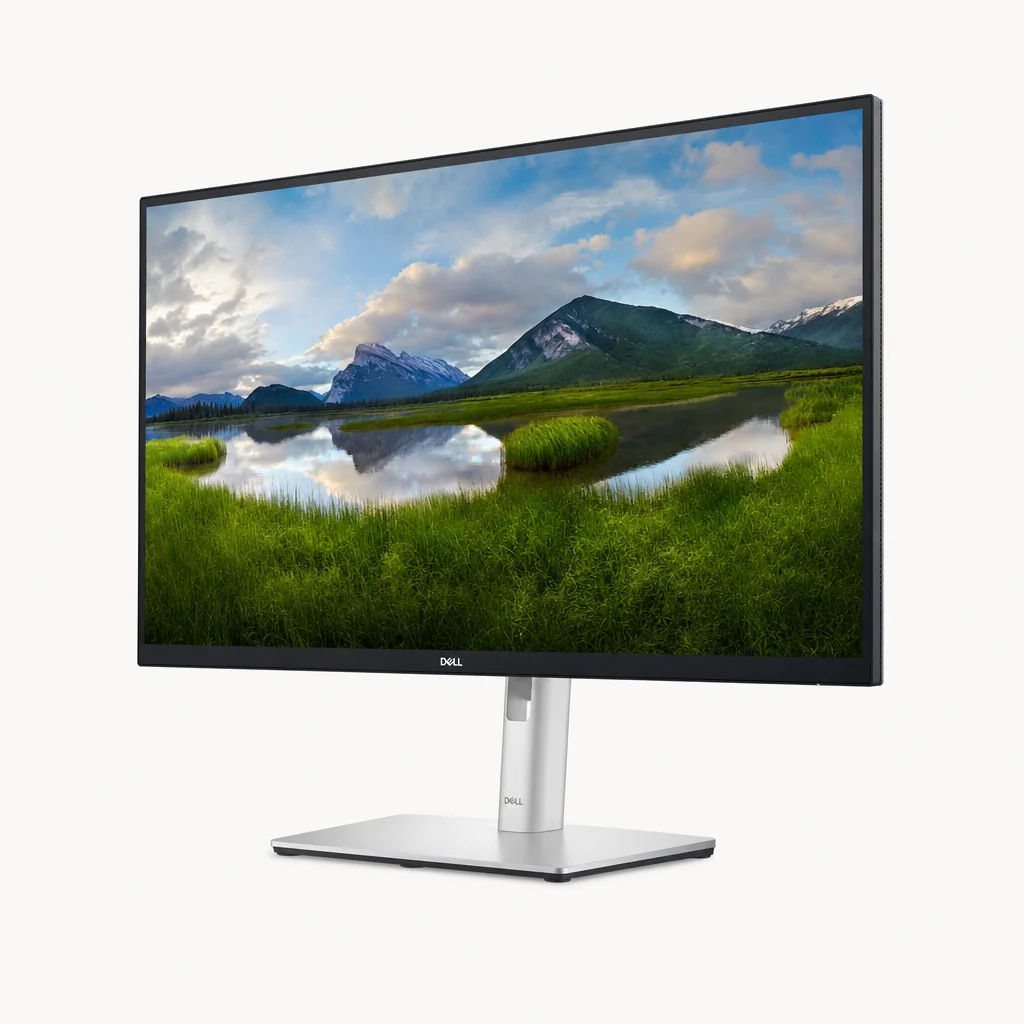
If the 32-inch flagship is more screen (and more money) than you need, the U2725QE is the one I'd point most people towards. It's the 27-inch sibling that keeps virtually all of the good stuff: the same IPS Black panel technology with that 3,000:1 static contrast ratio, the same Thunderbolt 4 connectivity, the same 140W Power Delivery, and 120Hz refresh. In day-to-day use it feels like the big model shrunk to a more desk-friendly footprint.
The headline figures are excellent for a work display that doubles as a content machine: 600 nits peak brightness, an 8/5ms grey-to-grey response, DisplayHDR 600, and 99% coverage of the DCI-P3 colour space. That last figure means it's not just an office screen — it has the wide gamut you'd want for photo work or video, with colour that looks vivid without veering into the oversaturated, cartoonish look cheaper panels sometimes produce.
What I particularly rate here is the USB hub, which is unusually generous — it's been described in testing as one of the best USB-C implementations going, with a large hub including five USB-C ports plus a LAN port. Combine that with Thunderbolt 4 and a KVM, and this is effectively a full docking station you happen to be able to look at. It's also certified to work with both Windows and macOS, which removes a lot of the "will it actually charge my MacBook?" anxiety.
And like its bigger brother, it carries the TÜV Rheinland 5-star Eye Comfort rating — Dell again being among the first to put that certification on a 4K panel. For a 27-inch display that has to earn its keep for eight hours a day, that's reassuring.
27 inches is the sweet spot for 4K at a normal desk distance: pixel density is high enough to be razor sharp, but the screen isn't so large that you're constantly turning your head. If you sit close, the U2725QE is arguably the more comfortable choice over the 32-inch model.
Check the latest price and any current bundles on Amazon.
BenQ DesignVue PD2706UA — the creator's pick
See BenQ DesignVue PD2706UA on Amazon UK
BenQ's DesignVue range targets designers, with factory-calibrated colour and an included ergonomic arm.
The BenQ DesignVue PD2706UA approaches the problem from a different angle. Where the Dells are all-rounders with creative chops, the PD2706UA is a creator-focused 27-inch 4K IPS display first, with the WFH-friendly extras layered on top. The clue is in the calibration: it ships with Pantone and CalMan validation and a factory-measured Delta E of 3 or lower, meaning the colour is accurate out of the box without you needing a colorimeter.
Independent lab testing puts some encouraging numbers behind that claim. Reviewers measured gamut volumes of 123.6% sRGB, 87.5% DCI-P3 and 85.1% Adobe RGB, with colour error figures of Delta E 0.85 against sRGB, 1.05 against Display P3, and 1.16 against DCI-P3. To put that in plain English: a Delta E under 1 is effectively imperceptible to the human eye, so for sRGB work — which covers most web, UI and general design tasks — this screen is essentially spot on. BenQ's own spec sheet quotes 95% DCI-P3, 100% sRGB and 100% Rec.709 coverage.
On the docking side, it offers 90W USB-C Power Delivery, which is ample for most business and creative laptops short of the very thirstiest 16-inch workstations. The standout physical feature is the bundled Ergo arm — BenQ includes a proper ergonomic monitor arm in the box, so you can float the screen exactly where you want it and reclaim the desk space a standard base would occupy. For a home office where every inch counts, that's a thoughtful inclusion most rivals make you pay extra for.
The trade-offs are worth flagging honestly. The panel is fixed at 60Hz with no Adaptive-Sync, so it won't have the buttery feel of the 120Hz Dells when you're scrolling or dragging windows. Its native contrast sits at around 1,200:1 — typical IPS rather than the deeper IPS Black — though HDR signals get a lift via field-dimming to over 5,300:1, and it carries DisplayHDR 400 certification. None of that matters much for colour-critical design work, but if you also game in the evenings, bear it in mind.
Pros
- Factory-calibrated, Pantone/CalMan validated colour
- Measured Delta E of 0.85 against sRGB — essentially perfect
- Ergonomic arm included in the box
- 90W USB-C suits most working laptops
Cons
- 60Hz only, no Adaptive-Sync
- Native contrast lags the IPS Black Dells
- DisplayHDR 400 rather than 600
Iiyama ProLite XUB3293UHSN-B5 — the budget hero

See Iiyama ProLite XUB3293UHSN-B5 on Amazon UK
Check today's price & availability on Amazon UK
Here's the one that genuinely surprised me. The Iiyama ProLite XUB3293UHSN-B5 is a 32-inch 4K IPS monitor that crams in a remarkable feature set whilst staying under £400. For a work-from-home setup on a tight budget, it punches well above its weight.
The single-cable story is all here: a 65W USB-C dock that handles video, data and laptop charging, a built-in KVM switch for flipping between two machines, and an Ethernet port for wired networking. That's the same core conveniences as monitors costing two or three times as much. It even includes dual built-in speakers — modest, but enough for video calls and the occasional bit of background music, which is more than the premium Dells offer.
The 65W charging figure is the main caveat. It'll comfortably keep a 13- or 14-inch ultrabook topped up, but it's not enough to fully power a heavyweight creative laptop running at full tilt. If your machine is a lightweight one — and for a lot of WFH office work it will be — that's a non-issue. As a big, sharp, do-everything screen that won't dent the budget, it's hard to argue with.
Pro Tip
A built-in KVM plus built-in speakers on a sub-£400 monitor is genuinely rare. If you juggle a work laptop and a personal PC and want one keyboard, one mouse and one screen serving both, the Iiyama gets you there cheaply.
Philips Brilliance 279P1 — the value all-rounder
See Philips Brilliance 279P1 on Amazon UK
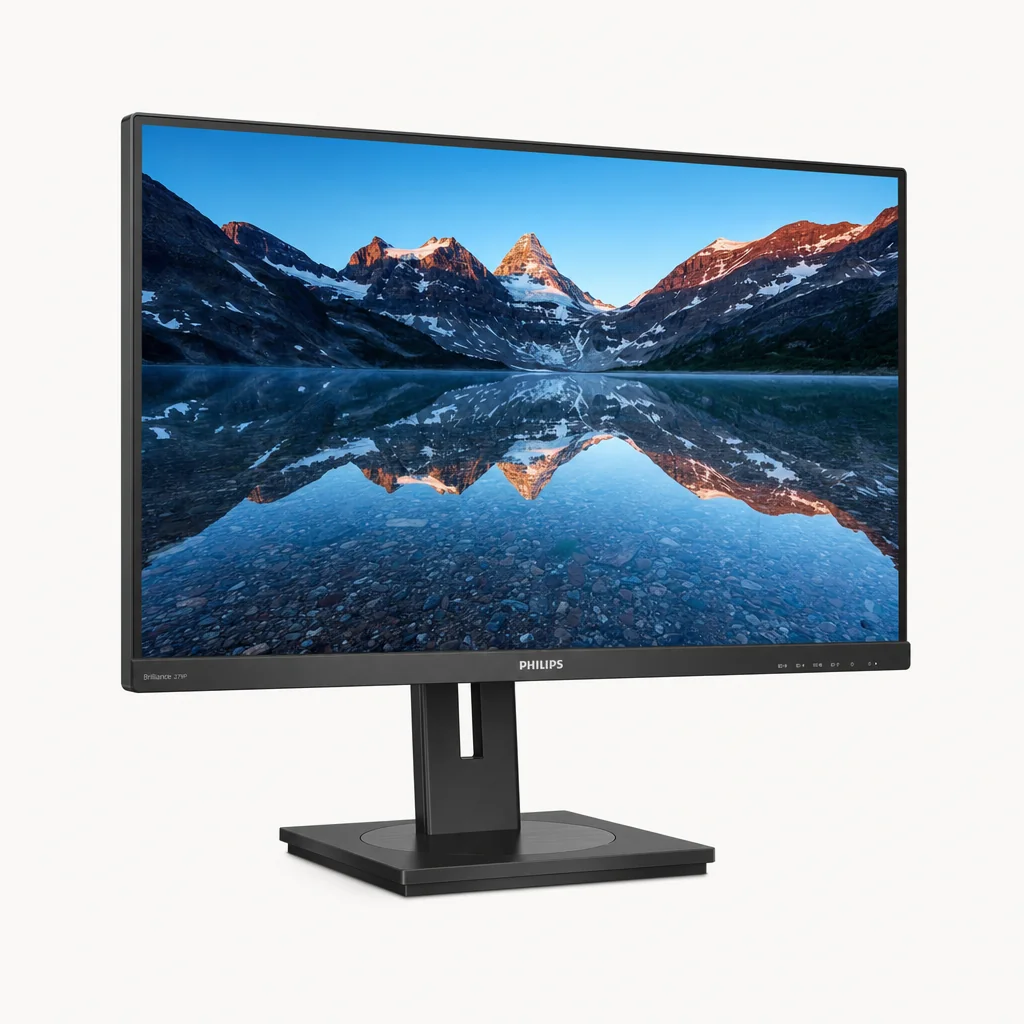
Rounding out the group is the Philips Brilliance 279P1, a 27-inch entry-level 4K IPS panel that nails the work-from-home essentials without overreaching. It offers 90W USB-C Power Delivery — matching the BenQ and comfortably ahead of the Iiyama — so it'll charge most business laptops via that single cable while carrying video and data.
It also includes Ethernet for wired networking and built-in speakers, making it a tidy, self-contained desk solution. Crucially for our eye-comfort angle, it carries TÜV eye-comfort certification, so there's proper attention paid to reduced eye strain over a long day. It's the most straightforward option here: a sharp 4K screen with everything a home worker actually needs and not much you'll pay for and never use.
90W USB-C docking
Enough Power Delivery to charge the large majority of business laptops over a single cable.
Speakers and Ethernet
Built-in speakers for calls plus a wired network port — a complete desk hub in one box.
TÜV eye-comfort certified
Reduced-strain credentials that matter for full working days in front of the screen.
Colour accuracy compared
If your work involves anything visual — design, photography, video, even just caring whether your brand colours look right — colour accuracy is the spec that should drive your decision. There are two things that matter: how much of a colour space the panel can reproduce (gamut coverage), and how precisely it hits the target colours (Delta E).
For colour-critical work, both gamut coverage and Delta E accuracy matter — and these monitors take different approaches.
Wide-gamut panels reproduce more saturated colours, but accuracy out of the box is what really counts for design work.
On gamut, the two Dell UltraSharps lead with 99% DCI-P3 coverage — that's a wide, modern gamut that handles vivid HDR content and P3-mastered video. The BenQ covers a quoted 95% DCI-P3 along with full 100% sRGB and 100% Rec.709, and crucially backs it with factory calibration. In independent testing its accuracy was outstanding: a Delta E of just 0.85 against sRGB, 1.05 against Display P3 and 1.16 against DCI-P3, with measured gamut volumes of 123.6% sRGB, 87.5% DCI-P3 and 85.1% Adobe RGB.
The practical takeaway: if you live in sRGB and Rec.709 — which covers most web design, UI work and standard video — the BenQ's sub-1 Delta E makes it the most trustworthy screen here out of the box, no calibration needed. If you want the widest possible gamut for P3 content and HDR, the Dells' 99% DCI-P3 coverage edges ahead. The Iiyama and Philips are perfectly pleasant 4K IPS panels for general office use, but they're not pitched as colour-critical tools in the same way.
Eye comfort across a full working day
This is the quietly important pillar. When you're staring at a screen for eight hours, the difference between a comfortable panel and a fatiguing one is the difference between finishing the day fresh and finishing it with a headache.
The two Dell UltraSharps set the benchmark here, being among the world's first 4K monitors to carry the TÜV Rheinland 5-star Eye Comfort rating — the highest tier TÜV awards. That's not just marketing: it reflects a 30% reduction in blue light achieved without affecting colour accuracy (an important caveat, since cheaper blue-light filters tend to turn everything yellow), combined with ambient light sensors that adapt brightness to your room and low-reflectance panel coatings that cut glare. The Philips Brilliance 279P1 also carries TÜV eye-comfort certification, so it's taking the problem seriously even at the entry level.
Blue-light reduction "without affecting colour accuracy" is the detail to look for. A filter that protects your eyes but skews your colours is useless for design work — the Dell approach manages both at once.
Beyond certification, two practical features help: ambient light sensors that dim the panel automatically as evening draws in (so you're not blasted by 600 nits in a dark room), and a matte, low-reflectance finish that stops a sunny window behind you turning the screen into a mirror. The Dells tick both boxes.
Head-to-head comparison
| Feature | Dell U3225QE | Dell U2725QE | BenQ PD2706UA | Iiyama XUB3293UHSN |
|---|---|---|---|---|
| Screen size | 31.5" | 27" | 27" | 32" |
| Panel | IPS Black | IPS Black | IPS | IPS |
| Resolution | 3840×2160 | 3840×2160 | 3840×2160 | 3840×2160 |
| Refresh rate | 120Hz | 120Hz | 60Hz | 4K UHD |
| Static contrast | 3,000:1 | 3,000:1 | ~1,200:1 | IPS |
| HDR | DisplayHDR 600 | DisplayHDR 600 | DisplayHDR 400 | Yes |
| USB-C Power Delivery | 140W | 140W | 90W | 65W |
| Ethernet | 2.5Gbps | 2.5Gbps | — | Built-in |
| KVM | Yes | Yes | — | Yes |
| Speakers | No | — | 2W speakers | Dual |
| Eye comfort | TÜV 5-Star | TÜV 5-Star | Blue light filter, flicker-free | Blue light filter, flicker-free |
| Buy | Check price | Check price | Check price | Check price |
Overall rating reflects the Dell UltraSharp U2725QE as our pick of the group for most home workers.
Who should buy what
The no-compromise buyer
Want the biggest, best-equipped display with 140W charging, 120Hz and a pop-out hub? The Dell U3225QE at 32 inches is the flagship to beat.
The everyday home worker
The Dell U2725QE gives you 99% the flagship experience in a desk-friendly 27 inches with 140W charging and the best USB hub on test.
The designer or photographer
The BenQ PD2706UA's factory calibration, sub-1 Delta E and bundled ergo arm make it the colour-critical creative's choice.
The budget-conscious
The Iiyama XUB3293UHSN-B5 packs a 32" 4K panel, KVM, Ethernet and speakers under £400 — astonishing value for a light laptop.
The keep-it-simple type
The Philips Brilliance 279P1 covers all the WFH essentials — 90W USB-C, Ethernet, speakers, TÜV eye comfort — with no fuss.
Frequently asked questions
The verdict
For the broadest range of home workers, the Dell UltraSharp U2725QE is my pick of the group. It distils everything that makes its 32-inch sibling great — IPS Black with 3,000:1 contrast, 120Hz, 140W Thunderbolt 4 charging, 99% DCI-P3 colour, a class-leading USB hub and the rare TÜV 5-star eye comfort rating — into a 27-inch screen that fits a real desk and charges even a hungry laptop over one cable.
If you want maximum screen and don't mind the price, step up to the U3225QE. Colour-critical creatives should look hard at the BenQ PD2706UA with its sub-1 Delta E and included arm. And if budget is the priority, the Iiyama ProLite XUB3293UHSN-B5 delivers a genuinely impressive single-cable 32-inch experience for under £400, while the Philips Brilliance 279P1 covers the essentials with no fuss. Whichever you choose, the move from a cramped laptop screen to a docked 4K display is one of those upgrades you'll wonder how you ever managed without.
- Iiyama ProLite XUB3293UHSN-B5View on Amazon
- Dell UltraSharp 27 4K Thunderbolt Hub (U2725QE)View on Amazon