
3D printers for ambitious makers: which machine should you buy?
Four enclosed filament printers for large props, multicolour models, engineering plastics and dependable first layers.
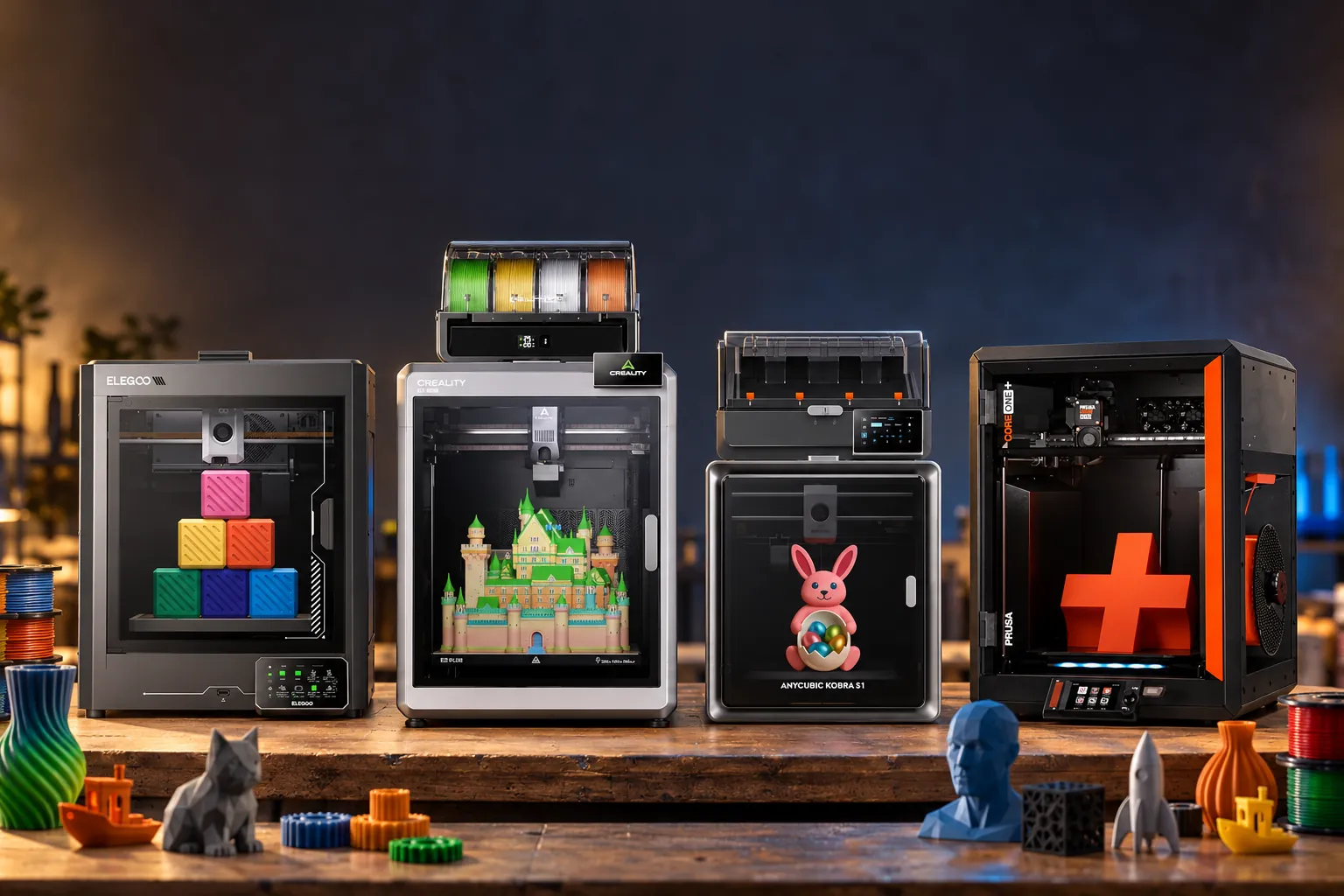
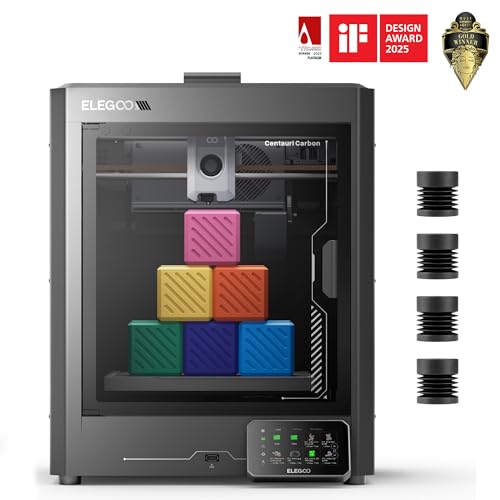
A well-priced enclosed CoreXY with strong reports of easy setup, automatic calibration and reliable early prints.
Check price on Amazon
Its 350mm cube, 60°C active chamber and four-spool CFS suit large functional and multicolour projects.
Check price on Amazon
ACE 2 Pro combines four-colour supply, sealed storage and active drying up to 65°C whilst printing.
Check price on Amazon
A compact enclosed platform with load-cell calibration, local control and documented upgrade paths.
Check price on AmazonWe link to the exact model on Amazon UK. Prices change often, so check the live price before you buy. As an Amazon Associate we earn from qualifying purchases.
Picture the moment before a long print begins: a helmet that will not fit on a modest build plate, a four-colour prototype that could consume a reel in purge waste, or a functional ASA bracket that needs a stable warm enclosure. The printer on your workbench changes the project you can sensibly attempt.
The short answer: buy the Creality K2 Plus for genuinely large enclosed builds; choose the Elegoo Centauri Carbon for an affordable, largely ready-to-print CoreXY machine; pick the Anycubic Kobra S1 if active filament drying and multicolour work are central to the plan; and select the Prusa CORE One for its repairable, upgradeable platform and offline-friendly workflow.
For UK buyers, identify the exact bundle before comparing the buy-link price. The Amazon listings covered here are the K2 Plus Combo with one CFS, the original single-filament Centauri Carbon, the Kobra S1 ACE 2 Pro Combo and the assembled single-tool CORE One+ Gen 2. Those names conceal meaningful differences in what arrives in the box. The K2 Plus and Kobra packages include their respective four-spool systems, whereas the standard Prusa and Elegoo do not. All four Amazon UK listings were in stock when checked on 11 October 2026, but promotion prices and reference prices vary between manufacturer stores and retailers.
| At a glance | Creality K2 Plus | Elegoo Centauri Carbon | Anycubic Kobra S1 | Prusa CORE One |
|---|---|---|---|---|
| Build volume | 350 × 350 × 350mm | 256 × 256 × 256mm | 250 × 250 × 250mm | 250 × 220 × 270mm |
| Maximum stated print speed | 600mm/s | 500mm/s | 600mm/s | Not confirmed |
| Maximum nozzle temperature | 350°C | 320°C | 320°C | 290°C standard; 400°C with optional HT Hotend |
| Enclosure | Enclosed CoreXY, active chamber heating to 60°C | Fully enclosed CoreXY, no active chamber heater | Fully enclosed CoreXY; chamber-temperature rating not confirmed | Enclosed CoreXY, chamber rated to 55°C |
| Included colour system | One four-spool CFS in the Combo | Single-filament printing | One four-colour ACE 2 Pro | Single-tool Nextruder |
| Maximum colour expansion | 16 colours | Not confirmed | 16 colours | Up to five with optional MMU3; up to eight with INDX configuration |
| Buy | Check price | Check price | Check price | Check price |
What Actually Separates These Four Machines
All four are enclosed CoreXY filament printers, but that shared layout does not make them interchangeable. The Creality K2 Plus is built around physical scale: its 350mm cube gives it far more room than the 250mm to 256mm class occupied by the other three. That matters when a single cosplay helmet, enclosure or prototype avoids joints, glue and post-processing.
Multicolour printing creates a different split. The K2 Plus Combo arrives with a four-spool CFS, while the Kobra S1's ACE 2 Pro provides four colours plus active drying. Both can reach a claimed 16 colours with extra hardware. The Centauri Carbon is a single-filament machine, despite its rear waste chute and cutter hardware, and should be bought as such. The standard Prusa CORE One is also a single-tool printer; its multicolour routes are optional MMU3 or the separate INDX configuration.
Then there is the question of how much intervention you will tolerate. Creative Bloq's Rob Redman reported 20 to 30 Centauri Carbon jobs without a failure, while Tom's Hardware praised its automatic calibration and unusually polished out-of-box experience. By contrast, Impression3DPro reported two Kobra S1 ACE 2 Pro Combo adhesion failures: a useful reminder that auto-levelling does not replace a clean plate, a watched first layer and a suitable profile.
Think about ownership rather than the first test print. A large build can turn a small setup error into a long and expensive failed job, while a multicolour model brings loading, unloading and purge decisions even when calibration is automatic. The Centauri Carbon's simpler single-filament workflow is therefore a genuine advantage for somebody making repeat PLA, PETG or TPU parts. Conversely, a maker who repeatedly moves between PETG, ASA and colour work may get more value from the Kobra's sealed, drying ACE 2 Pro than from a lower initial outlay. Prusa's proposition is different again: begin with one Nextruder and add capability only if future projects justify it.
Buy for the job, not the headline speed
A maximum speed figure describes motion capability, not the time every object will take. Material, layer height, cooling, geometry and colour changes all matter. On the K2 Plus, TechRadar recorded roughly 30 minutes for a single-filament Benchy but about 8.5 hours for a four-filament Benchy.
Finally, look at filament handling. Anycubic's ACE 2 Pro is designed to dry filament at up to 65°C whilst printing, as well as storing it in a sealed environment and monitoring humidity. Creality's CFS has a humidity display and room for desiccant, but does not offer the same active drying function. Elegoo and Prusa instead make the case through simpler single-filament operation, with Prusa adding an upgrade path for buyers who want to expand later.
Creality K2 Plus: the machine for makers who've outgrown a 256mm bed
The Creality K2 Plus Combo is the clear choice here when size is the first constraint. Its 350 × 350 × 350mm enclosed build volume is substantially larger in every direction than the Centauri Carbon, Kobra S1 and CORE One. That can turn a multi-part costume piece, a tall electronics enclosure or a wide workshop jig into one print rather than an assembly task.
Creality specified a 350°C direct-drive hot end, a 120°C bed and active chamber heating to 60°C. Those figures make the K2 Plus a more credible option for ABS, ASA, PA-CF and PPA-CF than an unheated enclosure. It also has full automatic levelling, active bed-tilt calibration, input shaping, filament tangle detection and power-loss recovery.
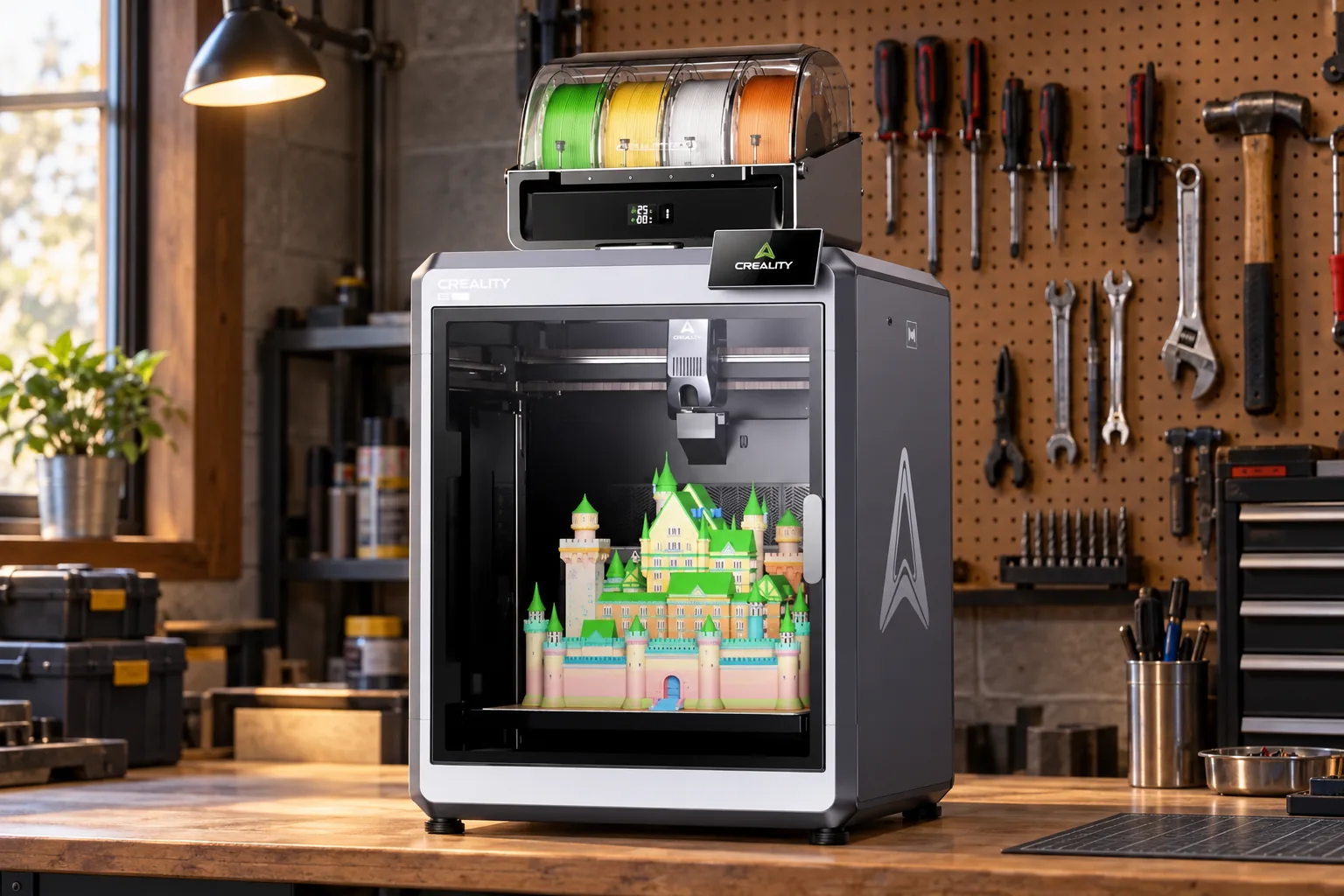
Setup is straightforward in principle, but the scale changes the practical checklist. The printer alone is 495 × 515 × 640mm; with the CFS arrangement, the Combo reaches 916mm high. Creality lists the printer at 35kg, and a reviewed delivered package weighed about 54kg, so choose its final bench before unboxing and regard two-person handling as sensible. Once installed, the 4.3-inch touchscreen, 32GB eMMC storage, Wi-Fi, Ethernet and USB give several ways to start and monitor work. For large PETG or engineering-material jobs, allow time for the bed to stabilise rather than assuming automatic levelling alone settles every first-layer variable.
There is useful real-world speed context. Tom's Hardware reported a 15-minute 56-second speed Benchy at 0.25mm layers using default 200/300mm/s settings. The same reviewer printed two 220 × 450mm PETG clipboard boards in 3 hours 16 minutes after allowing the bed a 15-minute heat soak. TechRadar measured about 45dB at 300mm/s, relatively restrained for a large high-speed machine.
The caveat is material use in colour work. Tom's Hardware found 121.7g of purge material across 206 colour swaps. In another three-colour dragon print, waste reached 207g plus 17g in the purge tower for a 205g finished model. TPU also had to be fed from the external holder rather than reliably through the CFS.
Why choose it
- The only 350mm-cube printer in this guide.
- Active chamber heating supports more demanding materials.
- Four-colour CFS is included in the Combo and expands to 16 colours.
- Large, rigid enclosure with dual camera monitoring and automatic calibration.
The trade-off
- It needs a serious bench: the Combo reaches 916mm high.
- Large colour jobs can be slow and purge-heavy.
- The 54kg delivered package makes two-person handling sensible.
- Bed heat soak may be needed for some large jobs.
Choose the K2 Plus if splitting big parts would be the recurring frustration in your workshop. It is excessive for small PLA trinkets, but its scale, chamber heating and high-temperature nozzle have a clear practical purpose for prop makers, small workshops and engineers producing large functional parts.
Elegoo Centauri Carbon: the safest first CoreXY printer on this list
The Elegoo Centauri Carbon makes the strongest argument for a straightforward first enclosed CoreXY machine. Its UK launch price was £299.99, placing it in a markedly lower price tier than the large-format and advanced multicolour options here. It arrives largely assembled, has a 256 × 256 × 256mm build volume, and combines a 320°C hardened-steel nozzle with automatic calibration.
Tom's Hardware recorded a speed-Benchy print in 18 minutes 19 seconds using a 0.25mm layer height, two walls, three top/bottom layers and 10% infill, a detailed PLA dragon in 1 hour 10 minutes, a PETG planter in 4 hours 27 minutes and a TPU vase-mode bag in 1 hour 7 minutes. Its bed climbed from 32°C ambient to 110°C in just over seven minutes on a 110V unit. After 20 minutes of printing, the passive enclosure reached about 41°C.
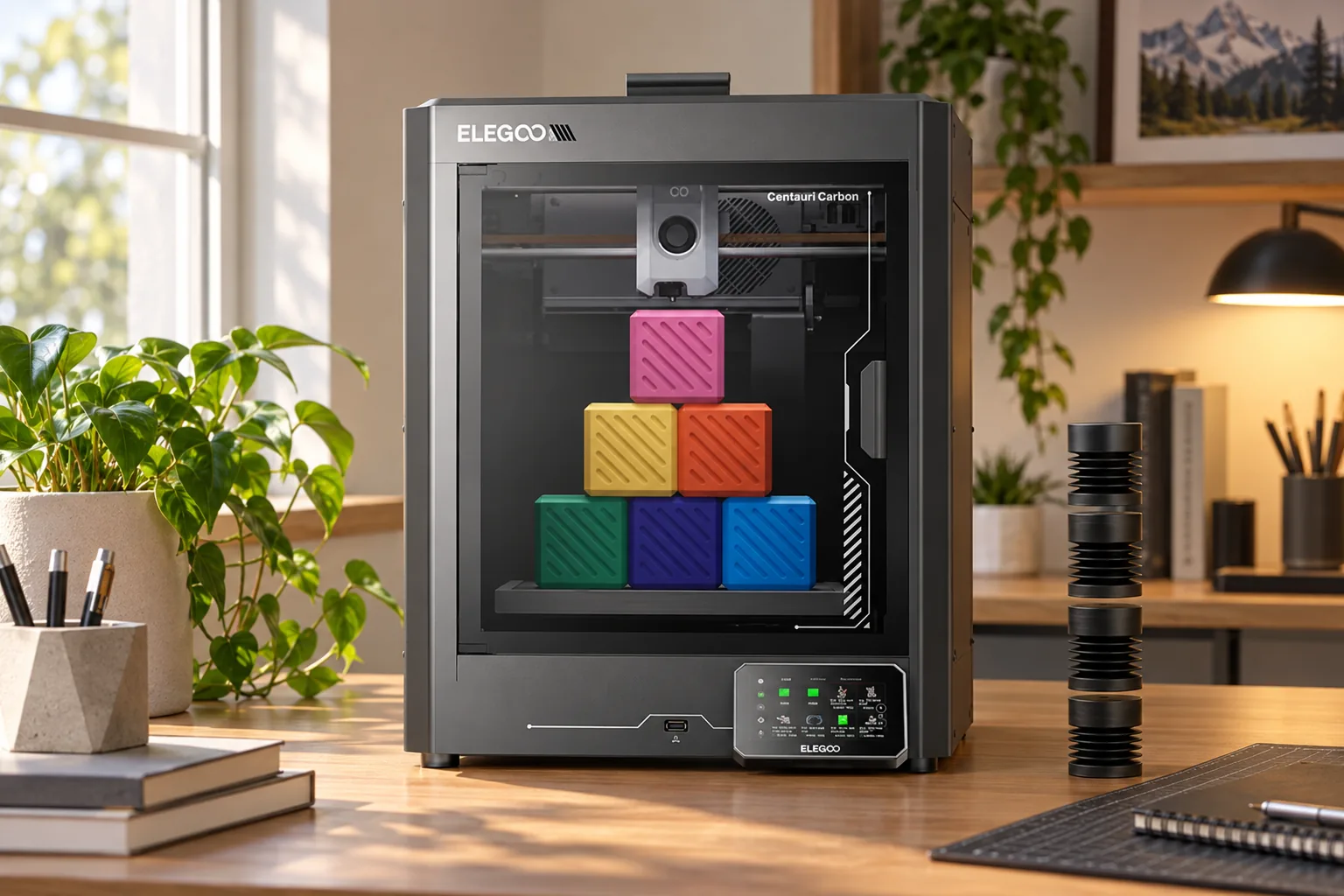
For day-to-day use, its appeal is that the automation does not force a cloud-only workflow. You can use Wi-Fi, the LAN/web interface or USB, and the printer supports ELEGOO Slicer alongside STL, OBJ, 3MF and STP inputs. The double-sided flexible plate gives smooth and textured surfaces, although the smooth side deserves attention: Tom's Hardware obtained better adhesion at 60°C than at the suggested 30°C. That is a practical reason to retain a short first-layer routine, especially when moving from small PLA parts to wider PETG objects.
That passive warmth is useful, but it is not a chamber heater. Buyers planning regular high-demand engineering-filament work should look instead at the actively heated K2 Plus or the CORE One's 55°C-rated chamber. The Centauri Carbon does support ABS, ASA and carbon-fibre materials, but its thermal environment has a lower ceiling for the toughest jobs.
Elegoo designed the original Centauri Carbon as a single-filament machine. Its later multicolour plans were not a reason to assume multicolour printing is included with this printer.
Reliability is its central appeal. Creative Bloq's Rob Redman reported roughly 20 to 30 jobs with no failures, little warping and strong adhesion. Tom's Hardware also praised LAN access without compulsory cloud use. The less glamorous catches are dim internal lighting, a tinted door that makes the chamber harder to inspect, and a smooth plate that Tom's Hardware found more dependable at 60°C than the suggested 30°C.
Why choose it
- Accessible launch pricing for an enclosed CoreXY printer.
- Strong reports of easy setup and consistent output.
- Local-network control is available without mandatory cloud use.
- Hardened nozzle and enclosure broaden practical material options.
The trade-off
- No active chamber heater.
- No included multicolour system.
- Camera view and chamber lighting are subdued.
- It still needs sensible first-layer attention.
Anycubic Kobra S1: when filament drying matters as much as colour
The exact machine here is the Anycubic Kobra S1 ACE 2 Pro Combo, also described by Anycubic as the enhanced version. It pairs the 250mm-cube enclosed Kobra S1 with the newer ACE 2 Pro rather than the earlier ACE Pro. That distinction matters because the second-generation unit is intended to dry filament at up to 65°C whilst it prints, storing spools in a sealed environment and monitoring temperature and humidity.
Anycubic listed a UK reference price of £599 for this enhanced Combo. Four colours are available from the supplied ACE 2 Pro, with expansion to 16 colours using further units. The machine also includes AI spaghetti detection, object-skip and area-levelling functions, a PEI-coated spring-steel plate, filament-entanglement detection and power-loss recovery.
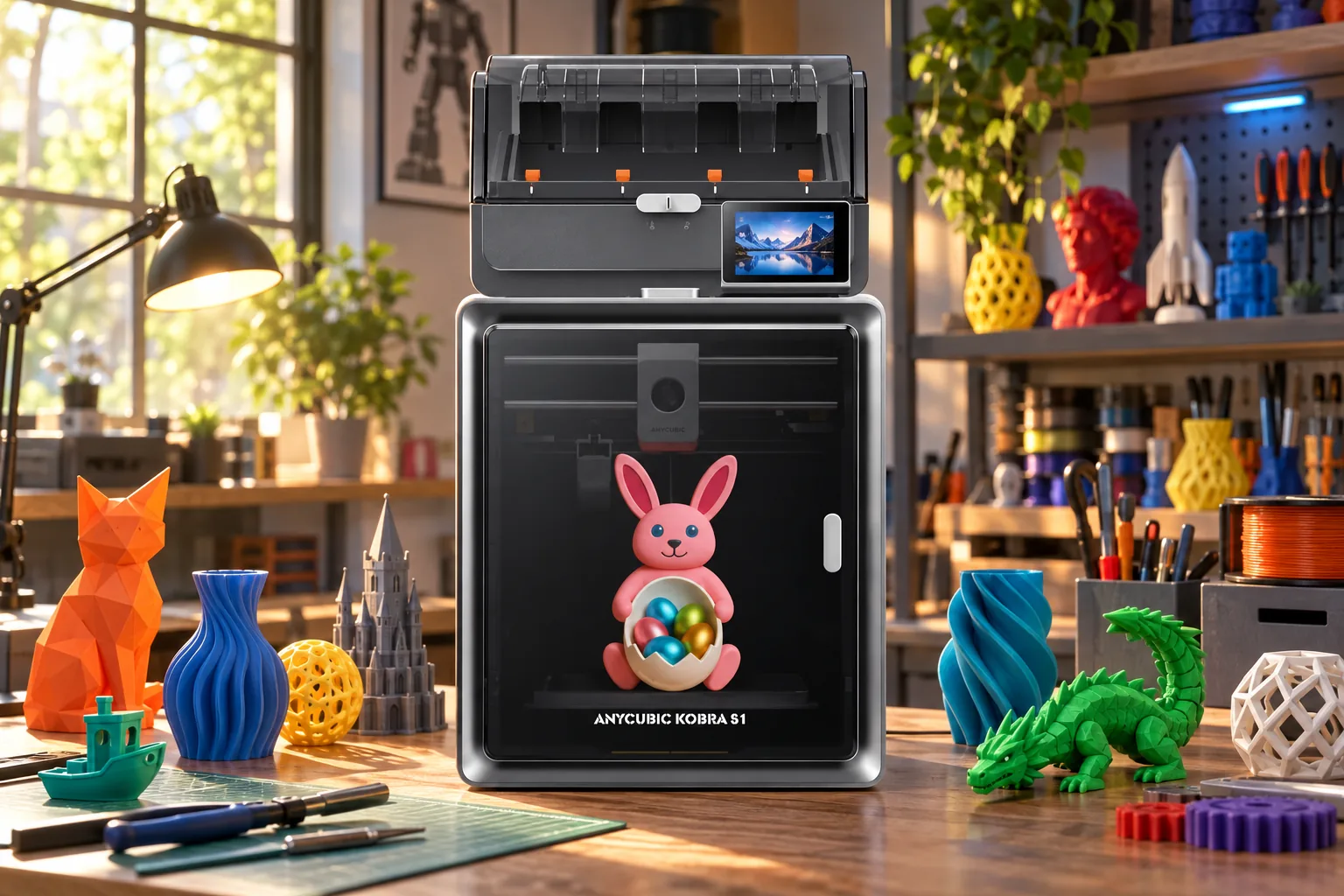
Plan the whole footprint, not just the 400 × 410 × 490mm printer. The supplied ACE 2 Pro measures 368 × 291.5 × 236.5mm and weighs 3.7kg, so it needs a stable nearby position as well as room for its filament paths. The 4.3-inch touchscreen and Kobra OS make local operation possible, while Anycubic Slicer, the app, wireless control and USB printing broaden the ways to send work. The system's automatic filament estimation and refill features are potentially useful on long jobs, but they do not remove the need to verify that a spool is cleanly loaded and able to feed.
The drying function is the reason to favour this package over a colour system alone. PETG, ASA and other moisture-sensitive materials can benefit from controlled storage and drying during long jobs. It does not eliminate the realities of single-nozzle multicolour printing: the printer still changes filament and creates purge waste. TPU 95A must also be fed directly to the printer rather than through the ACE 2 Pro.
A more useful reason to pay for the ACE 2 Pro
If your work is mostly single-colour PLA, the ACE 2 Pro adds expense and desk space without much return. It earns its place when you regularly use damp-sensitive spools, want stored filament ready for use, or genuinely make four-colour parts.
Independent coverage of this exact ACE 2 Pro version remains limited, but Impression3DPro reported a stable, substantial machine and useful filament-management features after about 15 days of use. The same reviewer found it became noticeably noisy at higher speeds and recorded two adhesion-related print failures. Keep the build plate clean and watch the opening layers rather than treating automation as a substitute for setup.
Why choose it
- Four-colour printing and active drying in one package.
- Expansion path to 16 colours.
- Enclosed CoreXY design with a 320°C nozzle.
- Useful automation for long and repeat jobs.
The trade-off
- The ACE 2 Pro takes additional worktop space.
- High-speed operation can be noisy.
- Adhesion still needs monitoring despite auto-levelling.
- TPU cannot use the ACE 2 Pro multicolour route.
Prusa CORE One: paying for a proven engineering pedigree
The Amazon listing refers to the assembled, single-tool Nextruder CORE One+ Gen 2. It was launched on 13 August 2026 as a refinement of the original CORE One platform, not the larger CORE One L+ and not the multi-tool INDX edition. That matters because the standard Amazon machine should be evaluated as a conventional single-nozzle printer with optional upgrade routes, rather than as an eight-tool multicolour system.
Its 250 × 220 × 270mm build space is the smallest in this guide, around 14.9 litres, so it is not the efficient answer for a full-scale helmet. Its appeal lies elsewhere: a steel-exoskeleton enclosure, a direct-drive Nextruder with 10:1 gearing, automatic mesh levelling, nozzle load-cell sensing, replaceable PEI sheets, local USB and Ethernet operation, and substantial repair and upgrade support.
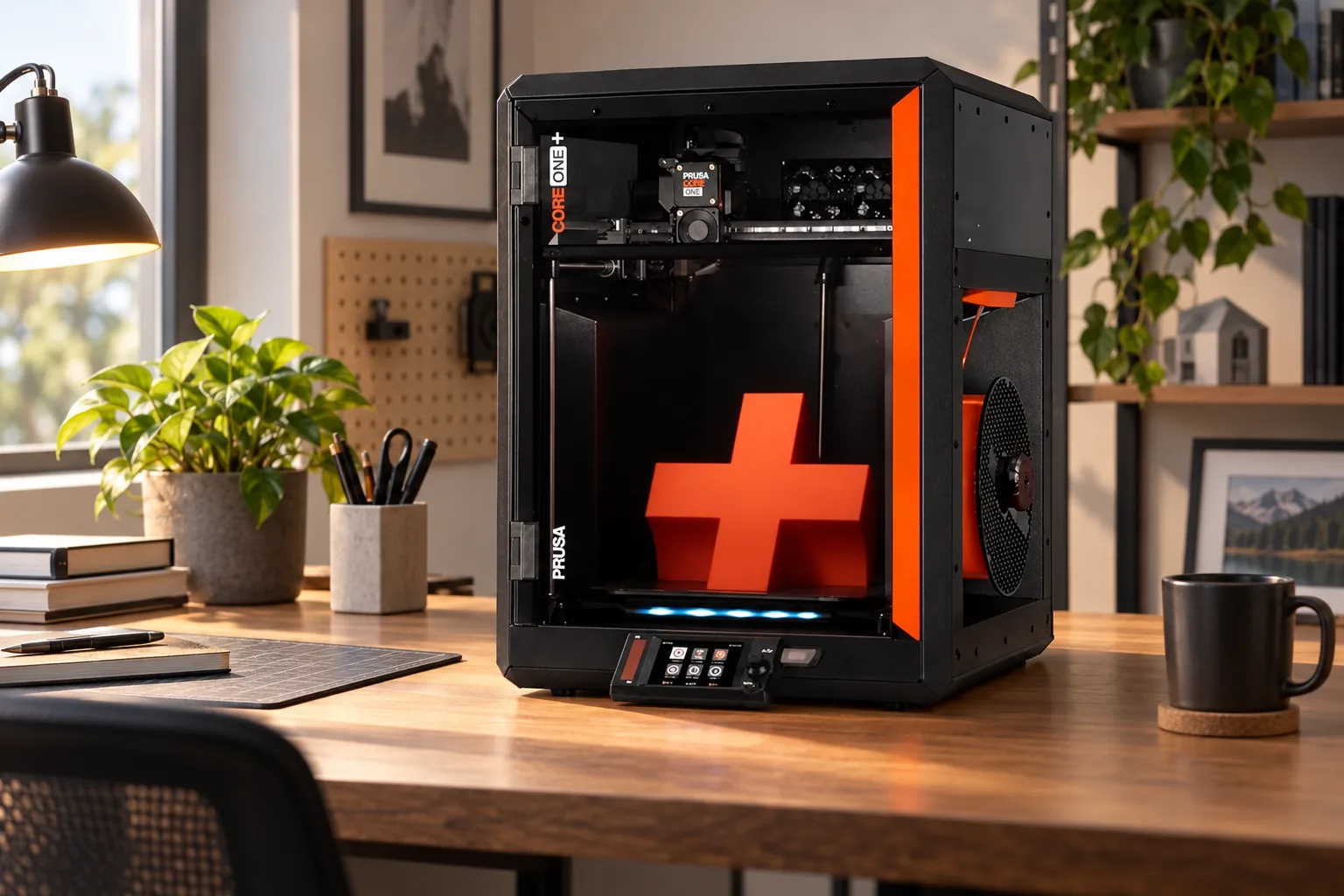
For a workshop that expects a printer to remain in service, the distinction between supplied and optional hardware is important. The standard 0.4mm high-flow brass CHT nozzle covers ordinary work, while quick-change nozzle options run from 0.25mm to 0.8mm and the optional HT Hotend increases the temperature ceiling to 400°C. The printer has two filament sensors, hardware Power Panic and a removable Wi-Fi module/NFC receiver, but its in-chamber camera and Advanced Filtration System are extras. This is a more modular purchasing decision than the all-in-one Kobra Combo, and it rewards buyers who know which additions they will genuinely use.
Gen 2 introduced an integrated nozzle wiper, finer-pitch GT1.5 belts intended to make repeated surface patterning less conspicuous, revised heatbed mounting intended to shorten preparation, easier flexible-filament loading and a bayonet-style spool holder. Those refinements sound minor on a spec sheet, but they target the small interruptions that accumulate across frequent printing.
The supplied printer is single-tool. Camera monitoring and the Advanced Filtration System are optional additions, while multicolour printing needs an MMU3 or a different INDX configuration.
The standard platform is designed for PLA, PETG, Flex/TPU, PVA, PC, PP, CPE and PVB, alongside profiles for ABS, ASA, HIPS and PA/nylon. Buyers needing more thermal headroom can fit the optional HT Hotend. For workshops that value serviceability and offline operation, that flexibility may be more relevant than an included colour module.
Why choose it
- Documented, repairable platform with open PrusaSlicer workflow.
- Automatic load-cell first-layer calibration and mesh levelling.
- Strong material range and optional 400°C hotend.
- Upgrade routes for MMU3 and INDX multicolour workflows.
The trade-off
- Smallest build area in this comparison.
- Standard machine is single-tool and single-filament.
- Camera and filtration are extra-cost additions.
- Buyers focused on PLA-only printing may not use its full capability.
Side by Side: Build Volume, Speed and Colour Capability
Build volume should carry more weight than a few millimetres of nozzle temperature for many buyers. The K2 Plus has 350mm on all three axes; its closest rival here is the 256mm-cube Centauri Carbon. The Kobra S1's 250mm cube is a familiar, practical mid-size format, while the CORE One trades a smaller 220mm Y-axis for a compact, enclosed chassis.
For colour, do not confuse a maximum spool count with a guarantee of quick prints. The K2 Plus and Kobra S1 can both expand to 16 colours, but each uses a single print head and material changes take time. The standard CORE One is intentionally simpler at purchase, while the Centauri Carbon should be considered a single-material printer. That may be a benefit for makers who want less hardware, fewer moving consumables and lower filament waste.
A useful shorthand is to separate material capability from colour capability. The K2 Plus combines the largest volume with active chamber heating, making it the most versatile choice when large ABS, ASA or fibre-filled components are central. The CORE One has a smaller envelope but a 55°C-rated chamber and optional HT Hotend for a more upgrade-led route. The Kobra S1's practical advantage is keeping compatible filament dry and ready while providing colour selection, while the Centauri Carbon is the uncomplicated option when a dependable single material at a time is exactly what the project calls for.
Matching the Printer to the Project You Actually Have
Large props and one-piece prototypes
Choose Creality K2 Plus. Its 350mm cube is the only option here that can routinely avoid splitting large helmets, armour sections, workshop fixtures and wide prototypes.
A first enclosed CoreXY printer
Choose Elegoo Centauri Carbon. It has the strongest reports of simple setup and repeatable early printing, plus a notably lower launch price tier.
Colour parts and moisture-sensitive spools
Choose Anycubic Kobra S1. The ACE 2 Pro combines four-colour supply with active drying up to 65°C and sealed filament storage.
A repairable workshop machine
Choose Prusa CORE One. It prioritises maintainability, local control, documented upgrades and adaptable material support over large volume.
There is no sensible single winner because the compromises are too different. The K2 Plus earns its desk space through volume. The Centauri Carbon is the rational choice when cost and easy first prints are the priority. The Kobra S1 makes sense when dry, ready-to-print filament is part of the workflow rather than an occasional concern. The CORE One is the deliberate choice for makers who intend to maintain and develop the machine over time.
Make the decision using the project you expect to repeat, not the most spectacular object you might print once. A school or home maker producing brackets, storage parts and ordinary models may gain more from the Centauri Carbon's ready-to-print simplicity than from extra colour hardware. A prop maker who prints a few large pieces every month will feel the K2 Plus's size on every job. A workshop that changes materials often should value the Kobra's drying system or the CORE One's serviceable, modular ecosystem. In each case, the more specialised machine is worth it only when its specialist feature becomes routine.
Common Questions Before You Buy
Who should buy which?
Creality K2 Plus is the decisive purchase for serious large-format enclosed work. Elegoo Centauri Carbon is the sensible low-cost route into a capable CoreXY workflow. Anycubic Kobra S1 earns its higher complexity through active drying and integrated multicolour capability. Prusa CORE One is the long-view choice for a maker who values repairability, offline operation and a platform that can grow with the workshop.
For most people buying their first ambitious-maker printer, we recommend starting with the Centauri Carbon unless a specific project requires the K2 Plus's size, the Kobra S1's dry multicolour handling or the CORE One's serviceable ecosystem.
Sources
- Tom's Hardware: Creality K2 Plus review
- TechRadar: Creality K2 Plus review
- Tom's Hardware: Elegoo Centauri Carbon review
- Creative Bloq: Elegoo Centauri Carbon coverage
- Anycubic UK: Kobra S1 ACE 2 Pro Combo specifications
- Impression3DPro: Kobra S1 ACE 2 Pro Combo coverage
- Prusa: CORE One specifications
- Prusa Blog: CORE One Gen 2 announcement
- Elegoo Centauri CarbonFirst CoreXY choiceView on Amazon
- Creality K2 PlusLarge-build specialistView on Amazon
- Anycubic Kobra S1Dry multicolour workflowView on Amazon
- Prusa CORE OneRepairable workshop pickView on Amazon
Sources and evidence (61)
- store.creality.com (other)
- creality.com (other)
- forum.creality.com (other)
- techradar.com (other)
- store.creality.com (other)
- currys.co.uk (retailer)
- techradar.com (other)
- tomshardware.com (other)
- forum.creality.com (other)
- creality.com (other)
- alibaba.co.uk (other)
- elegoo.com (other)
- elegoo.com (other)
- elegoo-downloads.oss-us-west-1.aliyuncs.com (other)
- tomshardware.com (other)
- creativebloq.com (other)
- gamesradar.com (other)
- elegoo.com (other)
- elegoo.com (other)
- elegoo.com (other)
- elegoo-downloads.oss-us-west-1.aliyuncs.com (other)
- tomshardware.com (other)
- creativebloq.com (other)
- gamesradar.com (other)
- overclock3d.net (other)
- elegoo.com (other)
- elegoo.com (other)
- uk.anycubic.com (other)
- milled.com (other)
- uk.anycubic.com (other)
- impression3dpro.com (other)
- 3dprinting.com (other)
- techradar.com (other)
- techradar.com (other)
- us.anycubic3d.com (other)
- store.anycubic.com (other)
- notebookcheck.net (other)
- 3dprinting.com (other)
- prusa3d.com (other)
- blog.prusa3d.com (other)
- prusa3d.com (other)
- techradar.com (other)
- tomshardware.com (other)
- prusa3d.com (other)
- blog.prusa3d.com (other)
- help.prusa3d.com (other)
- techradar.com (other)
- tomshardware.com (other)
- blog.prusa3d.com (other)
- techradar.com (other)
- cdn1.bambulab.com (other)
- blog.bambulab.com (other)
- techradar.com (other)
- techradar.com (other)
- creality.com (other)
- techradar.com (other)
- techradar.com (other)
- wiki.anycubic.com (other)
- prnewswire.com (other)
- store.anycubic.com (other)
- techradar.com (other)