
Steam Machine Review: Has Valve Finally Built the Console-Sized PC We Wanted?
Valve's compact SteamOS box is powerful, quiet and properly living-room friendly. The awkward bit is whether its £879 starting price makes sense for your particular shelf.
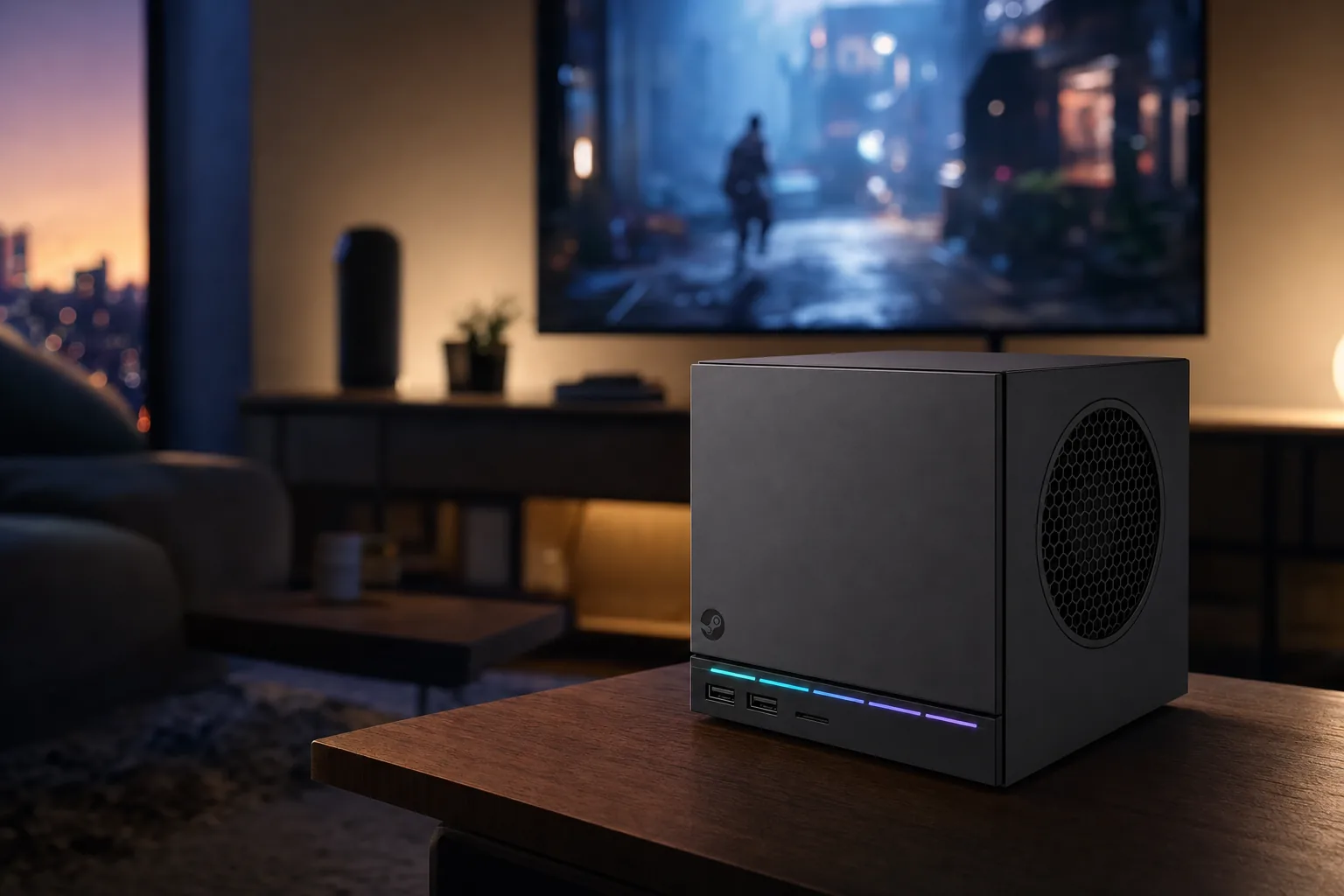
Valve's 2026 Steam Machine is a small cube with a very un-small ambition: putting a proper PC game library beneath the television.
Valve's Living Room Gamble, a Decade in the Making
The first Steam Machine idea was never completely daft. It was just badly timed, wildly inconsistent and spread across enough third-party boxes to make buying one feel like choosing a graphics card in a particularly confusing branch of Currys. Valve's 2013–2015 push never truly dented the console market, and the original Steam Machine era had ended by 2018.
Check Steam Machine details with Valve
Then the Steam Deck arrived in 2022 and quietly changed the conversation. It proved that SteamOS could be more than a Linux curiosity for enthusiasts, that Proton could make a huge amount of Windows-first PC gaming feel remarkably straightforward, and that people genuinely liked having their Steam library presented like a console library. That last bit mattered more than it first appeared. PC gaming had always had the games. It had not always had the sofa manners.
The shipping Steam Machine is Valve having another go, but this time with its own in-house design, a single coherent hardware target and a far more mature operating system. It launched in June 2026, and it is a fundamentally different proposition from those older licence-built systems. This is not a vague category of mini PCs wearing Steam logos. It is a Valve machine designed to live beside the TV, boot into SteamOS 3 and make a large PC library approachable from the comfort of the sofa.
That creates a rather interesting problem. At £879 for the 512GB model without a controller, it costs far more than the sort of figure people casually associate with a conventional console. The 2TB Steam Controller bundle reaches £1,208, which is not pocket-change territory by any reasonable British definition. You are buying flexibility, desktop access, a semi-custom AMD platform and the ability to use the library you already own. You are also buying into the occasional faff that comes with PC gaming. Both things can be true.
The short version
The Steam Machine succeeds as a compact, console-friendly PC rather better than as a simple console replacement. If your Steam library is already substantial and you want it on the television without building a tower, Valve has finally made a persuasive box. If you want every game to behave exactly the same way every time, the answer is less tidy.
The big question, then, is not whether the Steam Machine is powerful enough to play games. It very clearly is. The question is whether the compromises are sensible at this price, and whether SteamOS has reached the point where you can treat the machine like an appliance rather than a weekend project. After spending time with the performance results, the hardware design and the realities of the invite-based ordering system, I think Valve has got closer than ever. But "closer than ever" is not the same as "for everyone".
Box Contents, Build Quality, and That Magnetic Front Panel
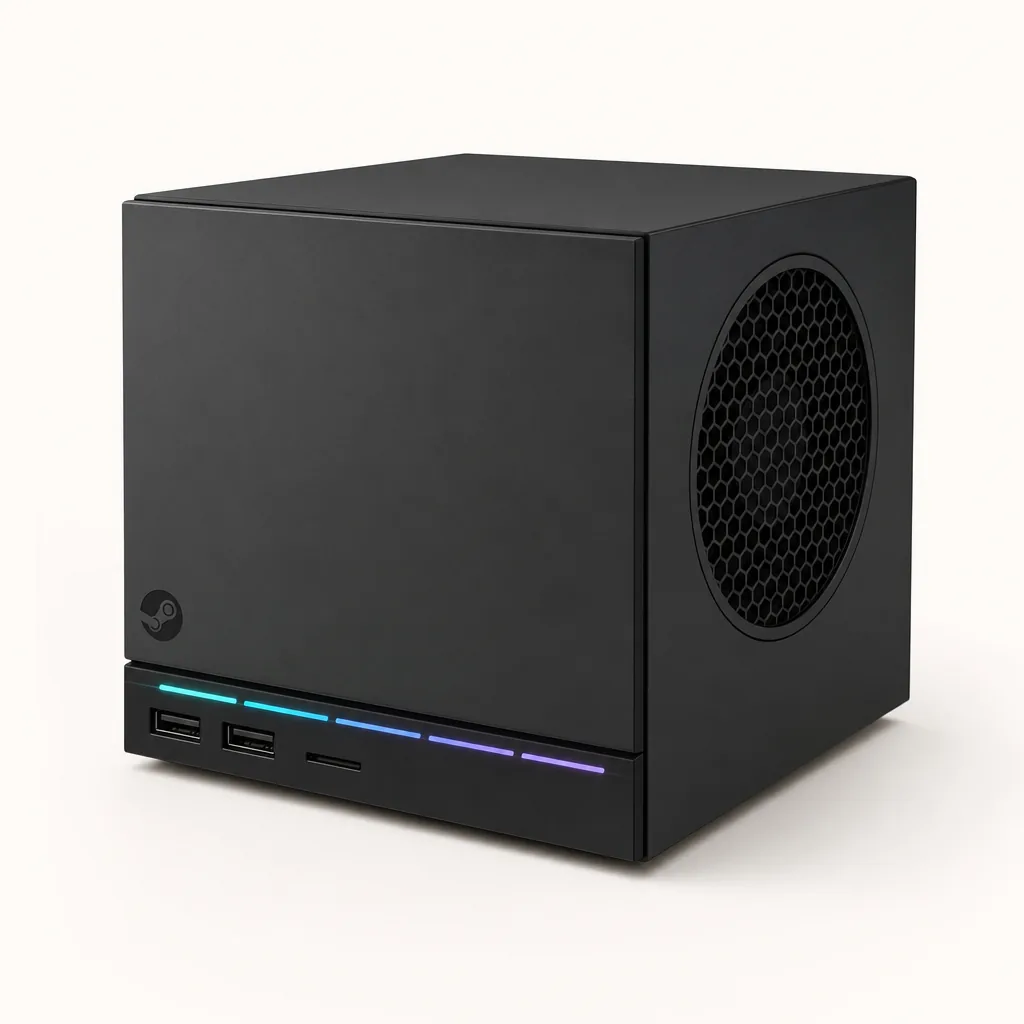
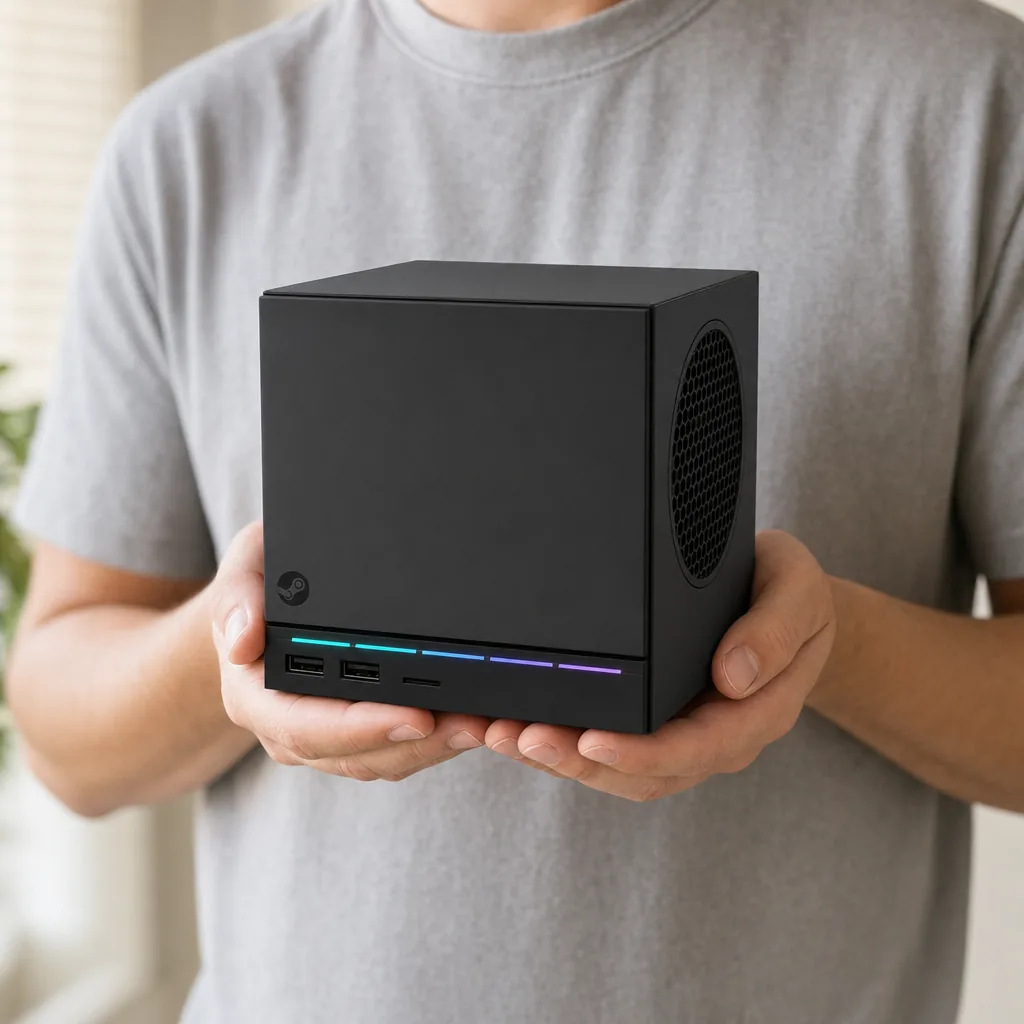
The Steam Machine is a refreshingly compact thing in the flesh. Its cube-shaped chassis measures 156 × 152 × 162mm and weighs approximately 2.6kg. It is small enough to sit comfortably on an AV shelf or inside a sensibly ventilated TV cabinet, yet it has enough heft that it feels like a proper little computer rather than a plastic streaming box trying to look brave.
That size is the key to its appeal. A traditional gaming desktop can be made compact, of course, but compact desktops tend to demand some compromise: a slightly alarming thermal profile, an oversized external power supply, a case that seems to have been designed by somebody who hates cable management, or all three. Valve's box is deliberately simple. It does not need to be an ornament. It just needs to disappear into a living room without looking like office IT has taken over the sideboard.
The genuinely clever visual detail is the magnetic front panel. It pops off without tools, allowing straightforward fan cleaning and, more unusually, giving owners a route to customisation. Valve planned to release CAD files so that people could 3D-print their own panels. That will not matter to everybody, obviously. Plenty of us are perfectly happy with a front panel that remains aggressively front-panel-shaped. But it says something useful about the philosophy here: the Steam Machine is intended to be friendly, maintained and personalised rather than sealed up and forgotten.
More importantly, the removable panel has a practical job. Living-room electronics gather dust with a commitment that deserves scientific study. A machine that can remain accessible without dismantling half the cabinet is simply easier to live with over several years.
The magnetic front panel is more than a cosmetic flourish: it makes routine dust cleaning less of an operation and leaves room for 3D-printed custom designs.
Useful physical connectivity
Valve includes DisplayPort 1.4, HDMI 2.0, Gigabit Ethernet, one USB-C 3.2 Gen 2 port and four USB-A ports. Two USB-A ports sit at the front and two are positioned at the rear.
HDMI-CEC support
HDMI-CEC lets the Steam Machine participate more naturally in a TV setup, including control through a compatible television remote. It is a small feature with a disproportionately large effect on how console-like the machine feels.
MicroSD expansion
Both storage versions include a microSD slot, giving owners an uncomplicated way to add space without opening the machine.
Discreet status lighting
A restrained LED strip provides system feedback without turning the AV unit into a tiny nightclub. Thank goodness.
The storage is NVMe 2230, with 512GB or 2TB configurations. The smaller drive is not absurd, but it is modest for a machine aimed at modern PC games. A handful of large installations can alter the maths very quickly. MicroSD expansion helps, particularly for less demanding titles or a back catalogue, but the internal NVMe drive remains the better home for the games you want to load and play most often.
Under the Hood: Semi-Custom AMD Silicon Explained
Valve has not tried to disguise the Steam Machine as a tiny monster workstation. Its component balance is quite deliberate: a six-core, 12-thread semi-custom AMD Zen 4 CPU running at up to 4.8GHz with a 30W TDP, paired with a semi-custom RDNA 3 graphics processor carrying 28 Compute Units, a boost clock up to 2.45GHz and a 110W TDP.
The most important number for gamers is arguably the 8GB of dedicated GDDR6 graphics memory. This is a meaningful step away from the Steam Deck's unified-memory arrangement. A handheld has to make hard compromises because it has to fit into your hands, sip power and avoid becoming a pocket radiator. The Steam Machine does not have those same constraints. It has dedicated VRAM, considerably more graphics headroom and a cooling arrangement built around a 140mm fan.
On CPU-focused testing, the results underline the machine's slightly unusual position. Stellaris simulation timing put it around Ryzen 7 3700X or Ryzen 5 3600 territory. Decompression testing landed closer to a Ryzen 5 2600, whilst Blender performance came in near a Ryzen 5 5600X. That spread makes sense. Different workloads reward different parts of a processor, and a 30W semi-custom chip in a compact enclosure is not supposed to behave exactly like a desktop CPU running with expansive cooling and power limits.
For actual TV gaming, the GPU matters more often, and the Steam Machine's graphics performance sat closest to Radeon RX 6600, Intel Arc B570 and GeForce RTX 3060-class results. That is proper 1080p and 1440p territory, not a machine designed to brute-force every new release at 4K native with all settings maxed out. Set expectations correctly and it is a very capable little box.
Why the power budget matters
Gaming loads landed around 170–180W, while a full torture load briefly moved into the low-200W range before dropping back within minutes. That is entirely different from a handheld power envelope, but it is still restrained by desktop standards. The upside is a compact system that does not need an enormous cooling assembly; the caveat is that it still needs breathing room in an enclosed TV cabinet.
There is no battery to charge, monitor or eventually curse at after two years. This is a mains-powered living-room PC, full stop. That is worth saying because the Steam brand is now closely tied to the Steam Deck, and it is easy to assume the same portability rules apply. They do not. In return, you get a machine that can sustain a much more generous performance profile without requiring you to think about wattage sliders halfway through a game.
SteamOS on a TV: The Living Room Experience Valve Promised
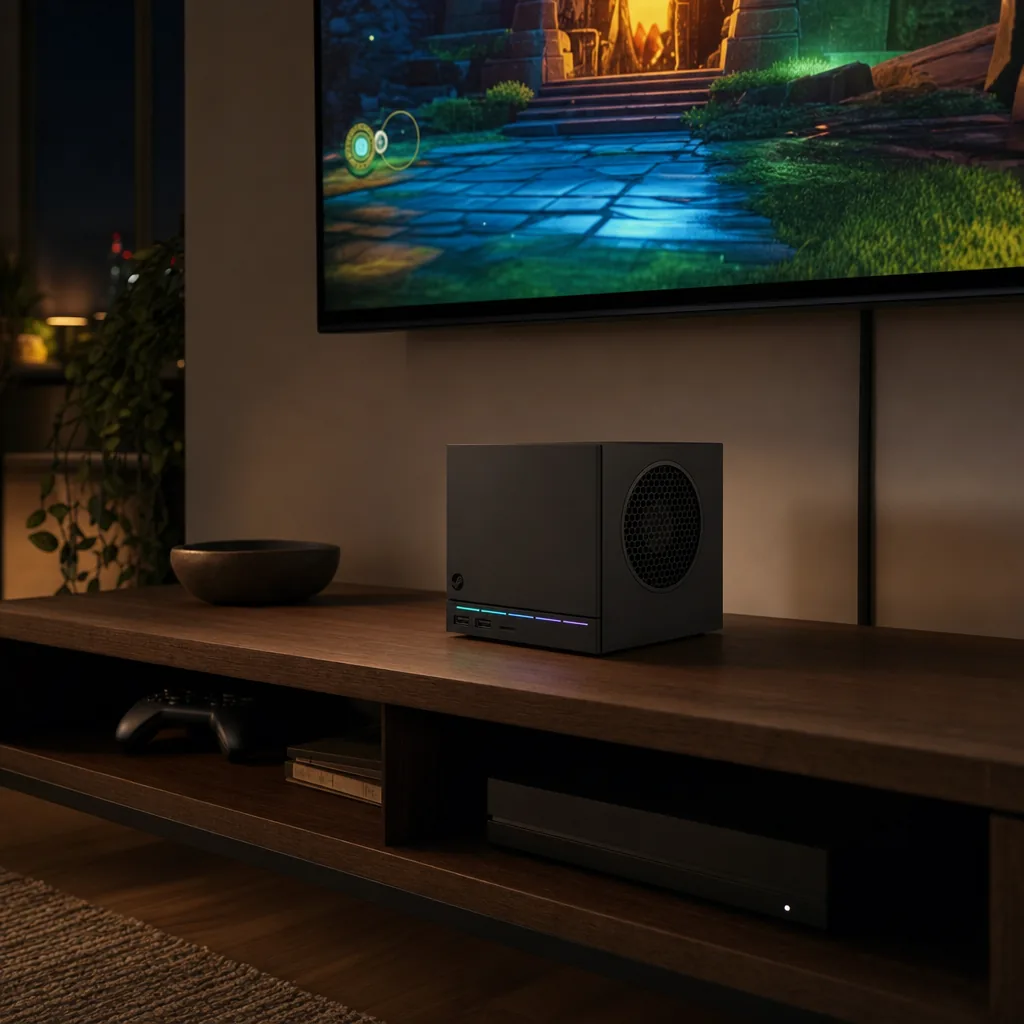
Hardware is only half the job. A small PC beside a television is not automatically a console, even if you put a very cheerful controller next to it. The reason the Steam Machine can plausibly work as a living-room device is SteamOS 3, Valve's Arch-based operating system with KDE Plasma beneath the game-focused layer.
SteamOS has had years to mature through the Steam Deck, and that shows in the basic premise. It is built around your Steam account, your library and a controller-led interface rather than a desktop full of launchers and pop-up windows. For the person sitting on the sofa, that is the correct starting point. Nobody wants to find a wireless mouse because a game client has decided the dialogue box is two pixels off-screen.
Steam's TV-focused interface makes browsing a library, selecting a title and adjusting settings feel much closer to a console rhythm than a conventional Windows mini PC ever managed. Library art is readable at a distance, controller navigation is natural and Steam's usual features—downloads, cloud saves, updates and wishlists—remain where existing PC players expect them. The best compliment I can give it is that it does not make you feel like you have set up a computer just to play a game.
That said, it remains a PC. This is a strength and a mild annoyance in equal measure. You can access the KDE Plasma desktop when you need it. You can connect keyboards, mice and other peripherals. You can treat it as a flexible machine rather than a locked-down appliance. But occasionally you will need to do just that, especially if a particular game, launcher or compatibility quirk requires attention. SteamOS makes those moments less frequent; it does not abolish them.
SteamOS 3 is the reason the Steam Machine feels more like a purposeful TV device than a compact desktop shoved beside the television.
HDMI-CEC is one of the Steam Machine's most valuable quality-of-life features. Being able to incorporate the box into normal TV remote control habits sounds minor on a spec sheet. In a shared living room, it is the difference between "that gaming PC thing" and a device people will actually use.
There is a small philosophical win here too. SteamOS does not make a show of being Linux. It simply tries to get you into games. Enthusiasts can still explore the desktop environment and enjoy that openness; everybody else can remain happily oblivious. That is exactly how it should be.
Connectivity supports this living-room flexibility well. HDMI 2.0 and DisplayPort 1.4 cover display options, while Gigabit Ethernet is there for anyone who prefers the reliability of a cable to the mystical promises of home Wi-Fi. The 2×2 Wi-Fi 6E support is welcome for a modern wireless setup, and Bluetooth 5.3 has a dedicated antenna. Valve also integrated a 2.4GHz wireless adapter for the Steam Controller, which is a thoughtful touch on the controller bundle.
Game Compatibility Reality Check: What Actually Runs on SteamOS
This is the section where it is worth putting the cheerful marketing language to one side for a minute. Proton is impressive. It allows many Windows games to run on SteamOS without a native Linux version, and it is the foundation of the Steam Machine's usefulness. But "can run" and "runs perfectly, without any thought or intervention" are not identical statements. They never were.
For games with strong SteamOS support, the experience can be wonderfully ordinary. You install the game, launch it, adjust the usual graphics options and get on with it. Horizon Zero Dawn, Forza Horizon 6, Red Dead Redemption 2 and Mortal Kombat 1 all provide positive reference points in the Steam Machine's benchmark results. These are exactly the sort of substantial PC games buyers will expect a £879 machine to handle, and the results show that it can.
The practical advice is simple: treat SteamOS compatibility as part of the purchase decision, not something to investigate after the box is under the television. Look at the games you actually play repeatedly, not merely the total number in your library. A vast Steam account sounds impressive until you realise your weekly favourites include a title that does not behave the way you want on SteamOS.
Proton is the bridge
SteamOS relies on Proton to run many games originally made for Windows. It is the technology that lets the Steam Machine offer a much broader catalogue than native Linux releases alone.
Supported games can feel console-simple
Where compatibility is solid, SteamOS largely gets out of the way. That is when the machine delivers the friction-free sofa experience Valve has been chasing.
A keyboard and mouse remain sensible accessories
The Steam Machine has USB-C and four USB-A ports, so it is practical to keep traditional PC inputs available for games or situations that suit them better.
Buy for the library you play, not the library you own
If your regular rotation includes well-supported Steam games, the Steam Machine is easy to recommend on compatibility grounds. If one or two specific games dominate your gaming time, check those first. The compatibility question is personal, and no broad promise about "thousands of games" replaces that five-minute bit of homework.
There is another upside to SteamOS that gets overlooked: it is a more focused environment than a general-purpose Windows installation. You are not buying the Steam Machine because you want another PC demanding attention. You are buying it because you want access to PC games with less ceremony. When Proton cooperates, Valve has made that feel genuinely convincing.
Benchmark Breakdown: How It Stacks Up Against Desktop Rivals
The Steam Machine is best understood as a 1080p and 1440p gaming PC in a console-sized enclosure. It can output to a 4K TV, naturally, but the benchmark figures make clear that native 4K is the stretch target rather than the default assumption. That is not a knock. It is simply the honest framing this hardware deserves.
Horizon Zero Dawn is the cleanest illustration. On SteamOS, the Steam Machine recorded 58fps at 1080p and 26fps at 4K. Under Windows 11, it managed 59fps at 1080p and 28fps at 4K. A one-frame difference at 1080p is the sort of result you should not lose sleep over. Even at 4K, where every frame is harder-earned, the gap remains small enough to show that Proton overhead was not the central story in this title.
Elsewhere, the results are encouraging for the intended display resolutions. Forza Horizon 6 reached around 74fps at 1440p High without FSR. Red Dead Redemption 2 ran above 70fps at 1440p High. Mortal Kombat 1 held 60fps at 1440p High. Those are useful figures because they are not carefully chosen retro titles or featherweight esports games. They show the box has the performance to make a 1440p television or monitor feel like a natural partner.
3DMark Time Spy produced 9,245 points. A desktop system using a Ryzen 5 5600X and Radeon RX 7600 achieved 10,310 points in the same comparison, putting the Steam Machine about 10% behind that desktop combination. Again, that is a useful result rather than a disappointing one. The desktop system is less constrained by size, thermals and the expectation that it should sit politely beneath a TV.
| Performance reference | Steam Machine | Radeon RX 6600 | GeForce RTX 3060 | Ryzen 5 5600X + Radeon RX 7600 desktop |
|---|---|---|---|---|
| Rasterisation position | Reference device | Closest performance class | Closest performance class | Higher-performing desktop comparison |
| 3DMark Time Spy | 9,245 points | — | — | 10,310 points |
| Horizon Zero Dawn, 1080p | 58fps on SteamOS; 59fps on Windows 11 | — | — | — |
| Horizon Zero Dawn, 4K | 26fps on SteamOS; 28fps on Windows 11 | — | — | — |
The Windows-versus-SteamOS picture was similarly balanced. In Shadow of the Tomb Raider, Cyberpunk 2077 and Horizon Zero Dawn Remastered, the two operating systems stayed within a few frames of one another. SteamOS even held an advantage exceeding 8% in Cyberpunk 2077 at Ultra settings in native 1080p, whilst gaps elsewhere were generally below 3%. The point is not that SteamOS always wins. It does not. The point is that it is no longer reasonable to assume it automatically leaves a large pile of performance on the table.
Benchmark results place the Steam Machine firmly in the 1080p-to-1440p sweet spot, with 4K better treated as an occasional compromise rather than the default target.
Noise, Thermals, and Daily Living-Room Use
Compact gaming systems live or die by their noise profile. A loud desktop can be tolerated when it is tucked under a desk and you are wearing headphones. A loud box in the living room becomes part of everybody's evening. Valve seems to have understood that, organising the internal layout around a 14cm fan rather than trying to win a miniature-engineering contest with a tiny high-speed blower.
At idle, the Steam Machine measured 32.2dB, which is close to normal room ambience and was described as almost imperceptible. Under God of War, it rose to 41.4dB. For context, PlayStation 5 measured 39.7dB and PlayStation 5 Pro measured 40.4dB in the same game measurement. The practical conclusion is not that Valve has somehow broken the laws of acoustics. It is that the Steam Machine sits in roughly the same quietness territory as familiar console hardware.
Thermals were similarly sensible. During DOOM: The Dark Ages, average CPU and GPU temperatures were around 66–68°C. Tape to Tape produced temperatures in the 53–58°C range. A default-system CPU result of roughly 50°C over ambient, or around 70°C with ambient included, is entirely fine for a compact gaming machine. This is not a box perpetually one hot afternoon away from a meltdown.
Power draw depends enormously on the game, which is what you would hope. DOOM: The Dark Ages consumed around 105W, while the lighter Tape to Tape sat at approximately 30W. That spread tells you more about daily use than a single synthetic maximum ever could. The Steam Machine is capable of pulling more power when needed, but it does not behave as if every game is a worst-case workload.
The only common-sense caution is ventilation. Do not bury it behind tightly packed equipment in a completely sealed cabinet and then act surprised when the fan has opinions. The compact dimensions make it easy to place; they do not make airflow optional.
Compared to the Competition: Console, Mini-PC, or Mid-Range Desktop?
The Steam Machine occupies a slightly awkward but potentially useful space. It is not trying to be the cheapest route to gaming on a television. It is not the most powerful desktop you could assemble for an unrestricted desk setup. And it is not a handheld that happens to dock. It is a dedicated small-form PC whose main advantage is that it behaves more like a console than most PCs do.
Compared with a conventional desktop, you are paying for integration. The small chassis, quiet cooling, SteamOS-first setup, controller support and TV-friendly intent are the package. A desktop built around similar performance components may offer a different upgrade path or a different balance of performance per pound, but it will not automatically solve the "I want my Steam library on the TV and I do not want the faff" problem.
Compared with a console, the Steam Machine's main case is openness. Steam libraries can span decades. Keyboard and mouse controls are supported. There is desktop access through KDE Plasma. Your game purchases remain PC purchases rather than being tied to a separate console storefront. For players with years of Steam purchases, this matters more than a generic comparison of hardware power.
The trade-off is certainty. A conventional console benefits from a tightly controlled platform. The Steam Machine benefits from flexibility, but that flexibility also leaves room for the occasional compatibility wrinkle. You are not just buying hardware; you are choosing an ecosystem with different strengths.
| Living-room performance and noise reference | Steam Machine | PlayStation 5 | PlayStation 5 Pro |
|---|---|---|---|
| God of War noise measurement | 41.4dB | 39.7dB | 40.4dB |
| Idle measurement | 32.2dB | — | — |
| Operating system | SteamOS 3 | FreeBSD-based | FreeBSD-based |
| Desktop environment | KDE Plasma | — | — |
Reasons to choose it
- Compact 2.6kg chassis that suits an AV shelf.
- Strong 1080p and 1440p results in demanding games.
- SteamOS 3 creates a far more console-like PC experience than a typical Windows mini PC.
- 8GB of dedicated GDDR6 VRAM and dedicated cooling deliver a clear step up from handheld-class hardware.
- Front-panel access, microSD expansion and a proper spread of ports make it practical rather than precious.
Reasons to pause
- £879 is a significant starting price before adding the controller or extra storage.
- 512GB will feel restrictive for a large modern-game library.
- 4K performance is not this machine's natural comfort zone.
- SteamOS compatibility remains something buyers should check for their own favourite games.
- Invite-based ordering makes the purchase experience less straightforward than walking into a shop.
The Steam Machine makes most sense for players who value a familiar Steam library and a tidy television setup more than the simplicity of a closed console platform.
Pricing, Models, and the UK Reservation Queue Problem
Valve offered four meaningful UK purchase configurations, although the underlying hardware choice was essentially storage and controller inclusion. The base Steam Machine started at £879 with 512GB of NVMe storage and no controller. Adding the Steam Controller took that to £938. The 2TB Steam Machine cost £1,149, while the 2TB Steam Controller bundle reached £1,208.
Steam Machine
512GB NVMe storage
Steam Controller not included
Steam Machine + Steam Controller
512GB NVMe storage
Steam Controller included
Steam Machine 2TB
2TB NVMe storage
Steam Controller not included
Steam Machine 2TB + Steam Controller
2TB NVMe storage
Steam Controller included
The controller uplift is easy enough to understand: £59 separates the equivalent 512GB and 2TB packages with and without it. The storage decision requires more thought. The jump from 512GB to 2TB costs £270 whether you choose the controller bundle or not. That is a large increase, but it adds 1.5TB of internal NVMe capacity. For someone who likes keeping several huge games installed, it is the version that avoids constant storage housekeeping.
The 512GB version is not a bad buy. It is simply the one that demands a bit more discipline. SteamOS makes library management painless enough, and microSD can extend capacity. But there is a difference between "I can store games here" and "this is where I want every large, current game to live". If you know you regularly rotate through a handful of favourites and do not mind re-downloading games, 512GB can work. If your instinct is to install everything you might possibly fancy on a rainy Sunday, buy more storage if the budget allows.
Availability in the UK was staggered through an invite-based ordering system rather than simple open retail availability. That reservation queue is not a footnote: it affects how quickly a buyer can actually turn a decision into a machine beneath the television.
The queue also changes the normal "wait for a sale" mindset. When ordering is invite-based, you are not dealing with a conventional shelf product where every retailer may discount it differently. You are deciding whether the machine itself suits you, then waiting for the chance to buy. It is a very Valve way of doing things: controlled, slightly unusual and just inconvenient enough to make the whole experience feel more like joining a club than buying an appliance.
Who the Steam Machine Is Actually For
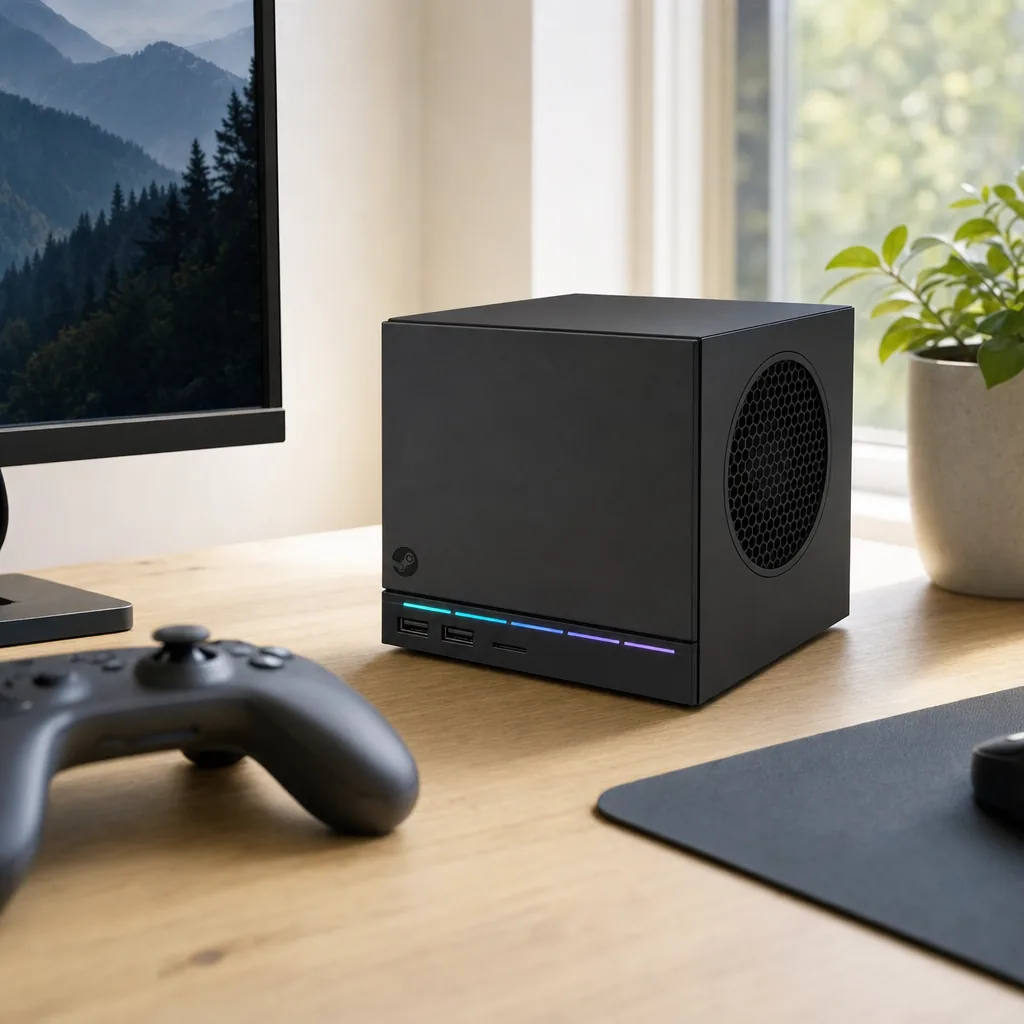
The Steam Machine is not best judged by asking whether it beats every console, mini PC or desktop at every individual thing. It does not. The useful question is whether its particular combination of compactness, SteamOS convenience and PC flexibility solves a problem you actually have.
Best for Steam library veterans
If you already own a substantial Steam collection and want it presented on the television without building a full desktop setup, this is the Steam Machine's strongest use case.
Best for 1440p living-room gaming
Results including around 74fps in Forza Horizon 6 at 1440p High and more than 70fps in Red Dead Redemption 2 at 1440p High make this its natural performance target.
Best premium pick: 2TB model
The 2TB version is the sensible choice for players who want several large games installed at once and do not want storage management to become another hobby.
Best value pick: 512GB model
The £879 base machine is the lower-cost entry into Valve's TV-focused PC idea, particularly if you already own a controller and can manage a smaller installed library.
I would recommend the base model to a player who already owns suitable input devices, has a curated game library and cares mainly about getting a capable SteamOS machine into a small entertainment unit. I would recommend the 2TB configuration to the person who treats storage capacity as a quality-of-life feature, because it absolutely is one.
I would be more cautious for somebody buying their first PC gaming device purely because they want a conventional console replacement. The Steam Machine can feel delightfully console-like when the software side is playing nicely. But it still asks you to understand the basic compatibility reality of SteamOS. If that sounds interesting rather than irritating, you are probably the target audience. If it sounds like admin, you may prefer a more closed platform.
Gadget Scout Rating
Valve's second attempt at the Steam Machine name has landed in a much better place than the first. The compact design is genuinely thoughtful, the performance target is sensible, SteamOS is mature enough to feel at home under a TV, and noise levels are close to established console territory. The price and compatibility caveats stop it being an automatic recommendation, but the overall concept now has real substance.
The Steam Machine is at its best when it disappears into the living room and lets your existing PC library take centre stage.
Steam Machine FAQ
Final Verdict: Valve Finally Has a Real Steam Machine
The 2026 Steam Machine is not the cheap console alternative some people may have hoped for. At £879 before a controller, it is an investment. Nor is it a guarantee that every PC game will behave with the effortless certainty of a closed console platform.
But it is the first Steam Machine that properly answers the original question. It is compact, quiet, capable at 1080p and 1440p, thoughtfully connected and powered by a version of SteamOS that finally feels ready for the television. For existing Steam players who want a tidy, flexible PC in the living room, it is one of the most compelling pieces of hardware Valve has made. Just check your must-play games, choose your storage honestly and prepare for the reservation queue to test your patience a little.