
Google Pixel 10a Review: Has Google Played It Too Safe?
The £499 Pixel 10a brought a brighter screen, quicker charging and excellent longevity — but its recycled Tensor G4 and 8GB memory limit made Google's value formula feel less daring than it once did.
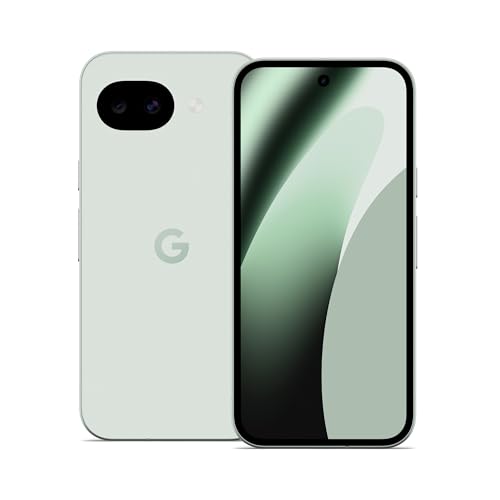
The Pixel 10a continued Google's compact, practical A-series formula, with four colour options and a familiar dual-camera layout.
Google Pixel 10a: the sensible choice is under pressure
See Google Pixel 10a on Amazon UK
Check today's price & availability on Amazon UK
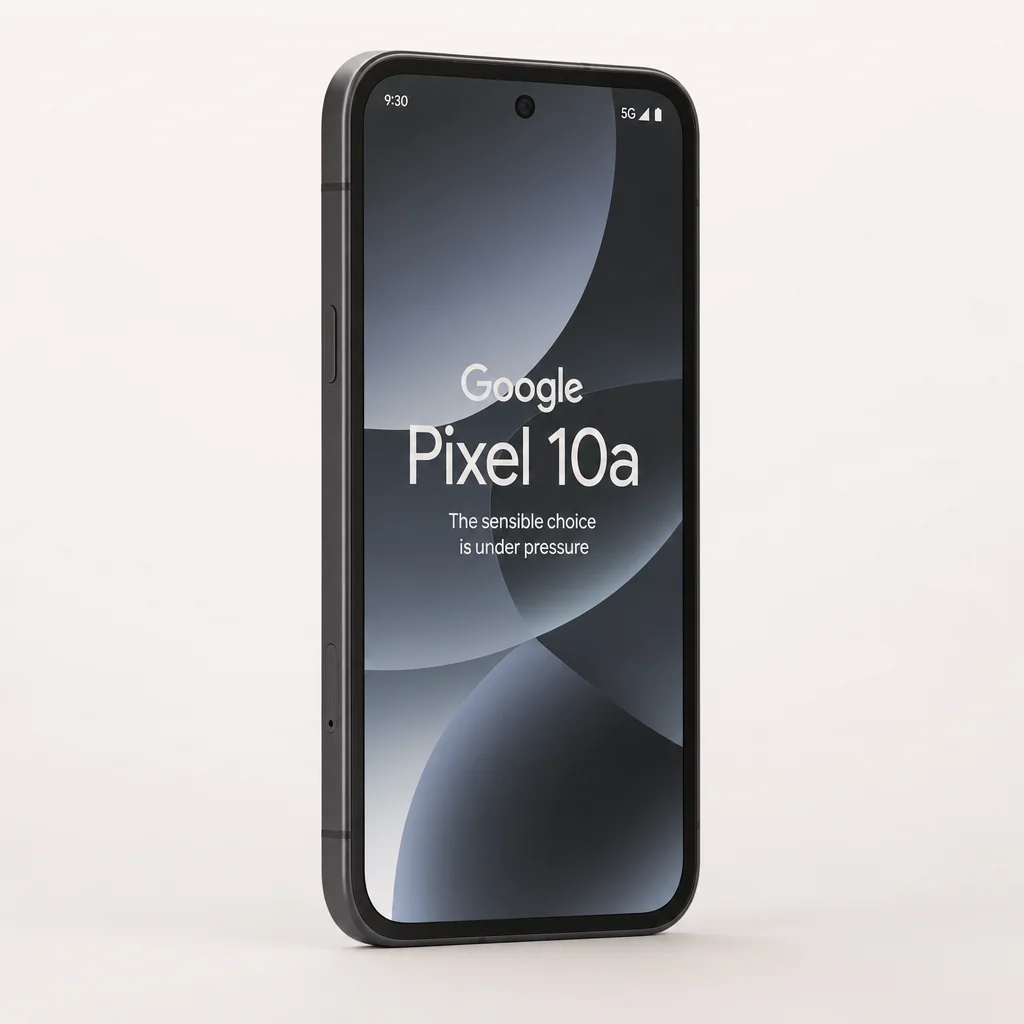
Google's A-series had always been easy to explain. It took the useful bits of a Pixel — clever photography, clean Android, long update support and genuinely handy Google services — then left the flag-waving hardware excess to more expensive models. The Pixel 10a stuck to that script. The trouble was that, at £499 in 2026, sensible could start to feel a little too much like safe.
Announced on 18 February 2026 and released on 5 March 2026, the Pixel 10a arrived as one phone rather than a confusing family of almost-identical versions. You could choose 128GB or 256GB of storage, both paired with 8GB of RAM, and pick from Berry, Lavender, Fog or Obsidian. That clarity was welcome. There was no "Plus", "Ultra", "Pro Max Lite" or other nonsense to decode over a cup of tea.
Its place in Google's range was equally clear. This was the Pixel for buyers who wanted the software experience and camera processing associated with Google's phones, but did not want to step into Pixel 10 flagship money. It also sat in an awkwardly competitive patch of the market. £499 was not entry-level Android territory any more. It was enough money for shoppers to reasonably ask for a newer chip, more breathing room for apps and AI, and a design that felt more than gently refreshed.
That is the central question here: were the Tensor G4 reuse and 8GB RAM ceiling dealbreakers? In my view, no — not for the person this phone was made for. They were, however, the two reasons the Pixel 10a felt more like a polished Pixel 9a evolution than a must-have upgrade. Google improved the screen, modem and charging, then made a very deliberate decision not to disturb the foundations. You could call that disciplined. You could also call it playing safe. Both can be true.
We link to the exact model on Amazon UK. Prices change often, so check the live price before you buy. As an Amazon Associate we earn from qualifying purchases.
120Hz
10W wireless
7 upgrades
Google Pixel 10a
128GB storage / 8GB RAM
Google Pixel 10a
256GB storage / 8GB RAM
The price had not risen from the previous A-series starting point, and that mattered. £499 was still much easier to stomach than a flagship, particularly when the seven-year software commitment was factored in. But the storage split deserved thought. With no indication of expandable storage and increasingly large apps, games, photo libraries and offline media, 128GB could feel tight over a long ownership period. The 256GB model was the more relaxed choice, although £599 pushed the conversation closer to phones with more ambitious hardware.
The 6.3-inch format kept the Pixel 10a manageable without making it feel like a small phone by modern standards.
First impressions: familiar hands, fresh colours
The Pixel 10a measured 153.9 x 73.0 x 9.0mm and weighed 183g. Those figures translated into a phone that was substantial enough to feel secure, but not cumbersome in a trouser pocket or awkward to use one-handed for the basics. At 6.3 inches, it landed in a sweet spot that many people still preferred: roomy enough for maps, messaging and video, yet nowhere near the unwieldy slab territory that had become normal at the expensive end of the market.
It was not a wafer-thin device. At 9mm, the Pixel 10a had a little proper phone heft to it, and the 5,100mAh battery undoubtedly played a role there. I would take a few extra millimetres for stronger battery endurance every day of the week. You notice a flat battery far more than you notice a modestly thicker handset — especially halfway through a delayed train journey, when the socket by your seat has naturally been "out of order" since 2019.
Google's materials choice was pragmatic: Gorilla Glass 7i at the front, an aluminium frame around the edge and a plastic back. At £499, plastic was not automatically a disappointment. In fact, there was a sensible case for it. A plastic rear panel was less fragile than a glass one, kept cost and weight in check, and made the Pixel feel like a device intended to be used rather than admired from a safe distance.
It did mean the 10a could not quite offer the cold, dense, premium-in-the-hand sensation of a glass-backed alternative. That is simply the trade-off. But Google had not tried to disguise it with fake luxury language. The phone was sturdy, IP68 rated for dust and water resistance up to 1.5 metres for 30 minutes, and built around the kind of real-world resilience that mattered more than a fancy rear panel when it met a kitchen worktop.
Colour was where the personality came in. Berry was the bold one, a purple-pink choice for anyone tired of defaulting to black. Lavender softened the formula with a pastel finish. Fog offered a clean, pale grey-white option, whilst Obsidian was the safe near-black choice for people who wanted their phone to disappear into a case and never be discussed again. There was nothing wrong with that. Not every purchase needed to be a statement piece.
A small ecosystem touch that made sense
Google updated Pixel Buds 2a colours with Fog and Berry variants alongside the Pixel 10a. It was not a reason to buy the phone, obviously, but it was a neat detail for buyers who liked matching kit without turning their pocket into a corporate merch display.
The physical design was not revolutionary, then. It was recognisably Pixel and resolutely practical. That was mostly a compliment. The concern was that a familiar shape, familiar camera hardware and a familiar processor combined to create a first impression of restraint. The Pixel 10a did not shout about change. It asked you to notice the refinements.
Screen time: a display that punches above its price tag
The display was one of the Pixel 10a's strongest answers to the "why buy this?" question. Google used a 6.30-inch P-OLED panel with a 1080 x 2424 resolution, a 20.2:9 aspect ratio and a sharp 422 pixels per inch. In ordinary language: text was crisp, photos had plenty of detail, and there was no sense that this was a cut-price panel simply because the phone did not have a flagship badge.
P-OLED mattered. Compared with an LCD screen, an OLED panel could switch individual pixels off for deep blacks, offer stronger contrast and avoid lighting the entire panel when displaying darker content. That helped films, darker app interfaces and always-on-style visual elements look more convincing. It could also be more power efficient in the right conditions. None of this made the Pixel 10a magically cinematic, but it was a meaningful advantage in a phone built for everyday scrolling, streaming and maps.
The 120Hz refresh rate was equally important. A phone at this price that felt sluggish while flicking through a web page or moving between Android 16's menus would have been hard to defend in 2026. The Pixel 10a's display had the smoothness people now expected. It was not a spec you thought about constantly, which was exactly the point. Scrolling felt less like turning pages in a stubborn paperback and more like the software was moving with you.
The brightness figures were also genuinely improved. Google quoted 2,000 nits in high brightness mode, up from 1,800 nits on the Pixel 9a, plus 3,000 nits peak brightness compared with 2,700 nits previously. Measured results backed the broad story up: 1,308 nits in manual mode, 2,169 nits in automatic high brightness mode, and almost 2,900 nits at peak.
Those numbers were not just spreadsheet fodder. They mattered when reading a boarding pass outside, answering a message in direct summer sun, or trying to frame a photo when the sky was doing that rare, startlingly bright British thing. At the same time, the difference between maximum manual brightness and automatic HBM was worth understanding. The biggest boost came when the phone's automatic brightness system decided the environment demanded it. You could not necessarily force the highest figure at will, but outdoors the display had the headroom it needed.
HDR support rounded things out. Highlights in compatible video could look more pronounced, darker scenes retained more shape, and the OLED contrast made late-night watching pleasingly rich. It was not a replacement for a television, before anyone writes in, but on a 6.3-inch panel it was very easy to enjoy a show without feeling the screen was holding the experience back.
| Display and charging reference | Google Pixel 10a | Google Pixel 9a | Samsung Galaxy A56 5G | iPhone 16e |
|---|---|---|---|---|
| High brightness mode | 2,000 nits | 1,800 nits | — | — |
| Peak brightness | 3,000 nits | 2,700 nits | — | — |
| Maximum wired charging | 30W | 23W | — | — |
| Maximum wireless charging | 10W | 7.5W | — | — |
| Buy | Check price |
One of the less flashy additions was Adaptive Tone. This used a colour temperature sensor to adjust the screen's white balance to match ambient light, in broadly the same spirit as Apple's True Tone. In a warm-lit room, a display that stayed aggressively blue-white could feel harsh; Adaptive Tone aimed to make the screen look more naturally at home in its surroundings. It was the kind of feature you might not notice while it was working, but notice when you turned it off.
There was a useful distinction here. Adaptive Tone altered the display's colour temperature for viewing comfort; it was not a magic tool that made every image technically more accurate. Creators who wanted a consistent reference appearance might prefer to keep a closer eye on display settings. For everybody else, it was a thoughtful quality-of-life addition. The Pixel 10a's screen did not merely meet the brief. It was one of the parts of the handset that most clearly exceeded what "mid-range" used to mean.
A 120Hz P-OLED panel, higher outdoor brightness and Adaptive Tone made the screen a clear Pixel 10a strength.
Under the hood: when yesterday's chip had to do today's work
Here was the awkward bit. The Pixel 10a used Google's Tensor G4 chipset — the same generation found in the Pixel 9a. It was a 4nm octa-core design with one 3.1GHz Cortex-X4 core, three 2.6GHz Cortex-A720 cores and four 1.9GHz Cortex-A520 cores, paired with a Mali-G715 MP7 GPU. That was not a bad chip. It was, however, a chip whose main story had already been told.
Google's likely logic was not hard to follow. Reusing Tensor G4 helped contain costs and preserve the £499 starting price. Tensor's pitch had never been purely about topping raw benchmark leaderboards either. It was designed around Google's own machine-learning workloads, photography processing and Pixel-specific software features. If your daily phone life involved messaging, navigation, web tabs, video, camera use and occasional gaming, Tensor G4 remained comfortably capable.
But this argument had limits. A mid-range phone bought in 2026 was not judged only by how it felt on day one. Buyers rightly thought about three, four or five years down the line. Google's seven major Android upgrades made that long-term lens even more important. An older processor and 8GB of memory did not stop the Pixel 10a from being a very usable phone; they did leave less margin for increasingly demanding apps, heavier browser sessions and Google's expanding on-device AI ambitions.
Benchmark results placed the phone in sensible rather than spectacular territory. Geekbench 6 produced a 1,750 single-core score and a 4,516 multi-core score, whilst the GPU compute score reached 10,140. A separate Geekbench run recorded 1,672 single-core and 4,337 multi-core. AnTuTu returned 1,558,603 overall. Benchmark variation was normal, particularly across software versions and thermal conditions, so the sensible conclusion was a range rather than one sacred number engraved on a stone tablet.
For normal tasks, those numbers translated into the sort of performance most people would describe as quick. Android 16 navigation, switching between common apps, messaging, browsing and camera use were not workloads that should trouble this silicon. The limitation was not that the Pixel 10a was slow. The limitation was that it did not have much of a hardware story over its predecessor, particularly at a time when chipsets were becoming more important to AI feature eligibility.
Gaming also needed sensible expectations. The Tensor G4 and Mali-G715 MP7 combination had enough capability for mainstream mobile games, but the Pixel 10a was not positioned as a dedicated high-frame-rate gaming machine. If your shopping list began with sustained maximum settings in demanding titles, you were looking for a different sort of phone. If games were a commute distraction, a lunch-break habit or something for the occasional long-haul flight, the Pixel had the horsepower to be relevant without pretending to be a portable console.
Thermals were better news. During an AnTuTu benchmark run, the recorded temperature rose to 33.3°C, with the hottest parts at around 31°C. That suggested the Pixel 10a could manage a sustained burst of work without becoming uncomfortably hot. It is an underrated quality. A fast phone that turns into a hand warmer during a camera session or prolonged game is not actually pleasant to own.
The important distinction: Tensor G4 was not a dealbreaker because it was incapable. It was a dealbreaker only if you expected the Pixel 10a to deliver a generational performance leap, or if future-facing on-device AI was central to your buying decision.
There was also a useful modem upgrade. The Pixel 10a used the Exynos 5400 modem, with global 5G including Sub-6GHz, 4G LTE, nano-SIM and eSIM support, Wi-Fi 6E with 2x2 MIMO, Bluetooth 6 and NFC. The modem supported satellite communication, making this the first A-series Pixel to offer that option. That was a more meaningful practical update than it might sound. Better connectivity is not glamorous until it saves you from a patchy signal at exactly the wrong moment.
AI smarts: Gemini's promise met the RAM reality
Software had always been the spiritual heart of a Pixel, and the Pixel 10a still had plenty to offer. Google introduced Camera Coach, a Gemini-powered photography guide that provided step-by-step advice on framing and composition. It also added conversational photo editing in Google Photos, allowing you to describe an edit in natural language rather than manually prodding sliders and masks.
Camera Coach was a clever answer to a familiar problem. Most people did not need another menu full of photographic controls. They needed a nudge to move a little closer, shift the subject, improve the framing or notice that a bright window was ruining the shot. A guide that could make those suggestions in plain language had genuine value for less confident photographers, particularly when taking family photos, holiday snaps or an image where you had one chance before somebody wandered off.
It was best understood as a coach rather than an automatic talent dispenser. It could help you see a better composition, but it could not create good light, make an uncooperative toddler stay still or persuade a group of friends to stop pulling faces. Mercifully, it did not need to. Practical, bite-sized guidance was a better fit for the Pixel ethos than turning photography into a lecture.
Camera Coach
Gemini-powered guidance offered step-by-step suggestions for framing and composition, helping less experienced users make more of the camera they already had.
Conversational photo editing
Google Photos could accept spoken or typed natural-language requests for edits, making familiar tasks feel less technical and more direct.
Material 3 Expressive
Android 16 brought more dynamic text, icons, animations and haptic feedback, giving Google's interface a more animated and tactile character.
Satellite-capable modem
The Exynos 5400 modem added satellite communication support to the A-series alongside 5G, Wi-Fi 6E, Bluetooth 6 and NFC.
The caveat was memory. Some features, including Magic Cue and various on-device AI models, appeared to be excluded from the Pixel 10a. The likely explanation was its 8GB RAM ceiling and a less powerful TPU than the Tensor G5 used in the rest of the Pixel 10 series. This was the clearest sign that Google's hardware segmentation was doing more than keeping benchmark charts tidy.
For many buyers, that would not matter. Camera Coach and conversational editing were the sort of features people could understand and actually use. Magic Cue and large on-device models sounded more futuristic, but their absence was only painful if you knew you wanted them. Still, it was difficult to ignore the underlying message: at £499, the Pixel 10a got the friendly face of Google AI, but not the full backstage pass.
Do not buy an AI feature list; buy the phone you will use
If you mainly wanted a reliable camera, long software support, sensible battery life and Google's cleanest Android experience, the Pixel 10a's AI omissions were unlikely to ruin your day. If on-device AI was the reason you were shopping for a new Pixel, the 8GB limit was a much more serious warning sign.
There was a broader lesson here, too. AI features were starting to divide phones not just by software version, but by memory capacity and specialist hardware. The Pixel 10a was still smart. It simply was not the Pixel that received every one of Google's newest ideas. For a value-focused model, some feature separation was inevitable. Whether Google had drawn the line in the right place depended entirely on how much you valued AI capability over the 10a's other strengths.
Google's camera software and Gemini-led tools remained central to the Pixel experience, even where the 10a did not receive every flagship AI feature.
Snap judgement: camera performance in everyday Britain
The Pixel 10a had a 48MP main camera and a 13MP ultrawide camera on the rear, joined by a 13MP ultrawide selfie camera at the front. The ultrawide used an f/2.2 lens, a 120-degree field of view, a 1/3.1-inch sensor and 1.12µm pixels. On paper, this was familiar territory: the Pixel 9a had also used a 48MP plus 13MP rear setup.
That similarity was important. Google did not sell the 10a as a wholesale camera-hardware rethink. The more relevant question was whether the combination of Android 16, Google's computational photography and Gemini-related tools made the package feel more useful. The answer was largely yes, but it was a software-led improvement rather than a dramatic leap in lens capability.
Pixel cameras had long been at their best when you simply wanted to take a photo and get on with your life. That remained the appeal here. A grey overcast sky, indoor restaurant lighting, a city high street after dark, a countryside walk with difficult bright-and-dark areas in the same frame — these were situations where computational photography mattered more than a gigantic sensor specification written in tiny type.
The main 48MP camera was the one to rely on for everyday shots. It was the lens likely to deliver the strongest balance of detail, exposure and colour in ordinary use. The 13MP ultrawide widened the frame when a building, landscape, group or cramped indoor scene demanded it. It was not there to replace the primary camera; it was there to give you a shot you could not otherwise take.
The 120-degree field of view was usefully broad. It could take in a lot of a scene, which made it handy for architecture and travel. As always with ultrawides, composition mattered. Throwing the phone at a scene because the lens could fit everything in was a reliable way to create photographs full of sky, pavement and visual regret. Camera Coach could be particularly useful here, encouraging you to use that extra width with a little more intent.
Camera reality check: the Pixel 10a retained the Pixel 9a's 48MP main and 13MP ultrawide rear-camera arrangement. The attraction was Google's computational processing and new guidance tools, not a headline-grabbing hardware change.
The front-facing 13MP ultrawide camera also had practical appeal. A wider selfie camera could accommodate more people without the usual arm-stretching routine, and that made it naturally suited to group shots. It was another example of Google choosing utility over a specification arms race. Nobody needed a phone to advertise how many lenses it had. They needed the camera they opened to give them a decent chance of getting the shot.
Conversational editing sat neatly alongside this approach. Rather than requiring a user to understand every editing tool, Google Photos allowed requests in natural language. Want a more dramatic sky, or somebody in the background removed? You could ask. That did not mean every edit should be made — the internet had survived enough overworked skies already — but the barrier between "I wish this photo looked slightly better" and "I can make that change" became much lower.
The Pixel 10a therefore made most sense for people who valued photographic confidence over photographic theatre. It was not built around a telephoto zoom, a huge camera count or pro-grade manual control. It was built around a reliable main camera, a genuinely useful ultrawide and Google's ability to make the process less intimidating. For the everyday photographer, that remained a strong formula.
All day and beyond: battery life that genuinely impressed
The 5,100mAh battery was the same capacity as the Pixel 9a's, but the Pixel 10a's endurance results were excellent. Google quoted more than 30 hours on a full charge, with up to 120 hours available with Super Battery Saver enabled. More importantly, lab testing recorded an Active Use Score of 15 hours and 13 minutes, a substantial result that outperformed the Pixel 9a across the tests and particularly in video streaming.
That was the sort of battery story buyers actually cared about. A phone did not need to last three days under laboratory conditions to be useful. It needed to get through a busy day of messages, maps, camera use, browser time, music, video and the odd moment of doomscrolling without turning the battery icon into a source of low-level anxiety.
Real-world intensive travel and conference use produced around six hours of screen-on time for 50% battery use. That was an encouraging figure because travel use was notoriously punishing: mobile signal changes, camera activity, display brightness and constant checking of schedules all did their best to drain a phone. If half a charge covered that kind of day, there was a solid chance of getting through normal use with plenty in reserve.
Super Battery Saver had a place too, although it was best treated as an emergency mode rather than a lifestyle. Its purpose was to stretch power by limiting what the phone did. That was useful when you had a late journey, a festival weekend, a power cut, a forgotten charger or an unexpectedly long day away from a socket. The promise of up to 120 hours made sense in that context: it was about keeping a phone available, not keeping every convenience permanently switched on.
The charging improvements were more important than they first appeared. Wired charging rose to 30W, up from 23W on the Pixel 9a, whilst wireless charging increased to 10W from 7.5W. Google said the Pixel 10a could reach 50% in around 30 minutes. In testing with Google's 45W USB-C Power Adapter, it reached 18% after 10 minutes, 91% after 60 minutes and 100% after 90 minutes.
Charging improved — but do not mistake 30W for a sprint finish
The Pixel 10a charged meaningfully faster than the Pixel 9a, especially for a useful top-up. A full charge taking 90 minutes was still a measured pace rather than an ultra-fast one. The phone included no charger brick, and the supplied USB-C cable was USB 2.0 despite the handset itself having a USB 3.2 Type-C port.
The USB 3.2 port deserved a mention because it supported charging, data transfer and external display output. That made the Pixel 10a more flexible than a phone that treated USB-C as little more than a charging hole. The included USB 2.0 cable was less impressive. It was functional, but anybody who wanted to take advantage of faster data transfer would need an appropriate cable of their own. A minor irritation, yes. Still an irritation.
Wireless charging at 10W was not rapid, but it was convenient. A charging stand on a desk or bedside table was a small luxury that quickly became normal, particularly for users who wanted the phone topped up rather than urgently refuelled. The faster wired option remained the route to take when time mattered.
The Pixel 10a combined a 5,100mAh battery with improved 30W wired and 10W wireless charging support.
Living with Android 16: software, updates and the seven-year promise
Android 16 was one of the Pixel 10a's least controversial advantages. It shipped with Google's latest platform from the start, complete with Material 3 Expressive. That mattered because Pixel ownership had always involved getting the cleanest and quickest route to Google's version of Android, rather than waiting for a manufacturer to put its own layer of paint over the walls.
Material 3 Expressive built on Material You with more dynamic type and icons, scaling text, time, buttons and interface elements according to context. Animations were more fluid and haptic feedback appeared more frequently throughout the interface. The result was not a completely different operating system. It was a more animated, tactile and intentional-feeling one.
That kind of design change could sound fluffy until you spent time with it. The feel of a phone came from countless tiny interactions: opening an app, scrolling a list, dismissing a notification, typing a message, adjusting volume, going back through a menu. When animation and feedback were handled well, the device felt coherent. When they were handled badly, it felt like a collection of separate parts that happened to have the same wallpaper.
The Pixel 10a's bigger software advantage was longevity. Google promised up to seven major Android upgrades. At £499, that was exceptional. It gave buyers a credible reason to think of the 10a as a long-term purchase rather than a phone to replace after a couple of years because the software story had run out.
There was a financial argument in there as well. A phone that received major Android releases for years had a better chance of staying useful, secure and familiar. You could spread the £499 initial spend over a longer period, avoid the cost and hassle of upgrading prematurely, and keep using the same accessories, apps and habits. In a category where annual upgrades had become increasingly incremental, that was worth more than a flashy launch-day feature.
The Tensor G4 and 8GB RAM question returned here, though. Seven years of Android upgrades was fantastic in principle, but it raised the stakes for the hardware. The Pixel 10a had enough capability for the present. What it did not have was an especially generous cushion for future on-device AI models or heavier multitasking demands. Software support could keep a phone current, but it could not add memory after the fact.
Pros
- Bright 120Hz P-OLED display with strong measured outdoor brightness.
- Excellent battery results, including a 15:13 Active Use Score.
- 30W wired and 10W wireless charging improved on the Pixel 9a.
- Android 16 shipped from day one with up to seven major upgrades.
- IP68 protection, USB 3.2 and a satellite-capable modem added practical value.
- Google's camera software, Camera Coach and conversational editing remained approachable strengths.
Cons
- Tensor G4 was a repeat of the Pixel 9a generation rather than a new platform.
- Every model stopped at 8GB of RAM.
- Some newer AI features, including Magic Cue, appeared to be excluded.
- Rear camera hardware remained a familiar 48MP and 13MP arrangement.
- Full charging took around 90 minutes in testing.
- No charger brick was included, and the supplied cable was USB 2.0.
For people who preferred a phone that simply remained pleasant and supported for a long time, the Pixel 10a was one of the more reassuring choices at its price. It did not need to change every visual element of Android to feel fresh. It needed to make the daily experience consistent, understandable and likely to stay that way. On that front, Google delivered.
Value at £499: safe, stale or quietly sensible?
Value was where the Pixel 10a became more nuanced than a simple "buy it" or "skip it". At £499 for 128GB, it offered a premium-quality display, a big battery, IP68 resistance, Android 16, seven major upgrades, Google's camera software and a capable Tensor G4 platform. That was a lot of useful phone. The £599 256GB version gave more storage breathing room but made the hardware compromises harder to ignore.
The core problem was not that Google had offered too little. The core problem was that it had made very few dramatic moves. The display was better. Charging was better. Connectivity was better. Battery results were very good. But the chipset was familiar, the memory cap stayed at 8GB, and the rear camera configuration remained broadly the same as the Pixel 9a's.
That made the 10a an excellent purchase for somebody coming from an older or lower-tier handset. They would see the benefit everywhere: screen quality, responsiveness, camera confidence, battery life, software polish and update support. It was much less compelling as a direct Pixel 9a replacement. The changes were welcome, but they were refinements rather than a new chapter.
The 8GB RAM point deserved a final dose of perspective. Eight gigabytes was not inadequate for everyday Android use. It was enough for the vast majority of messaging, browsing, navigation, streaming and casual photography needs. The issue was the context. Google was increasingly positioning AI as a reason to choose Pixel, and some more advanced on-device AI features appeared to fall on the wrong side of the 10a's hardware line. That was where 8GB felt more like a strategic limitation than a simple specification.
Likewise, Tensor G4 was capable. Its Geekbench and AnTuTu results showed a phone with real performance headroom for ordinary use, and temperature behaviour during testing was well controlled. But it was also a previous-generation chip in a new 2026 phone. Buyers who enjoyed keeping an eye on hardware value would be justified in feeling Google had asked them to pay a current price for a platform that was not current across the wider Pixel 10 family.
The Pixel 10a's value rested on polished fundamentals — display, battery, updates and software — rather than a dramatic generational hardware leap.
Who should buy the Google Pixel 10a?
The Pixel 10a was not trying to be all things to all people. That was part of its appeal. It had a very clear set of strengths, and buyers who prioritised those strengths could be very happy with it. The trick was being honest about what you needed from a phone before being seduced by the colour name or a particularly persuasive camera sample.
Best for point-and-shoot photographers
Choose the Pixel 10a if you wanted Google's approachable computational photography, a 48MP main camera, a useful 120-degree ultrawide and Camera Coach guidance without needing to learn a camera app inside out.
Best for battery-conscious commuters
The 5,100mAh battery, 15:13 Active Use Score and improved 30W charging made this a strong fit for long workdays, travel and people who simply disliked carrying a power bank.
Best for long-term Android owners
Seven major Android upgrades made the Pixel 10a particularly attractive if you kept phones for years and wanted the latest Android experience from day one.
Not best for AI power users
If your priority was access to every newer on-device AI capability, the 8GB RAM ceiling and omitted features such as Magic Cue made the Pixel 10a a less natural match.
Not best for maximum gaming ambition
Tensor G4 was capable for mainstream games, but this was not the phone to buy solely for demanding gaming at the highest possible settings over long sessions.
Skip if you already own a Pixel 9a
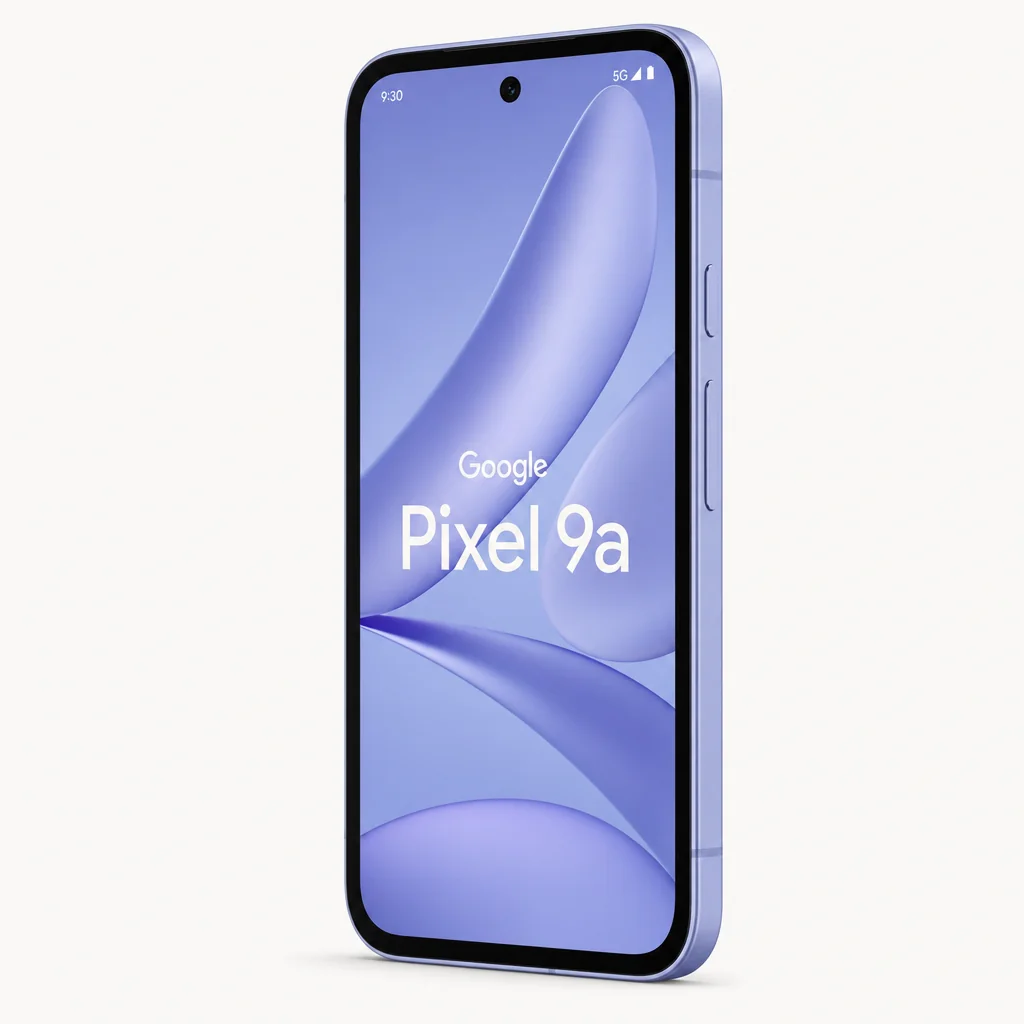
The brighter panel, faster charging and updated modem were nice improvements, but the shared Tensor generation, battery capacity and rear-camera arrangement limited the upgrade case.
My strongest recommendation was for somebody replacing a phone that was two, three or more years old and who valued a dependable, uncomplicated Android experience. The Pixel 10a was a grown-up choice in the best sense: it covered the essentials very well, did not create unnecessary friction and came with enough long-term support to feel responsible rather than dull.
Buyers who saw phone ownership as a hobby rather than a tool would likely want more excitement. They would notice the Tensor G4 reuse. They would count the missing AI features. They would look at 8GB RAM and imagine the next few years of increasingly hungry software. They would not be wrong. The Pixel 10a was a practical phone, not a flex.
Gadget Scout rating: a very good Pixel, just not a bold one
Scoring the Pixel 10a meant separating what it did from what it represented. As a day-to-day smartphone, it was strong: the display was excellent, battery life was impressive, the software commitment was among the best reasons to buy it, and its camera tools remained more useful than many headline specifications. As a 2026 refresh, it was more conservative. Tensor G4 and 8GB RAM prevented it from feeling as forward-looking as the seven-year update promise suggested it should.
The score reflected a phone I could comfortably recommend, with one significant qualification: know what you are buying. You were buying a superb screen, strong endurance, polished Android, meaningful charging improvements and Google's camera-first philosophy. You were not buying the newest Pixel silicon, a generous memory allocation or the whole AI feature catalogue.
The Pixel 10a was easy to recommend for its screen, battery life and seven-year software promise, provided buyers accepted its conservative hardware choices.
Google Pixel 10a FAQ
Final verdict: Google played it safe — and mostly got away with it
The Google Pixel 10a was not the disruptive £499 phone some buyers might have hoped for. The familiar Tensor G4 processor, unchanged 8GB RAM ceiling and similar rear-camera hardware made it feel cautious in a year when AI capability and future-proofing mattered more than ever.
Yet the safe choices sat inside a very capable package. The 6.3-inch 120Hz P-OLED display was excellent, brightness was meaningfully improved, battery life was genuinely strong, charging was faster, Android 16 felt polished and seven major Android upgrades gave the phone uncommon long-term appeal. Add IP68 protection, USB 3.2, satellite-capable connectivity and Google's approachable camera software, and there was still a great deal to like.
Buy the Pixel 10a if you wanted a dependable, compact-ish Android phone with a brilliant screen, excellent endurance and years of Google software ahead of it. Skip it if you demanded the newest silicon, more than 8GB of RAM or every advanced on-device AI feature Google reserved for higher-end Pixels. It was safe. It was not stale. But it was close enough to the line that Google should be careful not to confuse restraint with progress next time.
- Google Pixel 10aView on Amazon