
Best CPU Coolers for a Ryzen 9000 Build: Air vs AIO Picks Tested
Four properly matched coolers for Ryzen 9000: premium dual-tower air, high-headroom 360mm liquid, and one LCD-heavy option for people who want their PC to be seen.
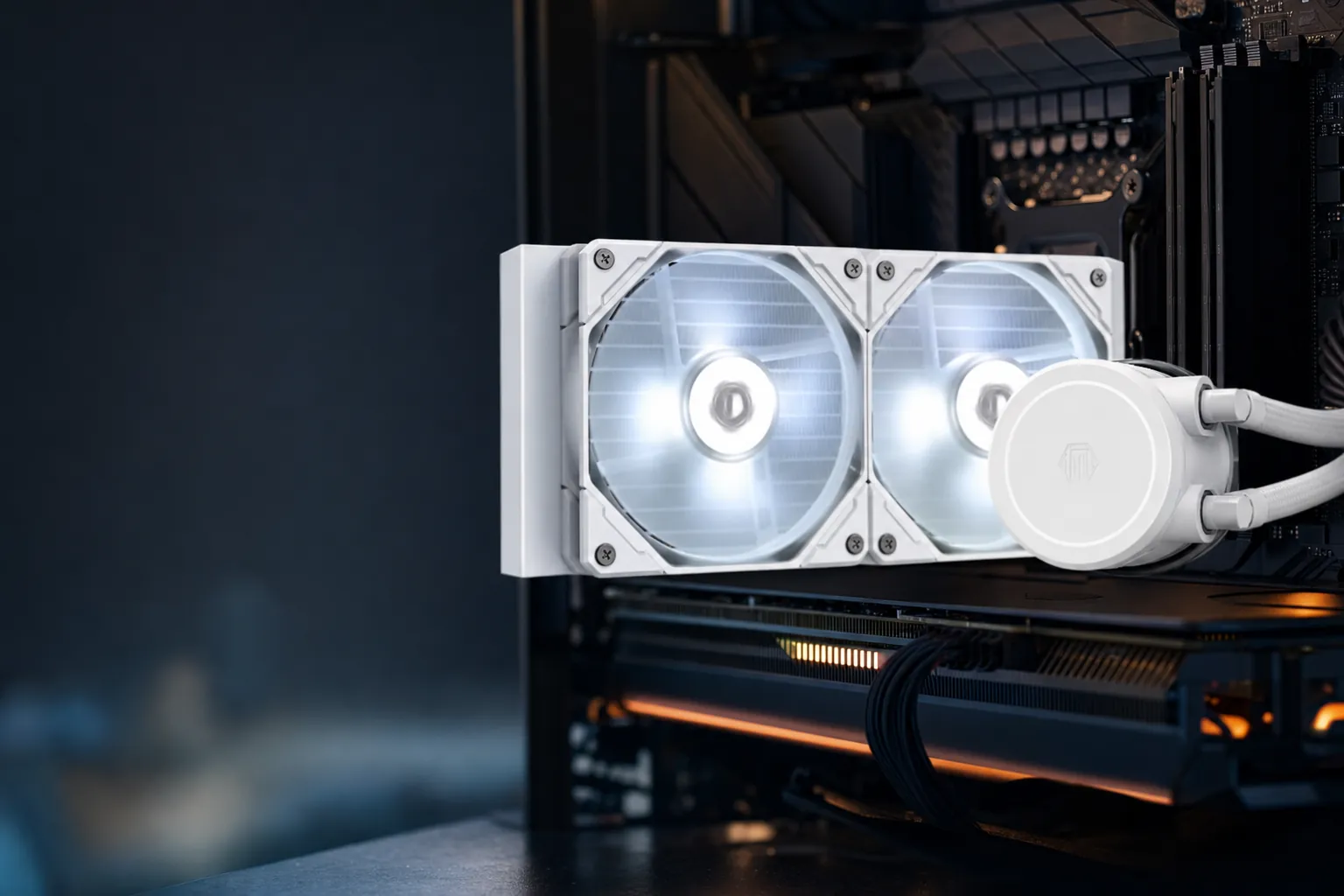
We link to the exact model on Amazon UK. Prices change often, so check the live price before you buy. As an Amazon Associate we earn from qualifying purchases.
Ryzen 9000 cooling is less about whether a bracket fits AM5 and more about whether your case, workload and ears suit air or a 360mm radiator.
Ryzen 9000 Cooling Starts With the Right Kind of Headroom
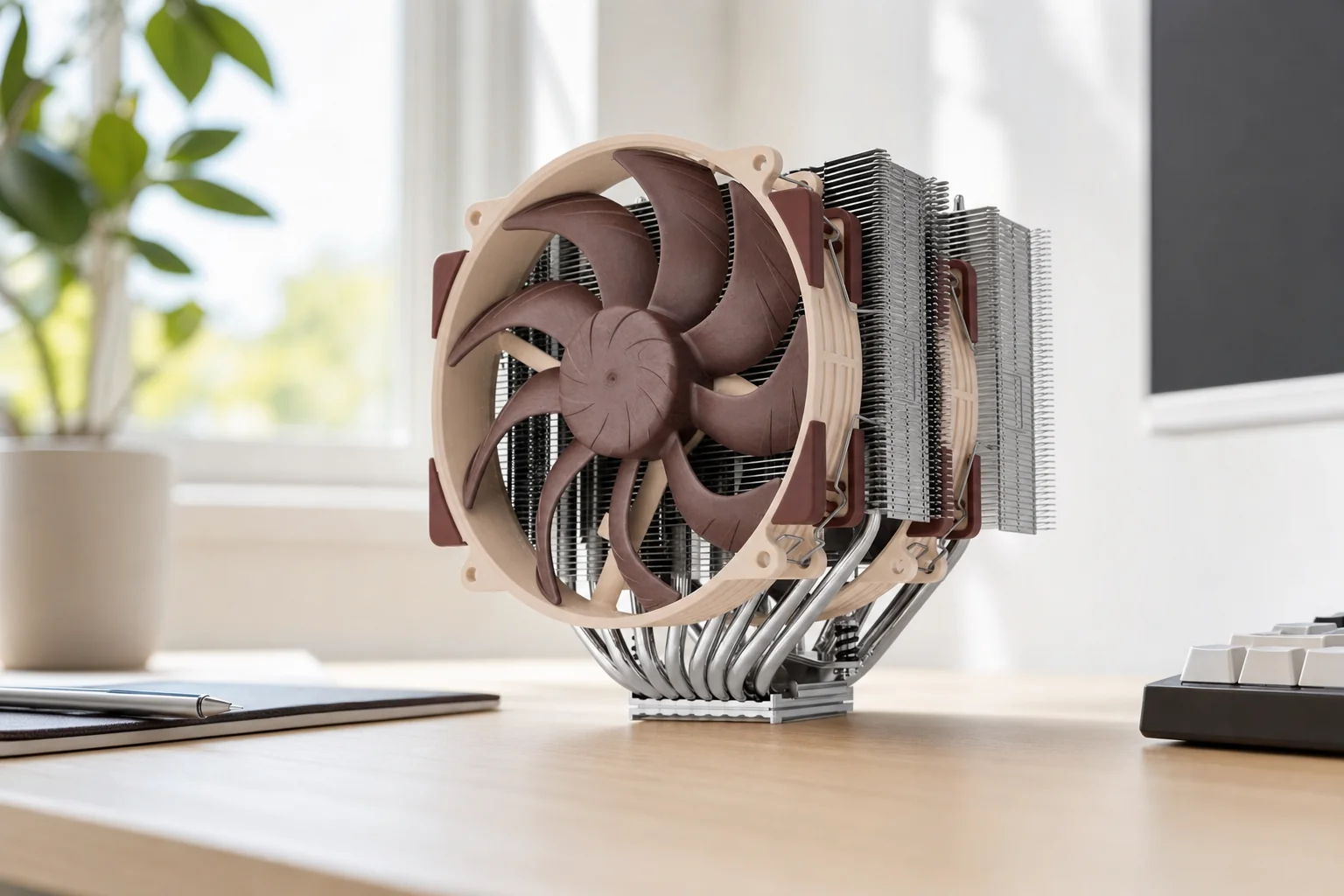
Buying a cooler for Ryzen 9000 is one of those jobs where the socket compatibility badge tells you almost nothing useful. Every cooler here fits AM5. The real question is whether it can deal with the heat your particular build produces without turning your desk into a small wind tunnel.
That distinction matters most with Ryzen 9 9950X and 9950X3D-class machines. A gaming system that occasionally renders a video is a very different cooling problem from a workstation chewing through long all-core jobs every day. Both might technically run on a premium air cooler. Only one of them may make you grateful for a thick 360mm radiator at 11pm when the fans are trying to become involved in the conversation.
The sensible split is straightforward. The Noctua NH-D15 G2 LBC and be quiet! Dark Rock Pro 5 are large, serious air coolers with no pump, no coolant loop and no radiator to mount. They are excellent choices for gaming-first Ryzen 9000 builds, mixed-use PCs and anyone who values a simpler ownership experience. Dust the fans, replace a fan years later if necessary, and carry on with your life.
The ARCTIC Liquid Freezer III 360 and NZXT Kraken 360 RGB are 360mm all-in-one liquid coolers. Their radiator area gives them the better chance of holding sustained all-core package power with less compromise, especially on a Ryzen 9. That does not mean liquid automatically "wins" every temperature chart; Ryzen chips can reach their thermal limit even under extremely capable coolers. It means the AIOs offer more headroom where it counts: sustained clocks, package power and fan noise under genuinely demanding loads.
The useful way to read cooler results
Do not obsess over a single peak temperature. Ryzen processors are designed to use thermal headroom aggressively. For a meaningful purchase decision, look at sustained load behaviour, noise-normalised results, physical fit and whether you want a pump in the system at all.
Premium air: fewer moving parts
Two fans and a heatsink are easier to live with long term. The trade-off is less sustained thermal capacity than the best 360mm liquid designs.
360mm AIO: greater sustained headroom
A larger radiator helps a Ryzen 9 build absorb prolonged heavy load, but adds pump, tubing, radiator clearance and more complicated installation.
Acoustics are workload-dependent
A cooler can be nearly silent in games and distinctly audible during an all-core render. Fan curves matter as much as the hardware label.
How We Matched Coolers to Ryzen 9000
I have not tried to mash different review labs, test platforms and sound-meter distances into one fake master score. That is how a buying guide ends up looking very decisive whilst being quietly wrong. Instead, I have used the confirmed manufacturer specifications alongside the independent numbers that actually tell us something, keeping each result in its original context.
The first filter was sustained cooling capacity. A Ryzen 9 is not difficult because it briefly spikes; it is difficult because it can hold a demanding multi-core workload for long periods. A 360mm AIO is therefore the natural choice for people compiling, encoding, rendering or running compute-heavy work regularly. Premium air remains perfectly credible, but it deserves to be chosen with clear eyes rather than a vague "the old NH-D15 was good" instinct.
Noise was the next consideration, but with a big asterisk. Noctua's 44.6dBA maximum measurement, be quiet!'s 36.6dBA full-speed AnandTech result and NZXT's 49.2dBA maximum Kraken Plus 360 RGB result were obtained in different test environments. They are useful evidence of behaviour, not licence to declare a one-decimal-place champion. The strongest apples-to-apples clue in this group came from GamersNexus's noise-normalised testing, where the ARCTIC Liquid Freezer III 360 posted 46.7°C over ambient.
Then came the boring-but-important stuff: cooler height, RAM clearance, radiator thickness, AM5 mounting design, software dependence and the number of extra components you are inviting into the case. These details have saved more builds than a fancy product page ever has.
A high-end AM5 build needs airflow around the whole system, not just a cooler capable of making one impressive temperature screenshot.
For Ryzen 9000, package power and sustained clock behaviour are usually more useful indicators than chasing the lowest reported peak temperature. The processor may still operate near its temperature limit under a heavy all-core workload, even with a very capable cooler.
The Air-Cooling Benchmark: Noctua's AM5 Specialist
1. Noctua NH-D15 G2 LBC — Best for premium air cooling on Ryzen 9

See Noctua NH-D15 G2 LBC on Amazon UK
Check today's price & availability on Amazon UK
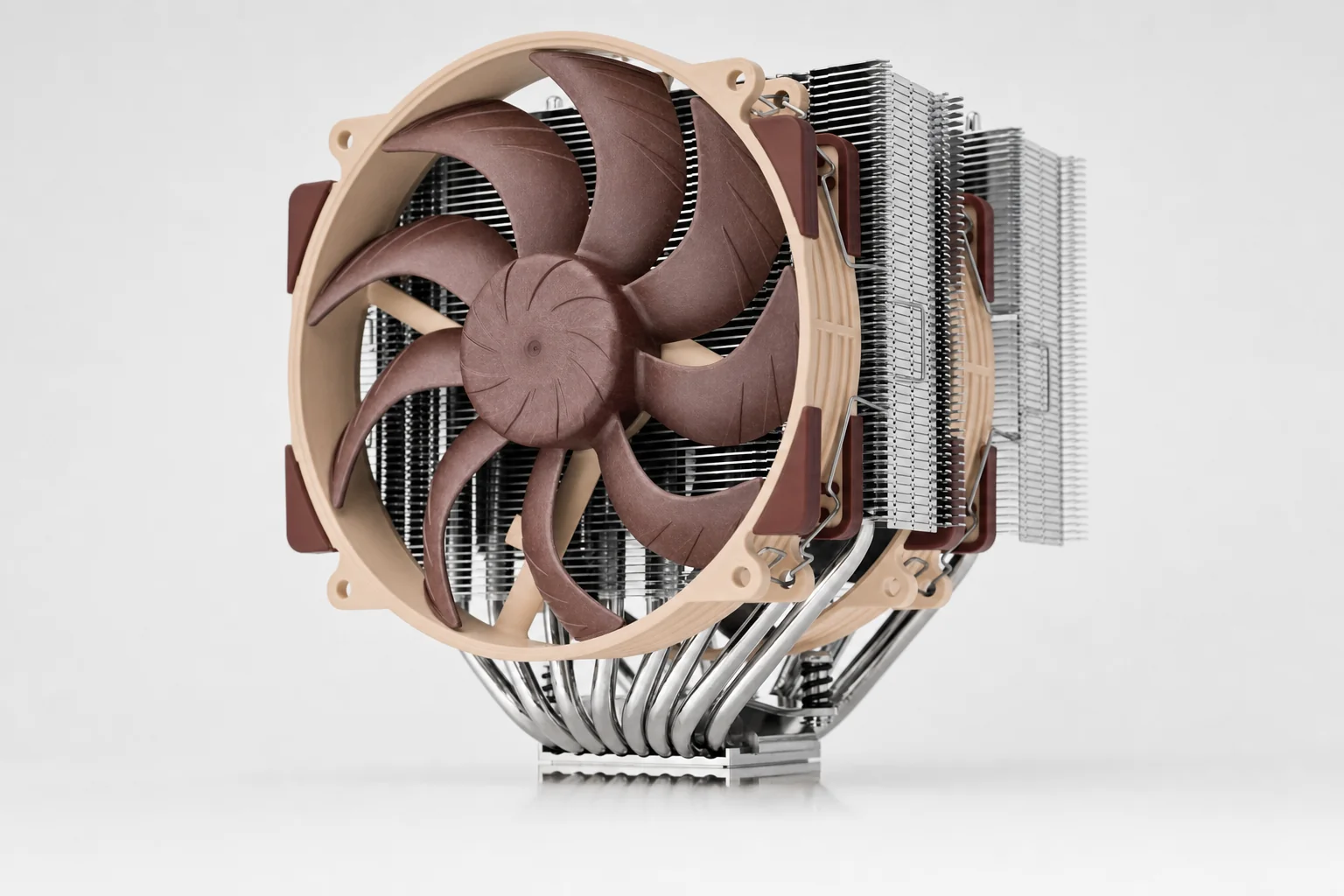
The NH-D15 G2 LBC is the air cooler I would choose when the brief is "build a serious Ryzen 9 machine, keep it pump-free, and do not compromise just because liquid looks more dramatic in photographs". It is expensive for an air cooler. It is also an extremely deliberate piece of hardware: huge, heavy, exceptionally well finished and engineered around the awkward truth that CPU heat spreaders are not all shaped quite the same.
The letters matter here. Noctua sold the NH-D15 G2 in standard, LBC and HBC versions. The standard model used general-purpose base convexity. LBC means low-base-convexity and is the version most relevant to AMD AM4 and AM5, including Ryzen 9000. HBC is primarily intended for Intel-style heat-spreader geometry. Do not see three boxes with similar names and assume they are interchangeable. For a Ryzen build, buy the LBC model.
Noctua increased the heatpipe count to eight and expanded fin surface area by roughly 20% compared with the original NH-D15. The two round-frame 140mm NF-A14x25r G2 fans also run with a 50rpm offset, a small design choice intended to avoid the tonal interaction that can happen when two identical fans spin in lockstep. That is exactly the kind of detail Noctua tends to care about. It is also why people keep buying Noctua fans despite the familiar brown-and-beige styling causing the occasional aesthetic emergency.
Its test results justify taking it seriously. Tom's Hardware measured approximately 240W average cooling capacity in its maximum-wattage test, recorded 44.6dBA at maximum measured noise and saw 40.9dBA during a 120W Cinebench test. GamersNexus measured the LBC at roughly 55°C over ambient in a 200W AMD noise-normalised test, with the LBC version about 0.5°C ahead of the standard model. That sounds tiny because it is tiny, but it supports the point: on AM5, LBC is the correct optimisation.
AMD-specific choice
The LBC base geometry and AM5 offset-mounting support make this the clear Ryzen-oriented version of the G2 family.
Well-equipped installation kit
NT-H2 thermal compound, a thermal-paste guard, cleaning wipe, screwdriver, PWM splitter and mounting hardware are included.
No liquid loop to manage
There is no pump, coolant or radiator. That is a meaningful advantage for buyers who favour mechanical simplicity over maximum benchmark headroom.
Pros
- Outstanding sustained performance for a maintenance-free air cooler.
- LBC variant is specifically the sensible choice for AM5.
- Eight heatpipes, premium fans and excellent mounting hardware.
- Six-year warranty and a strong long-term support reputation.
- No pump noise or coolant-loop failure mode.
Cons
- 168mm height and 1,525g installed weight demand a proper clearance check.
- Costs more than many very capable dual-tower rivals.
- Maximum-load noise is higher than the standalone 24.8dBA fan specification might suggest.
- The standard brown finish is not for every showcase build.
NH-D15 G2 LBC
Observed UK marketplace pricing
Original MSRP
Same original MSRP for standard and LBC
Who should not buy it?
Anyone with a case below 168mm CPU-cooler clearance, or a system that spends hours at high all-core load and already has a 360mm-radiator-ready case. In those situations, the ARCTIC makes more practical sense. Premium air is brilliant; it is not magic.
The NH-D15 G2 LBC is a substantial dual-tower cooler, so measure the side-panel clearance before falling in love with the no-pump lifestyle.
The Quiet Dual-Tower Alternative
2. be quiet! Dark Rock Pro 5 — Best for quiet air cooling
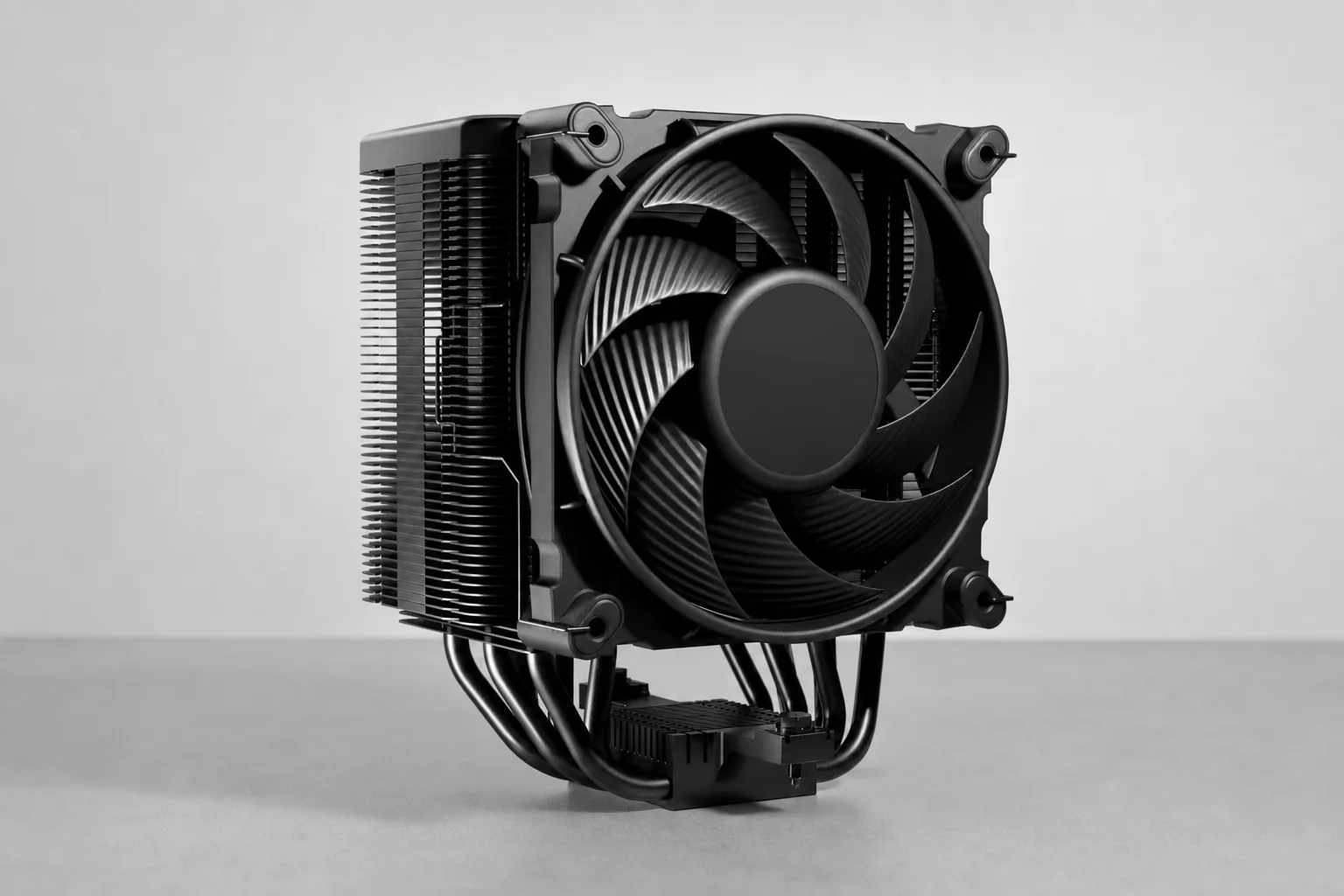
The Dark Rock Pro 5 is the answer for buyers who want a premium air build but find the Noctua's price a little hard to swallow. It remains a very large dual-tower cooler, yet its typical UK street pricing around £73.99 to £75.99 makes it notably easier to recommend to someone who wants serious cooling without allocating showcase-AIO money to the CPU socket.
It uses seven 6mm copper heatpipes, aluminium fin stacks, a copper base and a black ceramic-particle coating. The included fan arrangement is slightly unusual: one 120mm Silent Wings PWM fan and one 135mm Silent Wings PWM fan, both using fluid-dynamic bearings. That combination, plus the full black finish, gives it a wonderfully stealthy appearance. No RGB. No software. No tiny screen reminding you that your coolant is 34°C. Just a large black heatsink getting on with it.
The physical Quiet/Performance switch is this cooler's party trick, and it is more useful than it first appears. A motherboard fan curve is still the proper way to tune a system, but a hardware switch provides an immediate, software-free choice between a calmer everyday profile and a more assertive one. It is the kind of feature that feels old-school in the best way: reachable, understandable and unlikely to ask you to make an account.
Its published acoustics need reading carefully. be quiet! quoted 9dB(A) at 50% load and one metre in its own acoustic material. AnandTech, using a different methodology, measured around 36.6dBA at full speed and 32dBA at half speed, with thermal resistance of 0.1301°C/W at reduced fan speed under a constant 100W load. Those independent figures are the more useful indication of what the cooler is like as a real object: controlled and civil at moderated speeds, but not somehow exempt from the laws of airflow when you run it flat out.
Physical mode switching
Quiet and Performance modes let you change the cooler's behaviour without a software layer.
Adjustable front fan
The front fan can be raised to improve memory compatibility, though doing so can affect the final installed height.
Understated black finish
The ceramic-particle coating gives it a tidy, cohesive look for restrained all-black builds.
Pros
- Very attractive pricing for a large, premium dual-tower design.
- Quiet everyday character, especially with sensible fan speeds.
- Useful physical Quiet/Performance switch.
- Height-adjustable front fan helps with RAM planning.
- No software, pump or liquid loop to deal with.
Cons
- Still 168mm tall, so it carries the same broad case-clearance warning as Noctua.
- Large dual-tower installation is more involved than a smaller air cooler.
- Does not offer the sustained all-core headroom of the best 360mm AIOs.
- Direct Ryzen 9000-specific independent testing is less extensive than for Noctua and Arctic.
The Dark Rock Pro 5 is a quiet-value premium air pick, not a cheap cooler pretending to be one. If your Ryzen 9 system mainly games, edits occasionally and lives in a case with generous CPU-cooler clearance, it is an extremely sensible place to stop spending.
The High-Value 360mm AIO
3. ARCTIC Liquid Freezer III 360 — Best value 360mm AIO

See ARCTIC Liquid Freezer III 360 on Amazon UK
Check today's price & availability on Amazon UK
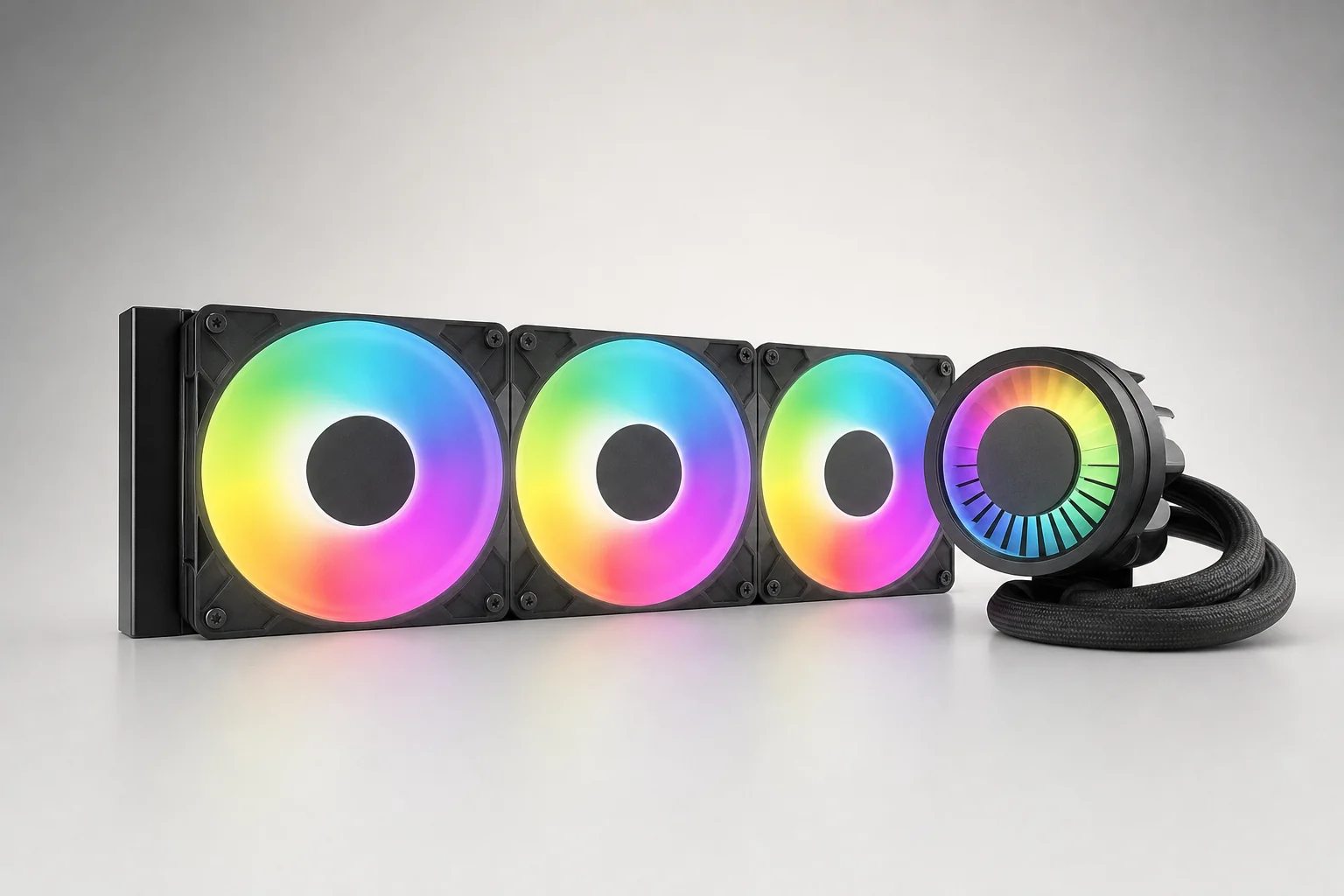
The ARCTIC Liquid Freezer III 360 is the strongest overall recommendation for a Ryzen 9 builder who wants sustained cooling headroom and does not want to pay extra merely to put an animated GIF on the pump block. It is the practical choice. And in PC building, practical is often much more exciting once the system has survived three summers, several game launches and an unexpectedly enormous Premiere export.
This is not a conventional slim 360mm AIO. Its aluminium radiator measures 398 × 120 × 38mm, before you add the fans. That 38mm thickness is a genuine performance-focused choice, but it is also the reason you must check your case like an adult rather than assuming "supports 360mm" tells the whole story. With three 120mm P12 PWM fans attached, a top-mounted installation can conflict with motherboard heatsinks, tall memory or the upper edge of the board.
The other standout detail is the integrated pump and VRM-fan assembly. The pump circulates coolant through the cold plate and radiator as expected, whilst the small fan on the pump cap directs airflow around the motherboard voltage-regulator area. That is not decorative theatre. GamersNexus measured around a 7°C reduction on one VRM MOSFET location with the fan operating, with other tested spots improving by roughly 6.3°C. In a tightly packed AM5 system, local airflow is never a bad thing.
Performance is where this cooler becomes difficult to ignore. In GamersNexus noise-normalised testing, the Liquid Freezer III 360 delivered 46.7°C over ambient, placing it at the top of the tested chart. At 200W and around 40dBA in its 100%-fan-speed test, it recorded approximately 45°C over ambient. The review also found it around 4°C cooler than the preceding Liquid Freezer II 360 at a similar fan speed in one comparison. That is the sort of evidence that matters when your Ryzen 9 is doing real work for hours rather than benchmarking for a screenshot.
There are caveats. Installation is more involved than with many competing AIOs, particularly because AMD's stock retention brackets must be removed. The thick radiator complicates fitment. And at high speed, the pump and VRM fan can make themselves known acoustically. None of those things makes it a poor buy. They simply mean it rewards a careful builder more than a hurried one.
Thicker-than-usual radiator
The 38mm radiator is a major part of the cooler's thermal proposition and a major part of its compatibility story.
Functional VRM airflow
The integrated VRM fan can lower motherboard-area temperatures rather than merely lighting up an already crowded socket zone.
Flexible PWM control
Use one all-in-one PWM connection or separate control for the pump, radiator fans and VRM fan. No dedicated software is required.
Pros
- Excellent noise-normalised performance at sustained high load.
- Strong value for a high-capacity 360mm AIO.
- 38mm radiator and integrated VRM fan deliver tangible practical benefits.
- Long 450mm tubing helps with case-routing flexibility.
- Six-year warranty and no mandatory control software.
Cons
- 38mm radiator can be difficult to fit in compact or crowded cases.
- Installation is more involved than many AIO designs.
- Pump and VRM fan may be audible at high speed.
- As an AIO, it introduces pump, tubing and coolant-loop failure modes absent from air coolers.
The Liquid Freezer III 360's thick 38mm radiator is the reason for its strong sustained-load appeal—and the reason to inspect top-clearance diagrams closely.
The Ryzen 9 sweet spot
If your PC regularly runs all-core work and your case properly accommodates a thick 360mm radiator, this is the cooler to shortlist first. It spends money on cooling hardware rather than display hardware, which is usually the right priority for a demanding Ryzen 9 build.
The Display-First AIO for Showcase Builds
4. NZXT Kraken 360 RGB — Best for LCD showcase builds

See NZXT Kraken 360 RGB on Amazon UK
Check today's price & availability on Amazon UK
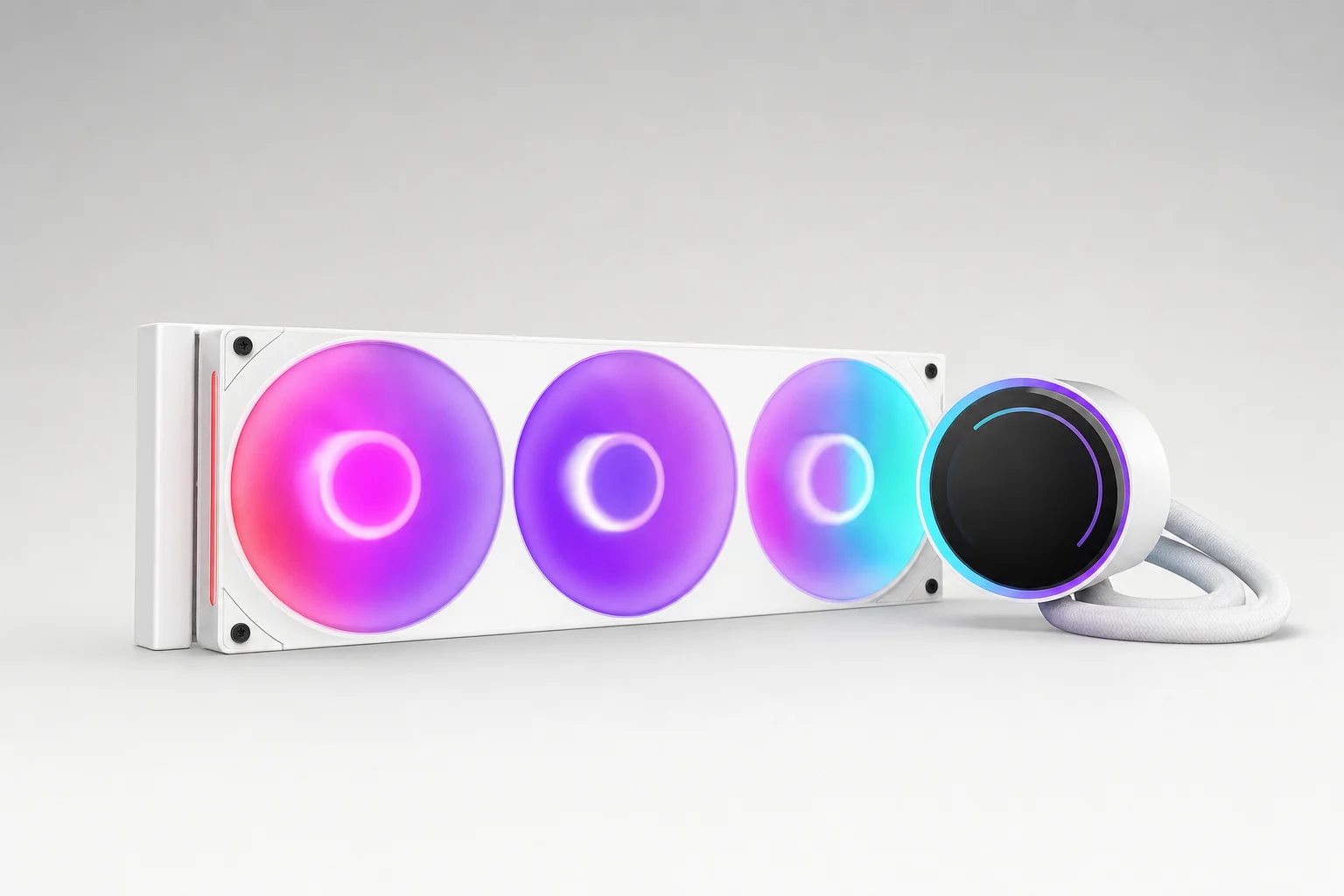
The NZXT Kraken 360 RGB is for the person who has already decided the inside of their PC deserves some personality. That is not a criticism. A carefully built PC can be a lovely thing to look at, and NZXT's 1.54-inch LCD on the pump block remains the defining feature here. It can show temperatures, images and GIFs through NZXT CAM, making the cooler part monitoring device, part tiny dashboard, part excuse to put a cat in your case.
The related non-RGB Kraken 360 shares the 360mm-AIO and LCD idea but does not have the RGB fan arrangement confirmed for the RGB model. More importantly, neither should be confused with the newer Kraken Plus 360 family. The Plus series is a successor generation with an updated NZXT Turbine pump; it is not the original Kraken 360 wearing a slightly different name badge. This distinction matters when checking retailer listings, reviews and compatibility information.
CAM is central to the ownership experience. It handles display customisation, monitoring and ecosystem management. For a builder who already uses NZXT components, that can be genuinely convenient. For somebody who deliberately avoids background software and wants BIOS-only fan behaviour, it is a nuisance. The Noctua, be quiet! and ARCTIC options do not require this additional software layer, which is not a small philosophical difference. It is the difference between "set it in the BIOS and forget it" and "the cooler is also an app experience now".
A direct, like-for-like Ryzen 9000 hands-on test for the original Kraken 360 was not part of the confirmed evidence, so I would not borrow results from the newer model and pretend they are the same. The current Kraken Plus 360 RGB, however, was tested by Tom's Hardware on a Ryzen 9 9950X3D. It showed strong full-speed and noise-normalised performance, with maximum noise measured at 49.2dBA; in the default or silent mode, it ran below the reviewer's effective measurement floor. Useful context, yes. A substitute benchmark for the original Kraken 360, no.
LCD customisation
Display CPU information, images or GIFs directly on the pump cap through NZXT CAM.
RGB showcase route
The RGB version is designed to complement a coordinated NZXT build rather than disappear into the background.
USB-and-software ownership
The display and CAM control add internal connectivity and software dependence that simpler coolers avoid.
Pros
- Best visual feature set of the four ranked picks.
- 1.54-inch LCD adds genuinely useful monitoring and enjoyable customisation.
- 360mm form factor suits Ryzen 9-class builds.
- Strong fit for a coordinated NZXT showcase system.
Cons
- LCD hardware adds cost without directly improving thermal capacity.
- CAM and internal USB connectivity are part of the deal.
- Original Kraken 360 retail availability is less straightforward than the current Kraken Plus family.
- Maximum-speed noise can be high on current NZXT Plus testing.
Original Kraken 360
Reported UK launch pricing
Kraken Plus 360
Current successor-family UK list price
Kraken Plus 360 RGB
Current successor-family UK list price
NZXT's LCD-first approach is aimed at showcase systems: the screen adds monitoring and personality, but it also makes CAM part of everyday ownership.
Buy the Kraken 360 RGB because you genuinely want the display and NZXT ecosystem. If the screen is merely "quite nice", the ARCTIC Liquid Freezer III 360 puts more of the budget into cooling hardware and is the more rational Ryzen 9 choice.
Every Pick Side by Side: Air Versus 360mm Liquid
Here is the whole shortlist in one place. It is deliberately not a made-up points table: the products do different jobs. The two air coolers are for builders who value simplicity, whilst the 360mm AIOs are for people who can use additional sustained-load headroom and have a case that can house the hardware properly.
| Feature | Noctua NH-D15 G2 LBC | be quiet! Dark Rock Pro 5 | ARCTIC Liquid Freezer III 360 | NZXT Kraken 360 / Kraken 360 RGB |
|---|---|---|---|---|
| Cooler type | Dual-tower air | Dual-tower air | 360mm AIO | 360mm AIO |
| AM5 support | Yes | Yes | Yes | Yes |
| Key heat-transfer hardware | 8 × 6mm heatpipes | 7 × 6mm heatpipes | 398 × 120 × 38mm aluminium radiator | 360mm radiator and LCD pump block |
| Included fans | 2 × 140mm NF-A14x25r G2 PWM | 120mm + 135mm Silent Wings PWM | 3 × 120mm P12 PWM | 3 × 120mm fans |
| Headline dimensions | 168 × 150 × 152mm with fans | 119.5 × 136 × 168mm | 398 × 120 × 38mm radiator | 360mm class radiator |
| Noise evidence | 24.8dBA fan maximum; 44.6dBA maximum measured | 36.6dBA full speed; 32dBA half speed | About 40dBA in a 200W 100%-fan test | Current Kraken Plus RGB: 49.2dBA maximum |
| Display / software | No display; no software required | No display; no software required | No display; no software required | 1.54-inch LCD and NZXT CAM |
| Warranty | 6 years | 6 years | 6 years | Current Kraken Plus: 6 years |
| Researched UK price | From about £127.95 | About £73.99–£75.99 | About £80 | Original launch price: £159.99 |
| Best use case | Premium pump-free Ryzen 9 build | Quiet-value dual-tower air | Sustained Ryzen 9 all-core work | LCD-focused showcase system |
| Buy | Check price | Check price | Check price |
The table also explains why the ARCTIC is the broadest recommendation. It is not the prettiest, quietest in every conceivable scenario, or mechanically simplest product here. It is simply the model that lines up thick-radiator capacity, excellent noise-normalised testing, VRM airflow and reasonable pricing in a package that makes sense for a high-end Ryzen 9000 build.
The Noctua remains the premium air benchmark. The be quiet! is the more cost-conscious air choice. NZXT is the one you pick when the look and display are part of the point. Once you frame them that way, this stops being an air-versus-liquid argument and becomes a much easier case of choosing the compromise you actually prefer.
Air coolers occupy the socket area; 360mm AIOs move heat to a radiator. The better option is the one your case can support without compromises elsewhere.
Before You Buy: Case, RAM, Radiator and AM5 Checks
It would be lovely if "ATX case" told us enough about cooling compatibility. It does not. Cases vary wildly in top clearance, front radiator clearance, motherboard position and the optimistic interpretation of the phrase "360mm support". Spend five minutes with your case manual. It is less glamorous than selecting a GIF for an LCD screen, but it is also less likely to end with a return label.
Air-cooler height first
The Noctua NH-D15 G2 LBC and Dark Rock Pro 5 are both 168mm tall. Confirm the case's stated CPU-cooler limit, then account for any raised front fan.
Check RAM with dual towers
The Dark Rock Pro 5 front fan is height-adjustable. The NH-D15 G2's broad dual-tower and fan arrangement still deserves a motherboard-and-memory compatibility check.
Fan mounts are not radiator clearance
A case with three 120mm fan positions may not have room for a 360mm radiator plus fans, tubing bends and motherboard heatsinks.
ARCTIC needs extra depth
The Liquid Freezer III 360 radiator is 38mm thick before fans are fitted, making its top-mount clearance especially important.
Plan the NZXT USB connection
The Kraken's display and CAM management require internal connectivity. Check your internal USB header situation before the build is already cable-tied.
Use the correct AM5 hardware
Fit the intended AM5 mounting system, and choose the NH-D15 G2 LBC rather than HBC for a Ryzen 9000 processor.
Top mount or front mount?
There is no universal answer that beats a case manual. Top mounting can keep the radiator above the pump block, but it is often where thick radiators collide with motherboard heatsinks and RAM. Front mounting can solve that clearance problem but must leave enough room for the graphics card and tubing. Measure the actual system, not the hopeful version of it in your head.
ARCTIC's AM5 installation requires removal of the stock AMD retention brackets. That is normal for this cooler's mounting design, but it is worth knowing before you start building with only twenty minutes left before dinner.
Useful Alternatives and What They Change
The four ranked picks cover the sensible premium-air-to-360mm-AIO range, but there are credible alternatives if your priorities shift. The most obvious lower-cost air comparison is the Thermalright Peerless Assassin 120 SE. It is a dual-tower design with six 6mm heatpipes, two 120mm PWM fans, AM5 support and a 155mm height. UK listings sat around £28 to £36 depending on the version. That is remarkable value, and it makes the price of premium air coolers easier to question.
The reason it does not replace the Noctua or be quiet! in this shortlist is not that it is secretly bad. It is that this guide is matching cooler choices to Ryzen 9-class thermal demands and prioritising the most complete premium options. The Peerless Assassin is the right direction for a more budget-aware Ryzen 5 or Ryzen 7 build, or a Ryzen 9 gaming build where you accept less acoustic and sustained-load margin.
The DeepCool Assassin IV is another serious dual-tower cross-shop. It has seven 6mm heatpipes, one 120mm and one 140mm fluid-dynamic-bearing fan, a physical Quiet/Performance switch, AM5 support, 164mm height and a six-year warranty. It launched at $99.99 and UK pricing was around £74.50. Tom's Hardware reported up to 236W on its Intel test platform and 130W on a Ryzen 7 7700X test. It is particularly relevant if you like the Dark Rock Pro 5 concept but want a different take on quiet, large air cooling.
For the NZXT shopper, the current Kraken Plus 360 RGB is the direct successor-family cross-shop. It carries a 1.54-inch 240 × 240, 30Hz, 300cd/m² LCD, an NZXT Turbine pump running at 1,200–2,800rpm, a 401 × 120 × 27mm aluminium radiator, 420mm tubing and three F360 RGB Core fans. It also adds six-year warranty coverage and documented Ryzen 9 9950X3D testing. If you are buying new and committed to NZXT's visual ecosystem, the newer Plus generation is the more straightforward route than chasing the original Kraken 360.
The guiding principle is simple: do not buy an expensive cooler just to avoid measuring your case, and do not buy a cheap cooler simply because it has a lot of heatpipes in a product listing. The cooler is part of a system. Case, RAM, motherboard layout, CPU workload and noise tolerance all get a vote.
Which Ryzen 9000 Builder Should Buy Which Cooler?
If you skipped straight here, fair enough. This is the short version: choose the kind of ownership experience you want first, then select the cooler that gives you enough headroom within that category. There is no prize for choosing liquid if you dislike pumps, and no prize for choosing air if your machine is a full-time renderer in a radiator-friendly case.
Noctua NH-D15 G2 LBC
Choose it for the AMD-oriented LBC base, AM5 mounting support, roughly 240W average cooling capacity in Tom's Hardware testing, roughly 55°C over ambient in GamersNexus's 200W AMD noise-normalised test and six-year warranty. Just respect the 168mm height and 1,525g installed weight.
be quiet! Dark Rock Pro 5
The answer for a quiet gaming and mixed-use build where roughly £74–£76 UK pricing matters. Its 32dBA half-speed AnandTech measurement, physical Quiet/Performance switch and adjustable front fan make it the thoughtful air option.
ARCTIC Liquid Freezer III 360
Pick this for rendering, encoding and regular all-core workloads. Its 46.7°C-over-ambient noise-normalised result, thick 38mm radiator and integrated VRM fan make it the strongest performance-per-pound proposition here.
NZXT Kraken 360 RGB
Buy it when the 1.54-inch LCD, custom images, GIFs and CAM ecosystem are features you will actually use. If the display is not important, spend the difference on cooling capacity or another component.
The best Ryzen 9000 cooler is not automatically the coldest one—it is the one that fits your case, workload, noise tolerance and preferred level of system complexity.
My practical shortlist
For most Ryzen 9 creators, the ARCTIC Liquid Freezer III 360 is the smart default. For premium gaming without a pump, take the Noctua NH-D15 G2 LBC. For quiet-value air, buy the Dark Rock Pro 5. For an LCD-led build where appearance is part of the hobby, choose NZXT and go in knowing that CAM is part of the package.
Ryzen 9000 Cooler Questions, Answered
A final build check should cover CPU-cooler height, radiator depth, RAM clearance, fan placement and internal USB headers before any component is installed.
Final verdict
The ARCTIC Liquid Freezer III 360 is the best all-round cooler for a serious Ryzen 9000 build, particularly a Ryzen 9 system used for sustained all-core work. Its 38mm radiator, useful VRM fan, six-year warranty and chart-leading 46.7°C-over-ambient noise-normalised result make it the sensible performance-first purchase.
The Noctua NH-D15 G2 LBC is the premium air answer: expensive, enormous and extremely capable, with the right AM5-focused geometry for Ryzen. The be quiet! Dark Rock Pro 5 is the quieter-value air alternative for builders who want less financial drama and no pump. The NZXT Kraken 360 RGB is the showcase pick, worth it when the LCD and CAM ecosystem are genuinely part of what you want to build.
Measure your case, choose the correct AM5 mounting hardware, and buy for the workload you actually run. That is the whole game.
- Noctua NH-D15 G2 LBCView on Amazon
- ARCTIC Liquid Freezer III 360View on Amazon
- NZXT Kraken 360 RGBView on Amazon