
MacBook Air M4 Review: Still the Best Laptop for Most UK Buyers?
Apple's M4 MacBook Air arrived in March 2025, but in 2026 it remains one of the most sensible laptops you can buy — provided you choose the right size, memory and storage from the start.
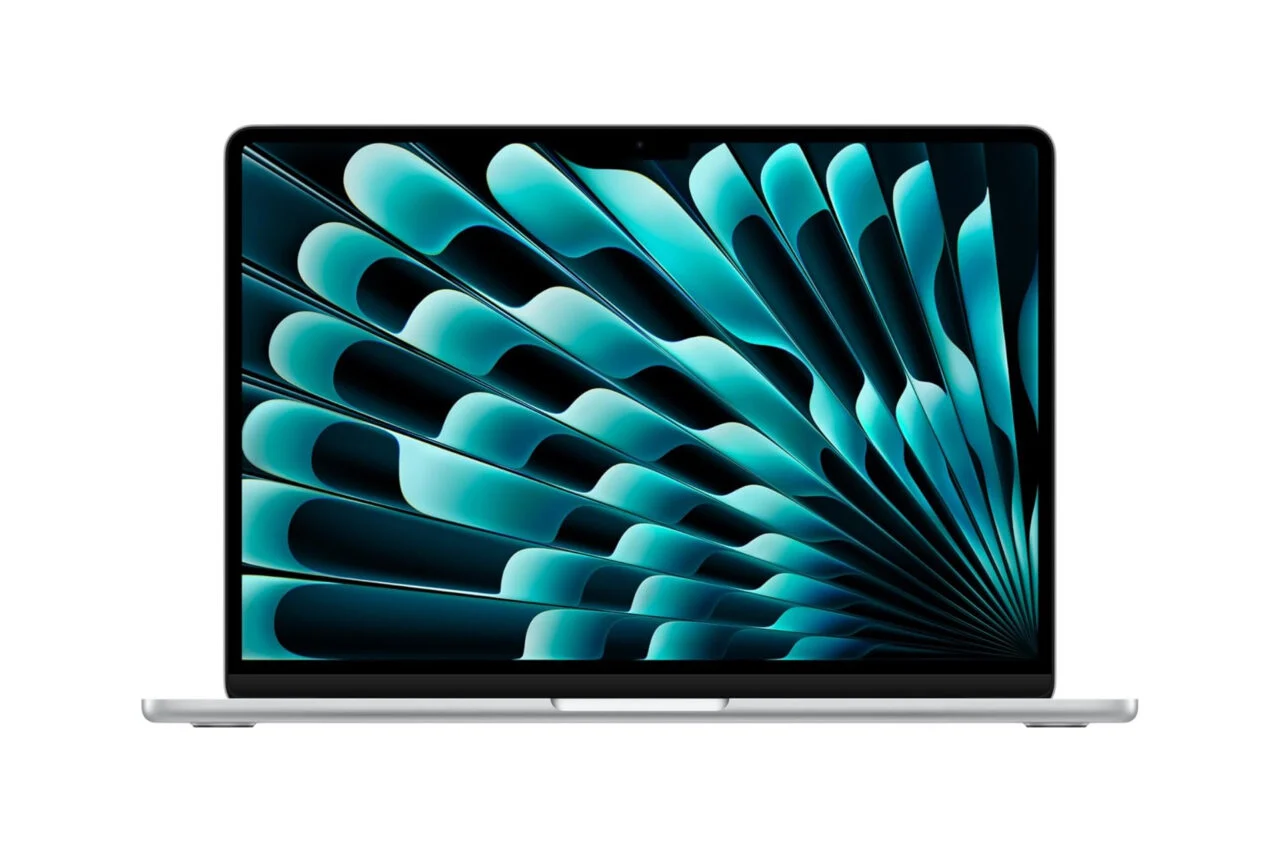
The MacBook Air M4 keeps the familiar Air formula, but the M4 chip, 16GB starting memory and improved external display support make it feel much more grown-up.
We link to the exact model on Amazon UK. Prices change often, so check the live price before you buy. As an Amazon Associate we earn from qualifying purchases.
The MacBook Air M4 is not the most dramatic laptop Apple has ever released. It is not trying to be a workstation, a gaming machine or a port-packed desktop replacement. Its appeal is more practical than that: it is thin, light, fast, quiet-looking, long-lasting and now starts with 16GB of unified memory. For students, office workers, writers, commuters, freelancers and home users, that combination is still very difficult to beat in 2026.
The short version? Yes, the MacBook Air M4 is still one of the best laptops for most people. The longer version is that you need to be honest about what "most people" means. If your daily life is Safari or Chrome tabs, Microsoft Office, Google Docs, Zoom or Teams, email, light photo editing, streaming, note-taking, basic coding, web publishing and general admin, the Air M4 is more than quick enough. If your life is built around heavy video timelines, constant external accessories, large local media libraries or specialist software that wants as much RAM and cooling as possible, you may outgrow it.
Apple announced the MacBook Air M4 on 5 March 2025, with both 13-inch and 15-inch models released in March 2025. The line-up is refreshingly simple on the surface: every model uses a 10-core CPU, the entry 13-inch uses an 8-core GPU, and the other standard configurations use a 10-core GPU. The default 16GB of unified memory is the key change that makes this model easier to recommend than older low-memory Airs.

See MacBook Air M4 13-inch 16GB (Renewed) on Amazon UK
Check today's price & availability on Amazon UK
See MacBook Air M4 13-inch 16GB (Renewed) on Amazon UK
Check today's price & availability on Amazon UK
Current-model context: the M5 MacBook Air is now the current generation. The M4 remains a sensible value choice only when its discounted or Renewed price, condition and warranty are materially better than the M5 deal.

See the current MacBook Air M5 on Amazon UK
Check today's price & availability on Amazon UK
1. Quick Verdict: Is the MacBook Air M4 Still the Best Laptop for Most People?
For the average UK buyer in 2026, the MacBook Air M4 is still the laptop I would put at the top of the shortlist. Not because it wins every category, but because it balances the important ones so well. It has a sharp 500-nit Liquid Retina display, a modern M4 chip, a comfortable keyboard, an excellent trackpad, MagSafe charging, Wi-Fi 6E, Bluetooth 5.3, and enough battery life for a full working or study day. It also now supports two external 6K displays at 60Hz while keeping the built-in screen active, which removes one of the more annoying limitations of the previous generation.
The best thing about the Air M4 is that it does not feel like a compromise laptop for everyday use. The 13-inch version weighs 1.24kg, which is light enough for commuting and campus life, whilst the 15-inch version weighs 1.51kg and gives you a much more generous workspace without becoming a huge machine. Both sizes share the same Apple battery estimate of 15–18 hours depending on the task, and both use the same basic design language: slim, understated and easy to live with.
There are caveats. The display is still 60Hz, which is fine for normal productivity but less impressive if you are used to 120Hz tablets, phones or premium laptops. The port selection is minimalist: two Thunderbolt 4/USB 4 ports, MagSafe 3 and a headphone jack. There is no HDMI, no SD card slot and no USB-A. And because the RAM and SSD are not upgradeable after purchase, the configuration decision matters more than it would on a traditional modular laptop.
Pros
- M4 chip with a 10-core CPU across the range, giving the Air plenty of everyday performance headroom.
- 16GB unified memory as standard, which is a much healthier starting point for 2026.
- Choice of portable 13.6-inch or roomier 15.3-inch Liquid Retina displays.
- Apple estimates 15–18 hours of battery life depending on the task.
- Now supports two external 6K displays at 60Hz with the laptop screen open.
- MagSafe 3 charging leaves the two Thunderbolt 4/USB 4 ports free when plugged in.
Cons
- 60Hz display feels conservative in 2026 compared with high-refresh alternatives.
- Only two USB-C style Thunderbolt ports, both on the same general side of the buying equation: you may need a hub.
- No HDMI, SD card slot or USB-A for older accessories and camera workflows.
- RAM and storage cannot be upgraded later, so under-buying can become expensive.
- The 256GB storage option is workable, but not generous for photo, video or large local file libraries.
2. Specs and Model Line-Up Explained
The M4 MacBook Air range is split into two screen sizes and several common configurations. The 13-inch entry model uses a 10-core CPU and 8-core GPU with 16GB unified memory and 256GB SSD storage. The next 13-inch configuration moves to a 10-core GPU and 512GB SSD, whilst the higher standard 13-inch configuration pairs the 10-core GPU with 24GB unified memory and 512GB storage. The 15-inch model starts with the 10-core CPU, 10-core GPU, 16GB unified memory and 256GB SSD, with higher configure-to-order options available.
Under the hood, the M4 is a system-on-a-chip built on TSMC's second-generation 3-nanometre process and contains 28 billion transistors. It runs at 4.4GHz and uses a 10-core CPU layout made up of 4 performance cores and 6 efficiency cores. Graphics are handled by either an 8-core GPU on the entry 13-inch model or a 10-core GPU on the rest of the line. There is also a 16-core Neural Engine, and memory bandwidth is 120GB/s using LPDDR5X-7500 memory at 3750MHz.
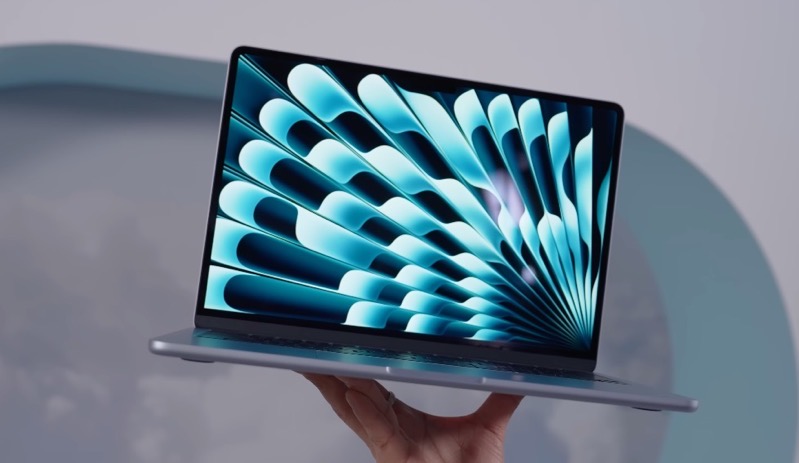
The M4 Air range is easiest to understand if you start with size first, then decide how much memory and storage you realistically need.
For most buyers, the most important specification is not the difference between the 8-core and 10-core GPU. It is the combination of memory and storage. The 16GB baseline is welcome because modern browsing, messaging apps, cloud storage tools and office suites are not as light as they used to be. That said, the SSD still starts at 256GB, and if you keep lots of local photos, videos, project files or offline media, you can hit that ceiling sooner than expected.
The RAM and SSD are part of the MacBook Air's integrated design and cannot be replaced after purchase. Buy the configuration you expect to need for the useful life of the laptop, not just what looks sufficient on day one.
3. 13-inch vs 15-inch: Which Size Should You Buy?
This is the decision that changes the feel of the MacBook Air more than anything else. The 13-inch MacBook Air M4 has a 13.6-inch Liquid Retina display, weighs 1.24kg and measures 1.13 × 30.41 × 21.5cm. It is the obvious pick if you travel frequently, work in cafés, use trains, carry a laptop around campus or simply prefer something that disappears into a bag.
The 15-inch MacBook Air M4 has a 15.3-inch Liquid Retina display, weighs 1.51kg and measures 1.15 × 34.04 × 23.76cm. That makes it noticeably wider and deeper, but not heavy in the way older large laptops were. The reward is a far better canvas for multitasking: two documents side by side, a browser next to Slack, a spreadsheet with more visible columns, or a writing app with research open beside it.
My practical rule is simple: buy the 13-inch if you use the laptop on the move more than you use it at a desk. Buy the 15-inch if the laptop is your main computer and you often work without an external monitor. The 15-inch Air is particularly appealing for home workers and students in halls or shared accommodation who do not want to add a separate screen, keyboard and mouse.
| Question | MacBook Air M4 13-inch | MacBook Air M4 15-inch |
|---|---|---|
| Screen size | 13.6-inch Liquid Retina display | 15.3-inch Liquid Retina display |
| Resolution | 2560×1664, 224ppi | 2880×1864, 224ppi |
| Weight | 1.24kg | 1.51kg |
| Best for | Commuting, lectures, travel, sofa use and small desks | Main-laptop use, split-screen work, spreadsheets and more comfortable reading |
| Speaker system | Four-speaker sound system | Six-speaker sound system |
| GPU in standard range | Entry model has 8-core GPU; other standard configurations have 10-core GPU | 10-core GPU from the base model |
| Buy | Check price | Check price |
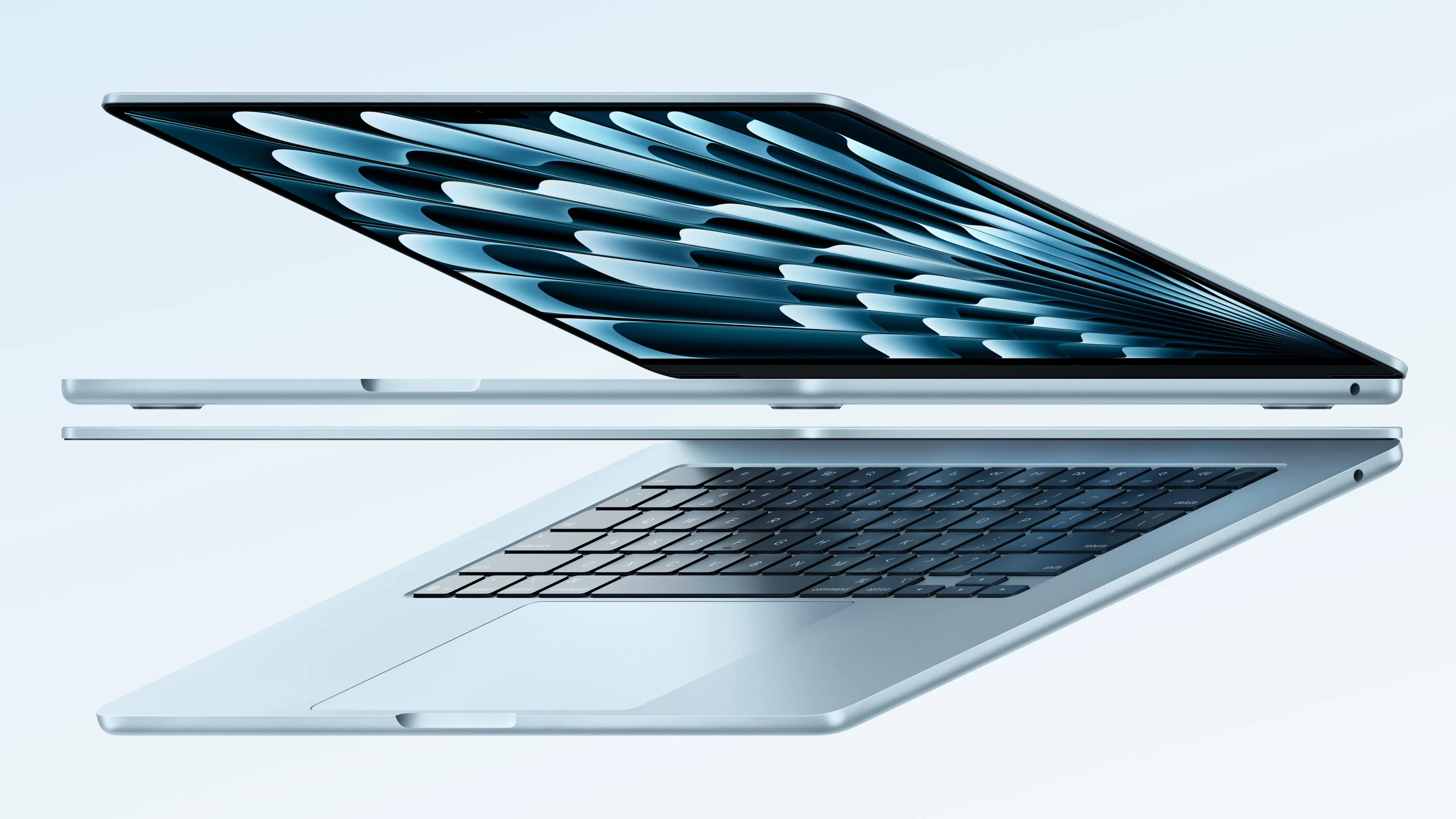
The 13-inch model is the better travel laptop; the 15-inch model is the better one-computer setup for many homes and small workspaces.
Gadget Scout Tip
If you are torn between sizes, think about where the laptop will live five days a week. A 13-inch Air plus an external monitor can be the most flexible setup. A 15-inch Air is neater if you want one machine with no desk accessories.
4. Display, Webcam, Keyboard and Speakers
Both MacBook Air M4 sizes use LED-backlit Liquid Retina displays with Wide colour (P3), True Tone and 500 nits brightness. The 13-inch panel is 2560×1664 at 224ppi, while the 15-inch panel is 2880×1864 at the same 224ppi density. In everyday terms, both are sharp, bright and colour-rich enough for productivity, streaming, web work, photo browsing and casual creative editing.
The limitation is refresh rate. The Air uses a 60Hz panel, and in 2026 that is starting to feel like a more visible compromise. If you are coming from an older laptop, you may not care. If you use a high-refresh phone or tablet every day, scrolling and animation on the MacBook Air will not feel as fluid. This is not a deal-breaker for writing essays, working in spreadsheets or managing email, but it is one of the clearest areas where the Air feels deliberately positioned below more premium machines.
The webcam is stronger than older laptop cameras: Apple uses an integrated 1080p HD 12-megapixel Center Stage camera with Desk View support. For hybrid work, university seminars, client calls and family video chats, that matters more than a benchmark score. The person on the other end sees you more clearly, and Center Stage is useful if you shift around during calls or want the framing to feel less static.
Audio differs by size. The 13-inch model has a four-speaker sound system, while the 15-inch model has a six-speaker sound system. Both support common formats including AAC, MP3, Apple Lossless, FLAC, Dolby Digital, Dolby Digital Plus and Dolby Atmos, plus Spatial Audio with dynamic head tracking when using supported AirPods models. If you watch lots of films or work with music casually, the 15-inch model's speaker advantage is another reason to consider the larger body.
Liquid Retina display
Both sizes offer 224ppi sharpness, P3 colour and True Tone, with 500 nits brightness for everyday indoor and bright-room use.
Center Stage webcam
The 1080p HD 12-megapixel camera with Desk View is well suited to remote meetings, online classes and video calls.
Magic Keyboard and Touch ID
The backlit Magic Keyboard includes Touch ID, full-height function keys and an inverted-T arrow key layout.
Better sound on 15-inch
The 13-inch has four speakers; the 15-inch has six, making the larger Air the nicer casual media machine.
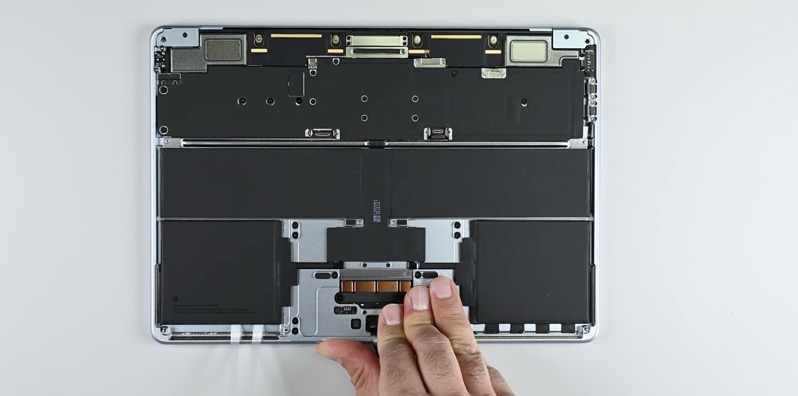
The display is sharp and colour-rich, although the 60Hz refresh rate is one of the Air's most obvious compromises in 2026.
5. Performance for Students, Work and Everyday Creative Use
The M4 chip is the reason the MacBook Air continues to feel so easy to recommend. The 10-core CPU is standard across the range, so even the entry 13-inch model gets the same core CPU configuration as the pricier versions. The difference is graphics: the lowest-cost 13-inch uses an 8-core GPU, while the other standard models use a 10-core GPU.
For student use, the base 13-inch model is already a strong fit. Essays, lecture notes, browser research, PDF reading, presentations, spreadsheets and video calls do not require the 10-core GPU. The portability matters more. The 1.24kg weight is friendly to backpacks, and the battery estimate of 15–18 hours means you are not constantly hunting for a plug socket between lectures.
For office and hybrid work, the Air M4 is equally comfortable. It is particularly good for people whose work happens across a browser, Microsoft 365, Google Workspace, Slack, Teams, Zoom, email and light database or CMS tools. The 16GB starting memory gives it a more realistic amount of breathing room than older 8GB entry machines, especially if you tend to keep dozens of tabs open.
For creative use, the answer depends on scale. The Air M4 is fine for light to moderate photo editing, content planning, web graphics, writing, podcast admin and occasional video projects. The 10-core GPU configurations make more sense if you expect graphics work to be a regular part of your week. But the Air is still the "everyday" MacBook rather than the "I render and export heavy projects all day" MacBook. If your work is sustained, professional media production, you should be looking carefully at whether an Air is the right class of laptop.
Students
Choose the 13-inch if you carry it daily. The standard 16GB memory is a major plus for research-heavy browser use and multitasking.
Home and hybrid workers
The 15-inch is excellent if you want a larger screen without building a full desk setup around an external monitor.
Writers and creators
The Air M4 suits writing, planning, light editing and web publishing. Consider more memory and storage if projects live locally.
One of the most underrated upgrades is external display support. The previous awkwardness around using two external displays with the lid closed is gone. The MacBook Air M4 can now natively run two external 6K screens at 60Hz while the built-in display remains open. For a small laptop, that is a big improvement. A 13-inch Air can now work as a portable machine by day and a multi-monitor desk computer when you get home.
6. RAM and Storage: The Configuration I'd Actually Buy
This is where you should slow down. Because the unified memory and SSD are not upgradeable after purchase, the right answer is not always the cheapest answer. The standard 16GB unified memory is good news and will be enough for many people. If you mostly browse, write, stream, manage documents and attend video calls, 16GB is the sensible baseline.
The 24GB option is worth considering if you keep a lot open at once, use heavier creative apps, work with larger photo libraries, run development tools, or simply plan to keep the laptop for years. The range can be configured with up to 32GB unified memory, which is the upper ceiling for buyers who want as much headroom as the Air line offers.
Storage is the more personal choice. The standard 256GB SSD is enough if you live in cloud storage, stream your media, keep files tidy and do not store large local libraries. It is less comfortable if you edit video, take lots of RAW photos, download large datasets, keep offline course materials, or want years of files sitting on the laptop. Configure-to-order storage options go up to 2TB, with 512GB and 1TB sitting in the middle for buyers who want more space without maxing out the machine.
| Configuration choice | Best fit | When to step up |
|---|---|---|
| 16GB memory | Students, office work, browsing, writing, video calls and everyday multitasking | Step up if you run heavier creative, development or multitasking workflows regularly |
| 24GB memory | Power users who keep many apps and browser tabs open, or want longer-term comfort | Consider 32GB if your workload genuinely needs the highest Air memory ceiling |
| 256GB storage | Cloud-first users with tidy file habits and mostly streamed media | Step up if you keep photos, video, games, archives or project files locally |
| 512GB storage | The safer middle ground for most people who want local breathing room | Step up again if you work with large creative libraries or years of offline files |
| 1TB or 2TB storage | Local media libraries, photo/video projects, large work folders and long-term use | Only buy this if you know you will use the space; external storage may suit some workflows |
My Configuration Advice
For a long-term everyday laptop, I would rather have 16GB memory with 512GB storage than chase the cheapest 256GB option. If you are a heavier multitasker or creative user, 24GB memory with 512GB or 1TB storage is the point where the Air M4 starts to feel much more future-comfortable.
7. Battery, Charging, Ports and Desk Setups
Apple estimates the MacBook Air M4 battery life at 15–18 hours depending on the task, and that estimate applies to both the 13-inch and 15-inch models. As ever, your real-world experience depends on brightness, video calls, browser load, background apps and whether you are driving external displays. But for ordinary student and work use, the Air's battery life remains one of its biggest advantages over many laptops people are replacing.
Charging is handled through MagSafe 3, which I strongly prefer on a laptop this portable. It is convenient, it disconnects cleanly if someone catches the cable, and it leaves both Thunderbolt ports available. The 13-inch entry model includes a 30W USB-C power adapter by default, with options for a 35W Dual USB-C Port Compact Power Adapter or 70W USB-C Power Adapter. The 13-inch 10-core GPU configurations and the 15-inch models include the 35W Dual USB-C Port Compact Power Adapter by default, with the 70W USB-C Power Adapter available as an alternative. The Air M4 is fast-charge capable with the 70W brick.
The port selection is classic modern MacBook Air: two Thunderbolt 4/USB 4 ports, a 3.5mm headphone jack and MagSafe 3. Wireless connectivity includes Wi-Fi 6E and Bluetooth 5.3. That is enough for a clean everyday setup, but not enough for everyone. Photographers may miss an SD card slot. Presenters may want HDMI. Anyone with older accessories may need USB-A. If your desk involves several peripherals, budget mentally for a decent USB-C hub or dock.
MagSafe 3 charging
Dedicated magnetic charging is convenient and keeps both Thunderbolt 4/USB 4 ports free while plugged in.
Fast-charge capable
The MacBook Air M4 supports fast charging when paired with the 70W USB-C power adapter.
Improved external displays
It can run two external 6K displays at 60Hz while the built-in display stays open.
Minimal legacy ports
There is no HDMI, SD card slot or USB-A, so some setups will need adapters.
The external display improvement deserves repeating because it changes how I would buy the 13-inch model. Previously, if you wanted a multi-monitor desktop setup, the Air felt more compromised. With the M4 version, the 13-inch Air becomes a much stronger "one laptop for everywhere" choice: tiny in a bag, but capable of driving a serious desk arrangement when docked.
8. Buying in the UK: Check Current Deals and Bundles
MacBook pricing moves around throughout the year, especially around student seasons, bank holiday sales and end-of-line retail promotions. Rather than anchor this review to a figure that may be wrong by the time you read it, the sensible approach is to compare the current cost of the exact configuration you want: screen size, GPU, memory and SSD.
Ready to compare live offers?
Check the latest price and any current bundles on Amazon.
When comparing listings, be careful with the generation and configuration. "MacBook Air" covers a lot of machines, and similar-looking models can have different chips, memory amounts and storage. For the M4 model, look for the March 2025 generation, the M4 chip, and the memory/storage combination you actually want. If a deal looks unusually cheap, check that it is not an older model or a lower-storage configuration than expected.
9. Alternatives: When the Air M4 Is Not the Right Choice
The MacBook Air M4 is the default recommendation for many people, but it is not automatically the best laptop for every buyer. The right alternative depends on what you are trying to solve. If the issue is price, an older Air generation may be worth considering when discounted. If the issue is sustained professional workload, a MacBook Pro-class machine may be more appropriate. If the issue is ports, some Windows laptops or larger professional laptops may be better equipped. If the issue is touch-first use, a tablet with a keyboard may make more sense.
The key is not to buy a MacBook Air and then expect it to behave like a specialist machine. It is a brilliant everyday laptop. It is not designed around built-in HDMI, SD cards, high-refresh display expectations or maximum workstation expansion. For most people, that trade-off is absolutely fine. For some people, it is the wrong compromise.
| Buying option | Why consider it | Why the MacBook Air M4 may still win |
|---|---|---|
| MacBook Air M4 | Best balance of portability, battery life, M4 performance, 16GB standard memory and everyday usability | It is the safest all-round pick for students, commuters, home users and office workers |
| Older MacBook Air deal | Worth a look if heavily discounted and your needs are basic | The M4 model brings the newer chip, 16GB standard memory and improved external display support |
| MacBook Pro-class laptop | Better fit if your workload is sustained professional creative or technical work | The Air is lighter, simpler and still fast enough for most everyday users |
| Windows ultraportable | May suit buyers who need specific Windows software, different ports or a different display approach | The Air's battery life, trackpad, build feel and macOS ecosystem remain very compelling |
| Tablet with keyboard | Useful if your workflow is touch-first, note-heavy or media-focused | The MacBook Air is usually better as a traditional laptop for typing, file management and desktop-class multitasking |
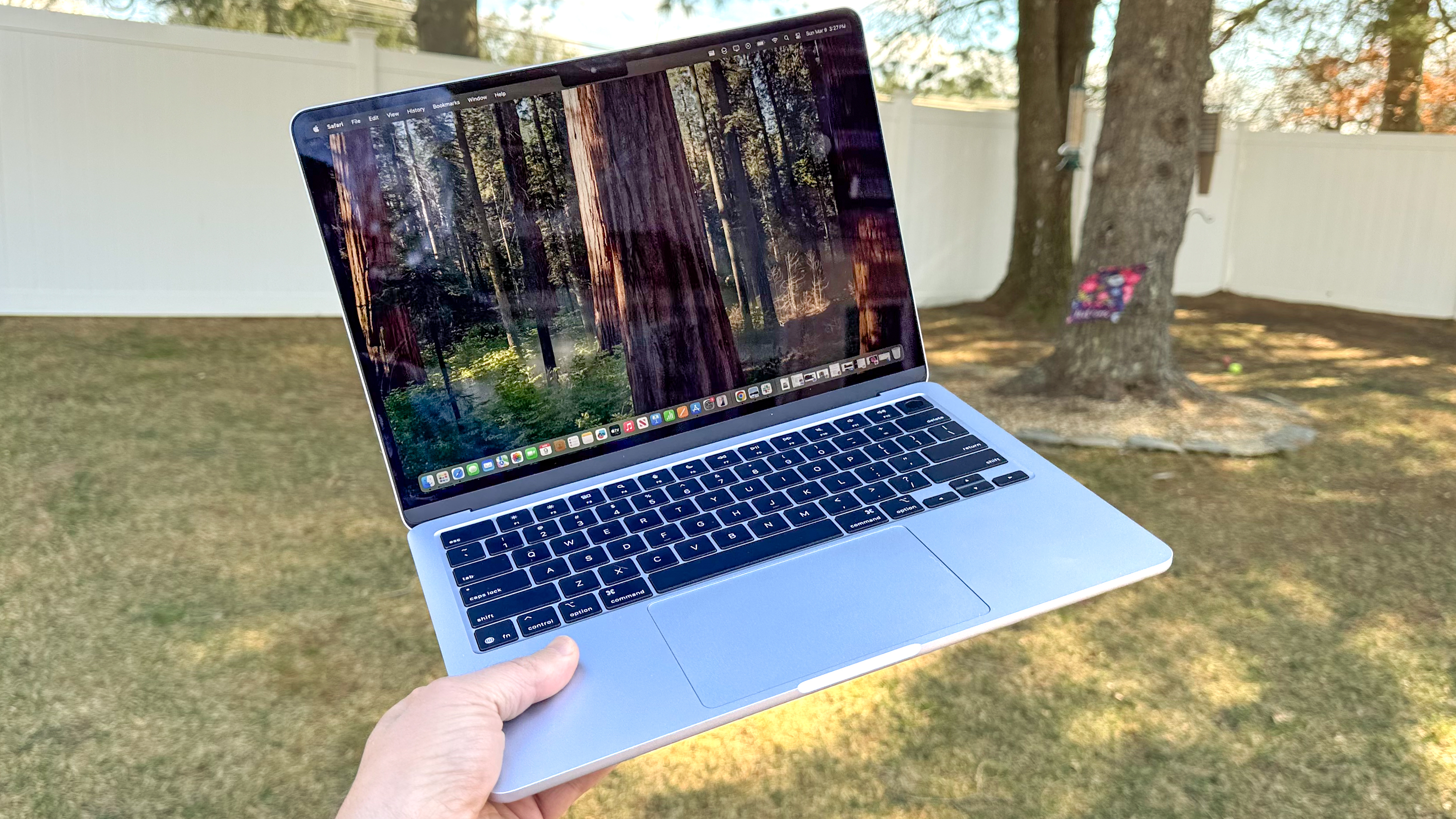
The Air M4 is the all-rounder; alternatives make sense when you need specialist ports, sustained pro performance or a touch-first device.
If you already know you need HDMI, an SD card slot or multiple wired accessories every day, factor in the cost and convenience of a dock before choosing the Air. The laptop itself is clean and minimal; your desk setup may not be.
10. FAQ: MacBook Air M4 in 2026
See MacBook Air M4 13-inch 16GB (Renewed) on Amazon UK
Check today's price & availability on Amazon UK
Final Verdict: The Sensible Laptop Still Wins
The MacBook Air M4 is not exciting in the flashy sense, but it is exciting in the way that actually matters after six months of ownership. It is the sort of laptop that gets out of the way. It opens quickly, lasts well, carries easily, feels polished and has enough performance for the jobs most people do every day. In 2026, that is still a winning formula.
The 13-inch model is my pick for students, commuters and anyone who values portability above all else. The 15-inch model is the one I would choose for home working, writing, research, spreadsheets and anyone who wants a bigger screen without stepping into a heavier laptop category. The entry 13-inch model is already capable, but the 512GB storage configurations are easier to recommend for long-term comfort.
The main reasons not to buy it are equally clear: you want a high-refresh display, you need lots of built-in ports, or your workload belongs in a more powerful professional laptop category. If those objections do not apply, the MacBook Air M4 remains one of the most complete everyday laptops available to UK buyers.
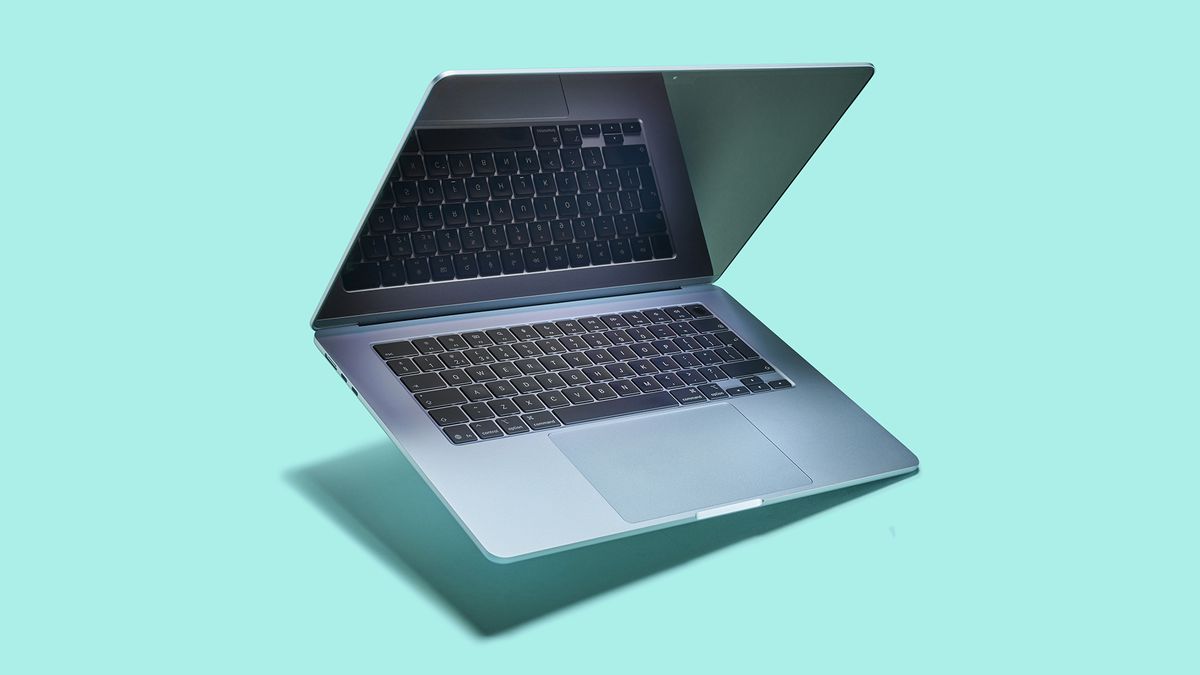
For most buyers, the best MacBook Air M4 is the one configured correctly at purchase: the right size, enough memory and enough storage for the next few years.
Gadget Scout Verdict
The MacBook Air M4 is still the easy recommendation for most people in 2026. It combines the M4 chip, 16GB standard memory, excellent portability, strong battery life and genuinely useful external display support in a laptop that suits students, professionals and home users alike.
- Buy the 13-inch if you carry your laptop constantly or plan to use an external monitor at a desk.
- Buy the 15-inch if this will be your main screen and you want more space for proper work.
- Choose storage carefully because 256GB is fine for cloud-first use, but 512GB or more is safer for many long-term buyers.
See MacBook Air M4 13-inch 16GB (Renewed) on Amazon UK
Check today's price & availability on Amazon UK
- MacBook Air M4 13-inch 16GB (Renewed)View on Amazon
- current MacBook Air M5View on Amazon