
NVMe SSD Buying Guide UK: PCIe 4.0 vs 5.0 and What You Actually Need
Cutting through the marketing megabytes to work out which drive genuinely suits your build — whether you're gaming, editing 8K footage, or just want a snappy laptop.
Modern M.2 NVMe drives pack staggering bandwidth into a stick of gum-sized board — but raw numbers rarely tell the whole story.
See Samsung 990 Pro on Amazon UK
£193.00 · 23% offprice at 23 Aug, may change
If you've been staring at storefronts wondering whether to splash out on a Gen 5 flagship or whether your money is better spent elsewhere, you're in exactly the right place. We're going to break down what the PCIe generations actually mean, why DRAM matters more than you think, whether you genuinely need a heatsink, and then I'll give you concrete drive recommendations sorted by what you're actually doing with your machine.
What we'll cover
- PCIe generations explained simply
- Backward compatibility myths
- DRAM vs DRAM-less drives
- Do you really need a heatsink?
- The best PCIe 4.0 drives
- The best PCIe 5.0 flagships
- Head-to-head comparison
- Recommendations by use case
- Verdict and FAQs
PCIe Generations: The Technical Foundation
Let's start with the headline numbers, because they're genuinely impressive and worth understanding. PCIe — the bus that connects your SSD to the rest of the system — gets faster with each generation, and the maths is delightfully simple: every new generation roughly doubles the bandwidth per lane.
PCIe 4.0 delivers roughly 2 GB/s per lane. An M.2 slot uses four lanes (x4), so a full PCIe 4.0 x4 connection peaks at around 8 GB/s in theory. PCIe 5.0 doubles every one of those figures: 4 GB/s per lane, and a thumping 16 GB/s for that x4 connection. To put that in perspective, the ageing SATA III bus that your old 2.5-inch SSDs use is capped near 550 MB/s — so even a mid-range NVMe drive runs rings around it.
Those theoretical figures are nice, but what counts is real-world testing. In CrystalDiskMark runs, the maximum confirmed PCIe 5.0 x4 speed sits at roughly 14,800 MB/s, whilst PCIe 4.0 x4 tops out around 7,500 MB/s. So in practice you're looking at almost exactly double the sequential throughput — assuming, of course, your platform can feed the drive.
The jump from Gen 4 to Gen 5 roughly doubles sequential bandwidth — but only certain workloads can take advantage of it.
Backward Compatibility: Don't Panic
This is the question I get asked more than any other, so let's settle it once and for all. The PCIe standard features complete backward and forward compatibility. You can plug any generation of hardware into any generation of slot safely — the system simply defaults to the lowest common specification. Nothing will explode, nothing will refuse to boot.
So if you buy a shiny PCIe 5.0 NVMe SSD and pop it into a PCIe 4.0 motherboard slot, it functions perfectly normally. The catch is that the motherboard caps the data transfer rate near the 7,500 MB/s limit of the Gen 4 interface. In other words, you'll be paying flagship money for Gen 4 performance — which is precisely why platform support matters before you spend.
A Gen 5 drive in a Gen 4 slot is not "wasted" if you're planning a future upgrade — but if your platform will never see a Gen 5 slot, you're better off buying a great Gen 4 drive and pocketing the difference.
Which platforms support PCIe 5.0?
PCIe 5.0 M.2 SSDs are now supported on both Intel and AMD's current platforms, including AMD's Zen 5 Ryzen 9000 chips and Intel's Core 200S series. On the motherboard side, you'll find PCIe 5.0 M.2 slots on high-end AM5 boards (think X670E and X870E) and Intel Z790 boards. On the Intel side specifically, 12th, 13th and 14th Gen processors all support Gen 5 lanes.
The important nuance: not every Gen 5 board routes those lanes to the M.2 slot, and on some platforms enabling a Gen 5 M.2 slot steals lanes from your graphics card. Always check your specific motherboard manual before you assume you're getting full speed.
DRAM vs DRAM-less: The Spec That Actually Matters
Here's where I'd urge you to pay more attention than you do to peak read speeds. DRAM is a small cache of fast memory on the drive that stores the mapping table — essentially the index that tells the controller where everything lives. A drive with onboard DRAM can look that up almost instantly. A DRAM-less drive has to borrow a slice of your system RAM (a feature called Host Memory Buffer, or HMB) to do the same job.
DRAM-equipped drives
Consistent random read/write performance, especially under sustained or heavy multitasking loads. Premium drives like the Samsung 990 Pro and WD Black SN850X all carry onboard DRAM, and it shows in their steadiness.
DRAM-less drives (with HMB)
Cheaper, cooler-running and brilliant value for general use. The WD Blue SN580 and SN770 lean on HMB and still deliver excellent everyday performance — perfect for boot drives, laptops and secondary storage.
Pro Tip
Don't dismiss DRAM-less drives. For an OS drive, game library or laptop, a good HMB-based drive like the Lexar NM790 or Teamgroup MP44 delivers near-flagship real-world results at a fraction of the cost. DRAM matters most when you're hammering the drive with heavy, sustained random workloads — content creation scratch disks, databases and the like.
Heatsinks: Necessary, or Marketing?
The honest answer is: it depends on the generation. PCIe 4.0 drives generally run cool enough that a basic motherboard M.2 heatsink — the little metal plate most modern boards ship with — is more than adequate. Samsung does sell 990 Pro models with a heatsink (and even RGB lighting) to manage temperatures during extended sessions, but it's an optional nicety rather than a necessity for most users.
PCIe 5.0 is a different story. First-generation Gen 5 drives ran hot enough to throttle without serious cooling, which is part of why the second wave is so welcome. Samsung's own comparisons put the 9100 Pro's controller around 10-15°C cooler than first-generation PCIe 5.0 drives under equivalent loads, though what you see depends on your heatsink, case airflow and workload, and Seagate's FireCuda 540 was designed from the outset to run cooler. The Crucial P510, an entry-level Gen 5 option, also keeps heat output down.
If you're buying a first-wave Gen 5 drive like the Crucial T705, factor in robust cooling — either the bundled heatsink version or a beefy motherboard heatsink. Without it, you risk thermal throttling that erases the very speed you paid for.
Gen 5 flagships ship with chunky heatsinks for a reason — though the latest second-generation controllers run noticeably cooler than the originals.
The Best PCIe 4.0 Drives
For the overwhelming majority of people reading this, a great PCIe 4.0 drive is the smart buy. The technology is mature, the prices are sensible, and the performance is more than enough for gaming and most creative work. Two drives stand head and shoulders above the rest.
Samsung 990 Pro — the all-rounder
See Samsung 990 Pro on Amazon UK
£193.00 · 23% offprice at 23 Aug, may change
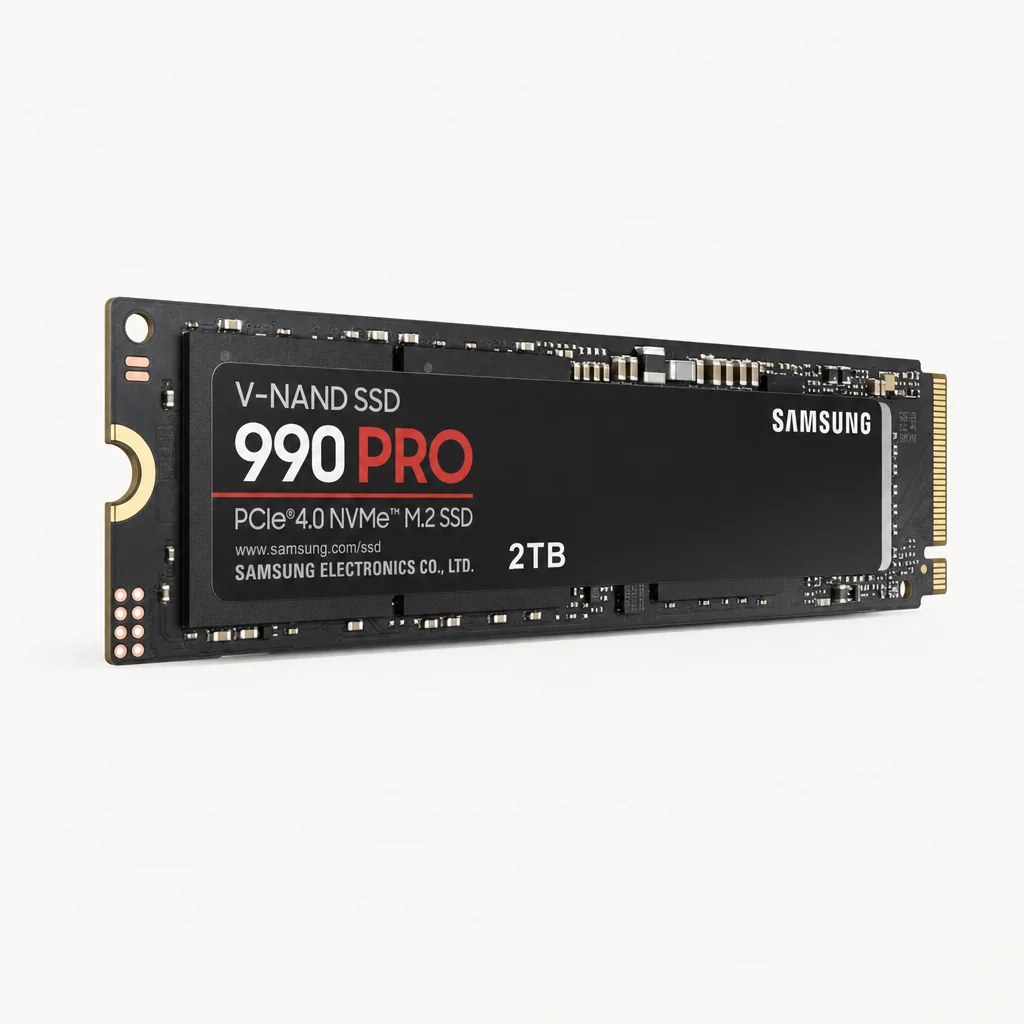
This is Tom's Hardware's overall best SSD pick, and I find it hard to disagree. It's a balanced, DRAM-equipped drive with excellent software support, and it's the one I'd point most people towards if they asked for a single recommendation.
It uses Samsung's Pascal controller paired with 176-layer TLC V-NAND, hits rated speeds of 7,450 MB/s read and 6,900 MB/s write, and pushes 1.2 million read / 1.55 million write IOPS. It's available in 1TB, 2TB and 4TB, and the Samsung Magician software is genuinely reliable, full-featured and consistently updated — something I value far more than another few hundred MB/s on a chart. You can also pick up a heatsink-equipped version with RGB if you fancy it.
WD Black SN850X — the gamer's choice
See WD Black SN850X on Amazon UK
£178.99price at 23 Aug, may change
If gaming is your priority, the SN850X is arguably the best PCIe 4.0 drive going. Its superior QD1 sequential reads — the kind of low-queue-depth requests games actually generate — translate to brisk level loads. It edges in just behind the 990 Pro on paper, with a rated 7,300 MB/s read versus Samsung's 7,450 MB/s, but the gaming-focused design makes it special.
Game Mode 2.0
WD Dashboard monitors your game files and preloads frequently accessed assets into faster cache regions — a clever, gaming-specific optimisation.
Huge SLC cache
The 2TB model carries a 1TB SLC cache and maintains 3,200+ MB/s write speeds even after that cache fills — so large transfers don't fall off a cliff.
Custom silicon
A custom WD controller paired with BiCS5 112-layer TLC NAND, 1,200 TBW endurance on the 2TB model, and a 5-year warranty. Capacities run all the way up to 8TB.
Budget PCIe 4.0: the smart-money options
Don't overlook the Teamgroup MP44 and Lexar NM790 — budget PCIe 4.0 drives that punch well above their weight, delivering near-flagship real-world results at lower cost. For mainstream builds and laptops, the WD Blue SN580 and SN770 are DRAM-less HMB drives offering excellent value where you don't need bleeding-edge sustained performance.
Ready to buy?
Check the latest price and any current bundles on Amazon.
The Best PCIe 5.0 Flagships
If you've got a Gen 5-capable platform and you genuinely move enormous files around — think 8K video, large datasets, or you simply want the fastest storage money can buy — then the Gen 5 flagships are extraordinary. Here are the ones worth your attention.
The current crop of Gen 5 drives finally delivers on the promise of the standard — with second-generation controllers solving the heat problems of the first wave.
WD Black SN8100 — the fastest all-rounder
See WD Black SN8100 on Amazon UK
£750.00price at 23 Aug, may change
Built by Sandisk, this is currently the fastest all-around consumer SSD tested. It uses Silicon Motion's SM2508 controller and reaches up to 14,900 MB/s read on the 2–4TB models, with writes up to 14,000 MB/s and over 2,300,000 IOPS. If you want the outright performance crown, this is it.
Samsung 9100 Pro — the polished flagship
See Samsung 9100 Pro on Amazon UK
£366.99 · 31% offprice at 23 Aug, may change
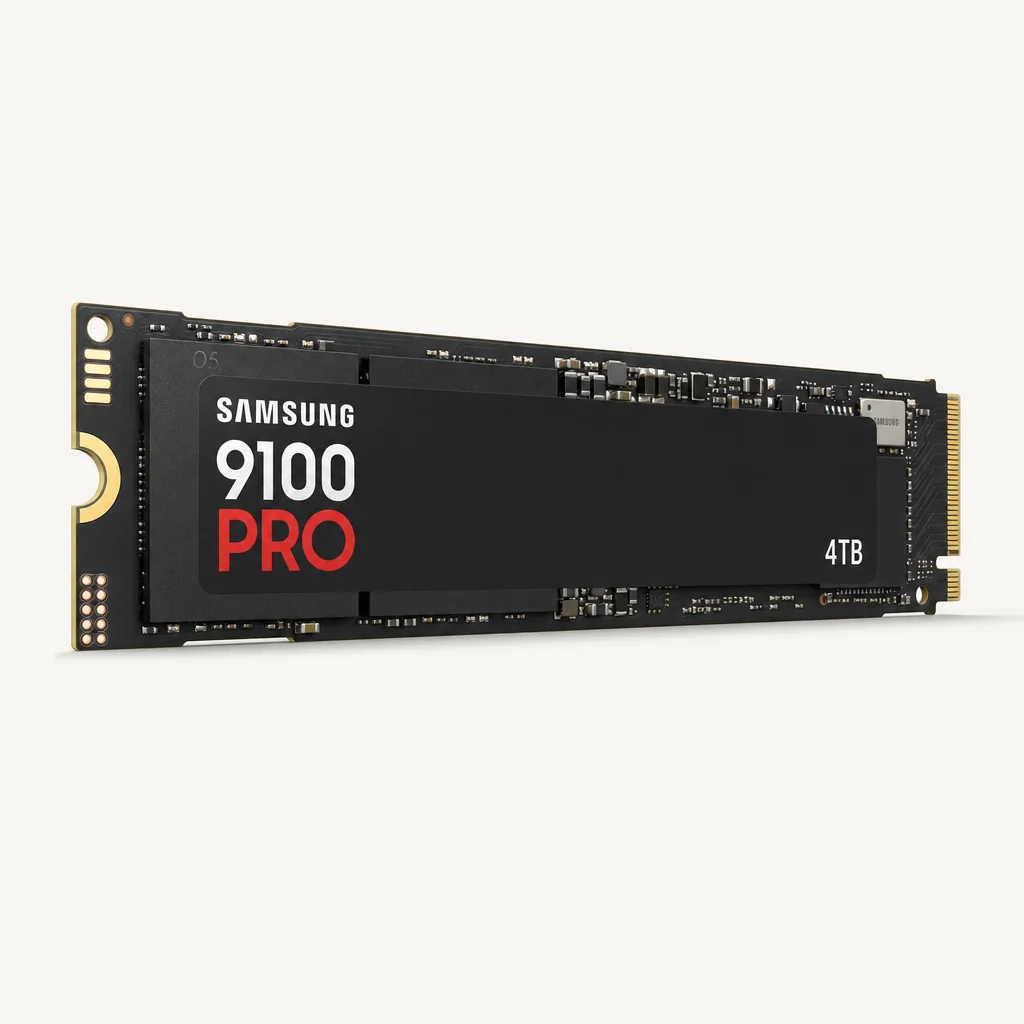
Samsung's second-generation Gen 5 drive is the one I'd recommend to anyone who values reliability and software as much as speed. The 5nm Presto controller drives 8th-generation 236-layer 3D TLC V-NAND to read speeds up to 14,800 MB/s (on the 4TB model) and writes up to 13,400 MB/s, with up to 2,200K read / 2,600K write IOPS.
Crucially, that improved controller runs 10–15°C cooler than first-generation Gen 5 drives under equivalent loads, and the 2,400 TBW endurance on the 2TB model is genuinely beefy. It's available in 1TB, 2TB and 4TB, plus a rare 8TB option — one of the few Gen 5 drives at that capacity. A heatsink version exists and I'd strongly recommend it. Backed by Samsung Magician, naturally.
Crucial T705 and T700 — the Phison-powered duo
Shop Crucial T705 and T700 on Amazon UK
The Crucial T705 was a first-wave Gen 5 flagship using the Phison E26 controller, hitting up to 14.5 GB/s. Its sibling, the T700, is the more affordable entry into Gen 5, reaching up to 12,400 MB/s reads on larger capacities. Both are quick, though as first-generation designs they demand proper cooling.
Seagate FireCuda 540 and Crucial P510 — gaming and budget Gen 5
The FireCuda 540 is a cooler-running Gen 5 drive built with a 10,000 MB/s target aimed squarely at DirectStorage gaming. And the Crucial P510 is the accessible, entry-level Gen 5 option with lower heat output — a sensible way onto the Gen 5 ladder without flagship pricing.
Gen 4 Premium vs Gen 5 Flagship: Head to Head
Let's put the standout drives side by side so you can see the trade-offs at a glance.
| Feature | Samsung 990 Pro | WD Black SN850X | Samsung 9100 Pro |
|---|---|---|---|
| Interface | PCIe 4.0 x4 | PCIe 4.0 x4 | PCIe 5.0 x4 |
| Seq. Read | 7,450 MB/s | 7,300 MB/s | Up to 14,800 MB/s |
| Seq. Write | 6,900 MB/s | 6,300–6,600 MB/s | Up to 13,400 MB/s |
| DRAM | Yes | Yes | Yes |
| Endurance (2TB) | 1,200 TBW | 1,200 TBW | 2,400 TBW |
| Max Capacity | 4TB | 8TB | 8TB |
| Standout | Best all-rounder | Gaming QD1 reads | Cooler Gen 5 flagship |
| Warranty | 5 years | 5 years | 5 years |
| Buy | Check price | Check price |
The takeaway? The 9100 Pro doubles the sequential numbers and the endurance, but in real gaming and everyday use you'd struggle to feel the difference against the 990 Pro. Where Gen 5 earns its keep is in sustained, heavy file work — and the 8TB ceiling on both the 9100 Pro and SN850X is a genuine bonus for hoarders.
Why go PCIe 5.0
- Up to ~14,800 MB/s real-world sequential reads — roughly double Gen 4
- Ideal for large file transfers, 8K video and DirectStorage gaming
- Second-gen drives run far cooler than the first wave
- Higher endurance on flagships like the 9100 Pro (2,400 TBW)
Why Gen 4 may be enough
- Most games and apps don't saturate Gen 4 bandwidth
- Gen 5 needs a compatible platform (AM5 X670E/X870E, Z790)
- First-wave Gen 5 drives demand serious cooling
- Gen 4 premium drives offer better value for typical use
Which Drive Should You Buy?
Right — let's translate all of this into a clear recommendation based on what you're actually doing.
The Gamer
The WD Black SN850X is the pick, with superior QD1 reads and Game Mode 2.0. If you've a Gen 5 board and want DirectStorage headroom, the Seagate FireCuda 540 targets 10,000 MB/s.
The Content Creator
Heavy, sustained file work loves Gen 5 bandwidth. The WD Black SN8100 (up to 14,900 MB/s) or the cooler Samsung 9100 Pro — available up to 8TB — are the drives to beat.
The Budget Builder
The Teamgroup MP44 and Lexar NM790 deliver near-flagship real-world results at lower cost. For the cheapest route to Gen 5, the Crucial P510 keeps both price and heat down.
The Laptop Owner
Cool, efficient DRAM-less drives shine here. The WD Blue SN580 and SN770 use HMB for excellent everyday value without the heat of a flagship.
The Workstation User
You want the fastest controller and high endurance. The WD Black SN8100 (2,300,000+ IOPS) or Samsung 9100 Pro (2,400 TBW, 8TB capacity) cover demanding professional loads.
The Everyone-Else
Genuinely unsure? The Samsung 990 Pro — Tom's Hardware's overall best pick — is the safe, balanced, brilliantly supported choice for almost any build.
Our Overall Verdict Score
Taking the category as a whole — and judging the current crop of drives on how well they serve real people rather than benchmark charts — here's where things land.
The Bottom Line
If you take one thing from this guide, let it be this: buy the drive that matches your workload, not the one with the biggest number on the box. For the vast majority of gamers and everyday users, a premium PCIe 4.0 drive like the Samsung 990 Pro or WD Black SN850X delivers all the speed you'll ever feel — both reach around 7,300–7,450 MB/s, carry onboard DRAM, and back it with a 5-year warranty.
PCIe 5.0 is genuinely transformative for content creators, workstation users and anyone shifting enormous files — and with the WD Black SN8100 hitting up to 14,900 MB/s and the Samsung 9100 Pro running 10–15°C cooler than the first wave whilst reaching 8TB, the technology has finally matured. Just make sure your platform supports it (AM5 X670E/X870E, Z790 and the relevant Intel and AMD chips), or you'll cap a flagship drive at Gen 4 speeds. Match the drive to the job, and you'll never feel short-changed.
The right NVMe drive is the one that fits your workload and platform — not necessarily the fastest one on the shelf.