
Is Wi-Fi 7 Worth Upgrading To Yet?
An honest, no-hype look at whether the newest wireless standard actually changes anything for everyday users in 2026 — and exactly who should hold off.
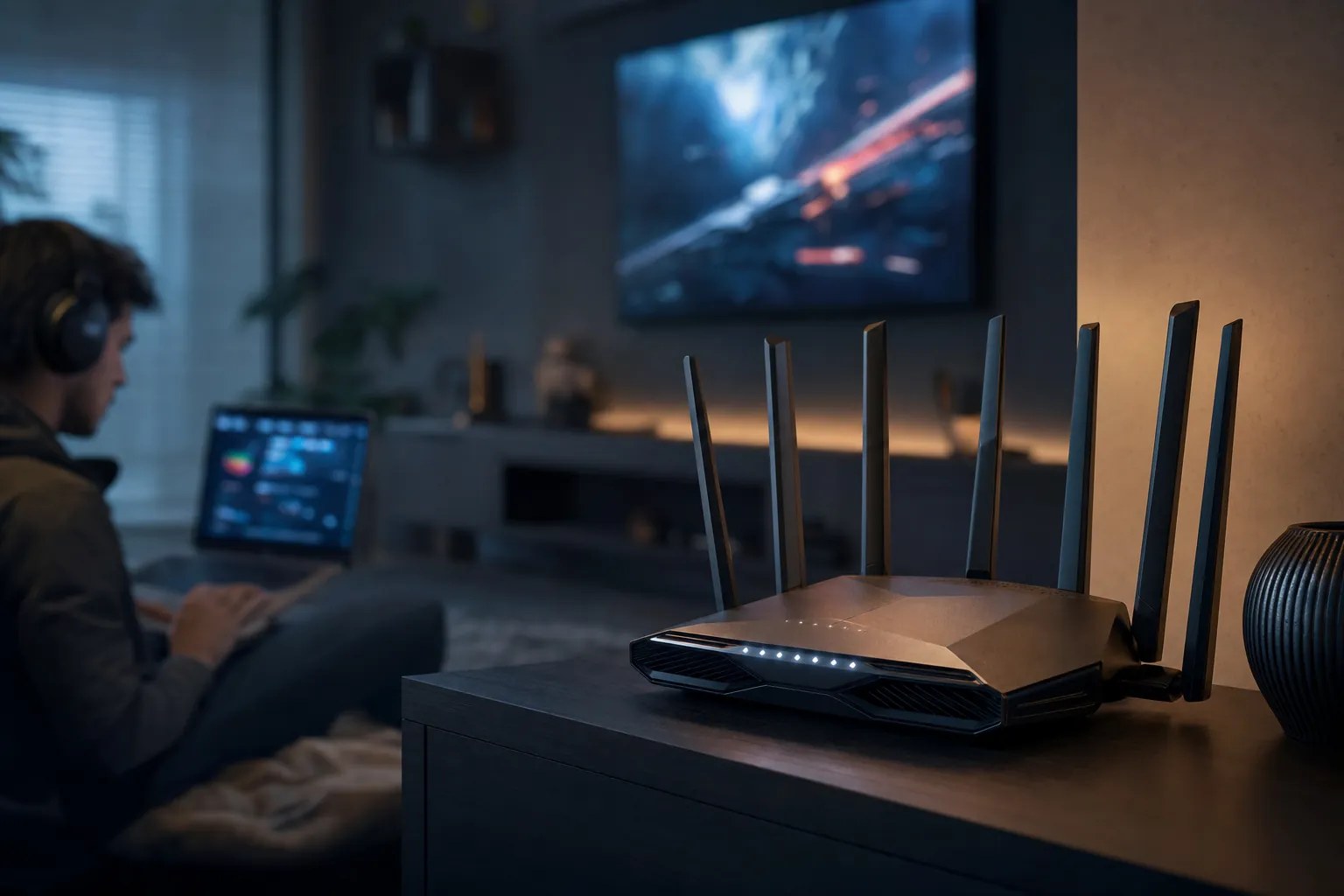
We link to the exact model on Amazon UK. Prices change often, so check the live price before you buy. As an Amazon Associate we earn from qualifying purchases.
Wi-Fi 7 routers have moved from flagship-only curiosities to genuinely affordable kit in 2026.
Here's the short version before we dive in: Wi-Fi 7 is now properly mainstream, with routers starting under £79 and noticeably better behaviour when you've got a houseful of devices fighting for bandwidth. But — and it's a big but — if you already own a decent Wi-Fi 6 router and your broadband caps out at 1 Gbps or less, you almost certainly don't need to upgrade yet. Whether it's worth your money comes down entirely to what you actually do online. Let's unpack that properly.

See Netgear Orbi 370 on Amazon UK
Check today's price & availability on Amazon UK
What Wi-Fi 7 Actually Is (And Isn't)
First, a quick bit of housekeeping that trips up a lot of shoppers. "Wi-Fi 7" isn't a product. It's a wireless standard — formally IEEE 802.11be — that dozens of manufacturers build into their hardware. So when you go shopping, you're not buying "a Wi-Fi 7", you're buying a TP-Link, Netgear, or ASUS router that supports Wi-Fi 7. That distinction matters because the experience you get varies enormously between a £100 dual-band box and a £600 tri-band monster, even though both proudly wear the Wi-Fi 7 sticker.
The standard itself is a generational leap on paper. Where Wi-Fi 6 topped out at a theoretical 9.6 Gbps, Wi-Fi 7 pushes that to a frankly silly theoretical maximum of 46 Gbps. That's roughly 4.8 times faster than Wi-Fi 6 and around 13 times faster than the Wi-Fi 5 kit a lot of households are still quietly running. Now, you'll never see anything close to 46 Gbps in your living room — more on that reality check shortly — but the headroom tells you the ceiling has been raised dramatically.
The headline numbers are only part of the story, though. The genuinely interesting improvements in Wi-Fi 7 are the structural ones: how it juggles bands, how it slices channels, and how it cuts latency. Those are the bits that affect your day-to-day experience far more than a theoretical speed figure ever will.
A tri-band Wi-Fi 7 router with the 6 GHz band is where the standard really shows its teeth.
The Headline Specifications At A Glance
Let's get the technical foundations laid out clearly, because understanding these is what separates a smart upgrade from an impulse buy. Here are the core specs of the Wi-Fi 7 standard that genuinely matter.
A few of those deserve a proper explanation, because the marketing materials tend to throw them at you as buzzwords without telling you what they actually do for you.
Multi-Link Operation (MLO) — the real star
If you remember nothing else from this article, remember MLO. This is the single biggest practical improvement Wi-Fi 7 brings. In every previous generation, your device connected to one band at a time — either the 2.4 GHz, the 5 GHz, or (with Wi-Fi 6E) the 6 GHz. Wi-Fi 7's Multi-Link Operation lets a device send and receive data across multiple radio bands simultaneously, whilst still presenting itself as a single connection. The upshot is twofold: better latency and far less congestion. If one band gets busy or noisy, traffic can flow over the others without dropping the connection. It's the difference between one motorway lane and three.
320 MHz channels and 4096-QAM
The 6 GHz band in Wi-Fi 7 supports 320 MHz channel width — double what Wi-Fi 6E offered. Wider channels mean more data per transmission, which is where a chunk of that raw speed boost comes from. Pair that with 4096-QAM modulation (up from 1024-QAM on Wi-Fi 6), which packs more bits into each signal, and you get the throughput headroom that makes multi-gigabit broadband actually usable wirelessly.
Worth Knowing
To get any of the 320 MHz and 6 GHz benefits, you need a tri-band router that actually includes the 6 GHz band. Plenty of budget Wi-Fi 7 routers are dual-band (2.4 + 5 GHz only) — they're still technically Wi-Fi 7 thanks to MLO and 4096-QAM, but you're missing the headline 6 GHz performance. Always check the band count before buying.
Wi-Fi 7 vs Wi-Fi 6 vs Wi-Fi 5: The Honest Comparison
Specs in isolation are meaningless, so let's line the three relevant generations up side by side. If you're on Wi-Fi 5, the jump is genuinely transformative. If you're on Wi-Fi 6, it's more nuanced.
| Feature | Wi-Fi 7 (802.11be) | Wi-Fi 6 (802.11ax) | Wi-Fi 5 (802.11ac) |
|---|---|---|---|
| Theoretical Max Speed | 46 Gbps | 9.6 Gbps | ~3.5 Gbps |
| Bands | 2.4 / 5 / 6 GHz | 2.4 / 5 GHz | 5 GHz (mainly) |
| Max Channel Width | 320 MHz | 160 MHz | 80 MHz |
| Modulation | 4096-QAM | 1024-QAM | 256-QAM |
| Multi-Link Operation | Yes | No (single band) | No |
| Relative Capacity | Up to 5× Wi-Fi 6 | Baseline | Lower |
| Latency vs single-link | 50–75% lower | Baseline | Higher |
The pattern here is clear. The gap between Wi-Fi 5 and Wi-Fi 7 is night and day — roughly thirteen times the theoretical throughput, plus an entirely new band, wider channels and MLO. If you're running a router that's five-plus years old, this is the comparison that should get you reaching for your wallet. The Wi-Fi 6 to Wi-Fi 7 jump, by contrast, is real but far more situational, and that's where the "should I wait?" question really lives.
Remember that your devices need to support Wi-Fi 7 too. A new router won't magically upgrade an older laptop or phone — those devices will simply connect at their existing standard. The full benefit only arrives when both ends of the link speak Wi-Fi 7.
Real-World Performance: What The Numbers Actually Show
This is the part I care about most, because theoretical maximums are fantasy figures. The real question is what Wi-Fi 7 delivers in actual homes and buildings, with actual walls, and actual interference. The good news is there's now a decent body of real-world testing to draw on.
Starting with throughput: in an enterprise trial run by the Wireless Broadband Alliance in 2025, the 6 GHz band with 160 MHz channels achieved nearly 2 Gbps of downlink throughput at close range, and crucially held above 1 Gbps even at 40 feet away. That sustained-speed-at-distance figure is the one to watch, because it's exactly what fails on older standards.
At the headline-grabbing end, a Wi-Fi 7 mesh field trial run by Türk Telekom and TP-Link in May 2025 achieved real-world throughput exceeding 10 Gbps — claimed as a world-first benchmark. That's a controlled trial rather than your spare room, but it demonstrates the ceiling is genuinely multi-gigabit now.
For a more grounded sense of scale: enterprise Wi-Fi 6E deployments already improved real-world throughput to around 2 to 4 Gbps per access point, and Wi-Fi 7 is expected to push beyond that. Realistically, in enterprise deployments, the 6 to 15 Gbps per access point range is far more honest than that 46 Gbps theoretical maximum you'll see on the box.
Consumer device speeds
On kit you can actually buy, the Netgear Nighthawk RS700S posted some of the fastest Wi-Fi 7 test results around, hitting over 3,600 Mbps at close range. On the client side, the OnePlus 11 5G — with a theoretical max link rate of about 2,594 Mbps — delivered a real-world speed of 2,153 Mbps at close range in testing. That gap between theoretical link rate and actual throughput (roughly 83% efficiency there) is completely normal and worth internalising: always mentally discount the headline figure.
Real-world throughput figures from consumer hardware and enterprise trials. Note how much speed drops between close range and distance — physics still wins.
Latency — quietly the best bit
For a lot of everyday users, latency matters more than raw speed, and this is where Wi-Fi 7 genuinely shines. Thanks to MLO performance depends on client support, bands, firmware, distance and congestion; it does not guarantee a fixed percentage improvement. That's noticeable in the places you'd expect: video calls feel snappier and less prone to that awkward half-second lag, online gaming gets tighter, and smart home devices respond more promptly when you bark an instruction at them.
The Latency Insight Most Reviews Miss
If your broadband is "only" 500 Mbps or 1 Gbps, you'll never see Wi-Fi 7's speed advantage — your internet pipe is the bottleneck, not your wireless. But the latency improvement from MLO still applies to your local network and your connection's responsiveness, regardless of your broadband speed. That's the one upgrade benefit that doesn't depend on having multi-gigabit fibre.
The Reality Check: Walls, Floors And Physics
Here's where I get to be the bearer of slightly inconvenient news. No wireless standard, however clever, beats the laws of physics. Your home's construction will eat your signal, and Wi-Fi 7 is no exception.
Real-world mesh testing showed that brick walls create 6 to 12 dB of signal loss, whilst rebar-reinforced concrete floors cause a brutal 12 to 20 dB of attenuation. To put that in plain terms: every few dB of loss roughly halves your usable signal strength. A couple of brick internal walls between you and the router, or trying to push a signal through a reinforced concrete floor to the flat above, will demolish those gorgeous close-range numbers you saw in the benchmarks.
This is doubly important for the 6 GHz band, which carries all of Wi-Fi 7's most exciting performance but also has the shortest range and the poorest wall penetration of the three bands. The higher the frequency, the more easily it's blocked. So that 320 MHz, multi-gigabit 6 GHz glory you paid for is partly a close-range, same-room benefit unless you invest in mesh.
Brick and reinforced concrete are signal killers — building materials matter as much as your router's spec sheet.
Brick walls
Expect 6–12 dB of signal loss per wall. A couple of these between you and the router noticeably dents 6 GHz performance.
Reinforced concrete floors
The worst offender at 12–20 dB attenuation. Multi-storey homes with concrete floors will struggle to share 6 GHz between levels.
The 6 GHz trade-off
Fastest band, shortest reach. Brilliant in the same room, much weaker once walls and floors get involved.
Why mesh matters
If your home is large or solidly built, a mesh system spreads access points around so you stay close to a node — sidestepping the attenuation problem entirely.
The Pros And Cons, Plainly Stated
Time to be balanced. Wi-Fi 7 is a genuinely good standard, but it isn't a magic upgrade for everyone. Here's how I'd weigh it up.
Pros
- MLO performance depends on client support, bands, firmware, distance and congestion; it does not guarantee a fixed percentage improvement.
- Massive theoretical headroom (46 Gbps) future-proofs you for multi-gigabit broadband.
- 320 MHz channels and 4096-QAM deliver real multi-gigabit wireless at close range.
- Up to 5× the network capacity of Wi-Fi 6 — excellent for busy smart homes.
- Prices have crashed: capable routers now start under £79.
- Backwards compatible — your older devices still connect, just at their own standard.
Cons
- Pointless for speed if your broadband caps at 1 Gbps or lower.
- You need Wi-Fi 7 client devices to get the full benefit — and most people don't have many yet.
- 6 GHz band has poor wall and floor penetration; building materials hit it hard.
- Budget models are often dual-band, missing the headline 6 GHz performance.
- Top-tier routers run £479–£559, and some advanced security features need a paid subscription.
- Theoretical maximums are wildly optimistic versus real-world results.
The Routers Worth Knowing About In 2026
The market has matured nicely. Where Wi-Fi 7 launched as flagship-only kit, there's now a sensible spread from budget to bonkers. Here's a tour of the models that come up most often, broken down by tier so you can match one to your needs.
Budget tier
TP-Link Archer BE3600
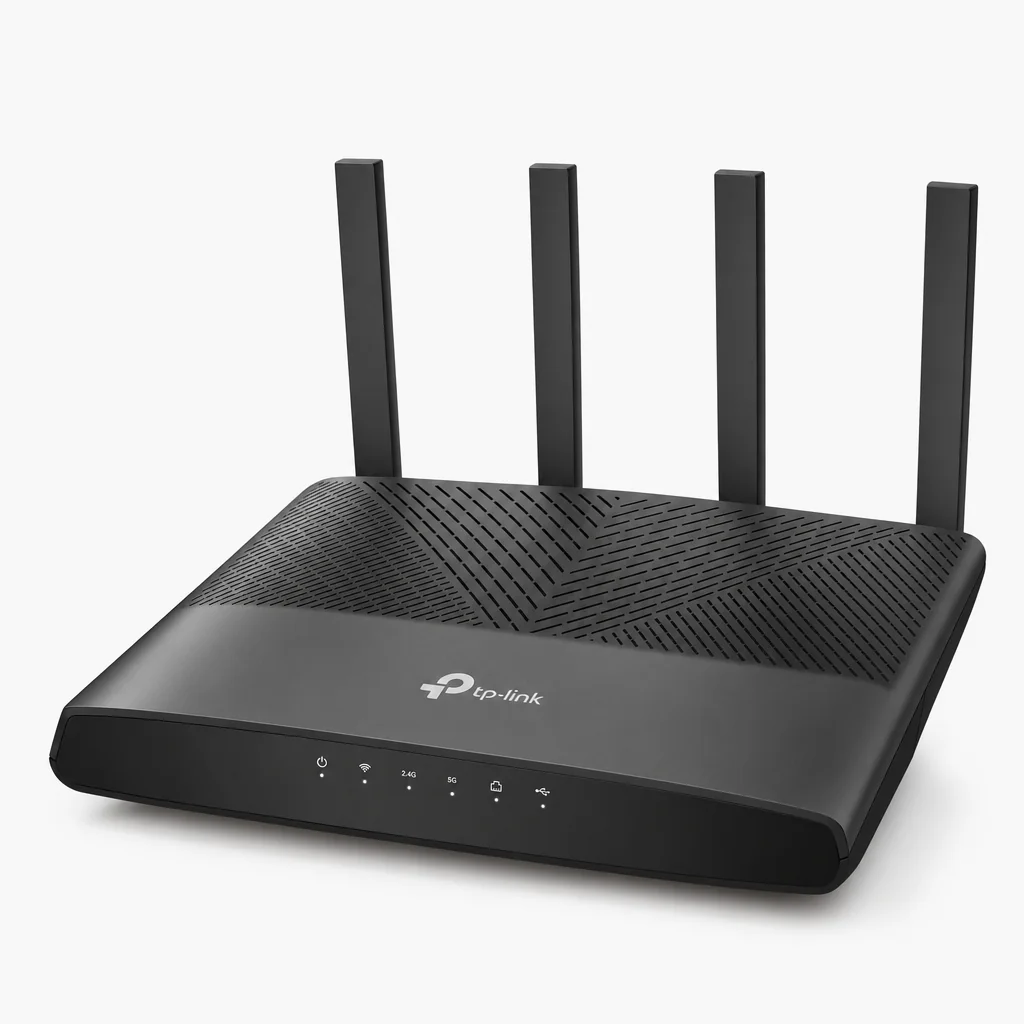
This is the router that genuinely changed the budget conversation. It's a dual-band model — so no 6 GHz band — but it brings you Wi-Fi 7's MLO and 4096-QAM benefits, includes a useful 2.5 Gbps WAN port, and supports EasyMesh so you can expand coverage later. Whilst flagship routers sail past £399, the BE3600 lands at roughly £79, which makes it a real game-changer for the entry segment. If you want into Wi-Fi 7 without overthinking it, this is the obvious starting point.
TP-Link Archer GE400
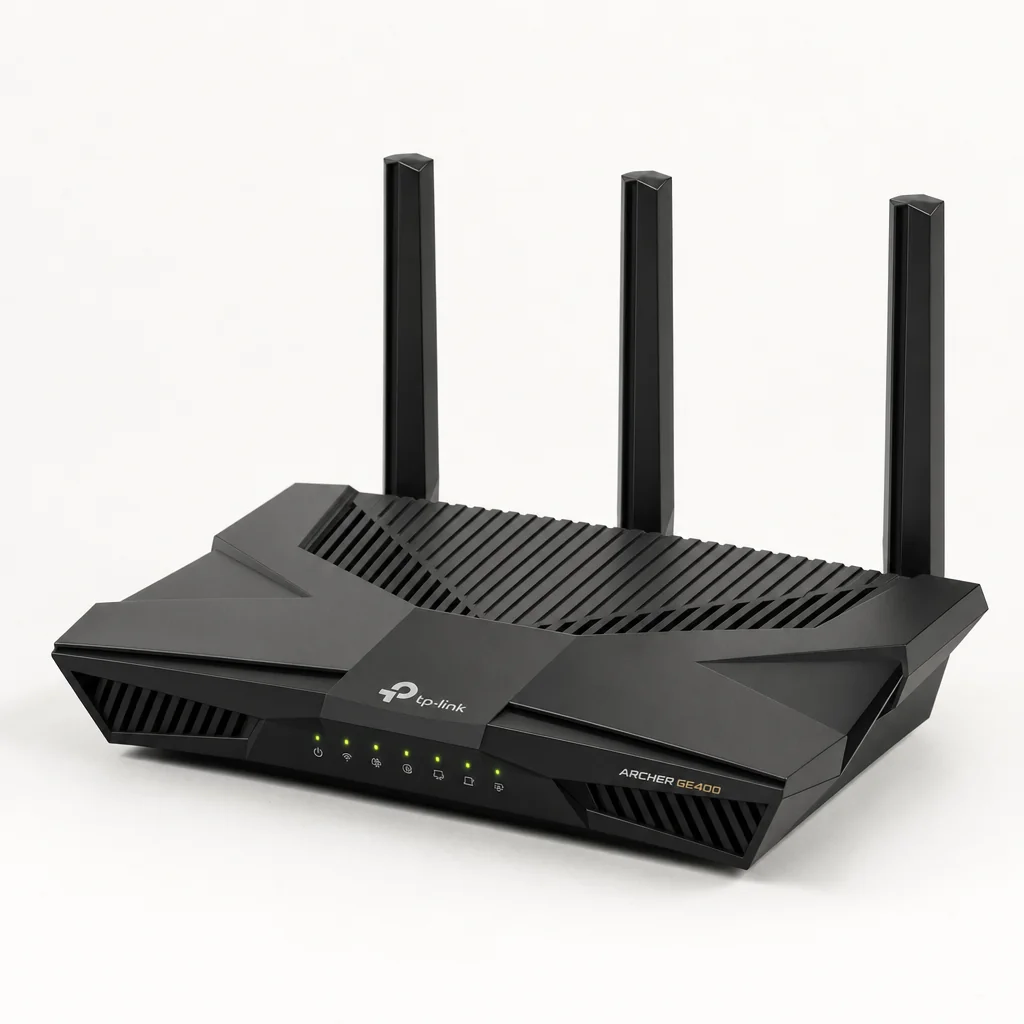
A Wi-Fi 7 gaming router in the BE6500 class, the GE400 sports six external antennas plus two 2.5 Gbps ports alongside gigabit options. It launched at £179 (originally pitched at £139), so it's a step up from the BE3600 for anyone who wants gaming-oriented features without going full flagship.
Mid-range and mesh
TP-Link Deco BE63
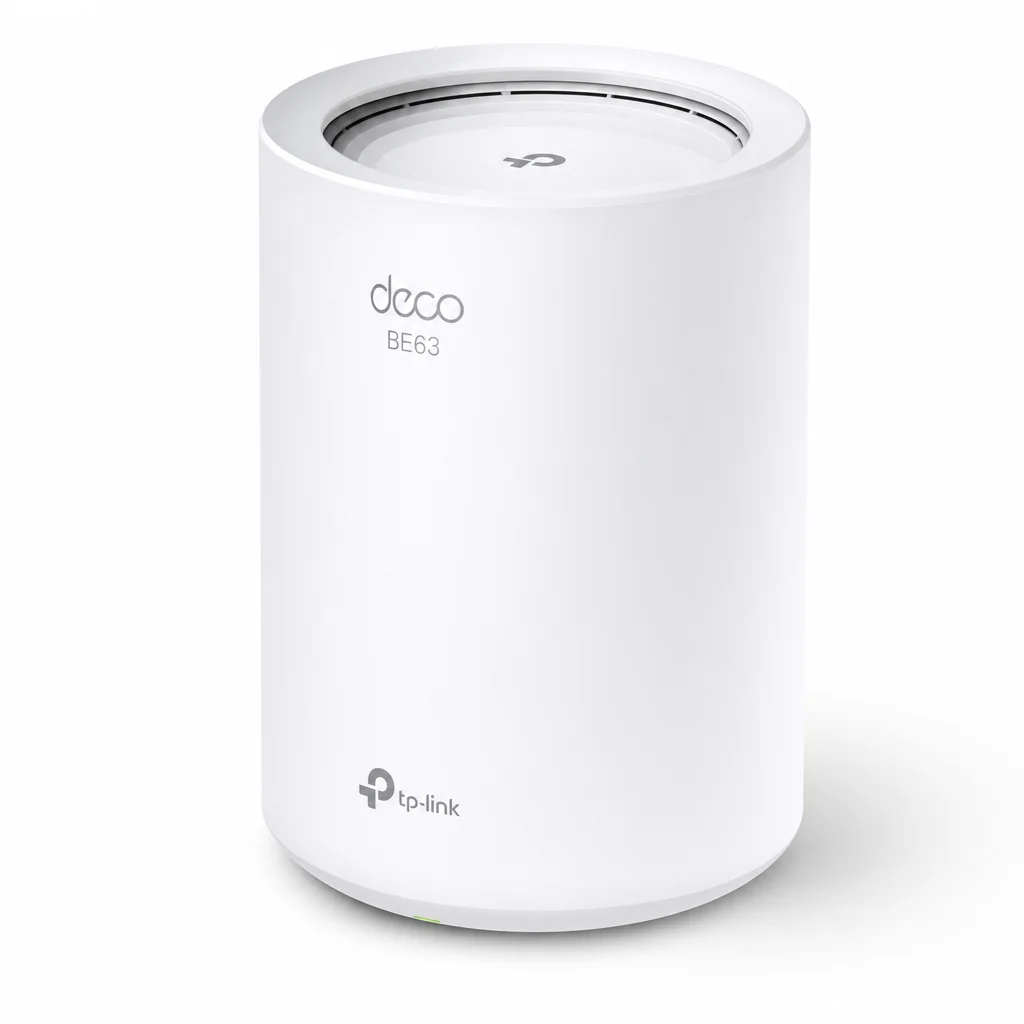
If your home defeats a single router — and given those brick-and-concrete attenuation figures, many do — a mesh kit is the smart play. The Deco BE63 covers up to 300 m² as a 3-pack, with speeds up to 3.6 Gbps (tri-band BE10000 class). The main unit offers a 2.5G port plus three gigabit ports, with the satellites carrying three gigabit ports each. Pricing runs around £159–£199 per unit, or roughly £479–£599 for a 3-pack, with a one-year warranty depending on region.
Netgear Orbi 370
See Netgear Orbi 370 on Amazon UK
Check today's price & availability on Amazon UK

For households that want mesh coverage without Orbi's usual premium pricing, the Orbi 370 is a compact dual-band Wi-Fi 7 kit. A 3-pack comes in at just £279 — significantly less than Netgear's premium Orbi devices. Being dual-band, it forgoes the 6 GHz band, but for whole-home coverage and reliability it's a sensible, wallet-friendly option.
ASUS RT-BE92U
See ASUS RT-BE92U on Amazon UK
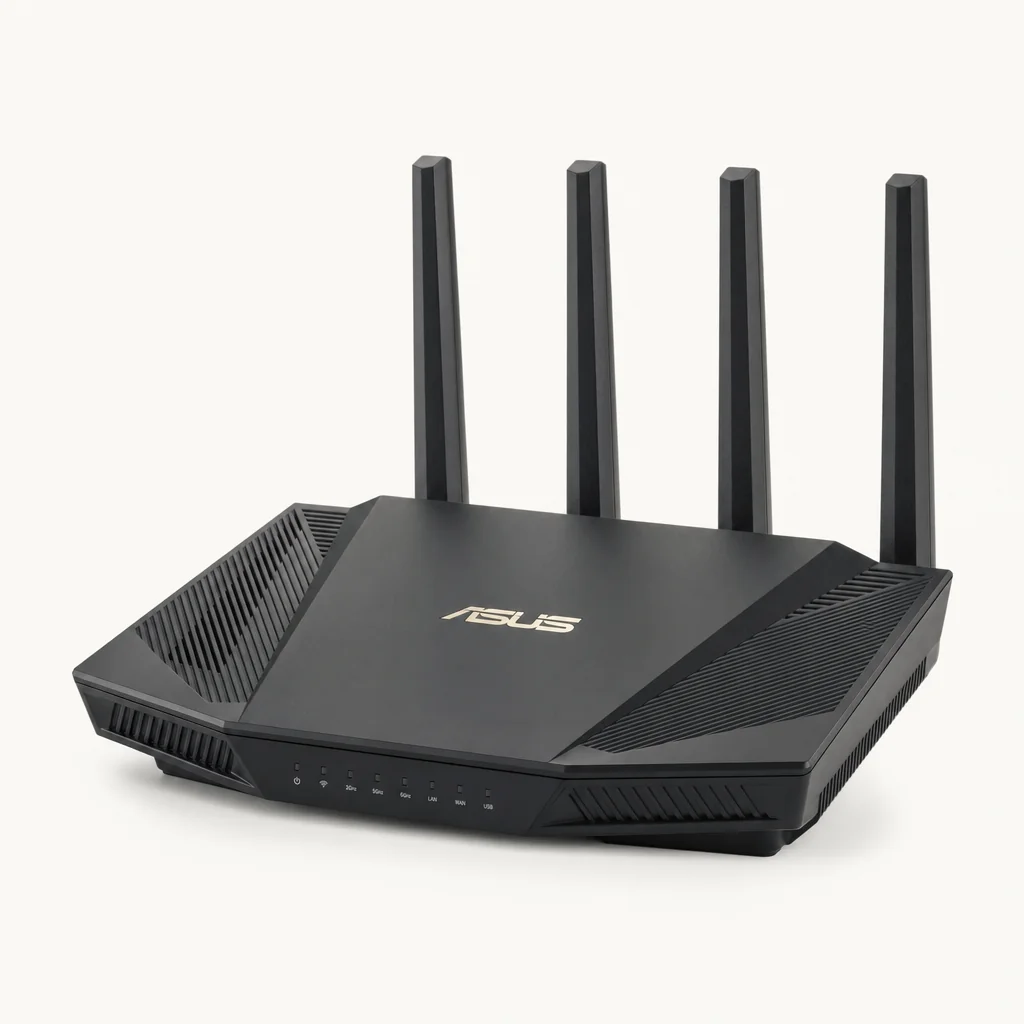
A tri-band Wi-Fi 7 router that reviewers consistently praise for excellent performance at a competitive price. If you want the full three-band experience — including 6 GHz — without stepping up to flagship money, the RT-BE92U is well worth a look.
High-performance tier
Netgear Nighthawk RS700S
See Netgear Nighthawk RS700S on Amazon UK
Check today's price & availability on Amazon UK
See Netgear Nighthawk RS700S on Amazon UK
This is the one that posted those record-setting numbers — over 3,600 Mbps at close range, among the fastest Wi-Fi 7 results going. It features dual 10 Gbps ports and full 320 MHz channel support on the 6 GHz band, making it ideal if you've got multi-gigabit broadband to feed. It sits around £479, and be aware that some advanced security features require a paid subscription.
ASUS RT-BE96U

See ASUS RT-BE96U on Amazon UK
Check today's price & availability on Amazon UK
ASUS's first Wi-Fi 7 router and a magnet for early adopters craving top-tier performance. It's a tri-band unit with an all-black design, eight adjustable antennas, and a generous wealth of ports including both 10 Gbps and gigabit options, plus two USB 3.0 ports. It comes in at £599 — flagship money, but you're getting flagship connectivity.
ASUS ROG Rapture GT-BE98
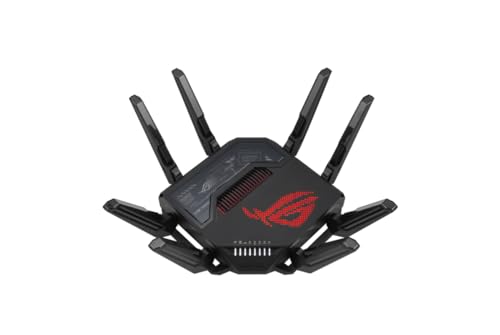
See ASUS ROG Rapture GT-BE98 on Amazon UK
Check today's price & availability on Amazon UK
For the absolute top of the gaming tree, the ROG Rapture GT-BE98 (and its PRO sibling) goes quad-band — that's 2.4 GHz, two separate 5 GHz bands, and 6 GHz — for maximum flexibility in routing traffic across radios. Overkill for most, but if you run a demanding household full of competitive gamers and bandwidth-hungry devices, this is the showpiece.
Wi-Fi 7 router pricing shifts constantly as the market matures and new models land. For the latest figures and any current bundles on the models above:
Check the latest price and any current bundles on AmazonFrom sub-£79 dual-band boxes to £599 quad-band flagships, there's now a Wi-Fi 7 router for every kind of household.
Who Should Upgrade — And Who Should Wait
This is the question the whole article hinges on, so let me be direct. Wi-Fi 7's worth depends almost entirely on what you do online and what the rest of your setup looks like. Here's how I'd split it.
Gamers chasing low latency
The 50–75% latency reduction from MLO is exactly what competitive gaming wants. If milliseconds matter to you, Wi-Fi 7 makes a noticeable difference today.
Creative professionals
Shifting huge files around a local network — video, RAW photos, project archives — benefits directly from the multi-gigabit close-range throughput.
Busy smart homes
With up to 5× the network capacity of Wi-Fi 6, homes packed with dozens of connected devices see better stability and responsiveness.
Multi-gigabit broadband owners
If you pay for 2 Gbps fibre or faster, Wi-Fi 6 can't fully deliver it wirelessly. A tri-band Wi-Fi 7 router with 10 Gbps ports finally can.
Anyone on ageing Wi-Fi 5 kit
The roughly 13× theoretical leap, plus a whole extra band, makes this an easy and worthwhile upgrade regardless of your broadband speed.
Happy Wi-Fi 6 owners on ≤1 Gbps
If your router is fine and your broadband caps at a gig or below, you simply won't see the speed benefit. Hold onto your money for now.
Light users
Browsing, streaming and the odd video call on a couple of devices? Wi-Fi 6, or even good Wi-Fi 5, is plenty. There's no urgency here.
Those without Wi-Fi 7 devices
If none of your phones, laptops or TVs support Wi-Fi 7 yet, you'll be paying for headroom you can't currently use. Wait until your devices catch up.
My honest rule of thumb
Match your weakest link. There's no point pairing a £599 quad-band flagship with 500 Mbps broadband and a fleet of Wi-Fi 5 devices — the router will sit there bored. Equally, a sub-£79 dual-band Wi-Fi 7 box is a perfectly sensible buy if your old router is dying and you want a little future-proofing on a budget. Spend in proportion to the rest of your setup.
Our Verdict Rating
Scoring a standard rather than a single product is unusual, but here's how Wi-Fi 7 stacks up across the dimensions that matter to real households, based on the testing and pricing landscape as it stands.
As you can see, the technology scores brilliantly on its core capabilities and has become great value — but "everyday benefit" and "range" pull the average down, precisely because not everyone will feel the upgrade, and 6 GHz physics is unforgiving. That's an honest reflection of where Wi-Fi 7 sits in 2026.
Frequently Asked Questions
Yes. As of 2026, Wi-Fi 7 is considered fully ready for mainstream adoption, with routers starting under £79 and improving multi-device performance. The early-adopter tax has largely gone.
No — that's a theoretical maximum you'll never reach at home. Realistic figures range from a few gigabits on consumer kit (over 3,600 Mbps at close range on the fastest tested router) up to 6–15 Gbps per access point in ideal enterprise deployments. Always mentally discount the box figure.
Both, to get the full benefit. A Wi-Fi 7 router will still serve your older devices perfectly well, but they'll connect at their own standard. You only unlock MLO, 320 MHz channels and 4096-QAM when the client device also supports Wi-Fi 7.
For raw speed, no — your internet connection is the bottleneck, not your wireless. However, the latency improvements from Multi-Link Operation still benefit your local network and connection responsiveness regardless of broadband speed, which can matter for gaming and video calls.
Dual-band Wi-Fi 7 routers (like the Archer BE3600 and Orbi 370) use 2.4 and 5 GHz only — they still get MLO and 4096-QAM but miss the 6 GHz band. Tri-band models add 6 GHz with 320 MHz channels, which is where the headline multi-gigabit performance lives.
Because building materials eat wireless signal. Brick walls cause 6–12 dB of loss and rebar-reinforced concrete floors a hefty 12–20 dB. The high-performance 6 GHz band suffers worst from this, which is why larger or solidly built homes often need a mesh system to get the most from Wi-Fi 7.
Match it to your setup. A sub-£79 dual-band router like the Archer BE3600 is a fine, sensible upgrade for most households. Only step up to £479–£559 flagships like the Nighthawk RS700S or ASUS RT-BE96U if you have multi-gigabit broadband and Wi-Fi 7 devices to justify the headroom.
The Final Verdict
Wi-Fi 7 is the real deal as a standard — there's no asterisk on the technology itself. MLO performance depends on client support, bands, firmware, distance and congestion; it does not guarantee a fixed percentage improvement. In 2026 it's mainstream, affordable and well worth owning if you're buying a router anyway.
But "worth upgrading to yet" is a different question, and my honest answer is: it depends entirely on you. If you're a gamer chasing latency, a creative shifting big files, a smart-home enthusiast with dozens of devices, or anyone blessed with multi-gigabit broadband, the answer is a confident yes — you'll feel the difference today. The same goes for anyone limping along on ageing Wi-Fi 5 hardware, where the leap is simply enormous.
If, however, you've got a perfectly good Wi-Fi 6 router and your broadband caps at 1 Gbps or below, you almost certainly don't need to rush. You won't see the speed benefit, much of your kit may not even support Wi-Fi 7 yet, and your money is better kept in your pocket until your devices catch up or your circumstances change. There's no shame in waiting — and given how prices keep falling, waiting often gets you a better deal anyway.
Bottom line: Wi-Fi 7 is brilliant, mature and reasonably priced. Whether it's worth upgrading to right now comes down to your broadband, your devices and your habits. Buy it for a reason, not because of a sticker on the box.
- Netgear Orbi 370View on Amazon
- Netgear Nighthawk RS700SView on Amazon
- ASUS RT-BE96UView on Amazon
- ASUS ROG Rapture GT-BE98View on Amazon