
Best Webcams for Video Calls and Streaming in the UK
From budget Full HD workhorses to flagship 4K PTZ cameras — I've compared the resolutions, the sensors and the lighting that actually makes you look good on camera.
We link to the exact model on Amazon UK. Prices change often, so check the live price before you buy. As an Amazon Associate we earn from qualifying purchases.

See Elgato Facecam MK.2 on Amazon UK
Check today's price & availability on Amazon UK
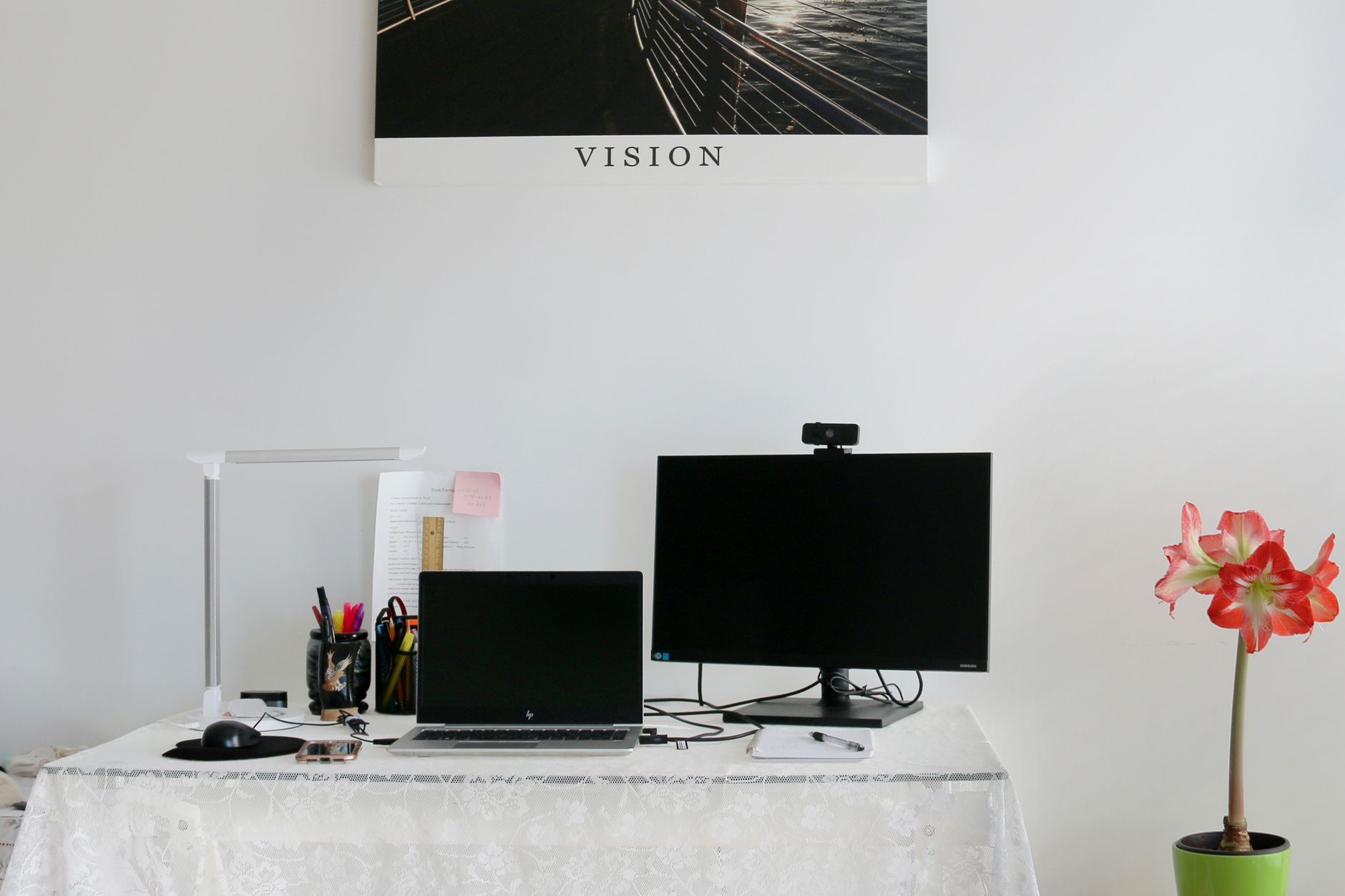
The current crop of UK webcams spans tiny clip-on Full HD cameras through to AI-tracking 4K models.
1080p vs 4K: Which Resolution Do You Actually Need?
Let's deal with the big question first, because it's the one that decides how much you spend. There's a strong instinct to assume more pixels equals a better picture, but the relationship between resolution and how good you look on a video call is far less direct than the marketing suggests.
For everyday video calls — Teams, Zoom, Google Meet — the platform itself is usually the bottleneck. Most conferencing apps compress your stream down to 720p or 1080p anyway, so a pristine 4K sensor never gets the chance to flex. What actually moves the needle in that scenario is the quality of the sensor, the lens, the autofocus and the exposure handling. A good 1080p webcam with a large sensor will produce a cleaner, more flattering image than a cheap 4K camera with a tiny sensor crammed behind a soft plastic lens.
4K starts to earn its keep when you're recording locally, streaming to a platform that preserves the detail, or relying on digital zoom and AI cropping. If you're framing yourself tightly, a 4K sensor gives you room to crop in without the image turning to mush. Content creators, teachers demonstrating objects up close, and anyone recording polished video for YouTube will feel the benefit. For the rest of us on back-to-back calls, it's a luxury rather than a necessity.
The honest take
If 90% of your camera time is live video calls, buy the best 1080p sensor you can afford rather than the cheapest 4K. If you record or stream and want crop flexibility, the 4K premium is justified. The worst purchase is a bargain-bin 4K camera with a pinhole sensor — you get the file size of 4K with the picture quality of a budget 1080p.
Quick Verdict: My Top Picks at a Glance
If you'd rather not read the full breakdown, here's where I'd point friends depending on their priorities. Each of these gets a proper section further down.
Best Overall 1080p
The Elgato Facecam MK.2 — uncompressed 1080p/60fps from a Sony STARVIS sensor with excellent HDR.
Best Value 4K
The YoloCam S3 — a genuinely huge 1/1.28" sensor and AI smarts at a sensible price.
Best Budget
The Obsbot Meet SE or HP 325 FHD — strong everyday Full HD without the spend.
Best Premium
The Obsbot Tiny 3 — a 4K PTZ camera with pan, tilt, zoom and body tracking.
Elgato Facecam MK.2 — Best Overall 1080p
See Elgato Facecam MK.2 on Amazon UK
Check today's price & availability on Amazon UK
See Elgato Facecam MK.2 on Amazon UK
Check today's price & availability on Amazon UK
The webcam I'd recommend to most people
The Facecam MK.2 is, for my money, the most well-rounded 1080p webcam you can buy. It captures uncompressed 1080p/60fps video — and that "uncompressed" word matters, because it means the footage is genuinely artifact-free rather than smeared by aggressive in-camera compression. Behind that is a Sony STARVIS 1/2.5" CMOS sensor, which is large enough to gather plenty of light and keep noise in check.
The Facecam MK.2 pairs a Sony STARVIS sensor with a redesigned, smaller body and an improved monitor clip.
The HDR mode is the standout feature in real-world use. It's designed to balance capture quality across varying light, and in my experience it's particularly effective in those awkward scenarios — sitting in front of a bright window, or working in a dim room with a single lamp. The MK.2 handles both the low-light and high-light extremes with composure, taming blown-out backgrounds and lifting shadows so your face isn't lost.
The redesign is welcome too: the form factor is smaller than before, the monitor clip is improved, and the privacy shield slides neatly over the lens when you want to be certain you're off camera. The one omission to flag is the lack of a built-in microphone, so you'll want a headset or a separate mic. For streamers that's a non-issue, but for casual call users it's worth budgeting for.
Pros
- Uncompressed 1080p/60fps — genuinely artifact-free footage
- Large Sony STARVIS 1/2.5" sensor for clean, low-noise images
- Excellent HDR that copes with bright windows and dim rooms
- Improved monitor clip and built-in privacy shield
Cons
- No built-in microphone — you'll need a separate audio source
- Tops out at 1080p, so no crop headroom for tight framing
- Premium pricing relative to basic Full HD cameras
YoloCam S3 — Best Value 4K

See YoloCam S3 on Amazon UK
Check today's price & availability on Amazon UK
If you've decided you want 4K, this is the one I'd steer most people towards. The headline is the sensor: at 1/1.3" it is among the largest in the current webcam market — though the Razer Kiyo Pro Ultra further down this guide goes larger still at 1/1.2" — and that physical size is doing the heavy lifting for image quality. Combine it with phase-detection autofocus and a bright f/1.85 aperture and you've got a camera that punches well above its position.
The YoloCam S3's 1/1.28" sensor is the biggest fitted to any mainstream webcam right now.
What I appreciate about the S3 is how good it looks straight out of the box — crisp, clear, and capturing real detail without any fiddling. In testing it held up across well-lit, low-light and over-exposed scenarios, delivering balanced exposure, minimal noise and artifacts, and proper high-resolution detail in 4K. That's a tricky trio to nail, and plenty of pricier cameras stumble on at least one of them.
The AI layer is more than a gimmick here too. There's AI-enhanced auto-exposure, white balance, noise reduction and autofocus, plus AI-enhanced face tracking to keep you centred. Crucially, you're not locked into automatic — there are manual controls for ISO, shutter speed, tint and vibrance if you'd rather dial things in yourself. The dual beamforming microphones include AI noise reduction, and there's a Show Mode for sharing desk content, which is brilliant for tutoring or demonstrating something to colleagues.
AI image processing
Auto-exposure, white balance, noise reduction and autofocus all benefit from AI enhancement for a clean picture with no manual input.
Full manual control
Switch out of Auto and you get ISO, shutter speed, tint and vibrance — proper camera-style adjustment for fussy users.
Show Mode
Flip the view to show your desk and physical content — ideal for teaching, unboxings or walking someone through a document.
AI face-tracking
Keeps you framed even as you shift around, with 4x digital zoom and HDR to refine the result.
Obsbot Tiny 3 — Best Premium 4K PTZ
For those who want the lot, the Obsbot Tiny 3 is the most capable camera in this guide. At £299 it's a serious investment, but it does things the others simply can't. This is a PTZ — pan, tilt and zoom — webcam, which means the camera physically moves to follow you around the room rather than just cropping digitally. The automatic body and object tracking is the kind of feature that feels genuinely futuristic the first time it locks onto you and pivots to keep you centred.
Flexible frame rates
The Tiny 3 shoots 4K at 30fps for crisp streaming, or drops to 1080p at a buttery 120fps when you want maximum smoothness for meetings. That high-frame-rate 1080p mode is a lovely touch that most rivals can't match.
Image quality is superb in both bright and dim environments, with accurate colour that you can fine-tune in the settings if you're particular. The built-in three-microphone system captures clear audio, so unlike the Elgato you won't necessarily need a separate mic for everyday use. It's the camera I'd recommend to a streamer or presenter who moves around, or anyone who wants a single device that handles polished 4K recording and high-motion calls equally well.
Check the latest price and any current bundles on AmazonThe Budget and Mid-Range Contenders
Not everyone needs a flagship, and the good news is the affordable end of the market is healthier than it's ever been. Here are the cameras I'd happily recommend when budget is the priority.
Obsbot Meet SE — exceptional value 1080p
This one earns a lot of praise, and rightly so. It delivers exceptional image quality at a very reasonable price, with a feature set that reads like a far pricier camera: background removal, low-light correction, stereo audio, autofocus, auto light correction, and AI-driven autofocus and framing. The resolution is fixed at 1080p, which means it will lose out to true 4K rivals when you need ultra-high-quality video — but for calls and most streaming it's hard to fault. If you can catch it on a deal, it becomes a near-unbeatable budget pick.
Elgato Facecam Neo — Elgato quality, less spend

See Elgato Facecam Neo on Amazon UK
Check today's price & availability on Amazon UK
The Neo brings Elgato's polish to a lower price point. It shoots 1080p/60fps through a 1/2.9" CMOS sensor with an autofocus lens, housed in a tidy white plastic chassis measuring 88mm x 40mm x 32mm. There's a non-detachable USB-C cable, a physical privacy shelter and a detachable monitor stand. It works happily across PCs, MacBooks and even iPads, which makes it a flexible little camera. As with the bigger Elgatos, there's no built-in microphone, so factor in audio separately.
HP 325 FHD — the bare-essentials choice

See HP 325 FHD on Amazon UK
Check today's price & availability on Amazon UK
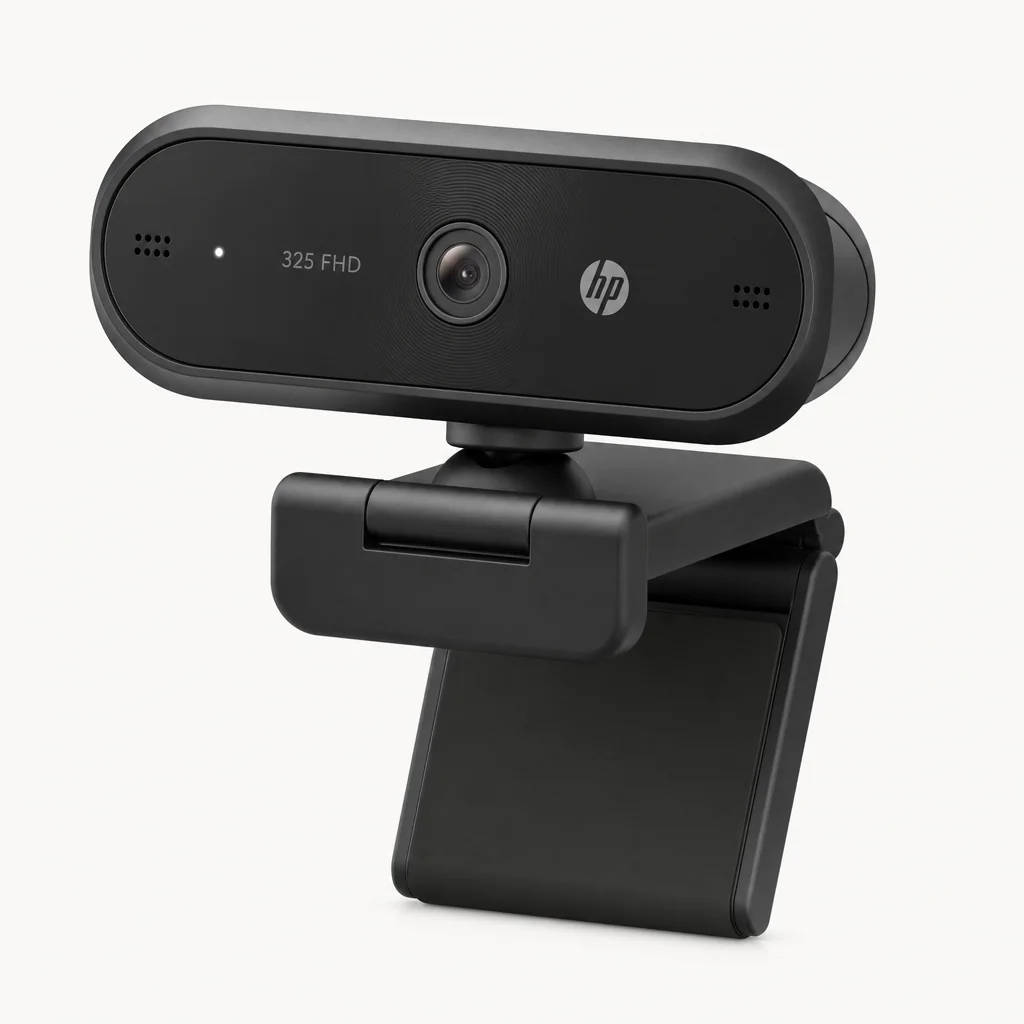
When you simply need a competent Full HD camera and nothing more, the HP 325 FHD is the budget pick. It won't dazzle anyone with sensor size or AI tricks, but it does the fundamental job and typically sits at the very bottom of the price range, making it an easy recommendation for a second machine or a casual user.
Logitech C920 and C925e — the dependable veterans

See Logitech C920 and C925e on Amazon UK
Check today's price & availability on Amazon UK
The Logitech C920 has been a fixture in best-webcam guides for years, and it endures for good reason. It produces sharp 1080p images with a wide field of view and great autofocus. The catch is the frame rate: the C920 and C920s are 30fps at every resolution — 1080p30 or 720p30 — so dropping the resolution does not buy you smoother motion. If you specifically want 720p30, that is the C922, a different model. Its sibling, the C925e, is tuned for hybrid work and is an ideal companion for Teams, making it a sensible corporate choice.
Budget no longer means bad — the mid-range now offers genuine background removal, HDR and AI framing.
| Model | Resolution | Sensor | Standout feature |
|---|---|---|---|
| Elgato Facecam MK.2 | 1080p/60 uncompressed | Sony STARVIS 1/2.5" | Excellent HDR |
| Obsbot Meet SE | 1080p | 1/2.3" CMOS sensor | Background removal + AI framing |
| Elgato Facecam Neo | 1080p/60 | 1/2.9" CMOS | iPad-friendly, privacy shelter |
| Logitech C920 | 1080p/30 (720p/60) | 1/4" CMOS sensor | Proven reliability |
| YoloCam S3 | 4K/30 | 1/1.3" | one of the larger sensors in this comparison available |
| Obsbot Tiny 3 | 4K/30 (1080p/120) | use exact Tiny 3 spec; 1/2-inch is Tiny 3 Lite | PTZ body tracking |
The 4K Heavyweights: Insta360, Razer and Logitech
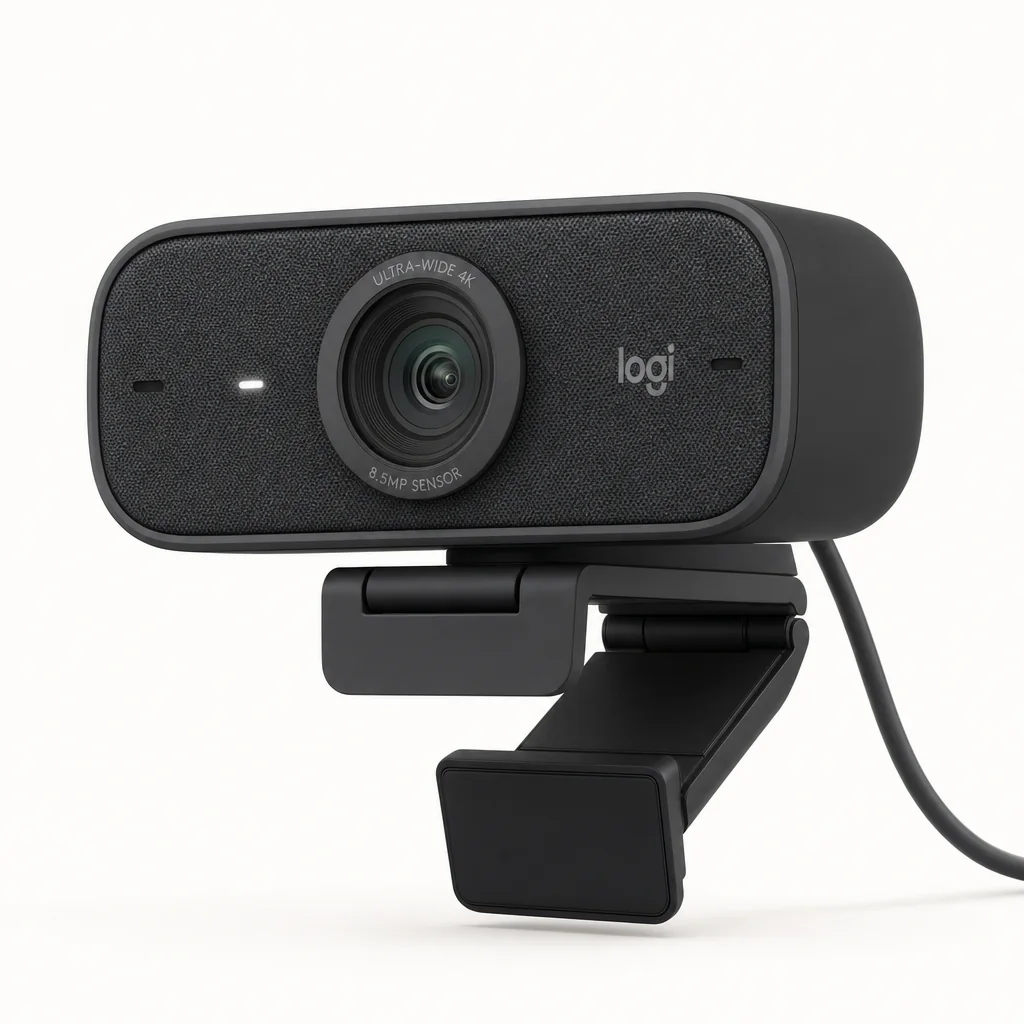
Beyond the YoloCam and the Obsbot, there are three more 4K cameras worth knowing about, each aimed at a slightly different user.
Insta360 Link 2C — the content creator's pick

See Insta360 Link 2C on Amazon UK
Check today's price & availability on Amazon UK
This 4K camera leans hard into creative use. Its Phase Detection Auto Focus is clever enough to intelligently focus on objects you hold up to the lens, which is exactly why it's so well suited to teachers and tutors who want to show and explain content during a video call. The free Insta360 Link Controller software bundles in a suite of genuinely useful settings, and the AI auto-framing keeps you in shot as you move. The design is both stylish and robust — it feels like a premium product on the desk.
Razer Kiyo Pro Ultra — low-light champion

See Razer Kiyo Pro Ultra on Amazon UK
Check today's price & availability on Amazon UK
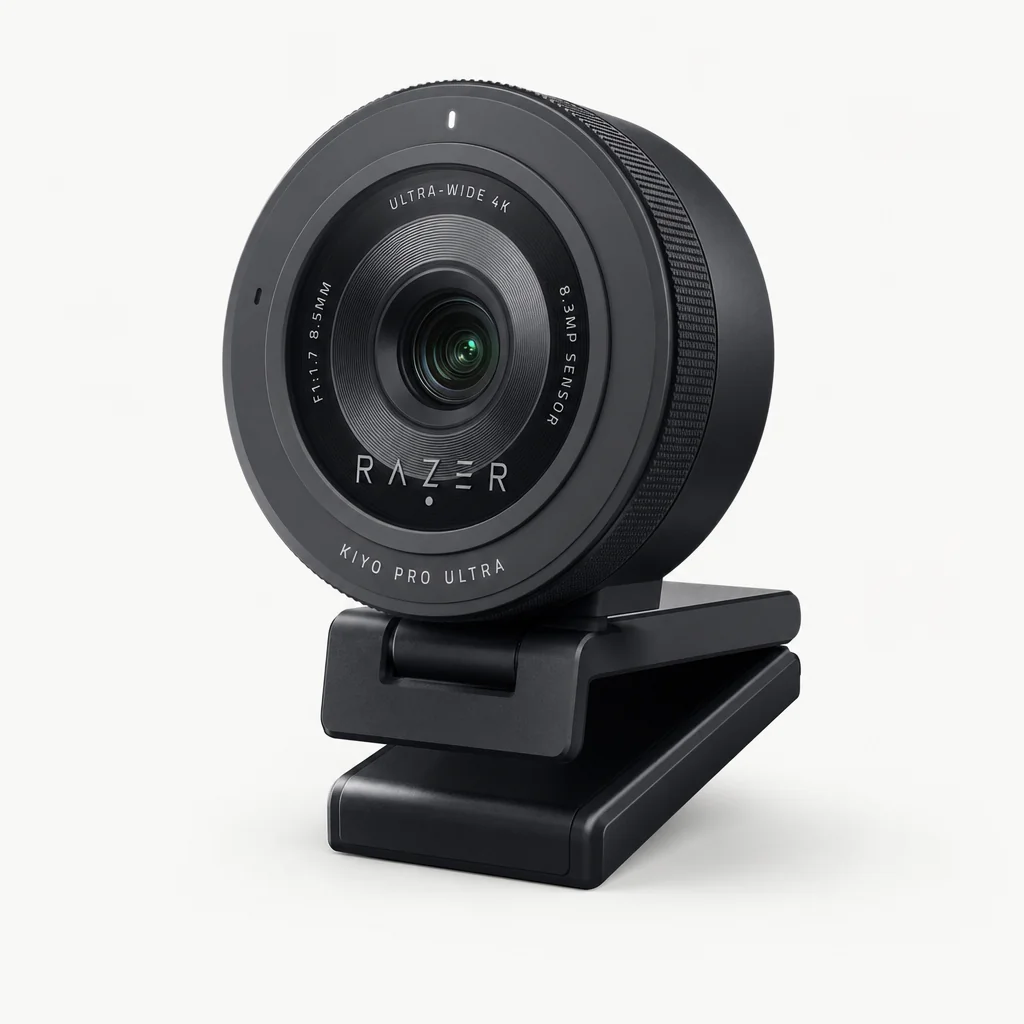
If your room is on the dim side, the Razer Kiyo Pro Ultra deserves attention. It's built around a large 1/1.2" Sony Starvis CMOS sensor, which is its whole reason for being — that big sensor delivers great low-light performance, gathering enough light to keep your image bright and clean when the sun goes down. It includes a built-in privacy shutter, an omnidirectional microphone and Razer Synapse support for customisation. The one criticism worth flagging is that the 4K frame rate is capped at 30fps, which is the most notable limitation if you crave high-motion 4K.
Logitech Brio Ultra HD Pro — the professional all-rounder

Shop Logitech Brio Ultra HD Pro on Amazon UK
Check today's price & availability on Amazon UK
Logitech's flagship records in 4K and streams 1080p at 60fps, splitting the difference neatly for professionals. It offers multiple field-of-view angles — 65, 78 and 90 degrees — so you can frame tightly or capture a whole desk. There's 5x digital zoom with minimal quality degradation, a 90fps option at 720p, HDR recording, omni-directional microphones and a PC monitor clip in the box. It's a flexible, business-friendly choice that's been a staple of professional setups for a long time.
Notice a pattern? Several of the best 4K cameras — the Razer Kiyo Pro Ultra and the Obsbot Tiny 3 included — cap 4K at 30fps. For video calls that's irrelevant, but if you want 4K at 60fps for fast-motion streaming, the current market makes that surprisingly hard to find.
The 2K Middle Ground: Dell Pro Webcam WB5023

See Dell Pro Webcam WB5023 on Amazon UK
Check today's price & availability on Amazon UK
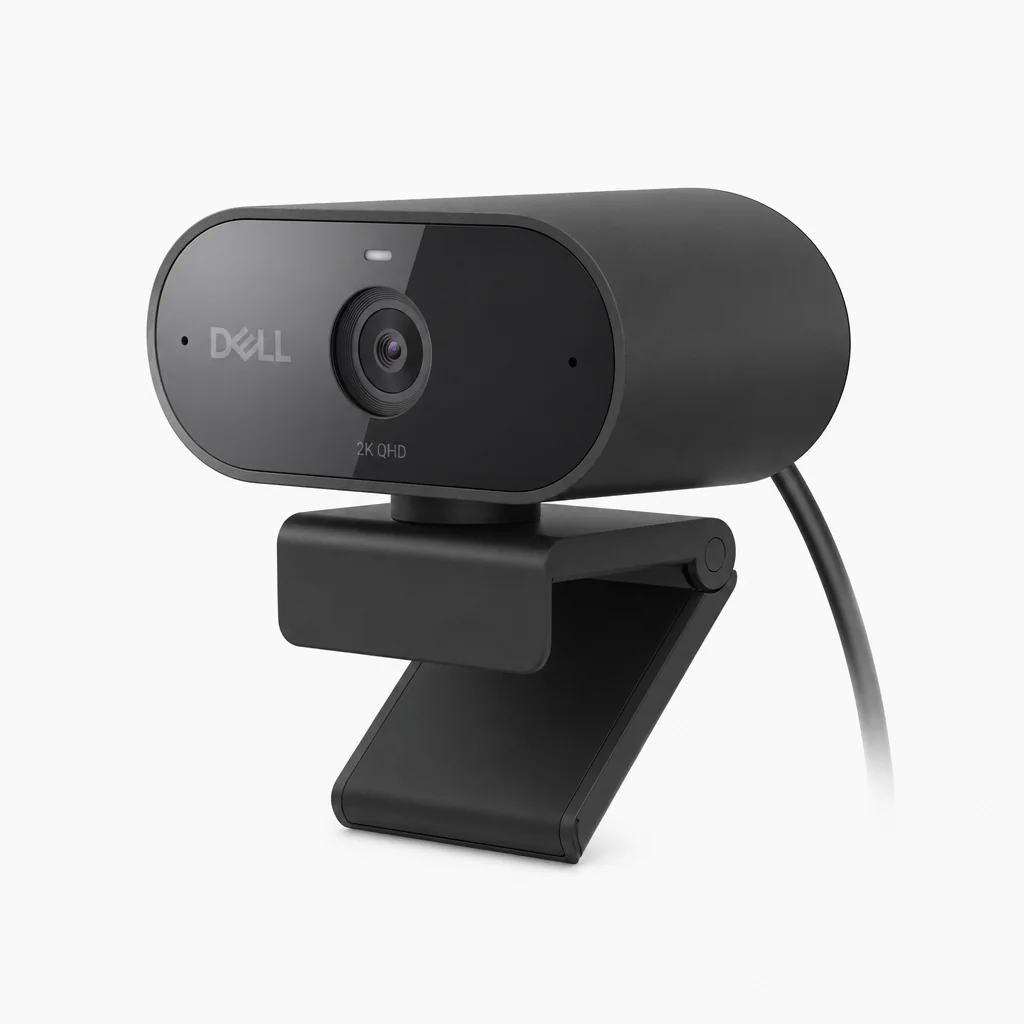
There's a sensible compromise sitting between the two main camps, and it's worth a mention because it suits a very specific buyer. The Dell Pro Webcam (WB5023) shoots 2K QHD at 1440p/30fps, or drops to 1080p/60fps when you want smoother motion. The field of view is 78 degrees, and it brings HDR and AI auto-framing to the table.
QHD is a genuinely clever sweet spot for home working. You get noticeably more detail than 1080p without the bandwidth and storage demands of full 4K, and the AI auto-framing keeps you neatly composed during meetings. If you find 1080p slightly soft but can't justify a 4K flagship, this is the kind of camera that bridges the gap without drama.
Sensor size is one of the best predictors of low-light performance — and the YoloCam S3 and Razer Kiyo Pro Ultra lead the field.
Lighting: The Upgrade That Beats Any Webcam
Here's the bit nobody wants to hear: you could spend £299 on the best webcam in this guide and still look worse than someone with a £60 camera who has sorted their lighting. The sensor can only work with the light you give it, so this is where I'd ask you to spend a little attention before another penny on hardware.
Face the window, don't sit in front of it
Natural light is wonderful, but only when it falls on your face. Sitting with a bright window behind you turns you into a silhouette. Turn your desk so the window is in front of or beside you, and let the camera's HDR do the rest.
Get a key light in front of you
A single soft, diffused light placed slightly above eye level and in front of your face does more for your image than any spec on the box. It lifts shadows, evens out skin tone and gives the sensor plenty to work with.
Soften and avoid harsh shadows
Bare bulbs and overhead ceiling lights create unflattering shadows under the eyes and nose. Diffuse your light source or bounce it off a wall for a gentler, more natural look.
Keep your colour temperature consistent
Mixing warm lamp light with cool daylight confuses auto white balance and leaves you looking orange on one side and blue on the other. Try to match your light sources, or lock white balance manually on cameras like the YoloCam S3.
Why HDR matters more in real rooms
This is exactly why I rate the HDR on cameras like the Elgato Facecam MK.2 so highly. Most of us don't work in a perfectly lit studio — we work in real rooms with a bright window on one side and a dim corner on the other. A camera that can balance both extremes, lifting shadows without blowing out the highlights, transforms an ordinary room into a usable set. Good HDR is, in effect, lighting forgiveness built into the hardware.
Who Should Buy What
Pulling it all together, here's how I'd match each camera to the person sitting in front of it.
The home worker
Mostly calls, occasional recording. The Elgato Facecam MK.2 for its HDR and clean 1080p, or the Dell Pro WB5023 if you fancy a touch more QHD detail with AI framing.
The streamer / creator
Wants crop headroom and polish. The YoloCam S3 for value 4K, or the Obsbot Tiny 3 if you move around and need PTZ tracking.
The teacher / tutor
Needs to show physical content. The Insta360 Link 2C, whose autofocus locks onto objects you hold up, or the YoloCam S3's Show Mode for desk sharing.
The budget buyer
Wants quality without the spend. The Obsbot Meet SE for surprising features, or the HP 325 FHD for bare essentials.
The dim-room dweller
Limited or poor lighting. The Razer Kiyo Pro Ultra and its large 1/1.2" Sony Starvis sensor for the best low-light result.
The corporate setup
Standardised hybrid-work fleet. The Logitech C925e for Teams, or the Brio Ultra HD Pro for a professional flagship with flexible framing.
Frequently Asked Questions
Honestly, no. Most conferencing apps compress your stream to 1080p or lower, so a strong 1080p webcam like the Elgato Facecam MK.2 will look just as good on the call. 4K is most worthwhile if you record or stream and want to crop in without losing detail.
A larger sensor gathers more light, which means cleaner images, less noise and better low-light performance. That's why the YoloCam S3's 1/1.28" sensor and the Razer Kiyo Pro Ultra's 1/1.2" sensor produce such flattering results — physical sensor size is one of the best predictors of how good you'll look.
The Obsbot Tiny 3 has a three-mic system, the YoloCam S3 has has no built-in audio; use a separate microphone. By contrast, the Elgato Facecam MK.2 and Facecam Neo have no built-in microphone, so you'll need a separate audio source.
PTZ stands for pan, tilt and zoom — the camera physically moves to follow you rather than just cropping digitally. The Obsbot Tiny 3 is the PTZ option here, with automatic body and object tracking that keeps you centred as you move around.
Most are broadly compatible. The Elgato Facecam Neo, for instance, works on PCs, MacBooks and iPads. As always, check your specific software supports the camera before buying.
For video calls, absolutely — calls rarely benefit from higher frame rates. Both the Razer Kiyo Pro Ultra and the Obsbot Tiny 3 cap 4K at 30fps. The Tiny 3 does, however, offer a smooth 1080p/120fps mode if you want higher frame rates for fast motion at a lower resolution.
The Verdict
The right webcam plus a little lighting effort is the most visible upgrade you can make to your call setup.
My Final Take
The webcam market in the UK is in great shape, and the best news is that you no longer have to spend a fortune to look genuinely good on camera. For most people — the home workers living on Teams and Zoom — my recommendation is the Elgato Facecam MK.2. Its uncompressed 1080p/60fps, big Sony STARVIS sensor and excellent HDR deliver a clean, flattering image in real-world rooms, and the resolution ceiling simply doesn't matter when the platform compresses your stream anyway.
If you've set your heart on 4K, the YoloCam S3 is the value champion thanks to that class-leading 1/1.3" sensor and a sensible AI feature set, while the Obsbot Tiny 3 at £299 is the no-compromises premium choice with its PTZ tracking, 4K/30 streaming and slick 1080p/120fps mode. Budget buyers should look hard at the Obsbot Meet SE, and anyone battling a dim room should weigh up the Razer Kiyo Pro Ultra and its large low-light sensor.
But whichever you choose, do yourself one favour: sort your lighting first. A good key light in front of your face, a window you face rather than sit in front of, and consistent colour temperature will do more for your on-camera presence than any single spec on the box. Get that right, pair it with the camera that suits how you actually work, and you'll never look at a laptop lid camera the same way again.
Specifications and availability can change over time, so it's always worth confirming the current details and any regional differences before you buy.
- Elgato Facecam MK.2View on Amazon
- YoloCam S3Best Value 4KView on Amazon
- Elgato Facecam NeoView on Amazon
- HP 325 FHDView on Amazon
- Logitech C920 and C925eView on Amazon
- Insta360 Link 2CView on Amazon