
Ray-Ban Meta smart glasses (Gen 2) review: the first smart glasses you'd actually wear
A 12MP camera, open-ear audio, Meta AI on tap and Wayfarer styling that stops people from staring. The second-generation Ray-Ban Meta glasses are the first smart glasses to feel less like a tech demo and more like an actual pair of glasses.
We link to the exact model on Amazon UK. Prices change often, so check the live price before you buy. As an Amazon Associate we earn from qualifying purchases.

The Ray-Ban Meta Gen 2 - smart glasses that look like normal Wayfarers, with cameras and Meta AI built in.

See Ray-Ban Meta (Gen 2) on Amazon UK
Check today's price & availability on Amazon UK
1. What the Ray-Ban Meta glasses actually do
If you haven't seen them in person, the Ray-Ban Meta Gen 2 are a pair of real Ray-Ban frames - Wayfarer, Headliner, or Skyler - with a small camera in the right hinge, open-ear speakers in the temples, beam-forming microphones, a touch-sensitive frame edge, and a built-in connection to Meta AI. They weigh slightly more than a normal pair of Ray-Bans (around 50g vs 45g) but not enough to notice during a normal day.
What they can do
- Take 12MP photos and record video at up to 3K, hands-free, by voice or button.
- Use supported live features for Instagram/Facebook and supported WhatsApp video calling; a WhatsApp video call is not a public livestream.
- Play music, podcasts and calls through open-ear speakers.
- Run Meta AI - 'Hey Meta, what is this?' - using the camera as eyes.
- Translate signs, recognise landmarks, identify products.
- Send WhatsApp and Messenger voice notes hands-free.
What they don't do
They are not display glasses. There's no screen, no AR projection, no heads-up information. Everything happens through the speakers (audio output) or your phone (visual output via the Meta View app). If you want on-lens displays, look at the Meta Ray-Ban Display variant instead - we have a separate review for those.
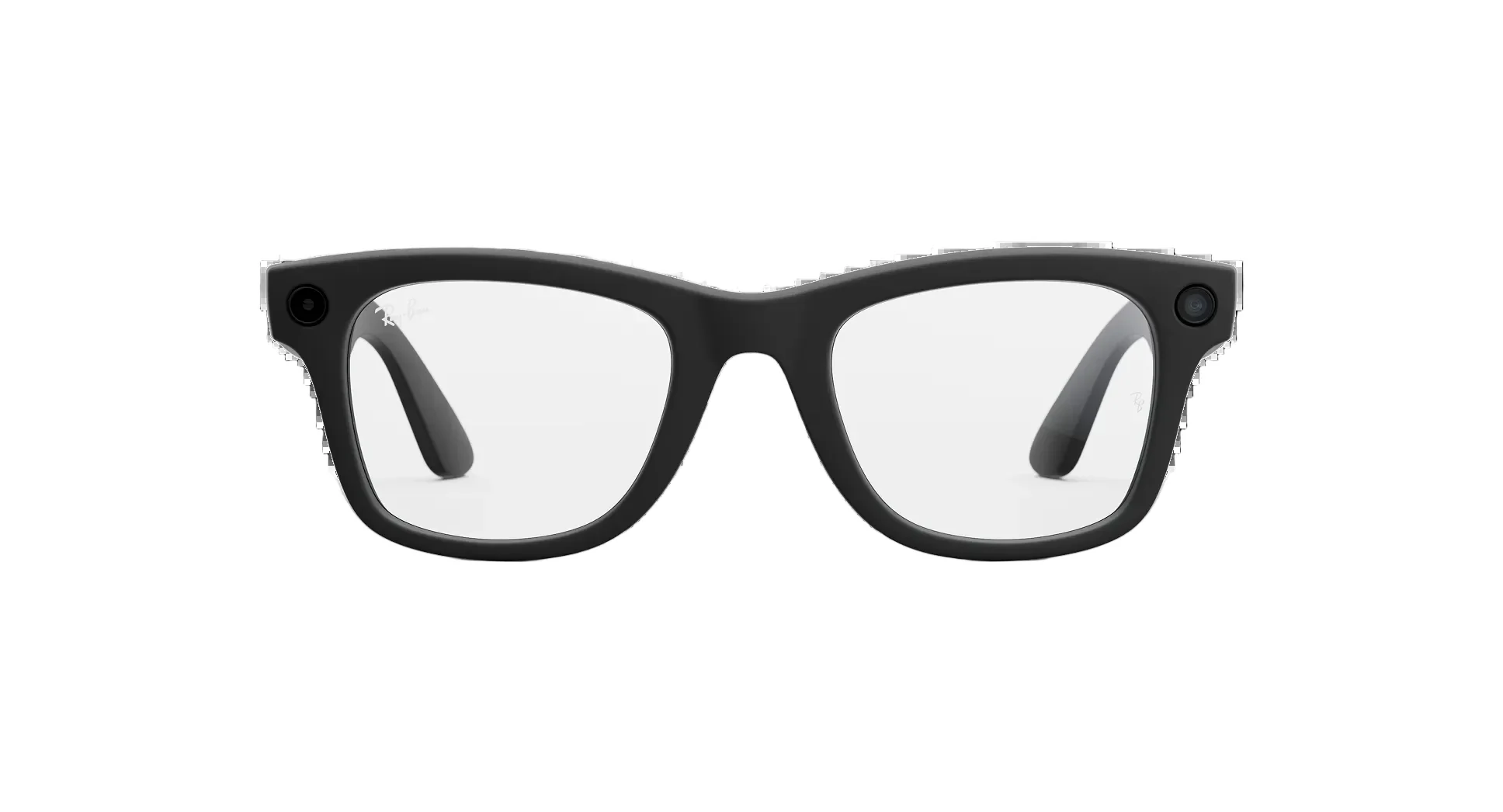
From the front, the Ray-Ban Meta Gen 2 are indistinguishable from normal Wayfarers - which is the entire design pitch.
2. The frames - Wayfarer, Headliner, Skyler
Meta's smartest move was partnering with Luxottica (parent of Ray-Ban) to build the smart hardware into properly-designed frames. The Gen 2 line ships in three frame shapes:
Wayfarer
The default. The classic Ray-Ban silhouette in regular and large sizes. Suits most face shapes, especially square or oval. Available in glossy black, matte black, transparent ('jeans' colourway), Havana brown and several seasonal colours. This is the one most people buy.
Headliner
Slightly more rounded than the Wayfarer with a flatter top edge. A more modern feel. Suits round or heart-shaped faces and works well for women who find the Wayfarer too chunky.
Skyler
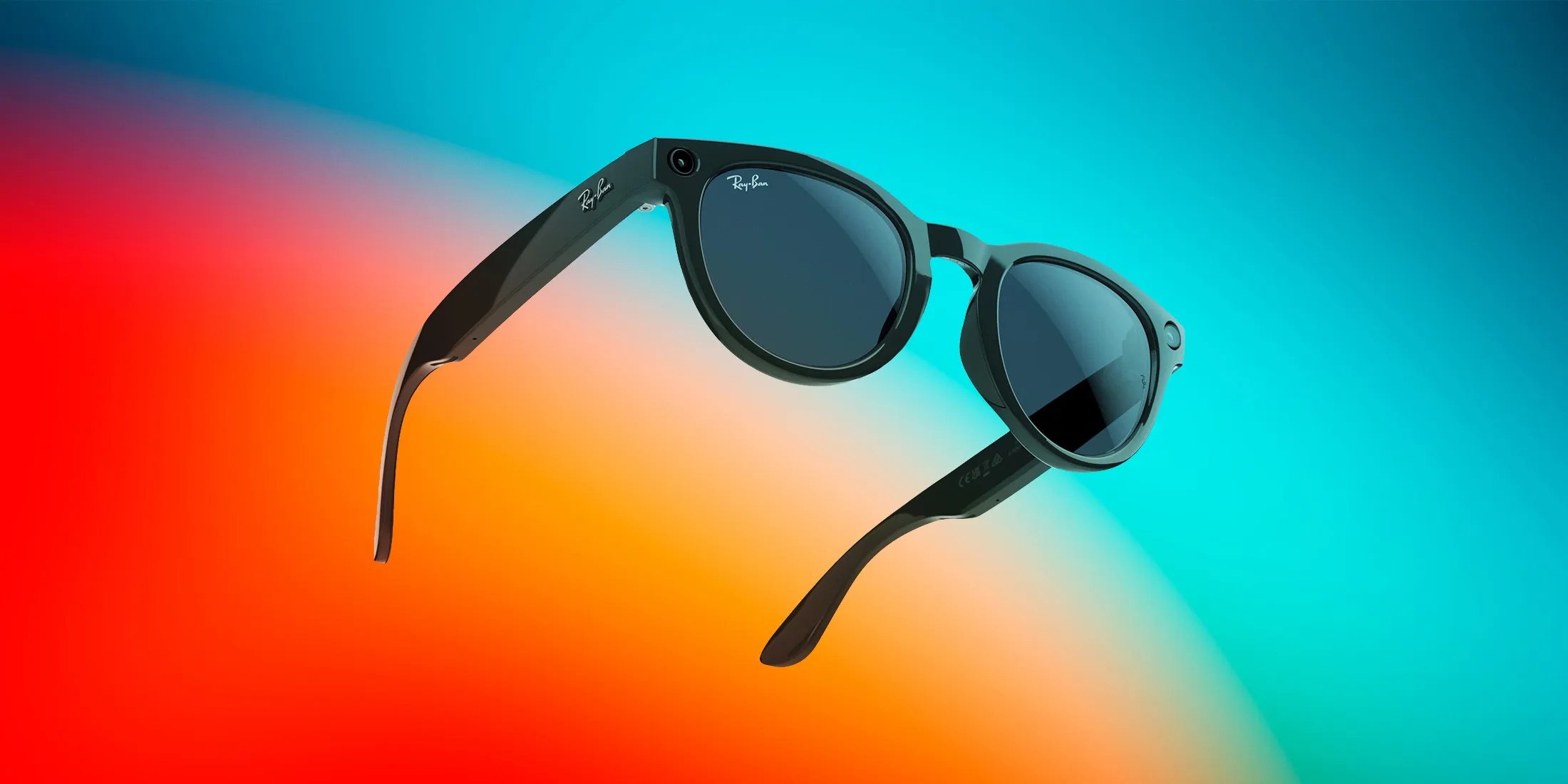
Cat-eye shape with a smaller frame footprint. The most fashion-forward of the three. Smaller fit makes them suitable for narrower faces, but the camera placement is unchanged.
Lens options
You can spec the glasses with:
- Sun lenses - polarised or non-polarised, in black, brown, green or copper
- Transition / photochromic lenses - clear indoors, darken outdoors
- Clear prescription lenses - through Specsavers and most UK opticians, single-vision or progressive
- Blue-light filtering - extra cost, useful for screen-heavy workflows
The prescription lens option is genuinely useful and a big reason these sell. You can have them as your daily-wear glasses, not just a sunglasses gadget.
3. The 12MP camera and video
Ray-Ban Stories used 5MP; first-generation Ray-Ban Meta already used 12MP, and Gen 2 retains a 12MP camera, with a wider field of view (around 78 degrees), faster autofocus and noticeably better low-light performance. The camera shoots 12MP stills and records video at up to 3K; available frame-rate/resolution modes depend on current firmware and app settings.
Image quality in real conditions
In daylight, photos are surprisingly good - colours are accurate, dynamic range is acceptable, and the wide field of view captures more context than a phone held at arm's length would. They won't replace a flagship phone camera, but for hands-free moments (cooking, running, walking with a child) they capture things a phone never would.
Low light is the obvious weak spot. Indoor restaurants and pubs produce noisy, slightly blurry images. The new sensor is a clear step up from Gen 1 but it's still a tiny lens behind tinted plastic.
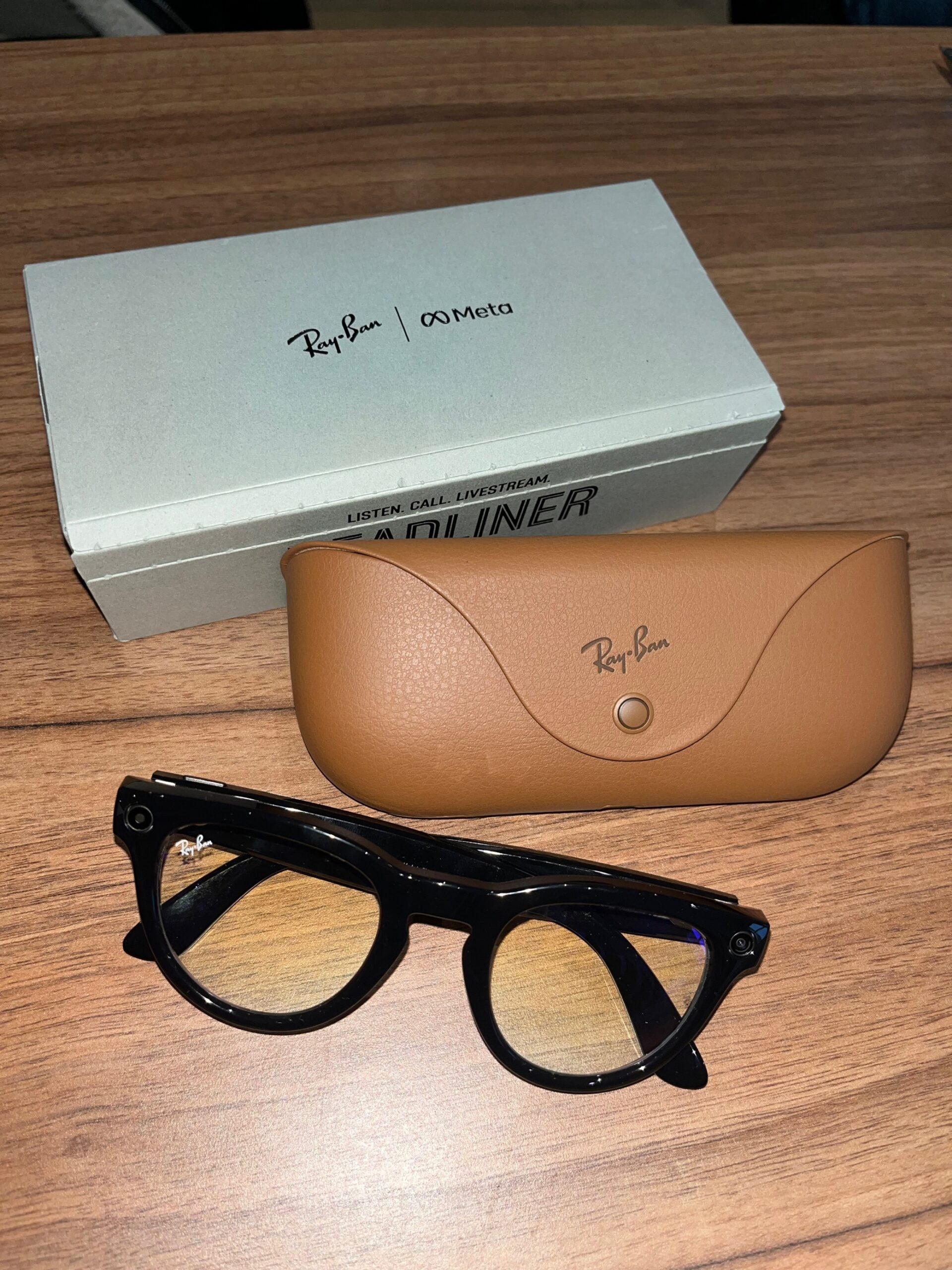
Product photograph of the Gen 2 glasses; it does not demonstrate output from the 12MP camera.
Video stabilisation
Electronic stabilisation is decent. Walking footage is watchable; running footage is wobbly but not nausea-inducing. The wide field of view helps - small head movements have less effect than a phone-shot clip would.
Livestreaming
The big use case Meta pushes. Tap and hold the frame button, say 'Hey Meta, start a livestream', and you're broadcasting to Instagram or Facebook in roughly five seconds. Audio comes from the on-frame mics, so your voice is clear without holding a phone. For travel vloggers, parents documenting kids' events, or anyone running a fitness or food channel, this is genuinely transformative.
4. Open-ear audio for music and calls
Speakers fire down into your ear from the temples. Audio quality is better than you'd expect from open-ear speakers, but worse than a decent pair of earbuds.
Music
Bass is light, mids and vocals are clear, treble is restrained. Acoustic music, podcasts and audiobooks sound great. EDM, hip-hop or anything bass- heavy sounds thin. The advantage is awareness - you hear traffic, you hear people talking to you, you don't get the sealed-off feeling of regular earbuds.
Volume can leak at higher settings. In a quiet office or a quiet train, people next to you can hear what you're listening to if you push past 60%. At normal listening volumes, leak is minimal.
Calls
The five-microphone array does serious work. Call audio is good in quiet environments, very good in moderate noise, and falters only in serious wind. Whoever you're talking to hears your voice with surprising clarity for a frame-mounted microphone. For walking calls and casual chats, they replace AirPods entirely.
The audio compromise
The trade-off is awareness vs immersion. Open-ear glasses are inherently worse at music than sealed earbuds and inherently better at letting you remain present. For commuting or focused listening, earbuds win. For walking, cycling or working at a desk, the glasses are the more useful audio device.
5. Meta AI - the headline feature
Meta AI on the Ray-Ban Meta Gen 2 is the feature that's matured the most since launch. The 2024 'Look and ask' update lets the camera see what you're looking at and answer questions about it - genuinely useful in a way few AI features manage.
What it does well
- Translation - 'Hey Meta, translate this menu' works in restaurants and on signs in 8+ languages.
- Identification - point at a plant, ask 'what is this?' Meta AI tells you it's a hellebore.
- Cooking - 'Hey Meta, what can I make with these ingredients?' while looking at your fridge.
- Reading - 'Hey Meta, read this label' - useful for packaging, ingredients, product reviews.
- Memory - 'Hey Meta, where did I park?' (records image when you exit your car).
Meta AI's 'Look and ask' uses the frame camera as eyes - point, ask, and the glasses describe or translate what's in front of you.
What it doesn't do well
Conversation requires reasonable internet (it sends audio + image to Meta's servers). Indoor connections in big shops or busy stations sometimes fail. The latency on visual queries is 2-4 seconds, which feels slower than texting a friend a photo would. And like all LLM-driven products, it occasionally invents details with confidence.
Privacy of AI requests
Meta processes your audio and images on its servers. You can opt out of training-data use in the Meta View app (and you should). For sensitive queries - medical advice, financial info - use a phone-side LLM instead. For day-to-day 'what is this?' queries, the privacy implications are similar to using Google Lens.
6. Battery life and the charging case
Battery is the most consistent complaint about smart glasses. The Gen 2 is better but still not all-day.
The charging case
The case is the killer feature. It looks like a slightly chunky Ray-Ban case, charges via USB-C, and gives you about eight full charges of the glasses themselves. In practice you put the glasses in the case while you read a book, eat lunch or take them off at a desk - they top up while you're not wearing them.
For a full day of mixed use - listening to podcasts, taking a few photos, asking Meta AI a couple of questions, taking a call - the case keeps you going past 10pm.
Where battery falls short
Continuous video recording will flatten the glasses in around 30 minutes. Livestreaming with Meta AI active runs even faster. If you plan to use the glasses as a vlog camera, treat the battery like a Steadicam battery - plan for swaps.
7. Privacy - the LED, etiquette and what people see
Smart glasses are a privacy product first, a tech product second. Anyone nearby will be aware - or not aware - that they could be photographed. How Meta and Ray-Ban have handled this matters.
The capture LED
Whenever the camera is recording, a white LED on the front of the right hinge lights up. It's bright enough to be visible across a small table, less visible across a busy room, and Meta has explicitly designed firmware to prevent obscuring the LED - software can't disable it. If someone tries to cover it with tape, capture is blocked entirely.
Etiquette in the UK
UK law generally allows public-space photography but restricts certain contexts (changing rooms, schools, courts, etc.). Wearing the glasses into those settings is no different from carrying a camera. Most restaurants, shops and offices have no specific rule against them, but common sense applies. Visibly holding a phone is more obviously 'I am photographing you' than wearing glasses, and that asymmetry is fair to acknowledge.
What other people actually see
From a metre away, almost nothing looks unusual. From within an arm's reach, the camera lens is visible if you look. The capture LED is the clearest signal that something is happening. In our experience over many months of wearing the Gen 2, almost nobody comments unless you tell them.

The capture LED on the right hinge lights up whenever the camera is active - the privacy signal is firmware-locked, not software-toggleable.
8. UK availability, prescription options and the buying decision
Where to buy them in the UK
Ray-Ban Meta glasses are available through Ray-Ban's own UK site, John Lewis, Selfridges, and most major opticians (including Vision Express and Boots Opticians). Buying from an optician is the easier route if you want prescription lenses fitted - they handle the whole process in-store.
Prescription lenses
Most major prescriptions are supported - single vision, progressive, bifocal, and reading-only. The frame styles dictate maximum lens thickness, so very high prescriptions may not fit the smaller Skyler frames. Talk to an optician before ordering.
Care and durability
Treat them like a pair of normal Ray-Bans plus a delicate piece of electronics. The hinges contain wires, so don't fold them aggressively. The temple speakers don't like immersion - they're rated for sweat and splashes, not swimming. The frames are not field-serviceable; if the electronics fail, you replace the glasses, not repair them.
Warranty
Standard UK statutory rights apply (Consumer Rights Act remedies rather than a fixed two-year guarantee), plus Meta and Ray-Ban offer their own 1-year manufacturer warranty. Care plans through opticians often add another year.
9. Specific Meta AI use cases that earn their keep
Meta AI's marketing pitches it as a do-everything assistant. In practice, a handful of specific use cases earn their keep daily; many others fade after the novelty wears off. Six that consistently work.
Restaurant menu translation
Look at a menu in a foreign country, say 'Hey Meta, translate this'. The glasses photograph the menu and read the translation aloud. In Italy, France, Spain and Japan it has worked reliably for us across many trips. Latency is 3-5 seconds, which feels long but is faster than typing into Google Translate.
Plant and animal identification
Walking, see a plant or bird, ask 'what is this?'. Meta AI uses the camera frame and identifies the species. Accurate roughly 80% of the time for common species; less reliable for rare or regionally- specific ones. Far better than typing a description into Google.
Cooking from what's in the fridge
Open the fridge, ask 'Hey Meta, what can I make with these ingredients?'. The glasses see the contents, suggest 2-3 recipes. The output is roughly the quality of a competent food blog - not inspired, but useful when you genuinely don't know what to cook.
Reading product labels and ingredients
Hold a product in front of you, ask 'Hey Meta, read this label'. For someone with reading vision difficulty, or for ingredients in small print, this is genuinely transformative. Works for nutrition labels, medication leaflets and warranty information.
Meeting and event memory
'Hey Meta, where did I park?' if you let it record an image as you left the car. 'Hey Meta, what was that thing I looked at earlier?' relies on a still-evolving memory feature; it works in 2026 in a way it didn't a year ago. Privacy-conscious users may want to keep this feature off, but it's one of the most consistently useful when on.
Music and podcast control
'Hey Meta, play [artist]', 'Hey Meta, skip', 'Hey Meta, what's this song?'. Boring use cases, but they work consistently and remove the need to pull out a phone. Great for cooking and walking.
Use cases that don't really work yet
- Long-form research questions - phones with Gemini or ChatGPT do this better.
- Maths or coding help - voice interface is a poor fit.
- Summarising what you just looked at - the AI hallucinates surprisingly often.
- Anything privacy-sensitive - audio plus image plus account context goes to Meta servers.

Wearing them through a busy Camden Market — almost no one notices the discreet capture LED in everyday city light.
10. What it's actually like wearing them in public
Meta marketing leans heavily on 'they look like normal Ray-Bans'. True, mostly. The rest of the experience - what other people see, how you behave with them on, how often someone asks - is where things get interesting.
The 'do they know?' question
From a metre away, almost nobody clocks them. From within conversational distance, the camera lens is visible if someone looks at the right hinge, but no-one does in normal life. The capture LED glows white when recording, which is the clearest tell.
Realistically, in three months of daily wear: about 1 in 30 people notice they're 'something different'. Of those, perhaps 1 in 3 ask. So maybe one comment per week if you're in busy public spaces, less if you're not.
The most common questions
- 'Are those the new Ray-Ban smart glasses?' - the friendliest version.
- 'Are you recording me?' - usually defused by tapping the LED-side hinge to prove the camera's off.
- 'How is the battery?' - second most common.
- 'Do they actually do anything?' - third most common, often with mild scepticism.
What you stop doing
The reflex to pull out your phone for quick photos goes. Walking photos, kitchen photos, dog-park photos - you stop holding up a phone because the glasses are easier. After a month it's noticeable: you take more candid shots and fewer staged ones.
What you don't do
You don't wear them at funerals, in places of worship, in gym changing rooms, in public bathrooms or in any space where photography is unwelcome. Doing so isn't illegal in most cases but it's tone-deaf, and other people's reasonable expectation of privacy matters more than the convenience of not switching to your phone.
The work meeting question
The trickiest etiquette question. Wearing them in client meetings or interviews can feel uncomfortable for the other side, even if you're not recording. The simplest rule: take them off when you sit down for a serious in-person conversation, the same way you'd remove a phone from the table.
UK law in plain language
You can take photos in public places. You cannot take photos in private places where there's a reasonable expectation of privacy (changing rooms, bathrooms, courts) without consent. Recording conversations to which you're a party is legal; recording without being a party is harassment. Common sense applies and is usually sufficient.

In genuine UK daily use — coffee, laptop and a Routemaster passing behind. The Meta AI overlay sits in your peripheral vision, not your direct attention.
See Ray-Ban Meta (Gen 2) on Amazon UK
Check today's price & availability on Amazon UK
Frequently asked questions
Can I wear the Ray-Ban Meta glasses with my prescription?
Yes. They support single vision, progressive and bifocal prescriptions. Order through an optician (Specsavers, Vision Express, Boots) or order frames-only and have your prescription fitted afterwards. Very high prescriptions may not fit the smaller Skyler frames.
Do they work without a phone?
No. The glasses pair with the Meta View app on iOS or Android, and most features (livestreaming, Meta AI, photo sync) require a connected phone. They'll continue to play music and take photos while disconnected, but you need the phone to retrieve those photos.
Can people see what I'm looking at?
Only if they have access to the Meta View app on your paired phone. Photos and videos sync to your account, not Meta's. Livestreams are visible to whoever you stream to (and Meta itself, since they pass through Meta's infrastructure).
Will they fog up in the UK winter?
Yes, like any glasses. The frame-mounted electronics aren't sensitive to fog, but the lenses can fog walking from cold to warm air. An anti-fog spray or wipe helps.
How does Meta AI compare to ChatGPT or Google Gemini?
Meta AI is built on Meta's Llama models. For reasoning and writing, Gemini and ChatGPT are stronger. For visual identification through the glasses, Meta AI is the only one that integrates natively. For day-to-day 'what is this?' queries, Meta AI is fast enough and accurate enough; for serious research, fall back to your phone.
Are they worth the upgrade from Gen 1?
If you have Gen 1 and use them, the Gen 2 is a meaningful upgrade - 12MP camera, faster Meta AI, better low-light, longer battery. If you don't use your Gen 1 much, the Gen 2 won't change that. The bigger question is the Display variant, which is genuinely different.
Are the Ray-Ban Meta glasses safe for prescription wearers in bright sun?
Yes. The polarised sun lens options work well for driving and outdoor sports. Photochromic Transitions lenses are available for those who want one pair indoors and out, though the transition is slower than dedicated photochromic glass. Both work normally with your prescription.
Do they work properly in the rain?
Light rain and a UK drizzle are fine. The frames carry an IPX4 splash rating - they're not designed for heavy rain or any submersion. Wipe them dry after a rainy walk; the temple speakers are the most water-vulnerable part.
Will they trigger my employer's data policies?
Possibly. Many corporate environments restrict camera devices in offices, especially defence, finance and healthcare. Check your company's IT/security policy before wearing them at work. Some employers explicitly ban wearable cameras; others don't address them at all yet.
How do they compare to Snap Spectacles or older Google Glass?
Snap Spectacles never had mainstream traction; their technology was less refined and the social signals were less subtle. Google Glass had a heads-up display but was unmistakably tech-y - the social rejection of the original Glass was a major reason its consumer launch failed. The Ray-Ban Meta succeeds where they failed by hiding the tech inside a normal-looking pair of glasses.
Is there a similar product without Meta's involvement?
Not really. EssilorLuxottica (parent of Ray-Ban) has the dominant frame partnership. Bose's Frames had open-ear speakers but no camera or AI; Bose discontinued them. Razer's Anzu had limited features. Apple's smart-glasses ambitions are still in development. As of 2026, the Ray-Ban Meta line is the only real option for mainstream-styled smart glasses.
Can I use my own AI assistant instead of Meta AI?
Not natively. The 'Hey Meta' wake word and the underlying assistant are tied to Meta's services. You can pair the glasses to your phone for music and calls without using Meta AI at all, and use Siri or Google Assistant from your phone via the speakers, but you can't replace the on-glasses assistant.
Verdict: the first smart glasses to feel like glasses, not a gadget
The Ray-Ban Meta Gen 2 are the first smart glasses I'd actually recommend without caveats. The Wayfarer styling is the killer feature - the hardware disappears into a familiar object, and you stop being self- conscious about wearing them. Meta AI's 'Look and ask' is genuinely useful, the 12MP camera captures real-world moments a phone never could, and the open-ear audio replaces earbuds for casual listening.
The compromises are reasonable. Battery is short for heavy use, low- light camera is mediocre, and you're trusting Meta with images and audio. None of those will deter the right buyer.
If you want the best smart glasses you can buy in the UK in 2026 - without paying display-glasses money - this is the easy answer. They're the smart glasses that have finally earned the right to be called glasses.
Ray-Ban Meta on Amazon
Check today's price & availability on Amazon UK
- Ray-Ban Meta (Gen 2)View on Amazon