
MSI Stealth 16 AI Plus Review: Slim, Serious and OLED-Led
MSI's redesigned 16-inch premium gaming laptop swaps shouty gamer energy for a full-aluminium chassis, a 240Hz QHD+ OLED display, Intel Panther Lake power and RTX 50-series graphics — all in a machine that stays under 2kg.
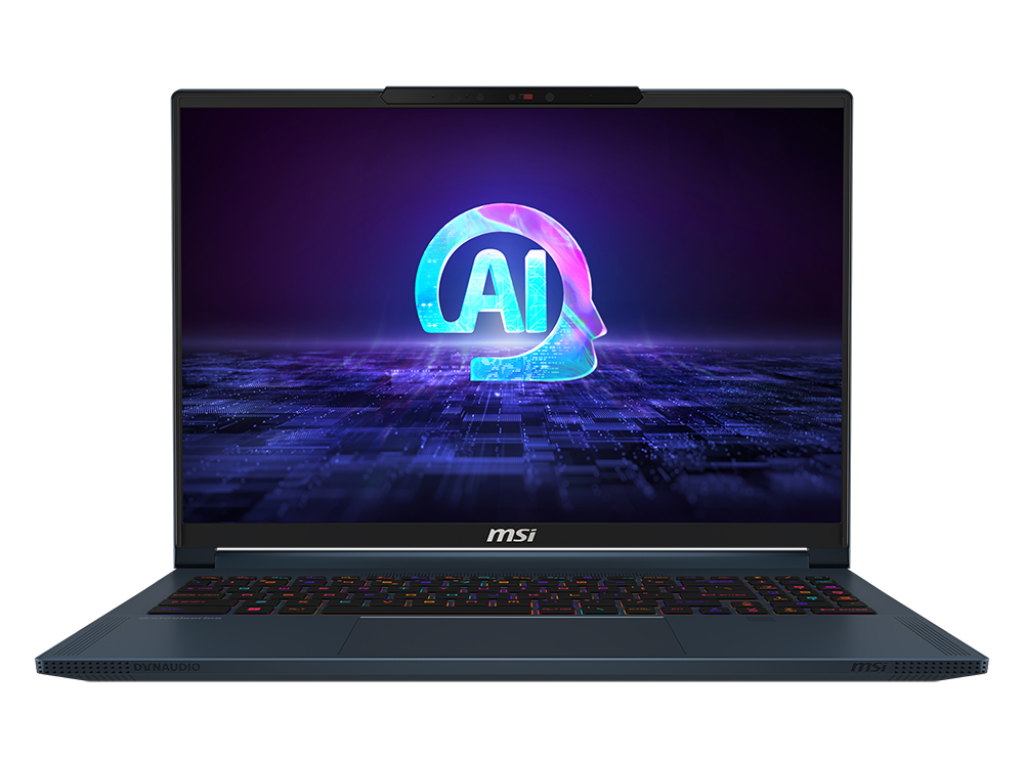
The 2026 MSI Stealth 16 AI Plus is built around a sleeker, more understated design than MSI's more aggressive gaming laptops.
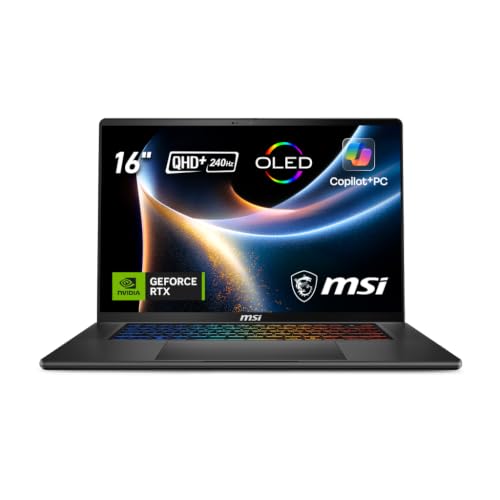
See MSI Stealth 16 AI+ on Amazon UK
Check today's price & availability on Amazon UK
See MSI Stealth 16 AI+ on Amazon UK
Check today's price & availability on Amazon UK
We link to the exact model on Amazon UK. Prices change often, so check the live price before you buy. As an Amazon Associate we earn from qualifying purchases.
Configuration warning: MSI GPU choices and power limits vary by exact regional SKU. The linked Amazon model was an AMD Stealth A16, not this Intel Stealth 16, so it has been replaced with an exact-model search. Do not compare the 5080 and 5090 figures below without checking MSI's specification sheet for the precise model code.
1. What the MSI Stealth 16 AI Plus 2026 is trying to be
The MSI Stealth 16 AI Plus 2026 is not MSI's loudest, thickest or most uncompromising gaming laptop. That's the point. This is the premium slim option: a machine for people who want serious gaming and creator performance, but do not want to carry something that looks as though it belongs permanently on a desk next to a liquid-cooled tower.
The 2026 Stealth 16 AI Plus, also known as the B3WX series, is MSI's new Intel-based Stealth redesign. It was introduced at CES 2026 with next-generation Intel Panther Lake-H processors and Nvidia GeForce RTX 50-series laptop graphics, replacing the larger Stealth 18 in MSI's line-up. That alone tells you a lot about the direction MSI is taking: smaller footprint, cleaner design, higher portability, but still with enough GPU range to satisfy both gamers and creative professionals.
It is also worth being precise about the name. This review is about the MSI Stealth 16 AI Plus 2026 B3WX series, the Intel Panther Lake model. It should not be confused with the MSI Stealth A16 AI Plus, which is a separate AMD Ryzen AI-based sibling. Both sit in a similar premium performance space, but they are not the same laptop.
What makes the Stealth 16 AI Plus interesting is the breadth of its configuration ladder. At the entry end sits an RTX 5060 Laptop GPU, which is the model I'd expect many buyers to look at if they want a slim QHD+ gaming laptop without climbing to the very top of the GPU stack. At the other end, MSI lists configurations up to an RTX 5090 Laptop GPU with 24GB of GDDR7 memory. Between those points, MSI may list mid-range RTX 50-series options by market, but RTX 5070 and RTX 5070 Ti configurations were not individually confirmed by the manufacturer; check the exact SKU before buying. RTX 5080 and RTX 5090 are the safer high-end references for this article.
That matters because slim gaming laptops are always about compromise. A huge desktop-replacement machine can throw more cooling, more surface area and more fan volume at the problem. A stealthy 16-inch laptop under 2kg has to be more careful. The best slim gaming laptops are not the ones that pretend physics does not exist; they are the ones that balance display quality, GPU power, thermals, battery capacity, ports and everyday feel in a way that makes sense when you are actually using the machine.
Pros
- Excellent 16-inch QHD+ OLED specification with 240Hz refresh rate and 100% DCI-P3 coverage.
- Full aluminium chassis in a restrained, premium design rather than an overdone gaming shell.
- Under 2kg with a slim 16.65–19.99mm profile, making it much easier to travel with than larger gaming laptops.
- Wide GPU range from RTX 5060 Laptop to RTX 5090 Laptop, depending on configuration.
- Up to 128GB DDR5 memory with user-upgradeable RAM and dual PCIe 4.0 SSD support.
- Strong modern connectivity: two Thunderbolt 4 ports, HDMI 2.1, Ethernet and Wi-Fi 7.
Cons
- Ultra-slim gaming laptops still involve thermal and noise compromises under sustained load.
- The RTX 5090 configuration uses a 75Whr battery rather than the 90Whr pack found in other configurations.
- OLED is gorgeous, but heavy gaming at 240Hz and creator work at high brightness will inevitably hit battery life.
- Not quite as thin in practice as MSI's headline "16.6mm" marketing might imply, according to hands-on review notes.
- RTX 5060-class buyers should see it as a premium balanced machine, not a maximum-frame-rate desktop replacement.
2. Design and portability: stealth by name, much more stealth by nature
The most immediate change with the 2026 Stealth 16 AI Plus is its restraint. MSI gaming laptops have often leaned into angular vents, gamer flourishes and visual drama. This model goes the other way. The chassis is full aluminium, finished in a deep grey tone, and the overall look is closer to a premium creator workstation than a typical gaming notebook.
That is exactly the right move for this category. If you are buying a slim 16-inch machine, there is a good chance it has to live in more than one environment. It might be plugged into a monitor for gaming at night, but it also has to survive a meeting, a lecture theatre, a train table or a coffee shop without screaming for attention. The Stealth 16 AI Plus looks like it understands that brief.
On paper, the measurements are very travel-friendly for a performance laptop: 354 × 246 × 16.65–19.99mm, with a weight of 1.99kg. MSI also describes it as just 16.6mm thin and under 2kg, whilst hands-on notes from Tom's Guide point out that it is not quite as thin as MSI's headline claim may suggest. I do not see that as a deal-breaker; the more important real-world figure is that it remains below the 2kg mark, which is where a 16-inch gaming laptop starts to feel genuinely portable rather than merely "movable".
At 1.99kg, it is still not ultrabook-light. You will notice it in a backpack, especially with the charger. But compared with bulkier high-performance gaming laptops, this is far easier to live with daily. If your laptop leaves the house several times a week, the Stealth's weight and thickness are central to its appeal.
Gadget Scout take
The Stealth 16 AI Plus makes the most sense if you value performance-per-kilo as much as raw performance. If your laptop never moves, MSI has bigger machines. If you want one system for gaming, editing and travel, this chassis is the attraction.
The build also matters because premium slim gaming laptops live or die by feel. A powerful spec sheet is easy to admire, but if the lid flexes, the palm rest feels hollow or the design looks dated after six months, the charm fades quickly. The Stealth 16 AI Plus's full-aluminium construction gives it the kind of high-end presence MSI needs if it wants to sit in the same buying conversation as premium rivals like the Razer Blade 16.
It is a more mature-looking MSI laptop, and that is a compliment. The Stealth name has always implied subtlety, but the 2026 design appears to take that more seriously than before.
3. Key specifications: the numbers that actually matter
The Stealth 16 AI Plus range is broad, so the exact experience depends heavily on configuration. The model family starts with an RTX 5060 Laptop GPU and scales up to serious high-end hardware, including RTX 5080 and RTX 5090 Laptop options. The CPU foundation is Intel's next-generation Core Ultra 9 processor 386H, part of the Panther Lake-H family.
MSI also positions the laptop as a Copilot+ PC, with the platform delivering over 1,900 TOPS across the system. That figure is not just a CPU number; it reflects the combined AI capability of the platform and GPU hardware. For everyday buyers, the more practical point is that this machine is being built for the next wave of Windows AI features as well as traditional gaming and creator workloads.
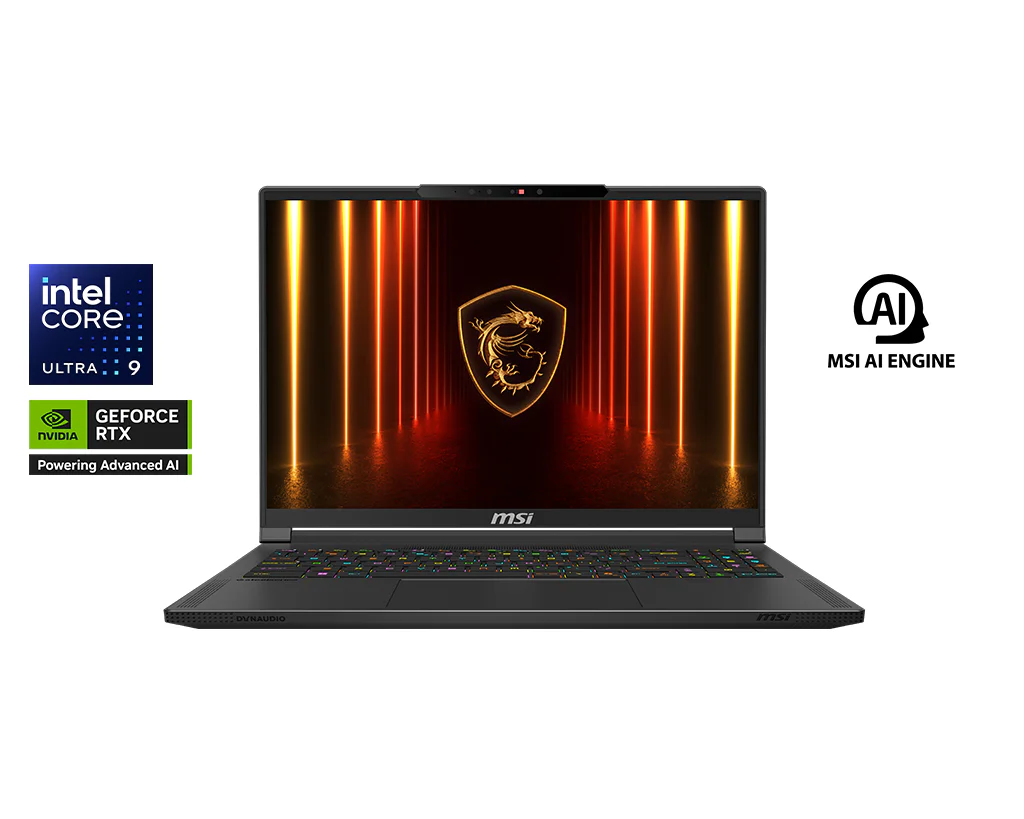
The Stealth 16 AI Plus combines a 16-inch OLED panel with high-end Intel and Nvidia hardware in a sub-2kg chassis.
The port selection is reassuringly practical too: two Thunderbolt 4 ports, two USB 3.2 Gen2 Type-A ports, HDMI 2.1-out, Gigabit LAN and Wi-Fi 7. I always like seeing Ethernet on a slim gaming laptop because it shows MSI has not forgotten the boring-but-important parts of competitive gaming and large file transfers.
One important nuance is GPU power. MSI lists an RTX 5080 configuration with 16GB GDDR7 and a model-specific GPU-power figure under Apex Mode in MSI Center when connected to AC power. The RTX 5090 Laptop configuration is listed with 24GB GDDR7 and a power limit that varies by exact regional SKU. That means the GPU name alone does not tell the full story; as ever with gaming laptops, power limits and cooling design are crucial.
4. OLED display: the star of the show
If there is one component that gives the Stealth 16 AI Plus its premium identity, it is the display. MSI has fitted a 16-inch QHD+ OLED panel with a 2560×1600 resolution, 240Hz refresh rate and 100% DCI-P3 colour coverage. It is also rated for VESA DisplayHDR True Black 600, includes SGS Eye Care features for low blue light and low reflectivity, and uses Corning glass protection.
That is a very strong combination for a hybrid gaming and creator laptop. QHD+ is the sweet spot at 16 inches: sharper than standard 1080p, less brutal on the GPU than 4K, and particularly well matched to the RTX 5060-class entry configuration. The 16:10-style 2560×1600 resolution also gives you more vertical space than a traditional 16:9 panel, which is useful in timelines, coding windows, spreadsheets and browser-heavy work.
For gaming, OLED brings the kind of contrast that LCD panels struggle to match. Dark scenes look properly dark rather than washed grey, highlights have more pop, and the 240Hz refresh rate gives the panel the speed needed for competitive titles. You are unlikely to run every demanding modern game at 240 frames per second on the lower GPU configurations, of course, but a high-refresh OLED still improves perceived responsiveness and smoothness across a wide range of games.
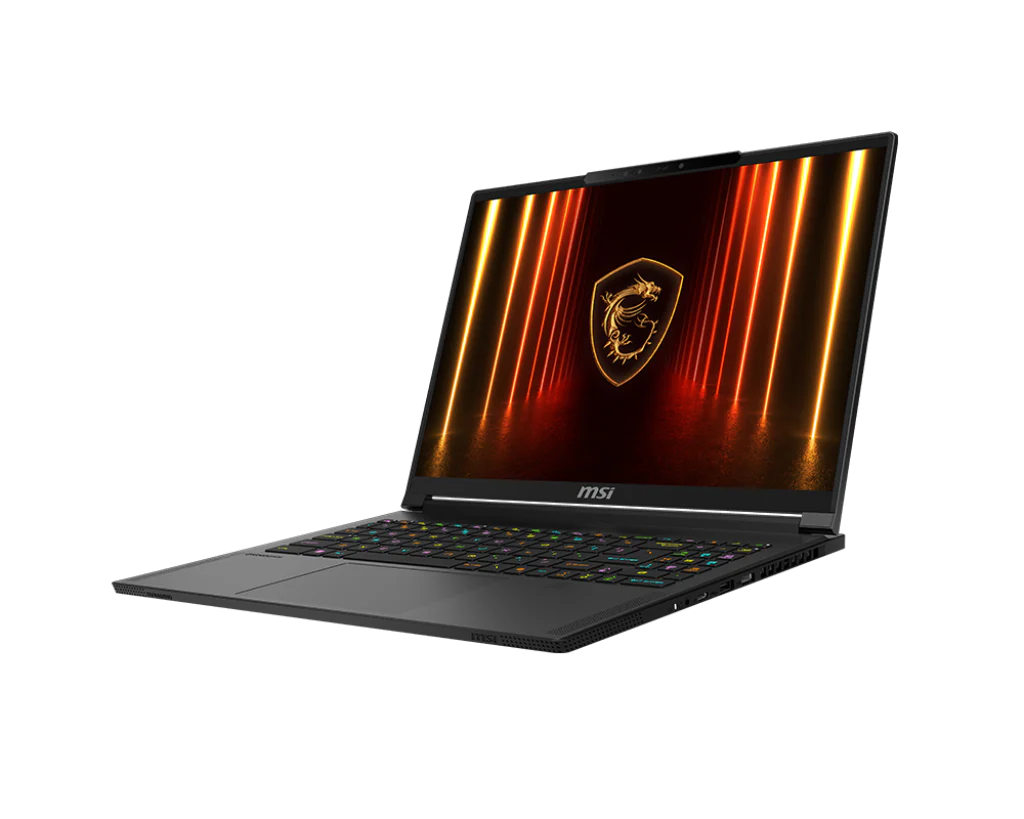
The QHD+ 240Hz OLED panel is a major reason to choose the Stealth 16 AI Plus over more conventional gaming laptops.
For creators, the 100% DCI-P3 coverage is the more important figure. If you edit video, grade footage, work with digital art or produce colour-sensitive content, a wide-gamut OLED display is a genuine advantage. It is not just about making games look pretty; it is about having a display that can double as a serious creative workspace when you are away from an external monitor.
The HDR True Black 600 certification also suits OLED particularly well. OLED pixels can switch off individually, so black levels are much deeper than on typical backlit panels. That gives HDR scenes more depth, especially in moody games, films and high-contrast creative previews. The SGS Eye Care features are welcome too, as slim creator-gaming laptops often get used for long editing sessions and late-night gaming marathons.
240Hz refresh rate
Fast enough for esports and high-frame-rate gaming, whilst still giving everyday Windows use a very fluid feel.
OLED contrast
True black performance makes games, films and HDR content look dramatically richer than on many IPS-style panels.
100% DCI-P3
A strong fit for video editors, designers and photographers who need a wider colour gamut on the move.
SGS Eye Care
Low blue light and low reflectivity features help with comfort during longer work or gaming sessions.
There is one obvious trade-off: OLED panels can encourage you to run brightness high because they look so good. Pair that with a high refresh rate and a discrete GPU, and battery life will depend heavily on how you use the machine. Still, as a premium laptop display, this is exactly the kind of panel I want to see in a 2026 slim gaming notebook.
5. Performance: from RTX 5060-class balance to flagship ambition
The Stealth 16 AI Plus range is unusual because it stretches from an RTX 5060 Laptop GPU at the base to an RTX 5090 Laptop GPU with 24GB of GDDR7 memory at the top. That gives the laptop two slightly different personalities. In RTX 5060 form, it is best understood as a premium, portable QHD+ gaming and creator laptop. In RTX 5080 or RTX 5090 form, it becomes a much more ambitious machine, though still within the thermal realities of a slim 16-inch chassis.
For most buyers, the RTX 5060-class configuration is the one to consider if the OLED display, aluminium chassis and portability are the priorities. A 2560×1600 screen is demanding, but not as punishing as a 4K panel, which makes it a sensible match for a lower RTX 50-series Laptop GPU. You should not buy the entry GPU expecting it to behave like a thick desktop replacement, but for mainstream gaming, esports, creative acceleration and everyday performance, this is likely to be the more balanced end of the range.
The higher configurations are where things become more complicated and more interesting. MSI lists an RTX 5080 Laptop configuration with 16GB of GDDR7 memory and a GPU power limit that must be checked against the exact regional SKU under Apex Mode with AC power. That is a very high figure for a slim machine and suggests MSI is serious about letting the chassis stretch when plugged in. The top RTX 5090 Laptop configuration, meanwhile, is listed with 24GB of GDDR7 and a power limit that varies by exact regional SKU. That difference is a useful reminder that the badge on the GPU is only part of the story.
In gaming laptops, GPU power limits affect real performance substantially. A higher-tier GPU running at a lower wattage can sometimes sit closer than expected to a lower-tier GPU with more power available, depending on the workload. That does not make the RTX 5090 option uninteresting — 24GB of GDDR7 is a huge advantage for certain professional workloads — but it does mean gamers should look at the complete configuration rather than simply buying the highest model name.
Do not judge the Stealth 16 AI Plus by GPU name alone. The RTX 5080 configuration is listed with different, SKU-specific power limits; verify the exact regional model rather than comparing these figures across chassis. Cooling mode, AC power and the exact model all matter.
The Intel Core Ultra 9 processor 386H is also a major part of the appeal. MSI describes it as a next-generation Panther Lake-H chip designed for strong performance and better efficiency. In a slim laptop, that efficiency matters almost as much as peak speed. A CPU that can deliver high performance without constantly overwhelming the cooling system is exactly what this class needs.
The system is also described as delivering over 1,900 TOPS and being Copilot+ ready. AI performance is one of those areas where marketing can easily get fuzzy, but the practical direction is clear: MSI is building this laptop not only for traditional CPU and GPU workloads, but for Windows AI features, accelerated creator tools and local AI-assisted tasks that are becoming more common.
My main advice is to match the GPU to your actual use. If you mostly play competitive games, edit content, travel often and value the OLED panel, the RTX 5060-class model is the sensible starting point. If you render, simulate, work with large GPU-heavy projects or want more headroom for demanding games, the upper GPU tiers become more compelling. If you want maximum sustained performance above all else, however, a larger machine such as MSI's Raider A18 HX will naturally be part of the conversation.
6. Creator work, AI features and upgradeability
The Stealth 16 AI Plus is not just a gaming laptop with a nice screen. It is clearly pitched at the creator-gaming crossover: the person who might edit footage in the afternoon, jump into a game in the evening and travel with the same machine the next morning.
The display is central here, but so are the memory and storage options. MSI lists DDR5 RAM options from 16GB up to 128GB, and the memory is user-upgradeable up to that 128GB maximum. That is excellent news for a premium slim laptop. Too many modern thin machines chase sleekness by soldering everything down, which may look tidy on a spec sheet but is frustrating after a few years. Upgradeable RAM gives the Stealth 16 AI Plus a longer useful life, especially for creative workloads that become more memory-hungry over time.
The storage setup is also creator-friendly. MSI uses PCIe 4.0 NVMe SSD storage and supports dual SSDs, which is exactly what I like to see on a laptop meant for video, game libraries and large project files. Dual SSD support means you can separate system and project storage, expand capacity later, or keep a dedicated drive for active work. For anyone dealing with 4K footage, high-resolution images or a large Steam library, that flexibility matters.
The Copilot+ PC certification gives the laptop a forward-looking angle as well. MSI also includes its AI Engine, which adjusts system settings automatically to fit your needs. I tend to be cautious about "AI" branding on laptops, because it can sometimes mean little more than a sticker and a software toggle. Here, though, the combination of Intel's new platform, RTX 50-series graphics and the stated over-1,900 TOPS capability means there is substantial hardware behind the claim.
Video editing
The OLED display, wide colour gamut, RTX graphics and high RAM ceiling make the Stealth a credible portable editing station.
3D and GPU workloads
Higher RTX 50-series configurations, especially those with larger GDDR7 memory pools, are better suited to heavier GPU-accelerated work.
Large project multitasking
Upgradeable DDR5 memory up to 128GB is a major advantage for long-term creative use.
AI-assisted workflows
Copilot+ readiness and the platform's over-1,900 TOPS capability help future-proof the machine for Windows AI features and accelerated tools.
For students and freelancers, the appeal is obvious: one laptop that can handle note-taking, editing, rendering, gaming and travel. For studio professionals, the Stealth 16 AI Plus is more of a mobile companion than a workstation replacement, but the higher memory ceiling and dual SSD support make it unusually flexible for its size.
The only caveat is that the slim chassis still sets expectations. A larger desktop or bulkier workstation laptop will always have more room for cooling and sustained power. The Stealth's strength is not that it beats every larger machine; it is that it packs a serious creator toolkit into a body you can realistically carry.
7. Thermals, fan noise and battery: the slim-laptop balancing act
Thermals are the make-or-break area for any premium slim gaming laptop, and MSI has clearly redesigned the Stealth 16 AI Plus with airflow in mind. The laptop uses a new Cooler Boost system enhanced by an Intra Flow design, which redirects cool air directly to the CPU and GPU. MSI says this optimises thermal flow at the source, improves cooling efficiency, reduces temperatures and noise, and allows stable high-level performance.
The cooling layout is more complex than a simple dual-fan exhaust arrangement. MSI describes a Tri-Path Cooling Design with three dedicated exhaust routes: an outlet integrated into the rear foot, a rear chassis exhaust and a keyboard-side outlet. There is also a large-area bottom intake to increase airflow. The upgraded Cooler Boost system with Intra Flow is said to allow an additional 20W of GPU power.
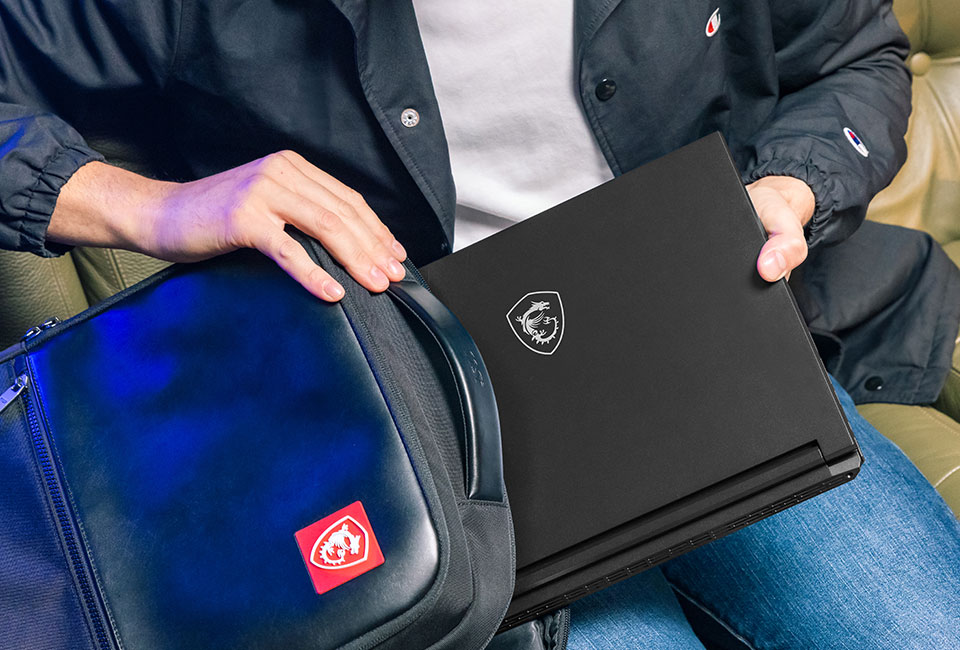
Cooling is central to the Stealth 16 AI Plus story, with MSI using Intra Flow and a three-path exhaust design to manage high-end components in a slim chassis.
That is not just engineering trivia. A laptop this thin has limited internal volume, so every airflow path matters. The challenge is particularly obvious when you look at the advertised Apex Mode figure for the exact RTX 5080 regional SKU. Sustaining that kind of power in a slim system requires aggressive cooling, and aggressive cooling generally means audible fans when the machine is working hard.
In day-to-day use, I would expect the Stealth 16 AI Plus to feel much more civilised when you are browsing, writing, streaming or doing light creative work. Under gaming loads, especially in higher GPU configurations, the fans will have to do real work. That is normal for the category. The important question is not whether you can hear the fans — you will — but whether the cooling design lets the laptop maintain strong performance without becoming uncomfortable or erratic.
The battery story is similarly nuanced. Most configurations use a 4-cell 90Whr Li-Po battery, which MSI describes as packed to the legal flight limit. That is exactly the right capacity for a performance laptop that is meant to travel. The RTX 5090 Board 2 configuration uses a 75Whr battery, which is worth noting if you are choosing between the very top model and a slightly lower GPU tier.
Gaming on battery is never the best use of a powerful laptop. You buy a machine like this for portable flexibility, not because you expect full RTX performance away from the wall. For productivity, writing, web work and lighter creative tasks, the 90Whr pack gives the Stealth a more practical foundation. For OLED gaming at high brightness and high refresh, bring the charger.
Power-mode reality check
The Stealth 16 AI Plus can be a quiet premium laptop for ordinary work and a powerful gaming machine on AC power, but those are not the same operating mode. The highest performance figures belong to plugged-in use with the right MSI Center profile.
The battery is not user-replaceable, which is common in this class but still worth factoring into long-term ownership. The upside is that MSI has used a large-capacity pack in the main configurations; the downside is that, like many modern slim machines, servicing the battery is not the same simple user task as upgrading memory or adding storage.
8. Ports, connectivity and everyday usability
One of the nicest surprises with the Stealth 16 AI Plus is that MSI has not stripped the port selection down in pursuit of slimness. You get two Thunderbolt 4 ports, two USB 3.2 Gen2 Type-A ports, HDMI 2.1-out, Gigabit LAN and Wi-Fi 7. For a modern 16-inch gaming laptop, that is a strong and practical set.
The two Thunderbolt 4 ports are useful for docks, fast storage, displays and creator accessories. The two USB-A ports are equally important because gaming peripherals have not magically moved to USB-C overnight. Mice, keyboards, capture devices, DACs, dongles and older external drives still often use Type-A, and I am always happy when a laptop does not force you into adapter life.
HDMI 2.1-out is essential for external gaming displays and TVs, whilst Gigabit LAN is still the most reliable choice for online gaming, big downloads and studio file transfers. Wi-Fi 7 gives the laptop the modern wireless foundation you would expect from a 2026 premium machine.
Everyday usability is where the Stealth concept comes together. The OLED panel gives you a beautiful workspace. The port selection supports a proper desk setup. The chassis is light enough to carry. The networking is modern. And the upgrade paths mean you are not locked into the first memory and storage combination forever.
This is the kind of laptop I would happily use as a main machine with a dock at home: Thunderbolt into the desk setup, Ethernet when gaming seriously, HDMI 2.1 for a large display, and the built-in OLED when travelling. That flexibility is the whole point of this category.
9. MSI Stealth 16 AI Plus vs Raider A18 HX vs Razer Blade 16
The Stealth 16 AI Plus sits in a tricky but interesting position. It is not trying to be the absolute biggest MSI gaming laptop, and it is not trying to be a minimalist luxury notebook with only light performance credentials. It is in the middle: more portable and more understated than a performance-first beast, but more gamer-creator focused than a conventional premium ultrabook.
Against MSI's Raider A18 HX, the decision is mainly philosophical. The Raider line is the one I would look at if desk-bound performance is the priority and portability is secondary. The Stealth 16 AI Plus is the one I would look at if you actually intend to carry the laptop regularly and want the machine to blend into work and travel environments.
Against the Razer Blade 16, the Stealth 16 AI Plus is competing for the same sort of buyer: someone who wants a premium 16-inch gaming laptop that does not look cheap or childish. Razer has long owned a reputation for clean, minimalist gaming laptop design, so MSI's full-aluminium deep-grey redesign feels very deliberate. The Stealth is MSI saying: we can do grown-up premium too.
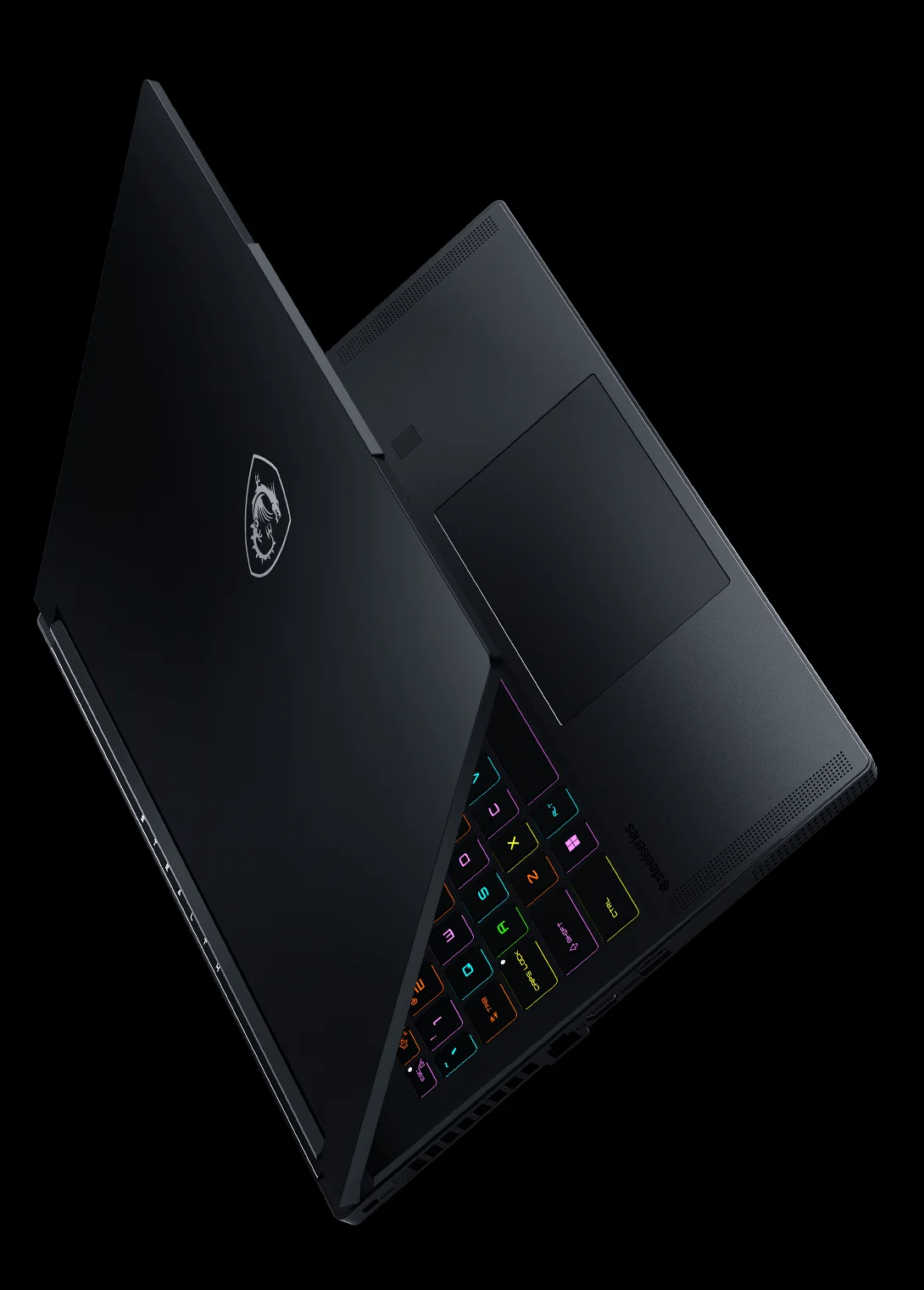
The Stealth 16 AI Plus is best viewed as MSI's slim premium alternative to larger performance-first gaming laptops.
| Buying question | MSI Stealth 16 AI Plus 2026 | MSI Raider A18 HX | Razer Blade 16 |
|---|---|---|---|
| Core identity | Slim premium 16-inch gaming and creator laptop with OLED display and RTX 50-series options. | Performance-first MSI alternative for buyers prioritising power over portability. | Premium 16-inch gaming rival known for minimalist design appeal. |
| Portability focus | 1.99kg, 354 × 246 × 16.65–19.99mm, under-2kg class. | Better suited to users who do not mind a larger gaming laptop footprint. | Competes in the premium slim gaming space. |
| Display strength | 16-inch QHD+ OLED, 2560×1600, 240Hz, 100% DCI-P3, DisplayHDR True Black 600. | Best considered if performance positioning matters more than the Stealth's portability-first OLED package. | Alternative for buyers cross-shopping premium 16-inch gaming laptops. |
| GPU positioning | RTX 5060 Laptop at entry, scaling up to RTX 5090 Laptop with 24GB GDDR7; GPU power limits are exact-SKU and region dependent. | Likely to appeal to gamers who want a more performance-first MSI platform. | Competes for buyers who want premium gaming power in a refined chassis. |
| Upgrade appeal | DDR5 memory options up to 128GB, user-upgradeable; PCIe 4.0 NVMe storage with dual SSD support. | Worth considering if expandability and sustained high-load performance are the main concerns. | Best cross-shopped on build, design preference and configuration priorities. |
| Who should start here? | Gamers, editors and students who want one premium machine for travel, work and play. | Desk-first gamers and power users who are less concerned about carrying weight. | Buyers who prize minimalist premium design and are comparing the top slim gaming brands. |
| Buy | Check price | Check price |
If I were choosing between the three, I would start with the usage pattern rather than the brand. Travelling weekly? The Stealth 16 AI Plus is the natural MSI pick. Mostly gaming at a desk? The Raider A18 HX deserves attention. Want the most established minimalist premium gaming look? The Razer Blade 16 is the obvious cross-shop. But the Stealth's OLED panel, sub-2kg chassis and broad RTX 50-series range make it a much stronger Blade rival than older, more obviously gamer-styled MSI laptops.
10. Buying advice, FAQ and final verdict
The MSI Stealth 16 AI Plus 2026 is best for people who want a premium laptop that genuinely crosses boundaries. It is a gaming laptop, yes, but it is also a creator laptop, a travel laptop and a high-end Windows machine with enough restraint to use in professional settings.
Because configurations vary substantially, I would not treat every version as the same laptop. The RTX 5060 Laptop model is the balanced portable choice. The RTX 5080 model is the performance-sweet-spot candidate if its exact regional SKU and verified Apex Mode limit meet your needs. The RTX 5090 model is the specialist option for buyers who want the top GPU tier and 24GB of GDDR7 memory, whilst accepting that its listed battery capacity differs from the main 90Whr configurations.
Buy it if you travel with your gaming laptop
At 1.99kg with a slim aluminium chassis, the Stealth is far easier to carry than a larger desktop-replacement gaming machine.
Buy it if you create as much as you game
The 16-inch QHD+ OLED panel, 100% DCI-P3 coverage, upgradeable RAM and dual SSD support make it a strong hybrid workstation.
Buy it if you want premium gaming without the shout
The deep-grey full-aluminium design is much more mature than the usual RGB-heavy gaming laptop stereotype.
See MSI Stealth 16 AI+ on Amazon UK
Check today's price & availability on Amazon UK
FAQ
The Stealth 16 AI Plus is at its best when judged as a premium all-rounder: gaming muscle, creator features and genuine portability in one machine.
Final verdict
The MSI Stealth 16 AI Plus 2026 is one of MSI's most convincing slim gaming laptops because it does not simply chase brute force. The 240Hz QHD+ OLED display is superb on paper, the full-aluminium chassis looks properly premium, the under-2kg weight makes a real difference, and the configuration range gives buyers meaningful choice from RTX 5060-class balance to high-end RTX 50-series ambition.
It is not the laptop I would recommend to someone who only wants maximum sustained desk performance; MSI's larger Raider machines are better suited to that mindset. It is also not immune to the usual slim-gaming compromises around fan noise, heat and battery drain under heavy loads. But as a refined 16-inch laptop for gaming, editing, travel and everyday work, the Stealth 16 AI Plus hits a very appealing sweet spot.
If you want a premium gaming laptop that can pass as a serious creator machine — and you care as much about the screen, chassis and portability as you do about the GPU badge — this should be high on your shortlist.
- MSI Stealth 16 AI+View on Amazon
 Razer Blade 16View on Amazon