
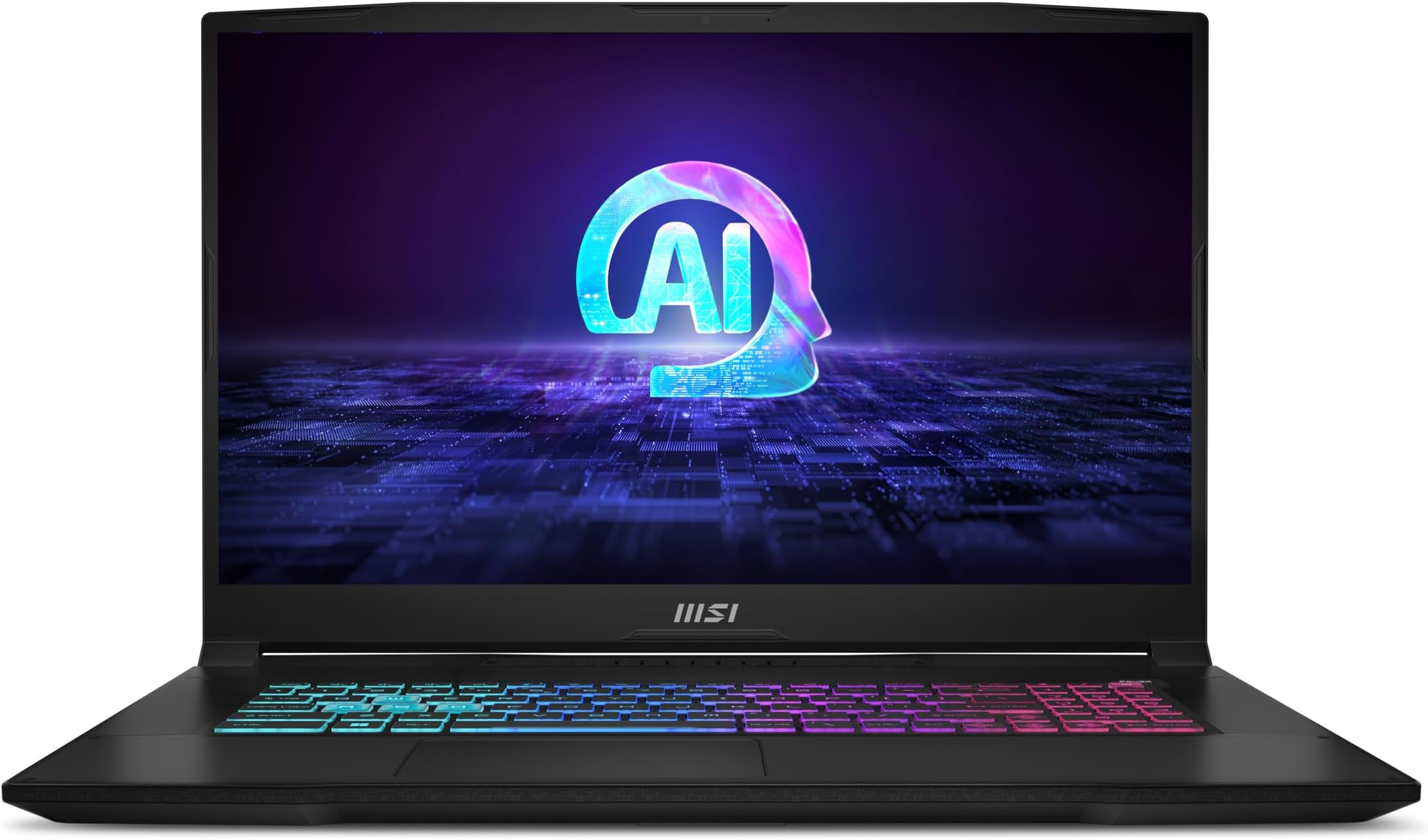
MSI Raider A18 HX Review: 18-inch AMD Ryzen 9 and RTX 5080 Powerhouse
A UK-focused deep dive into MSI's big-screen desktop replacement: Ryzen 9 9955HX3D, GeForce RTX 5080 Laptop GPU, MiniLED UHD+ display, serious cooling and a properly lavish 18-inch chassis.
The MSI Raider A18 HX is built for gamers who want a transportable desktop-class setup rather than a thin-and-light compromise.
The MSI Raider A18 HX is not trying to be subtle. This is an 18-inch gaming laptop with a 16-core AMD Ryzen 9 9955HX3D processor, an Nvidia GeForce RTX 5080 Laptop GPU with 16GB of GDDR7 VRAM, a 3840×2400 MiniLED display and a 400W power brick. In other words, it is aimed squarely at people who want the performance and screen presence of a serious gaming battlestation, but still need the option to move it between rooms, desks, studios or LAN weekends.
For UK buyers, the most interesting configuration is the AMD A9WIG model with the RTX 5080. It sits below the RTX 5090 variant in MSI's AMD Raider A18 HX range, but it still carries the same high-end Ryzen 9 9955HX3D platform and the same imposing 18-inch UHD+ MiniLED panel on the main retail-focused specification. That makes it a very different proposition from a typical 16-inch gaming laptop: larger, heavier, more power-hungry, but also more immersive and more flexible as a main machine.
There are a few important distinctions to make straight away. MSI's "Raider 18" naming spans both AMD and Intel platform families. The machine covered here is the AMD Raider A18 HX A9W-series with Ryzen 9 9955HX3D and RTX 5080. MSI also sells an Intel Raider 18 HX AI line with Core Ultra 9 285HX and RTX 5080, and that model has its own display and connectivity differences. If you are comparing listings in the UK, check the CPU, panel and port details carefully before buying.
See MSI Raider A18 HX on Amazon UK
See MSI Raider A18 HX on Amazon UK
Pros
- Ryzen 9 9955HX3D brings 16 cores, 32 threads and 128MB Smart Cache to a high-power gaming chassis.
- RTX 5080 Laptop GPU runs at a confirmed 165W TGP, with Dynamic Boost lifting the ceiling to 175W, backed by 16GB GDDR7 VRAM.
- 18-inch 3840×2400 MiniLED screen is sharp, bright and colour-rich, with 100% DCI-P3 typical coverage and DisplayHDR 1000 certification.
- Excellent expansion potential: two DDR5 SODIMM slots, support up to 192GB RAM and two M.2 storage slots.
- Generous ports, including dual USB4, HDMI 2.1, 2.5GbE Ethernet, SD card reader and three USB-A ports.
Cons
- At 3.6kg plus a 1.375kg power supply, it is transportable rather than genuinely portable.
- The 120Hz MiniLED panel is gorgeous, but competitive esports players may prefer a faster 240Hz panel configuration.
- USB-C Power Delivery up to 140W is useful for light duties, but it cannot replace the 400W charger under heavy gaming loads.
- The Intel Raider 18 HX AI sibling offers Thunderbolt 5, whereas this AMD model uses USB4 with DisplayPort and Power Delivery.
1. Key specifications and UK configuration
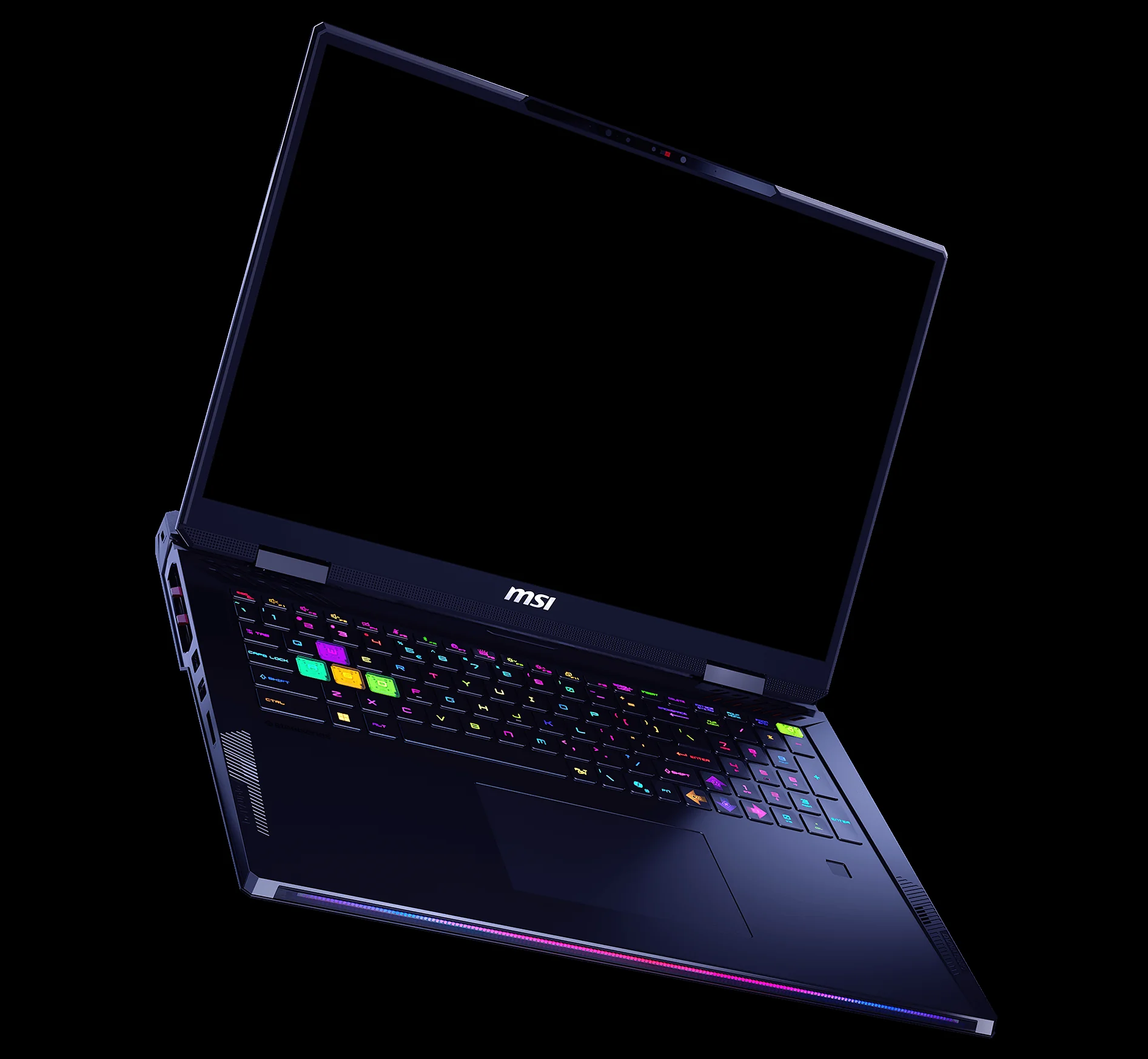
The Raider A18 HX is a specification-heavy laptop, so it helps to start with the fundamentals. The key pairing is AMD's Ryzen 9 9955HX3D and Nvidia's RTX 5080 Laptop GPU. The CPU is a 16-core, 32-thread chip with a 2.5GHz base clock, up to 5.4GHz max turbo and 128MB Smart Cache. It uses AMD's Zen 5 architecture with 2nd Gen 3D V-Cache, which is precisely the sort of processor design that makes sense in a high-end gaming laptop: lots of threads for productivity, and extra cache for workloads that respond well to it.
The GPU is equally important. MSI's RTX 5080 Laptop GPU configuration includes 16GB of GDDR7 VRAM, a 256-bit memory bus and a confirmed 165W GPU TGP, with Dynamic Boost allowing up to 175W when the system shifts power dynamically. MSI's OverBoost Ultra total system power reaches up to 260W, which tells you a lot about the Raider's intended role: this is not a low-wattage RTX 5080 squeezed into a slim shell.
The UK-focused RTX 5080 configuration pairs high-end AMD silicon with a UHD+ MiniLED panel and generous memory.
The UK retail-focused A9WIG configuration is particularly appealing because it commonly pairs the RTX 5080 with 64GB of DDR5 memory and a 2TB NVMe PCIe Gen 5×4 SSD. Some US RTX 5080 configurations use 32GB DDR5-5600, but the UK mainstream variant's 64GB setup feels far better aligned with the rest of the laptop. If you are buying a machine this large and this powerful, you are probably not just playing games; you may also be streaming, editing video, working with large creative projects or running a chunky multitasking setup across external screens.
Physically, it measures 404 × 307.5 × 24–32.05mm and weighs 3.6kg. The power supply adds another 1.375kg, taking the total carry weight to roughly 5kg. That single number shapes the entire review: the Raider A18 HX is a desktop replacement you can move, not a laptop you casually sling into a bag every day.
Gadget Scout take
The sweet spot here is not "maximum portability"; it is "maximum capability without being a fixed desktop tower". If your laptop lives mostly on a desk but sometimes needs to travel, the Raider A18 HX makes far more sense than it does for commuting.
2. Design, size and daily practicality
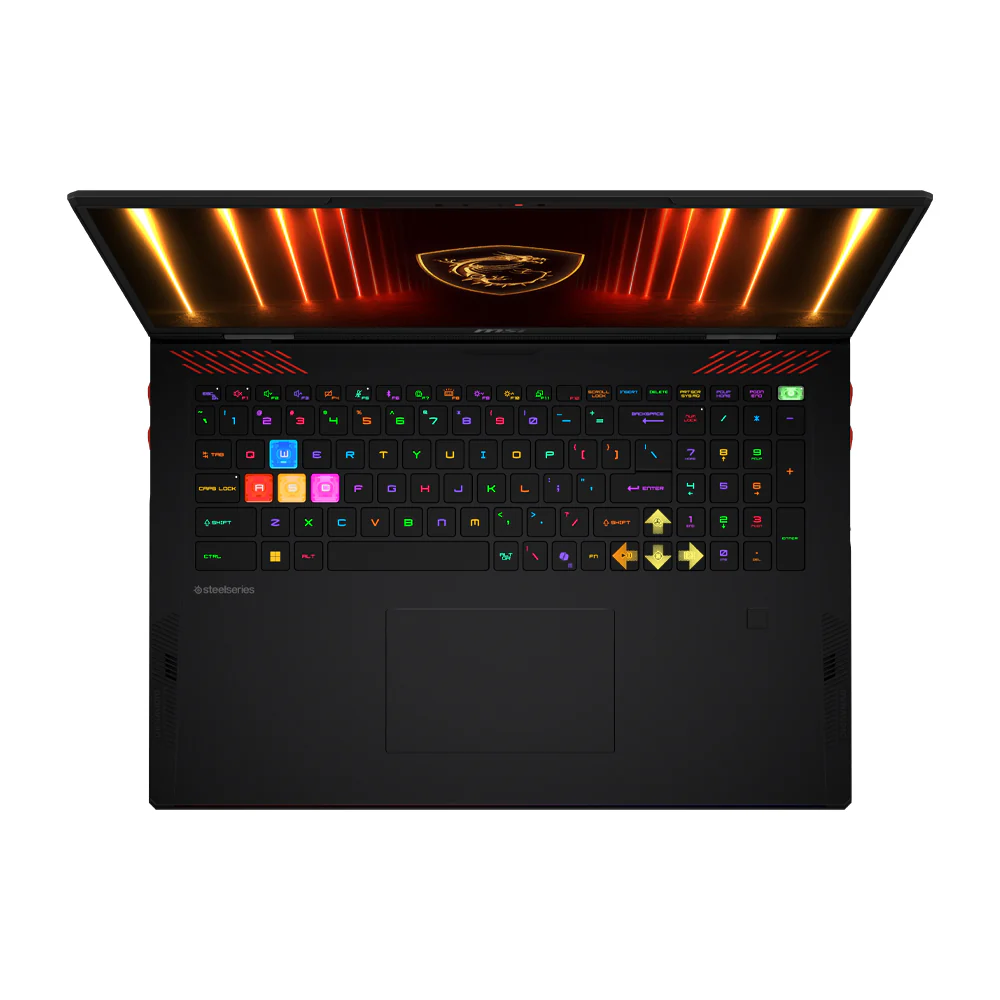
MSI's Raider line has always leaned into the enthusiast aesthetic, and the A18 HX keeps that personality. The Mystic Light matrix lightbar gives the machine its gaming-laptop theatre, with 16.8 million colours configurable through MSI Center or SteelSeries GG. It is not a minimalist workstation look; it is a big, confident Raider. Whether that is a positive depends on where you plan to use it. On a gaming desk, it looks the part. In a quiet meeting room, the RGB personality may be something you tone down.
The 18-inch footprint is the key design story. A larger chassis gives MSI room for a bigger display, a full-size keyboard with numpad, a substantial cooling system and a broad port layout. The trade-off is obvious the moment you pick it up. At 3.6kg before the charger, this is not something you buy because you want to work in cafés. Add the 400W adapter and the total load is close to 5kg. That is perfectly manageable for occasional travel, university moves, hotel setups or moving between home and office, but it is not the laptop equivalent of a slim ultrabook.
On a desk, though, the size pays you back. The screen feels properly expansive, and the 16:10 aspect ratio gives you more vertical room than a traditional 16:9 gaming panel. That is useful in Windows as well as in games. For work, it means more spreadsheet rows, timeline space, code, browser content or editing controls. For gaming, it makes the machine feel more like a compact all-in-one battle station than a normal laptop.
The build is also designed around performance rather than silence-at-all-costs. With a Ryzen 9 HX-class processor, a high-power RTX 5080 and OverBoost Ultra up to 260W, the chassis has a lot to manage. The slightly wedge-like thickness range of 24–32.05mm is not excessive for the hardware, but it does reinforce the desktop-replacement character. If you want a machine that disappears in a backpack, this is the wrong category. If you want a powerful 18-inch system that is still easier to relocate than a desktop PC, this is exactly the point.
3. Gaming and performance expectations
The MSI Raider A18 HX's gaming argument rests on three numbers: 16 CPU cores, 16GB of graphics memory and 165W RTX 5080 TGP, with Dynamic Boost allowing up to 175W. That combination is what separates this laptop from thinner RTX 5080 machines that may run the same GPU name at a much lower power level. Laptop GPU names alone never tell the whole story; wattage and cooling matter enormously.
The RTX 5080 Laptop GPU in this Raider uses 16GB of GDDR7 VRAM on a 256-bit bus. For modern games at high resolutions, that VRAM allocation is reassuring. The laptop's native 3840×2400 resolution is significantly more demanding than 2560×1600, so the extra graphics memory is welcome when pushing high-quality textures and effects. At the same time, the 120Hz refresh rate of the MiniLED panel is a realistic match for a premium cinematic gaming experience. It is not trying to be a pure 300Hz-plus esports panel; it is tuned for sharpness, HDR impact and visual richness.
The Ryzen 9 9955HX3D is also a major part of the package. With 16 cores and 32 threads, it is well suited to demanding multitasking and production workloads. The 128MB Smart Cache and 2nd Gen 3D V-Cache give the chip a gaming-focused edge within AMD's high-end mobile platform. In practical terms, this is the kind of CPU you want if you are gaming whilst also running background tasks, voice chat, capture software, browser tabs and creative tools.
Those figures are not frame-rate claims; they are the power and capacity numbers that define how the Raider behaves. The headline is that MSI gives the RTX 5080 enough electrical and thermal headroom to act like a serious high-end laptop GPU. The 400W charger is part of that equation. So is the cooling system. So is the fact that this is an 18-inch chassis, not a narrow thin-and-light design with limited airflow.
For UK gamers, the question is whether you actually need the RTX 5090 version instead. The RTX 5090 AMD variant steps up to 24GB of GDDR7 VRAM and is paired with 64GB DDR5 and the same 2TB storage and MiniLED display class. For most people, the RTX 5080 model is the more sensible target because 16GB VRAM is already a strong allocation for a laptop GPU, and the Raider's 175W configuration helps it stretch its legs. The RTX 5090 model is better reserved for buyers who know they will benefit from the larger 24GB VRAM pool.
Native 3840×2400 gaming is demanding even for high-end laptop hardware. The Raider A18 HX has the right class of GPU for the job, but the best experience in the heaviest games will still depend on sensible quality settings and how much you prioritise resolution, visual effects and refresh rate.
4. Cooling, noise and sustained power
Cooling is where big gaming laptops earn their keep. MSI uses Cooler Boost 5 here, with dual fans and seven copper heat pipes. That matters because the Raider A18 HX has to cool both a Ryzen 9 9955HX3D and a high-power RTX 5080 inside the same chassis. The system is designed to handle heavy workloads rather than merely brief benchmark bursts, and the 18-inch frame gives the cooling assembly more room than you get in slimmer 16-inch laptops.
The dedicated SSD heat pipe is a smart touch as well. PCIe Gen 5 storage can produce a lot of heat, and MSI's decision to attach a dedicated heat pipe to the primary SSD is exactly the sort of detail you want in a machine that may be used for large game libraries, footage transfers, project files and long installation sessions. Storage throttling is rarely glamorous, but avoiding it makes a real difference to the feel of a premium laptop.
The Raider A18 HX uses MSI's Cooler Boost 5 design, with dual fans and seven copper heat pipes to manage CPU, GPU and SSD heat.
Noise expectations need to be realistic. A laptop that can draw up to 260W across the system under OverBoost Ultra is not going to be whisper-quiet when pushed. Under heavy gaming or rendering, you should expect the fans to be clearly audible. That is not a flaw so much as a consequence of putting this level of hardware into a portable chassis. The important question is whether the cooling system has enough headroom to maintain strong performance without the machine feeling constantly constrained, and MSI has clearly designed the Raider around sustained high-power use.
For quieter day-to-day work, the system's size can actually help because the fans are not dealing with the cramped thermal conditions of a thin laptop. Browsing, office work, media playback and light creative tasks are very different from gaming at the native UHD+ resolution. But if your plan is to game in a shared living room late at night, headphones are a sensible assumption. Thankfully, this kind of laptop is usually paired with a proper headset anyway.
The balance I like here is that MSI has not pretended the Raider is a portable silent workstation. It gives you the cooling hardware, the power brick and the chassis volume required for a high-end gaming laptop. That honesty is preferable to a sleeker design that looks attractive but starves the GPU.
5. Display, audio and the 18-inch experience
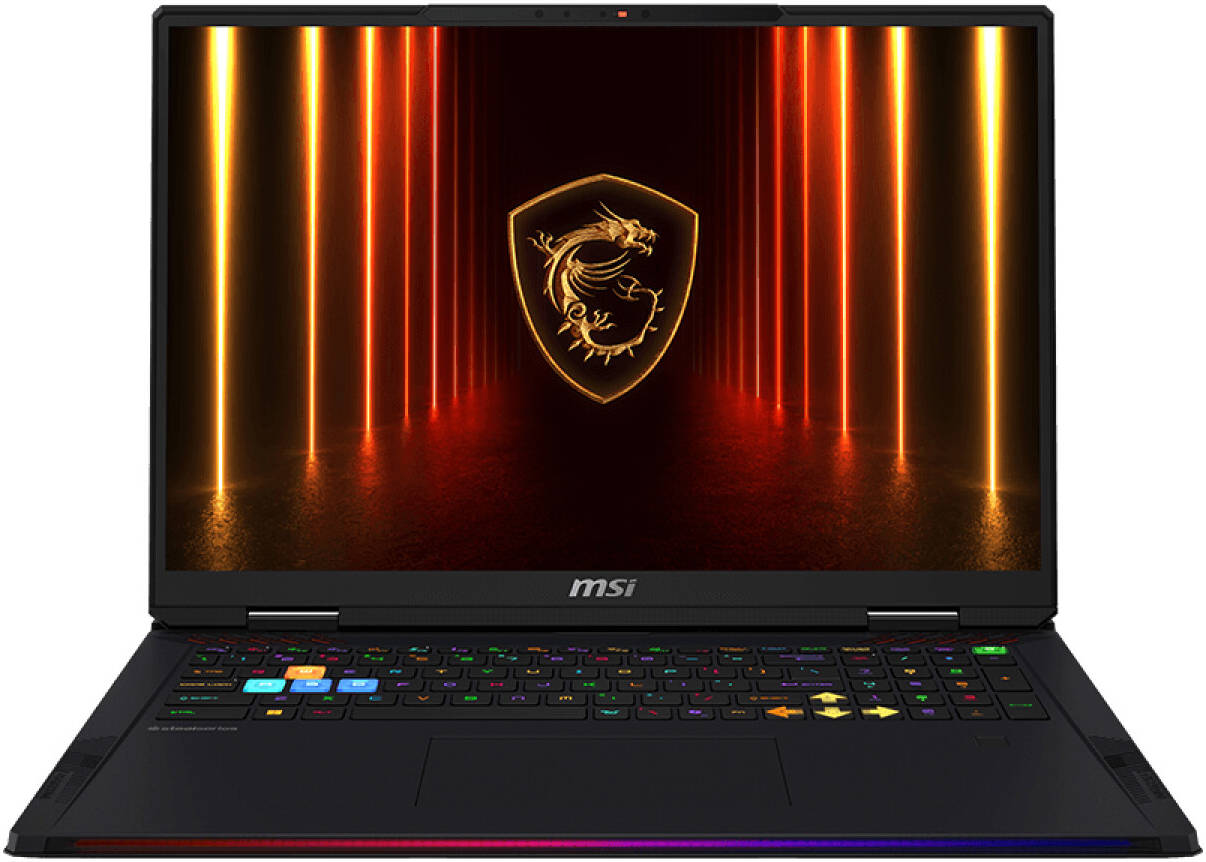
The display is one of the Raider A18 HX's strongest reasons to exist. The UK-focused RTX 5080 configuration uses an 18-inch UHD+ panel with a 3840×2400 resolution, 16:10 aspect ratio, MiniLED backlighting, 120Hz refresh rate, 100% DCI-P3 typical coverage and VESA DisplayHDR 1000 certification. That is a mouthful, but it translates into a screen that is built for sharpness, colour and HDR impact rather than simply chasing the highest refresh-rate number.
For single-player games, strategy titles, RPGs, racing games and visually rich worlds, this panel specification is a lovely match. The 18-inch size makes 3840×2400 feel worthwhile because the pixel density is high without shrinking everything into absurdity. The 16:10 shape also gives the screen a more spacious feel in Windows. It is the sort of panel that can make you less desperate for an external monitor, which is important because an 18-inch laptop is supposed to be self-contained.
The limitation is refresh rate. 120Hz is smooth, but some competitive players prefer 240Hz. MSI does offer 2400p IPS 240Hz panels on some Raider A18 HX configurations, and the Intel Raider 18 HX AI base configuration uses an 18-inch 2560×1600 240Hz IPS display. For twitchy esports, those faster panels may be more attractive. For mixed gaming, content creation and HDR-friendly titles, I would rather have this UHD+ MiniLED specification.
The 18-inch 3840×2400 MiniLED panel is one of the major reasons to choose the Raider A18 HX over smaller gaming laptops.
Audio is another area where the size helps. MSI includes a six-speaker Dynaudio system, with four full-range speakers and two subwoofers. It supports Nahimic and Hi-Res Audio, and the arrangement is designed to offer stronger bass and clearer vocals than typical laptop speakers. I would still use a headset for competitive gaming, but for YouTube, Netflix, casual play and hotel-room use, a six-speaker setup is far more appealing than the thin sound you get from many smaller laptops.
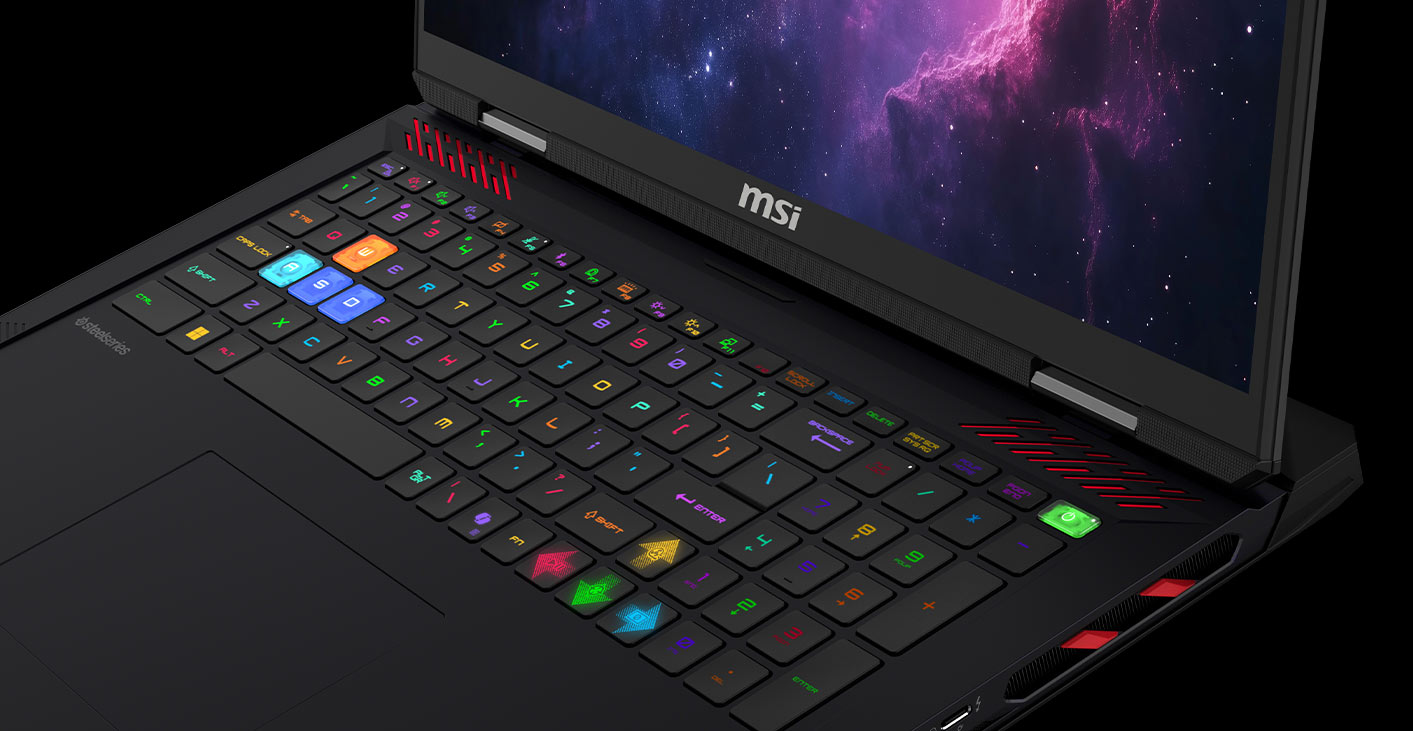
The keyboard is a full-size SteelSeries unit with a numpad and per-key RGB backlighting. That matters on an 18-inch machine because there is enough deck space to avoid the cramped feeling some gaming keyboards suffer from. Per-key RGB is not just cosmetic either; it can be genuinely useful for game-specific layouts, shortcuts and profiles. Between the large panel, full-size keyboard, numpad and substantial speakers, the Raider A18 HX feels like a self-contained gaming desk rather than just a laptop.
6. Keyboard, ports, networking and security
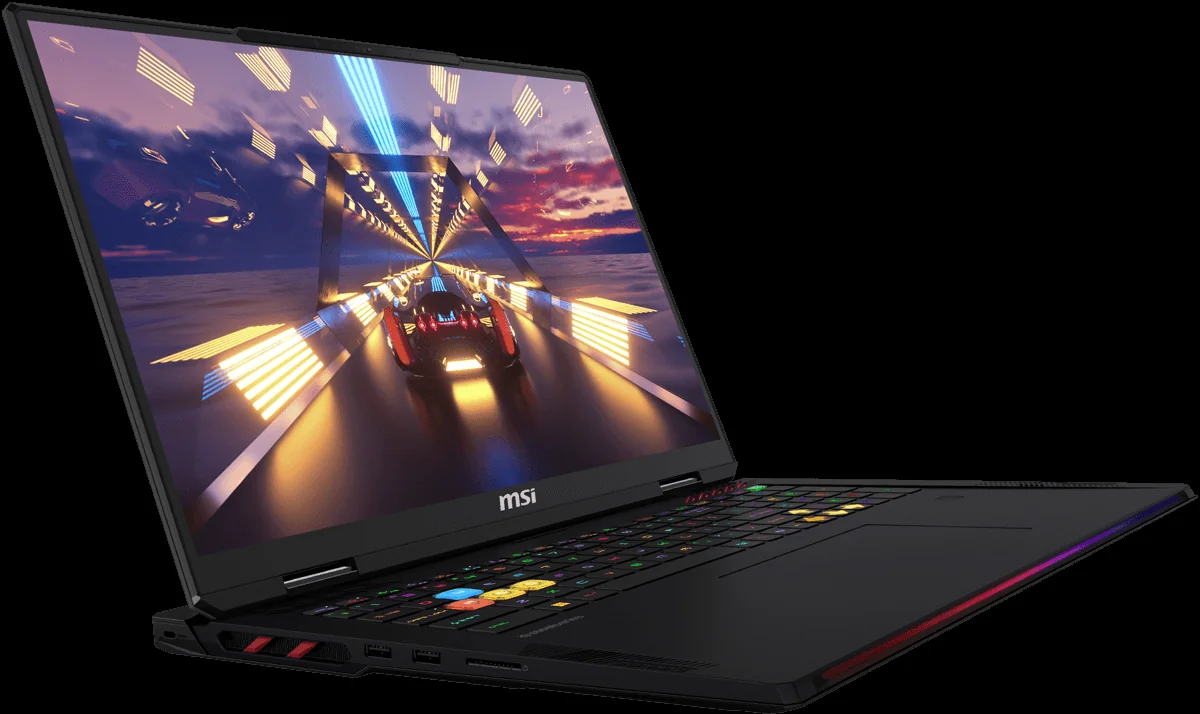
The port selection is one of the Raider A18 HX's most practical strengths. MSI gives you two USB4 USB-C ports with DisplayPort and Power Delivery 3.1, three USB-A 3.2 Gen 2 ports, HDMI 2.1 capable of up to 4K at 120Hz, an SD card reader, 2.5 Gigabit Ethernet, a 3.5mm audio jack and a Kensington Lock slot. That is a proper desktop-replacement layout. You can connect a gaming mouse, external drives, capture gear, a headset, an SD card and external displays without instantly reaching for a dock.
The USB4 ports are Thunderbolt 4 compatible, which gives the AMD Raider strong versatility. The main caveat is that the Intel Raider 18 HX AI platform uses Thunderbolt 5 instead. If your workflow specifically depends on Thunderbolt 5 accessories, the Intel sibling has a connectivity advantage. For most gaming and creator setups, though, dual USB4 plus HDMI 2.1, SD and 2.5GbE is already generous.
2.5GbE Ethernet
Realtek RTL8125 wired networking gives you a faster and more stable option for downloads, low-latency gaming and home NAS access.
Wi‑Fi 7
The MediaTek MT7925 wireless module supports Wi‑Fi 7 and Bluetooth 5.4, with peak Wi‑Fi 7 speeds of 5.8Gbps on 5GHz and 6GHz connections.
SD card reader
A useful inclusion for photographers, video creators and anyone who still prefers direct media transfers.
Biometric security
An IR webcam, fingerprint reader, fTPM 2.0, privacy shutter and Microsoft Pluton Security make the Raider unusually well equipped for a gaming laptop.
I particularly appreciate the inclusion of both an IR webcam and a fingerprint reader. Gaming laptops often treat convenience and security as afterthoughts, but this is a machine many buyers will also use for serious work. The webcam privacy shutter is another welcome touch. It is the kind of small physical feature that should be standard on more premium laptops.
The full-size SteelSeries keyboard with numpad also makes sense for the target audience. If you use number-heavy applications, macros or games with lots of bindings, the numpad is not just filler. The per-key RGB backlight can be configured through SteelSeries GG, whilst the broader Mystic Light system is handled via MSI's software ecosystem. You can make it loud, subtle or somewhere in between.
7. Battery, charging and upgradeability
The Raider A18 HX includes a 99.99Wh Lithium-Polymer battery, which is effectively the largest class you tend to see in gaming laptops. That sounds generous, and it is, but expectations need to stay grounded. A Ryzen 9 HX processor, high-end Nvidia GPU, MiniLED UHD+ display and RGB-heavy chassis are not ingredients for all-day unplugged gaming. The battery is there to make the system usable away from the wall for lighter work, travel pauses and short sessions, not to replace mains power during serious gaming.
The included 400W charger is the one you will want for full performance. MSI also supports USB-C Power Delivery charging up to 140W, which is genuinely useful for lighter use. If you are taking the laptop somewhere for writing, browsing or admin, a smaller USB-C charger can be more convenient. But 140W cannot sustain the full CPU and GPU load of this system, so the main power brick remains essential for gaming or rendering.
Upgradeability is a major plus. The Raider A18 HX has two DDR5 SODIMM slots and supports up to 192GB of memory. The UK-focused RTX 5080 configuration's 64GB RAM already feels substantial, but the ceiling is reassuring for workstation-style users. If you work with huge datasets, virtual machines, large creative projects or heavy multitasking, the platform has room to grow.
Storage is similarly sensible. You get a 2TB NVMe PCIe Gen 5×4 SSD and two M.2 slots, with one slot supporting PCIe Gen 5 SSDs. MSI's dedicated heat pipe for the primary SSD is a thoughtful addition because Gen 5 drives can run hot. For gamers, 2TB is a good start, but modern libraries fill quickly. Having a second M.2 slot makes future expansion much cleaner than juggling external drives.
Upgrade perspective
The Raider A18 HX is one of those laptops where buying the right GPU matters most, because memory and storage have a clear upgrade path. The RTX 5080 model already starts from a strong platform, especially in the UK configuration with 64GB RAM.
8. Raider A18 HX versus other high-end 18-inch options
When comparing the Raider A18 HX, the first comparison is within MSI's own range. The AMD RTX 5080 model sits below the AMD RTX 5090 variant, and alongside the Intel Raider 18 HX AI family. These are not tiny differences on a spec sheet; they affect GPU memory, display options and connectivity.
The RTX 5090 AMD variant keeps the Ryzen 9 9955HX3D but increases the GPU to an RTX 5090 Laptop GPU with 24GB of GDDR7 VRAM. If you are buying primarily for very VRAM-heavy creative work, advanced rendering workloads or simply want the highest GPU tier in the AMD Raider line, that model is the obvious step up. For gaming, however, the RTX 5080's 16GB GDDR7 configuration and 175W power allocation already make it a very serious machine.
The Intel Raider 18 HX AI is more complicated. It uses Intel's Core Ultra 9 285HX processor and can be configured with RTX 5080 graphics and 16GB of VRAM. Its base display specification is an 18-inch 2560×1600 240Hz IPS panel, with a MiniLED option also available. It also uses Thunderbolt 5 rather than the AMD model's USB4 with DisplayPort and Power Delivery. That makes the Intel model particularly interesting if you prioritise 240Hz gaming or Thunderbolt 5 peripherals.
Within MSI's 18-inch family, the AMD RTX 5080 model balances GPU power, MiniLED display quality and upgrade potential.
| Feature | MSI Raider A18 HX AMD RTX 5080 | MSI Raider A18 HX AMD RTX 5090 | MSI Raider 18 HX AI Intel RTX 5080 |
|---|---|---|---|
| CPU | AMD Ryzen 9 9955HX3D, 16 cores / 32 threads | AMD Ryzen 9 9955HX3D, 16 cores / 32 threads | Intel Core Ultra 9 285HX |
| GPU | Nvidia GeForce RTX 5080 Laptop GPU | Nvidia GeForce RTX 5090 Laptop GPU | Nvidia GeForce RTX 5080 Laptop GPU |
| VRAM | 16GB GDDR7 | 24GB GDDR7 | 16GB VRAM |
| Memory | 64GB DDR5 on UK retail-focused variant | 64GB DDR5 5600 | 64GB system memory on base configuration |
| Storage | 2TB NVMe PCIe Gen 5×4 SSD | 2TB PCIe Gen 5 NVMe | 2TB SSD on base configuration |
| Main display focus | 18-inch 3840×2400 MiniLED, 120Hz, DisplayHDR 1000 | 18-inch 3840×2400 MiniLED, 120Hz | 18-inch 2560×1600 240Hz IPS on base configuration; MiniLED option available |
| High-speed USB / Thunderbolt | 2× USB4 with DisplayPort and Power Delivery | 2× USB4 with DisplayPort and Power Delivery | Thunderbolt 5 |
| Best suited to | High-end gaming, creator work and premium MiniLED desktop replacement use | Buyers who need the top GPU tier and 24GB VRAM | Players who prefer a 240Hz base panel or need Thunderbolt 5 |
Against the wider world of high-end 18-inch gaming laptops, the Raider A18 HX's strongest arguments are its AMD Ryzen 9 9955HX3D CPU, the high-power RTX 5080 configuration, the UHD+ MiniLED display and the generous upgrade path. The main reasons to look elsewhere would be if you want something lighter, a faster esports-first panel, Thunderbolt 5, or a more understated design.
For price checking, bundles and UK stock changes, the most sensible approach is to compare current retailer listings at the point of purchase.
9. Who should buy the MSI Raider A18 HX?
The Raider A18 HX is a specialist machine, and that is a good thing. It is not trying to satisfy everyone. If you want a thin laptop for train journeys, this is too large. If you want a quiet office laptop, it is too gaming-focused. But if you want a big, powerful, upgradable 18-inch laptop that can be your main gaming and productivity system, it is exactly the sort of machine you should be considering.
Buy it if you want a premium gaming desktop replacement
The 18-inch MiniLED panel, high-power RTX 5080 and Ryzen 9 9955HX3D make it feel like a serious main rig rather than a secondary portable.
Buy it if you game and create
64GB RAM on the UK-focused configuration, two M.2 slots, SD card reader and a colour-rich 100% DCI-P3 display make it useful beyond gaming.
Buy it if your laptop mostly stays on a desk
The Raider is ideal for people who want power and screen space at home, but still need to move the system occasionally.
Think twice if you travel daily
At 3.6kg plus a 1.375kg charger, it is far better for occasional transport than commuting or frequent flights.
Think twice if esports refresh rate is everything
The MiniLED model's 120Hz panel is beautiful, but some players will prefer a 240Hz configuration.
Think twice if you need Thunderbolt 5
The AMD model's USB4 ports are strong, but the Intel Raider 18 HX AI sibling is the Thunderbolt 5 option.
The scoring reflects what this laptop is trying to be. It rates very highly as a performance desktop replacement with a superb display and strong expansion options. It loses ground on portability because, frankly, physics exists. That is not a deal-breaker if you buy it for the right reason, but it is the one limitation no amount of RGB can hide.
See MSI Raider A18 HX on Amazon UK
FAQ
The Raider A18 HX is at its best as a premium desk-based system that can still be moved when needed.
Final verdict: a superb big-screen gaming laptop, if you actually want big
The MSI Raider A18 HX with Ryzen 9 9955HX3D and RTX 5080 is a proper enthusiast laptop. It has the CPU, GPU power, cooling design, display quality, ports and upgrade options to justify its desktop-replacement status. The 18-inch UHD+ MiniLED screen is a highlight, the 165W RTX 5080 TGP, plus Dynamic Boost headroom up to 175W, gives the GPU meaningful room to perform, and the UK-focused 64GB memory setup feels suitably premium.
Its drawbacks are mostly category drawbacks. It is heavy, the charger is substantial, and the 120Hz MiniLED panel will not be every esports player's favourite choice. But judged as a powerful, luxurious, high-end 18-inch gaming laptop for people who value immersion and capability over portability, the Raider A18 HX is highly convincing.
If your ideal laptop is a machine that replaces a desktop PC, handles demanding games, doubles as a creator workstation and still lets you pack up your entire setup when needed, this MSI deserves a very close look.