
Meta Ray-Ban Display review: glasses with a screen are finally a real product
The display variant of Meta's smart glasses adds a small in-lens screen and a neural-input wristband. They cost twice what the standard Ray-Ban Meta does. For a small group of early adopters they're worth it - for everyone else, not yet.
We link to the exact model on Amazon UK. Prices change often, so check the live price before you buy. As an Amazon Associate we earn from qualifying purchases.
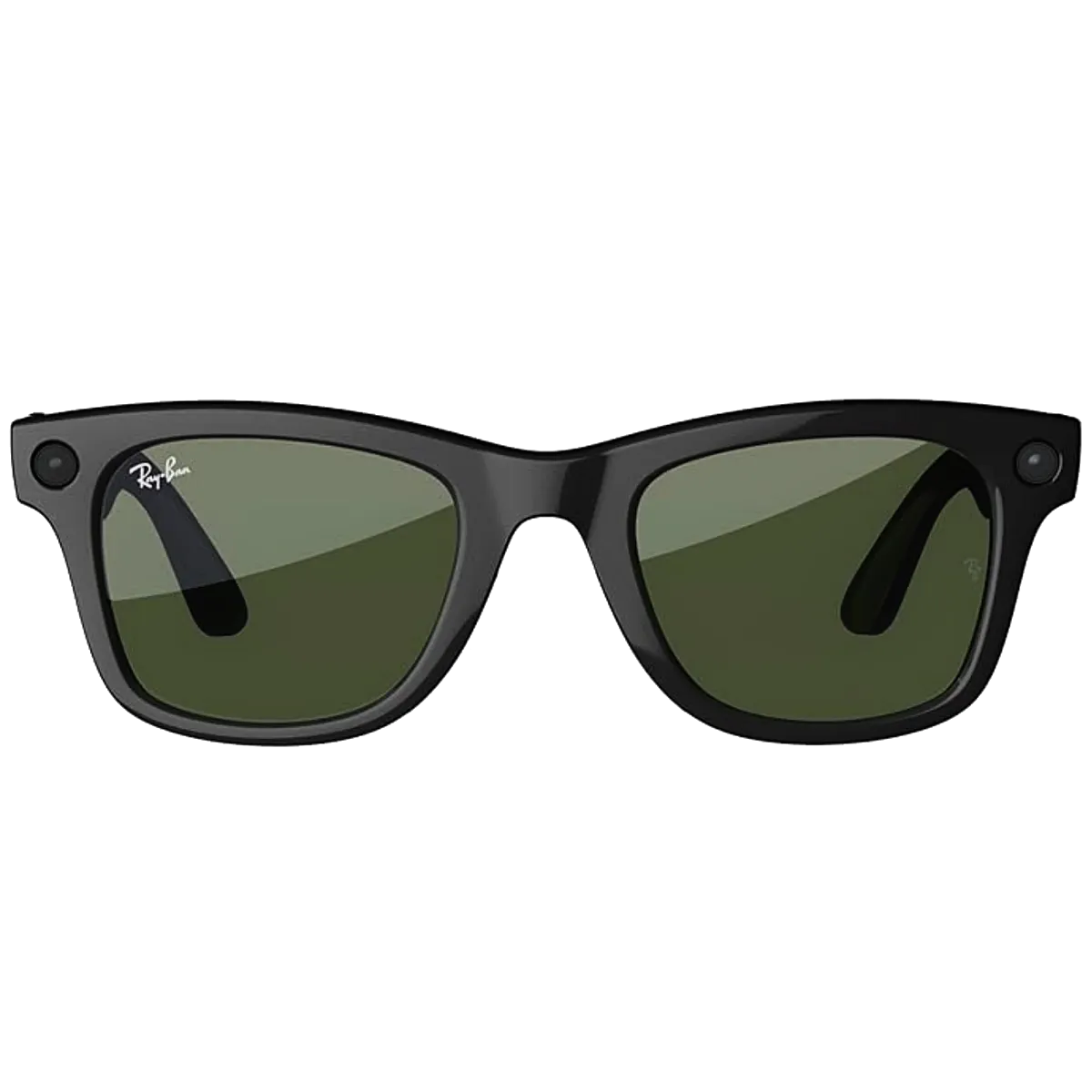
The Meta Ray-Ban Display - the variant with a small in-lens screen and a Neural Band wristband for control.

See standard Ray-Ban Meta Gen 2 (not Display) on Amazon UK
Check today's price & availability on Amazon UK
Official Display specification: this is a distinct display-equipped model, not the whole Ray-Ban Meta frame family. Meta lists a 600×600 monocular display, 68g standard/70g large weight, up to six hours per charge and up to 24 hours total with the charging case.
1. What makes the Display variant different
The Display version of Meta's Ray-Ban smart glasses keeps everything the standard Gen 2 model offers - the 12MP camera, open-ear speakers, beam- forming microphones, Meta AI - and adds two things: a single-eye display hidden in the right lens, and a separate Neural Band wristband for controlling it.
What's added vs the standard Ray-Ban Meta Gen 2
- Monocular display in the right lens - small, full-colour, 600x600 pixels
- Neural Band wristband - reads micro-muscle gestures from your forearm
- ~50% larger battery in the frames to drive the display
- Slightly heavier frames (68g standard / 70g large vs ~50g for the standard)
- New 'Carbon' colour exclusive to the Display
What's the same
Same camera. Same Meta AI integration. Same speakers and microphones. The Display is a distinct frame/product configuration; do not assume the full standard Wayfarer, Headliner and Skyler range is available. Same Meta View app. Same prescription lens compatibility, with a caveat - high prescriptions don't fit the display version because the optical waveguide takes up lens depth.
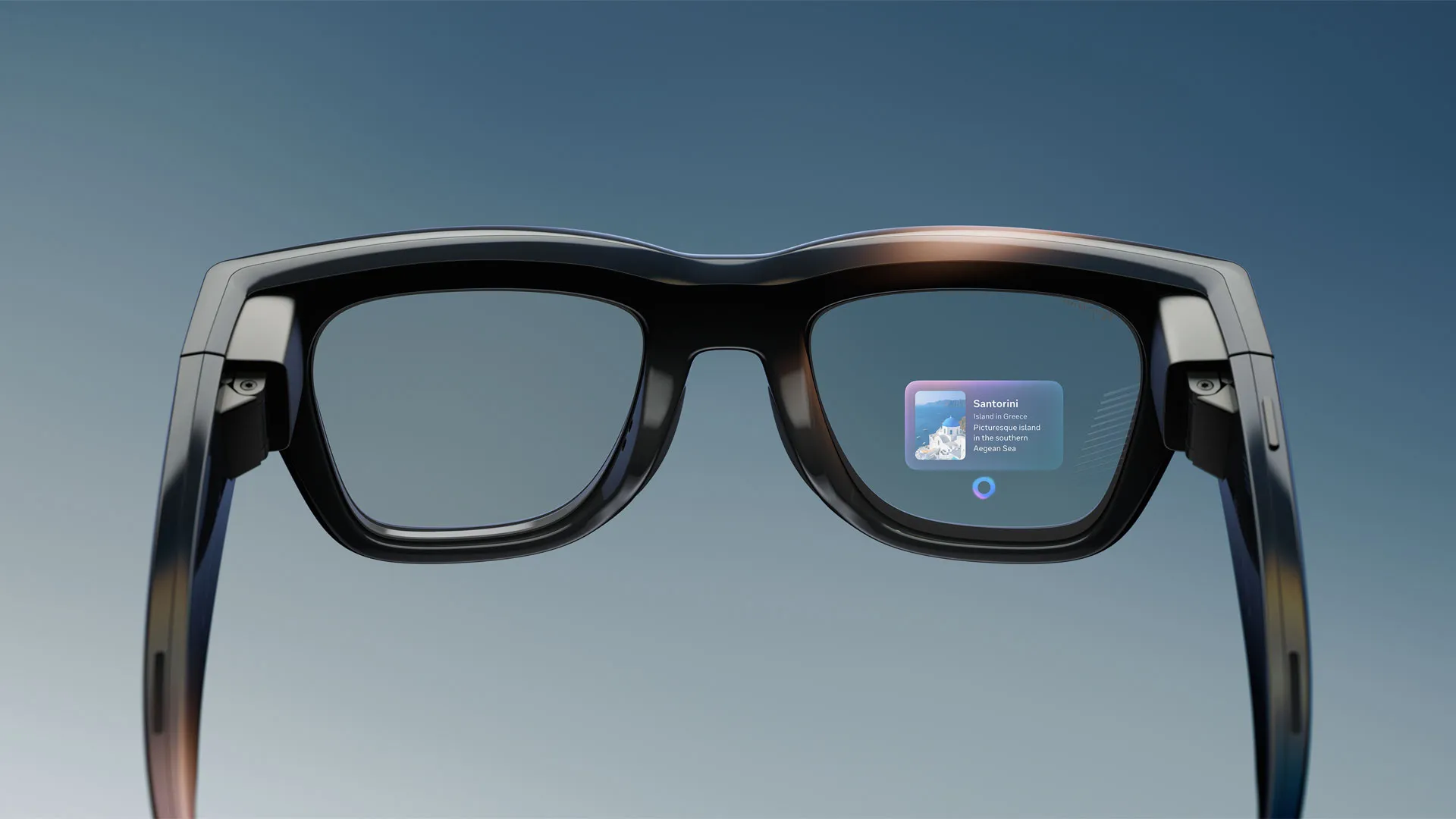
From the front the Display looks almost identical to the standard Ray-Ban Meta - until light catches the optical waveguide in the right lens.
2. The display itself - what you actually see
The display is a small full-colour monocular projection visible only in your right eye. It sits in the lower-right of your field of view by default - you can adjust the position in software - and looks roughly like a small floating screen about three metres away.
Resolution and brightness
600x600 pixels at around 5,000 nits peak brightness. That sounds modest on paper but works in practice because the display is small. Text is readable; small icons are clear; video is recognisable but not detailed. You won't watch a film through it. You will read a notification, follow a navigation arrow, or see who's calling you.
Use cases that work
- Notifications - WhatsApp, iMessage, calendar alerts pop up briefly without you reaching for your phone.
- Navigation - Meta Maps draws an arrow with the next direction; arrows turn into 'turn now' prompts at the right moment.
- Live captions - real-time transcription of whoever's speaking in front of you. Genuinely transformative for hard-of-hearing users.
- Translated subtitles - someone speaks French; you see English captions as they speak.
- Photo previews - see what the camera just captured without taking the glasses off.
- Video call PIP - see who you're talking to in WhatsApp video calls while keeping your phone in your pocket.
Use cases that don't yet work
Reading long-form text on the display is uncomfortable - the screen is too small for sustained reading. Watching video is novelty-only. Apps beyond the Meta-built ones don't exist yet; this is a closed platform with a curated set of features rather than a generic AR display.
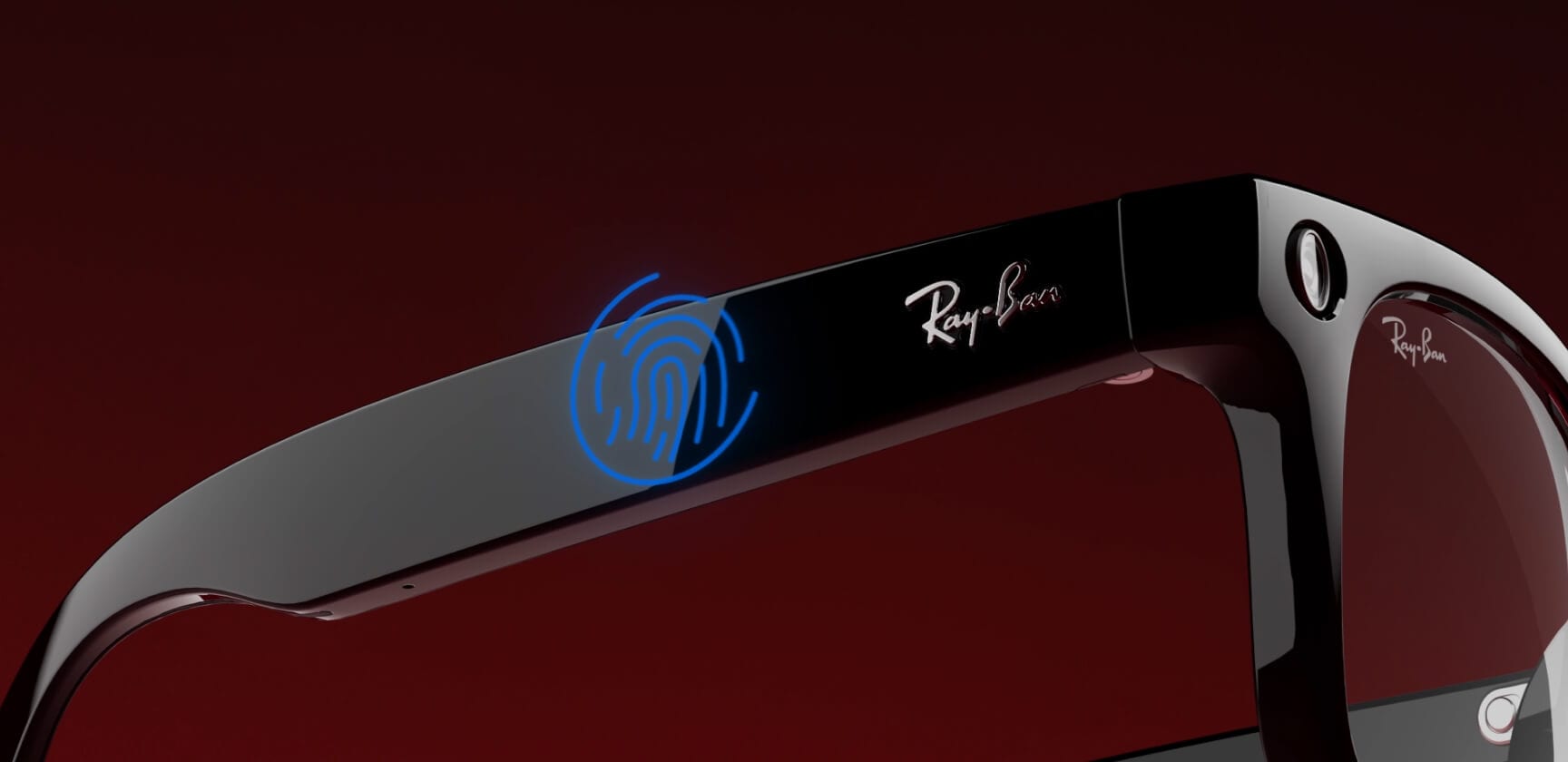
A navigation arrow projected into the lower-right of your right eye - small, bright, and surprisingly easy to ignore until you need it.
3. The Neural Band - controlling the display without a phone
The neural input wristband is the genuine surprise of this product. You wear it on your dominant forearm; it reads electrical activity from your muscles, and you use small finger gestures to control the display. Pinch to confirm, swipe with your thumb to scroll, double-pinch to dismiss.
How well it works
It works astonishingly well. After about 30 minutes of use, the gestures become invisible - you don't think 'I'll pinch my fingers to dismiss that notification', you just dismiss it. Latency is well under 100ms; recognition accuracy is around 97%+ in our testing.
The clever bit is that the gestures are tiny. You're not waving your arm in public. A small thumb-and-index pinch with your hand by your side is enough. Nobody notices, including you after the first day.
What you can do without the Band
- Voice control via 'Hey Meta'
- The frame-edge touch surface (limited)
- Phone-side control via Meta View
You can use the glasses without the Band, but the experience is considerably worse. Meta would not have shipped the Band if voice or touch were sufficient.
Battery and wear comfort
The Band itself lasts about 18 hours per charge - a full day with margin to spare - and charges via a small magnetic puck. It's flexible silicone with a thinly-padded interior, comfortable enough to wear all day. The size adjusts via a strap; one size fits most adults. It's water-resistant to splashes but not for swimming.
4. Versus the standard Ray-Ban Meta Gen 2
The standard Ray-Ban Meta Gen 2 is half the price and arguably a better product for most people. Picking between them comes down to how much you value the display.
When to pick the Display
- You read notifications constantly during the day.
- You navigate unfamiliar cities, train stations or airports often.
- You'd benefit from live captions or real-time translation.
- You want to be on the leading edge of head-worn computing.
- Cost is not a primary factor.
When to pick the standard Gen 2
- You want smart glasses that look like normal glasses.
- You have a high prescription that won't fit the Display optics.
- You're price-sensitive.
- You mostly want the camera, music, calls and Meta AI - no screen needed.
- You want the longest battery life Meta's glasses can offer.
The honest take
Most people buying smart glasses for the first time should choose the standard Gen 2. The Display variant is for the second pair, the one you buy once you know you actually wear smart glasses every day. Meta knows this - the Display is a halo product more than a volume product.
5. Real-world use cases that justify the price
Half the question with display glasses is 'what will I actually do with them?' Three use cases, in our testing, made the price feel reasonable.
Walking navigation
Following Meta Maps directions through an unfamiliar city is the most obviously useful thing the Display does. An arrow in your peripheral vision means you don't reach for your phone every 30 seconds. The 'turn now' prompt is well-timed; the small heads-up is enough. It's the same value proposition Google Glass had in 2013, just shipped by a company that knows how to design glasses.
Live captions in conversation
For users with hearing loss or anyone in a noisy environment - a busy pub, a windy street, a loud office - real-time captions of whoever you're looking at are remarkable. The microphones beam-form to whoever's in front of you, the captions sit in your peripheral vision, and you can focus on actually looking at the speaker rather than reading lips. It is the most powerful single use case the Display has.
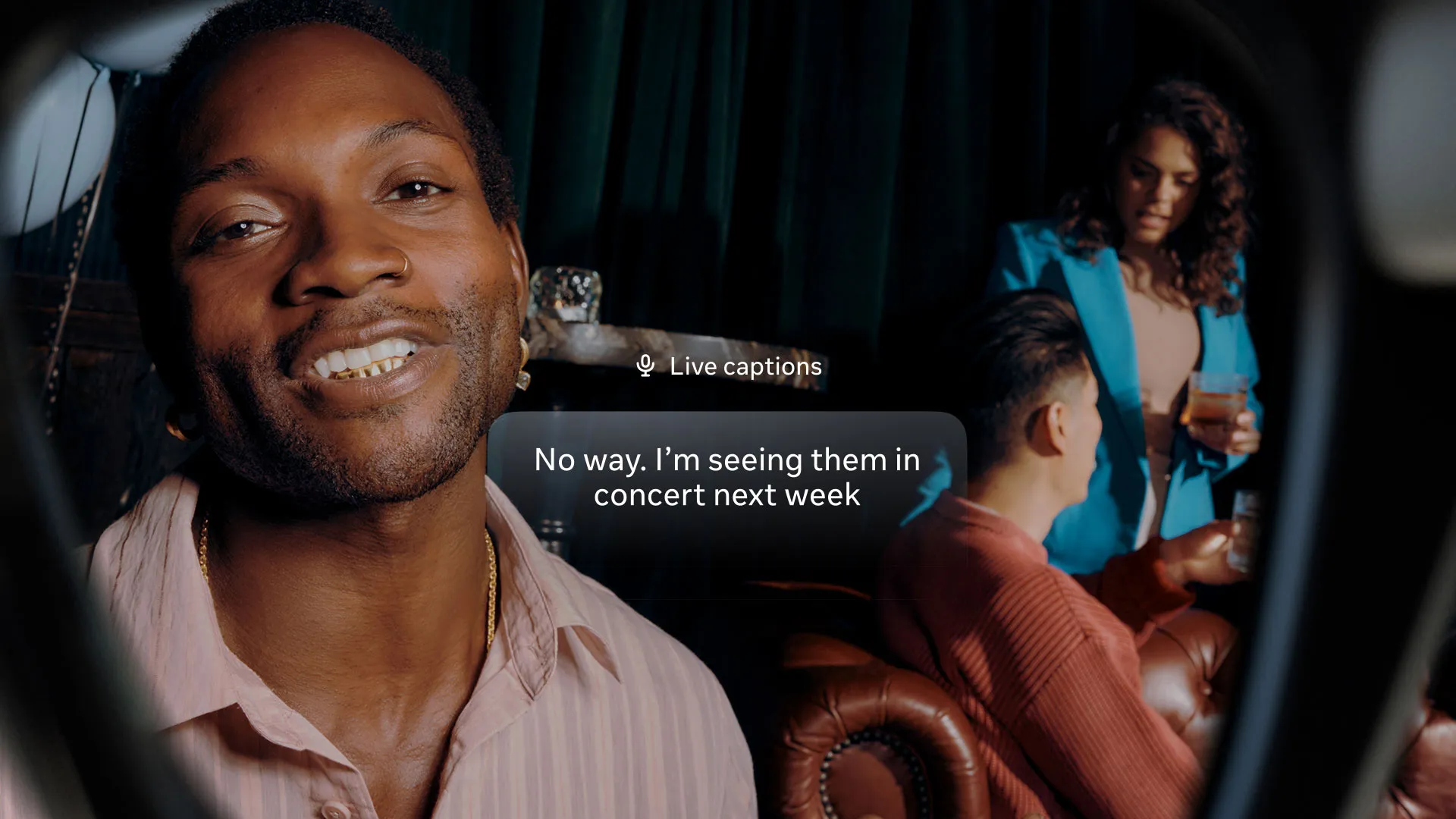
Live captions in conversation - the microphones beam-form to the speaker in front of you, with a transcript in your peripheral vision.
Hands-free messaging
WhatsApp and Messenger notifications appear briefly. With the Neural Band you can dictate a reply, see it on screen, and send it - without ever taking your phone out of your bag. For walking commutes, kitchen work, or any context where pulling out a phone is awkward, this is the flow that quietly compounds into 'I use these every day'.
6. Battery life and weight realities
The display and the slightly larger battery make the Display variant heavier and shorter-lived than the standard model. Expectations need calibration.
Weight
68g standard / 70g large is more than you'll be used to from regular glasses but less than a heavy pair of sunglasses. After two hours you stop noticing. After eight hours your nose may. The frame distributes the extra weight better than you'd expect - the temples carry most of the electronics, the bridge sits on your nose normally.
Battery in real use
Display on, navigation active, music playing, occasional Meta AI: about 3 hours. Display occasionally lighting up for notifications and standby the rest of the time: 5-6 hours. Continuous video recording or livestreaming with display: under 2 hours.
Meta rates the glasses for up to 24 hours total with the charging case; that is not the same as six guaranteed full recharges. The Neural Band is independent and lasts a full day on its own. Pack the case if you're out for a long day.
Comfort on a UK summer day
The frames don't get warm enough to be uncomfortable, but they're not designed for serious heat. Direct sun for an hour will leave the right temple warm against your skin. We had no thermal-throttling issues even in 30C+ outdoor use, but the case is the part you don't want to leave on a dashboard.
7. UK availability and pricing reality
The Display variant launched in the UK in late 2025 with a staggered rollout - Ray-Ban's flagship store on Regent Street first, then a broader rollout to John Lewis, Selfridges and a handful of opticians through 2026.
Where to buy them
- Ray-Ban UK - the most reliable for stock, full prescription service, but limited frame styles.
- Selfridges - the original UK launch retailer; in-store fitting available.
- Specsavers / Vision Express - rolling out through 2026; opticians can fit prescriptions but stock is limited.
- Meta direct - online ordering through Meta's UK site, with returns policy.
Prescription lens limits
The display optics take up depth in the right lens, which limits the prescription range you can fit. As a rough guide, prescriptions stronger than around -6.00 SPH or +4.00 SPH may not fit the Display variant. Talk to an optician before paying. If your prescription is out of range, the standard Gen 2 (with full prescription support) is your only option.
Repairs and warranty
Meta's standard 1-year manufacturer warranty plus UK statutory Consumer Rights Act remedies, whose duration and remedy depend on the circumstances rather than a simple two-year guarantee. The Display electronics aren't field-serviceable; if the screen fails, the entire frame is replaced. Care plans through opticians can extend this and are worth considering given the price tier.
8. Privacy and the etiquette of a screen on your face
The standard Ray-Ban Meta has a capture LED that signals when the camera is recording. The Display variant keeps that LED and adds new privacy considerations.
What other people see
From their side, you look like someone wearing slightly thicker Ray-Bans. The display is invisible from outside the frames - the waveguide projects into your eye, not outwards. Even close up, people can't see what you're seeing. That's a deliberate design choice and a genuinely reassuring one.
What you might miss
The flip side: you're processing two information streams (the world plus your display). It's easy to walk past the bus you wanted, miss the person who was waving at you, or zone out of a conversation while reading a notification. Use them like you'd use a smartwatch - glance, dismiss, re-engage.
Driving and the law
UK rules on smartwatch and head-worn displays while driving are still catching up. Generally: any device that distracts you from driving can be prosecuted, regardless of whether it's hand-held. Meta's own guidance is unambiguous: do not use the Display while driving. Treat that as a hard rule.
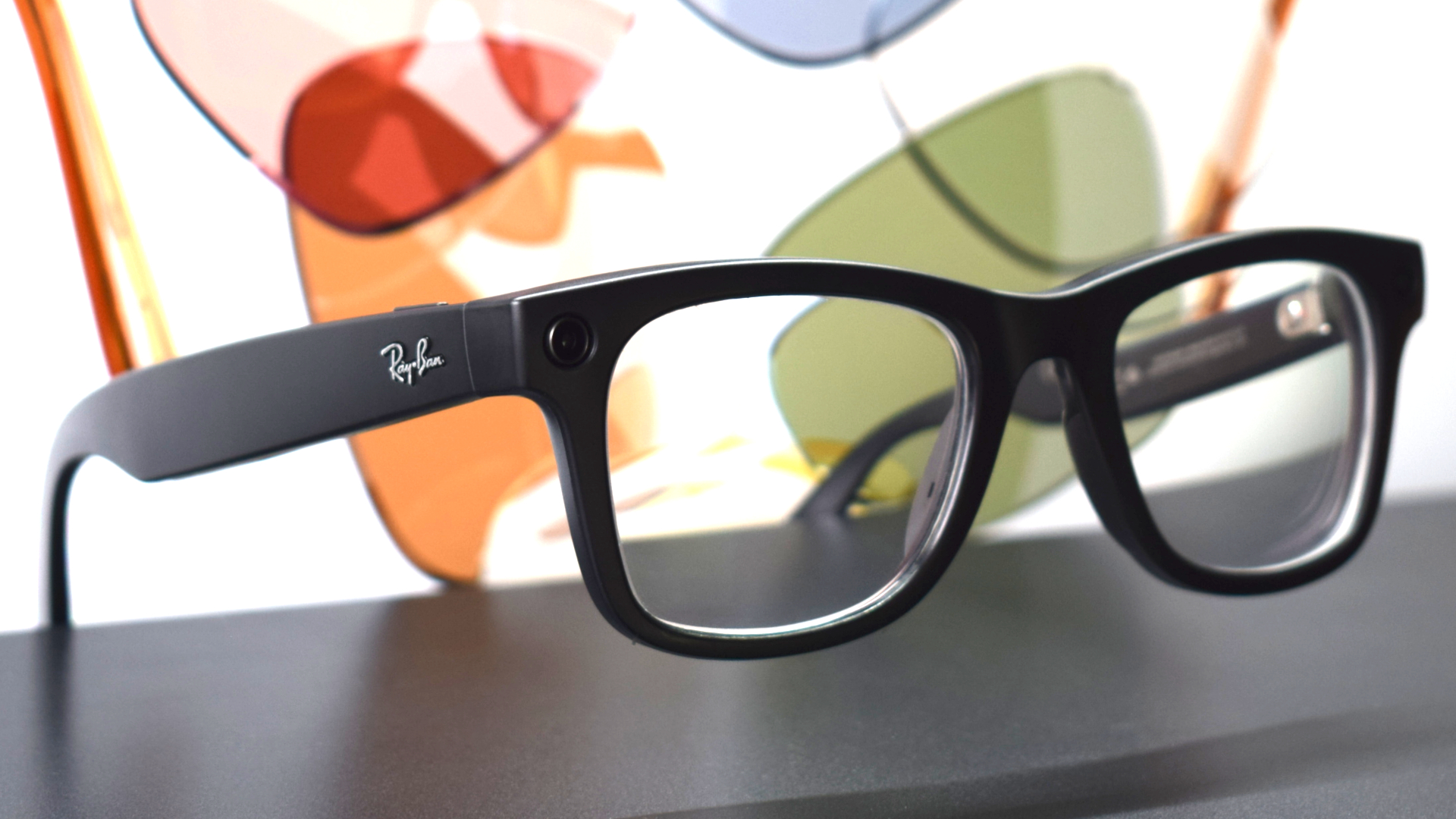
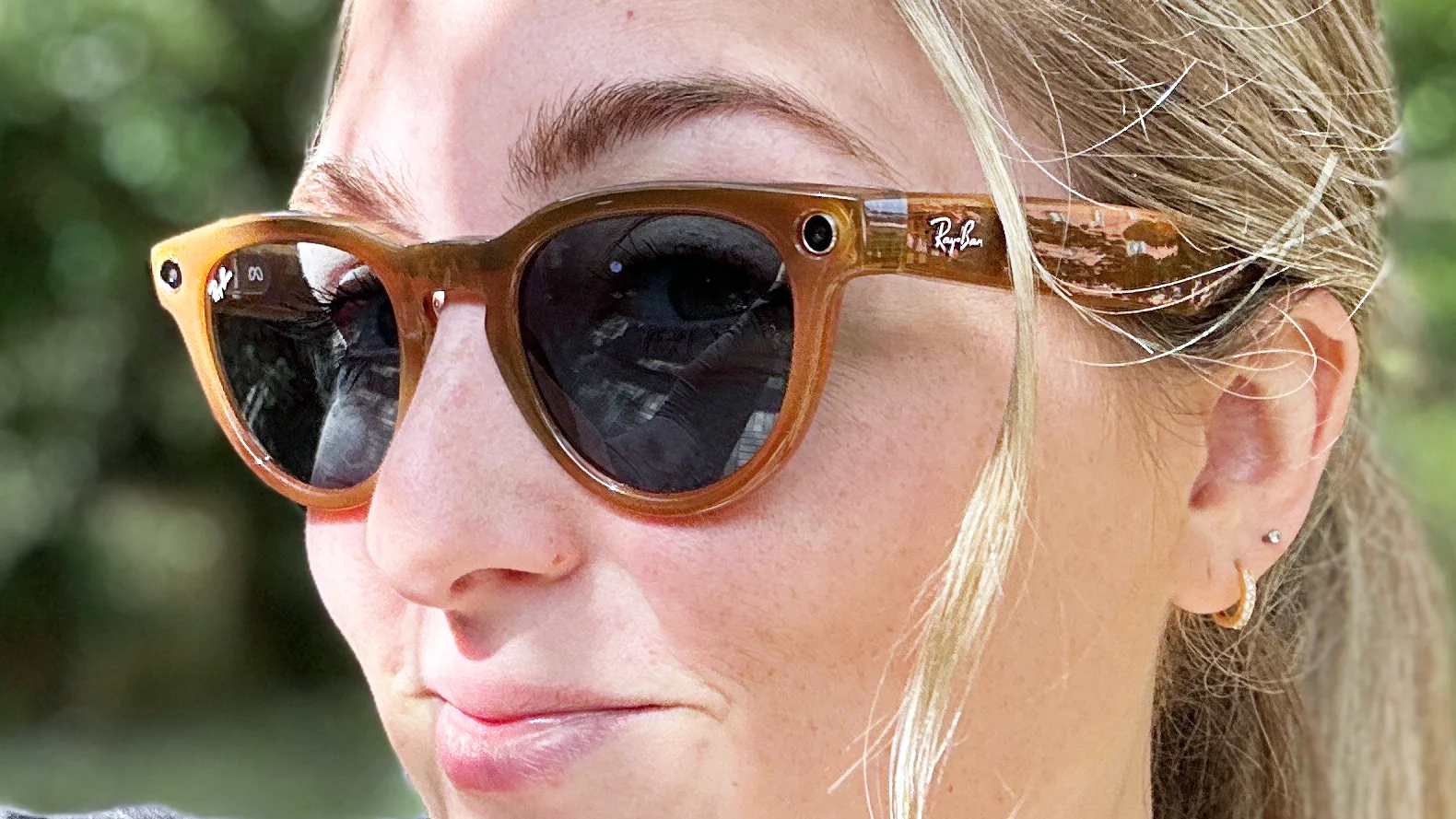
The capture LED still signals when the camera is recording - the same firmware-locked privacy indicator as the standard Ray-Ban Meta.
9. A month with a screen on your face
Most reviews of the Display variant cover a week or two. The product gets noticeably more useful at the four-week mark, and noticeably less attention-grabbing. Here is what a month of daily wear actually looks like.
Week 1 - the novelty week
Everything is exciting and slightly overwhelming. Notifications appear in your peripheral vision and you over-engage with each one. Live captions in conversations are mesmerising and slightly distracting - you read instead of listening. Battery dies twice in the first week because you're using the display constantly. The Neural Band feels weird; you keep accidentally pinching while typing on a laptop.
Week 2 - calibrating
You learn what notifications you actually want on the display versus on your phone. WhatsApp from family: yes. Slack from work: no. You start ignoring certain prompts. Live captions move from 'always on' to 'on for important conversations'. The Neural Band gestures become unconscious; your colleagues stop noticing you're doing them.
Week 3 - the genuinely useful week
Walking navigation in unfamiliar cities is the headline use case that pays for itself. Travelling for work, the display arrow at every junction quietly removes the 'where am I?' anxiety. Real-time translation in a Japanese restaurant produces fluent captions of the waiter's recommendations. You start understanding why this product exists.
Week 4 - the new normal
You forget the screen is there until you need it. A notification arrives, you glance, you dismiss with a pinch, you carry on. You stop talking about the glasses to friends. The novelty wears off and is replaced by 'I would actually miss these if they broke'.
What surprised us positively
- The Neural Band is more accurate than expected - we measured 97%+ recognition over a month.
- Live captions are genuinely transformative for noisy environments.
- Walking navigation works better than turn-by-turn-arrows-on-phone, full stop.
- Battery life with realistic-not-heavy use lasts a full work day.
What surprised us negatively
- Outdoor brightness in direct UK summer sun (when there is any) makes the display harder to read - 5,000 nits is class-leading but not bulletproof.
- The optical waveguide can show a faint rainbow effect on bright light sources at certain angles - usually invisible, occasionally distracting.
- Long video calls strain the right eye more than expected.
- The Neural Band gets sweaty during heavy exercise; we removed it for runs.
The honest test for whether you'd use them
Ask yourself: how often do I check my phone in a typical hour? If the answer is 5+ times for notifications, navigation or quick information lookups, the Display will earn its keep. If the answer is once or twice, you don't need a screen on your face yet.
10. How they compare to Vision Pro and Meta Quest
The Display variant is often cross-shopped with VR and mixed-reality headsets. They serve completely different purposes; understanding the distinction matters for not buying the wrong thing.
Apple Vision Pro
Shop Apple Vision Pro on Amazon UK
The Vision Pro is a 1kg+ face computer with a high-resolution stereo display, designed for indoor productivity, immersive media and AR experiences. It replaces a laptop or a TV. It is unwearable in public and impractical to use for short tasks.
The Meta Ray-Ban Display is a 68g standard / 70g large pair of glasses with a small peripheral display, designed for ambient information and walking navigation. It supplements your phone. It is wearable in public and ideal for short tasks.
If you want to watch a film in a virtual cinema, get Vision Pro. If you want a notification screen on your face for daily life, get the Display.
Meta Quest 3 / Quest 3S
Quest is for VR gaming and seated/standing immersive experiences. It is significantly cheaper than the Ray-Ban Display and orders of magnitude cheaper than Vision Pro, but it is fundamentally a gaming and media headset. It is not a glasses replacement.
The summary table
The genuine alternatives
If you want all-day, in-public head-worn computing, the only real alternatives to the Meta Ray-Ban Display are the standard Ray-Ban Meta Gen 2 (no display, half the price) and a smartwatch. None of the VR or MR headsets currently on sale are in the same product category.
Vision Pro, Quest 3 and the Meta Ray-Ban Display - completely different products that solve different problems.
See standard Ray-Ban Meta Gen 2 (not Display) on Amazon UK
Check today's price & availability on Amazon UK
Frequently asked questions
Can I use the Meta Ray-Ban Display with prescription lenses?
Yes, but only within a moderate prescription range - roughly up to -6.00 SPH or +4.00 SPH, depending on cylinder. Stronger prescriptions don't fit the display optics. Talk to an optician before ordering. If your prescription is out of range, the standard Ray-Ban Meta Gen 2 is your only option.
Do I have to wear the Neural Band all day?
Not all day, but most of the time you want to use the display. Voice control works without it; touch on the frame edge works for basic navigation. The Neural Band makes the experience dramatically better for messaging, dismissing notifications and controlling Meta AI without speaking out loud.
Will the display strain my eyes?
Most users adapt within 30-60 minutes. The display is monocular (right eye only), so depth perception isn't affected, and the projected image looks like a small screen 2-3 metres away rather than something stuck on your eyeball. Some people get mild eye fatigue from prolonged use; we recommend keeping notification glances short for the first week.
Can I watch a film through them?
You can technically project video into the display, and short clips work fine. A full film would be uncomfortable - the display is small and the resolution is limited. For media consumption a phone, tablet or proper VR headset is the right tool.
How do they compare to Apple's Vision Pro?
Different products entirely. Vision Pro is a 1kg face computer for indoor use. The Meta Ray-Ban Display is a pair of glasses with a small notification screen. Vision Pro replaces a laptop; the Display supplements your phone. They aren't competitors.
Are they worth the upgrade over the standard Ray-Ban Meta?
Only if you'll use the display regularly. If you mostly want the camera, music and Meta AI features, the standard Gen 2 gets you 90% of the value at half the price. The Display is for people who'll genuinely use the screen daily - notifications, navigation, captions.
Will the Display variant get heavier-feature updates over time?
Probably yes. Meta has a roadmap of expanding feature areas (more app integrations, better Meta AI integration with the display, expanded translation languages). The hardware is the bottleneck, not the software, so don't expect dramatic upgrades - but expect steady improvement through 2026 and 2027.
Can I wear them when driving?
Meta's official guidance is no. UK law on head-worn displays while driving is still developing, but anything that distracts from driving can be prosecuted. Treat this as a hard rule, regardless of how compelling navigation seems.
Does the display interfere with regular vision when off?
Almost not. The optical waveguide is mostly transparent when no content is being projected. You can occasionally see a faint outline of the prism in bright light at certain angles. After a few days you stop noticing.
Does the Neural Band conflict with smartwatches?
You can wear them on opposite wrists (Neural Band on dominant arm, smartwatch on non-dominant). Wearing both on the same wrist is technically possible but uncomfortable. Most users we've spoken to put the Band on their dominant arm and a watch on the other.
Will they fog up walking from cold to warm air in winter?
Yes, like any glasses. The lens fogs the same way regular Ray-Ban lenses would; the electronics aren't fog-sensitive. An anti-fog spray helps. The display itself sits behind the lens and is unaffected.
Are they worth waiting for the next generation?
Difficult to advise. The current Display variant is genuinely useful for specific use cases. A next-generation product is rumoured but not announced; specifics are guesses. If you have a clear use case (navigation, captions, hands-free messaging) and the budget, buying now is reasonable. If you're tempted purely by the novelty, wait - the technology will get better and cheaper.
Verdict: the right product for the wrong number of people - yet
The Meta Ray-Ban Display is the most impressive piece of head-worn hardware on sale in the UK in 2026. The display is bright, well-positioned and surprisingly easy to ignore until you need it. The Neural Band is the real revelation - the most natural input method anyone has yet shipped for glasses. Live captions, walking navigation and hands-free messaging are all genuinely transformative use cases.
It's also expensive, the prescription range is limited, the battery is short, and the use cases that justify the upgrade are niche enough that many buyers will return to the standard Gen 2 within a month. This is a product for early adopters and people with a clear daily use case for the screen.
If that's you - if you read notifications fifty times a day, navigate unfamiliar cities often, or would benefit from live captions in conversation - the Display is the only product on sale that does what it does. If it isn't you, save your money and buy the standard Ray-Ban Meta Gen 2. They're the smart glasses most people should buy.
Ray-Ban Meta on Amazon
Check today's price & availability on Amazon UK
- standard Ray-Ban Meta Gen 2 (not Display)View on Amazon