
Best VPN for UK users: an honest guide
VPNs are one of the most over-marketed product categories on the internet. Here's a genuinely careful pick of the best services for UK buyers in 2026 - what they do well, what they can't do, and which one fits which use case.
We link to the exact model on Amazon UK. Prices change often, so check the live price before you buy. As an Amazon Associate we earn from qualifying purchases.

YubiKey 5C NFC on Amazon
Check today's price & availability on Amazon UK
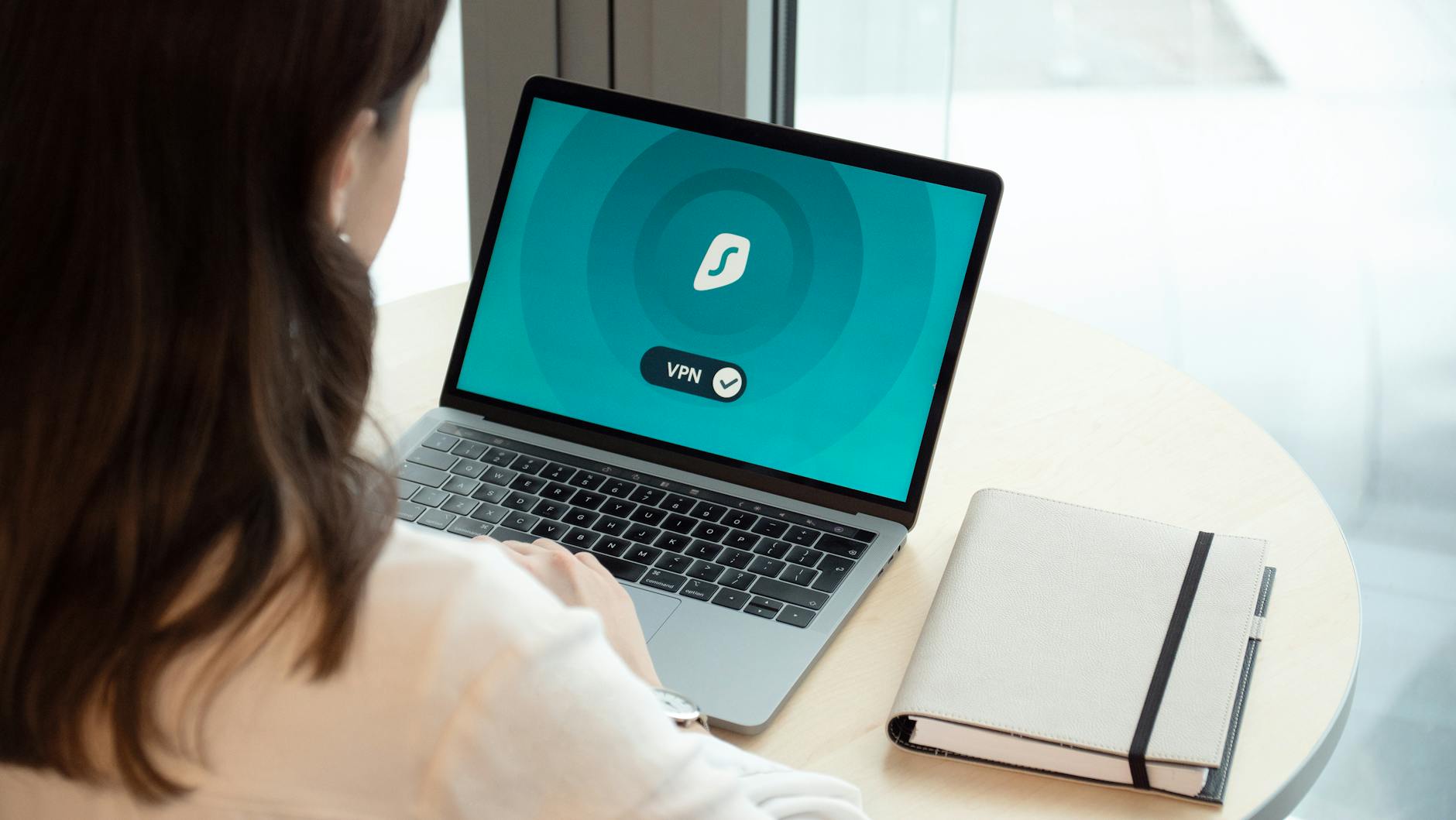
A VPN app running on a laptop - one of the simplest privacy upgrades you can make in 2026 if you pick the right provider.
Performance and routing: speed and latency changes depend on route, server load, protocol, device and broadband; there is no universal percentage. Many capable routers and VPN clients support per-device or policy-based selective routing.
Streaming: location-shifting can breach a service's terms or content licence. Availability changes and is not guaranteed.
1. What a VPN actually does (and doesn't)
Marketing first. Reality second.
What a VPN does
- Encrypts traffic between your device and the VPN's servers - your ISP and anyone on the same Wi-Fi sees encrypted data, not the websites you're visiting.
- Changes your apparent IP address - websites see the VPN server's IP, not yours.
- Lets you appear to be in another country - useful for accessing region-locked content (Netflix US from the UK, BBC iPlayer from abroad).
- Masks your traffic from your ISP - ISPs in the UK are required to retain connection metadata; a VPN means they can only see that you connected to a VPN, not what you did afterwards.
What a VPN does NOT do
- Make you anonymous. The VPN provider can see your traffic instead of your ISP. The trust just shifts.
- Protect you from sites that fingerprint your browser. Cookies, browser fingerprints, and account logins identify you regardless of IP.
- Encrypt your data 'end to end'. The VPN encrypts to its own servers; from there, traffic continues normally to the destination.
- Replace antivirus software. A VPN doesn't stop malware. The 'security suite' VPN add-ons are largely marketing.
- Make illegal activity legal. Anything that's illegal without a VPN is still illegal with one.
The honest summary
A VPN is a useful privacy and access tool. It is not magic. Buy one for specific use cases - streaming, public Wi-Fi safety, ISP privacy, journalism in restrictive countries - and don't pay for the imaginary 'protection' some companies advertise.

A VPN tunnels traffic from your device to the provider's servers - useful for many things, magical for none.
2. Why UK users might genuinely want one in 2026
VPN demand in the UK has shifted in the last two years. The motivations for a 2026 buyer are different from a 2020 buyer.
Online Safety Act and age verification
Since the Online Safety Act came fully into force in 2024-2025, certain categories of UK websites now require age verification - typically via ID upload, credit card or third-party verification services. Many UK users prefer not to upload ID to a website to access content that's legal for adults. A VPN exiting in another jurisdiction provides an alternative.
ISP data retention
A UK retention notice may require an operator to retain specified communications data for up to 12 months, subject to the statutory approval and proportionality process; this is not a universal every-user metadata rule. A VPN narrows what's retained to 'connected to VPN provider X', which is a meaningful privacy improvement for many users.
Streaming abroad
Travelling outside the UK and want to watch BBC iPlayer, ITVX, Sky Go or Channel 4? A UK-located VPN server will let you, subject to the service's geo-blocking detection. Conversely, a US server lets you access Netflix US from the UK, with a much larger catalogue.
Public Wi-Fi safety
Coffee shop, hotel, airport Wi-Fi networks remain a real risk for unencrypted traffic. While most websites use HTTPS now (which encrypts the traffic anyway), a VPN protects DNS queries and metadata that HTTPS alone doesn't.
Working remotely from abroad
UK businesses sometimes block or limit access from foreign IPs. A UK VPN exit lets you appear to be at home while travelling, useful for banking, government services and some employer VPN-on-VPN setups.
3. Best VPN overall for UK users
Proton VPN
Proton VPN is the easy recommendation for UK buyers in 2026. It's based in Switzerland (a privacy-friendly jurisdiction), is open source (audited and verifiable), has independently audited no-logs policies, offers a meaningful free tier (rare in this category), and ships excellent UK and US streaming servers. Founded by the same team behind Proton Mail, with a track record of standing up to surveillance requests.
Why it wins
- Open source apps - the Linux, macOS, Windows, iOS and Android clients are all open source. Independent researchers can verify the code.
- Independent audits - regular published audits of the no-logs policy and infrastructure.
- Free tier with no ads or speed limits - rare among the major VPNs, and unique among those we compared here.
- Secure Core - paid-tier feature that double-hops traffic through privacy-focused jurisdictions.
- Swiss jurisdiction - outside the 5/9/14-Eyes intelligence-sharing arrangements.
- Anonymous payment - cash and crypto accepted.
What it doesn't do as well
The free tier is limited (3 server locations, no streaming). Paid speeds are excellent but not always the absolute fastest. The app UX is more 'engineering-led' than the polished commercial competitors. None of these matter much for a privacy-first buyer.
Proton VPN's Swiss base, open-source clients and audited no-logs policy make it the easy recommendation for privacy-conscious UK users.
4. Best VPN for streaming
NordVPN
For streaming, NordVPN is the most reliable. Servers in 110+ countries, including dozens of UK and US locations, with consistent success at evading the geo-blocking that Netflix, Amazon Prime and BBC iPlayer apply. NordVPN's MeshNet, Threat Protection and SmartDNS features round out the offering. Independent no-logs audits by Big Four firms add credibility, though the Panama jurisdiction is less privacy-positive than Switzerland (it's outside intelligence-sharing treaties but still subject to international cooperation).
Why streaming is harder than it looks
Major streaming services aggressively detect and block VPN IPs. They use IP databases, traffic patterns and TCP fingerprints. A VPN that 'works for Netflix' today might be blocked next week. Premium VPN providers play a constant cat-and-mouse with streaming services. NordVPN has historically won this race more often than competitors.
The honest streaming caveat
No VPN works 100% of the time on every streaming service. Plan for occasional disruption. Try a few server locations before assuming a service is broken.
ExpressVPN
The other dependable streaming pick. ExpressVPN's TrustedServer technology runs servers from RAM only (no disk persistence), and its Lightway protocol is genuinely fast. More expensive than NordVPN, similar success rate on streaming. Owned by Kape Technologies, which previously owned other VPN brands - a fact some privacy advocates flag as a slight concern.
5. Best VPN for absolute privacy
Mullvad
Mullvad is the privacy enthusiast's choice. Flat-rate pricing, no accounts (just a randomly-generated 16-digit ID), accepts cash mailed in an envelope, runs entirely on RAM-only servers, audited regularly, and based in Sweden with a track record of refusing data requests (and publicly documenting them). Open source clients on every platform. Speeds are good but not chart-topping; streaming success is hit-and-miss.
Why it earns the privacy crown
- No accounts - you literally have no email, name, or recoverable identity associated with the service.
- Cash payment - mail an envelope of cash with your account ID. The service stays running. No financial trail.
- Public transparency reports - they document every legal request and what they did about it.
- RAM-only servers - reboot the server, the data is gone.
- Open source clients - all platforms.
What you give up
Streaming reliability is patchy - Mullvad doesn't play the geo-blocking game aggressively. The app UX is utilitarian (think 'designed by privacy engineers'). Server count is smaller than Nord or Express. None of this matters if privacy is your priority.
Honest about journalism / activism
For journalists, activists, or anyone who genuinely needs to evade surveillance, a single commercial VPN is not enough. Tor is the starting point. Some users combine Tor with Mullvad as an extra layer. If your threat model includes a state actor, get expert advice rather than relying on this article.
6. Best VPN on a budget
Surfshark
Surfshark is the easiest budget recommendation. Unlimited simultaneous connections (rare in the category - everyone in your household uses one subscription), independently audited no-logs, decent streaming success, decent speeds. Headquartered in the Netherlands. Now part of the same parent company as NordVPN, but operates as a separate brand. Long-term subscription pricing routinely undercuts the major competitors.
What you give up vs the premium picks
- Slightly slower speeds than NordVPN/ExpressVPN at peak times
- Streaming reliability is good but not class-leading
- Some privacy features (multi-hop, dedicated IP) cost extra
Free options worth considering
Proton VPN's free tier is the only genuinely recommendable free VPN. No ads, no speed throttling, but limited to 3 server locations and no streaming. Use it as an entry point or for basic public Wi-Fi protection.
Other 'free VPNs' are almost universally bad. Most fund themselves by selling user data, injecting ads, or running on under-resourced infrastructure that throttles aggressively. The phrase 'if you're not paying, you're the product' applies more here than almost anywhere.
7. What to avoid
The VPN market has a long history of bad actors. Three categories to steer clear of in 2026:
Free VPNs you've never heard of
If a VPN is free and isn't from Proton, Mullvad offers no free trial; check its current refund policy before paying. There have been multiple incidents over the past five years of free VPNs selling user traffic logs to advertisers, injecting ads, or running servers from countries with mandatory data retention.
'Lifetime subscriptions'
One-off payment for 'lifetime' VPN access usually means the company will quietly stop maintaining the service after a year or two, sell to new owners, or simply disappear. The infrastructure to run a VPN costs real money continuously. A one-off £30 payment can't fund it.
VPNs heavily advertised on YouTube without independent audits
YouTube sponsorships are a useful awareness tool but a poor signal of quality. The most aggressively-marketed VPNs are not always the most privacy-respecting. Check for independent audits, public transparency reports, and a clear ownership structure before subscribing.
Browser extensions sold as 'VPNs'
Most free browser-extension VPNs (Hola, the Opera built-in 'VPN', etc.) are not real VPNs - they're proxy services that only cover browser traffic, often using other users' connections as exit points. They can be useful for quick geo-unblocking, but they don't deliver the privacy or security a real VPN does.
Independent audits, transparency reports and clear ownership matter more than the size of the YouTube sponsorship budget.
8. Setting up your VPN properly
A VPN you've installed but never configured is doing less than you think. Three settings to check after install.
Kill switch (essential)
If your VPN connection drops, all internet traffic should stop immediately - not fall back to your real ISP connection. Every paid VPN in this article supports a kill switch; turn it on in the settings. Without it, a single dropped packet can leak your real IP.
DNS leak protection
Even with a VPN connection, DNS queries (the 'phone book' lookup of website names) can leak to your ISP. The VPN should route DNS through its own servers. Most major VPNs do this automatically, but verify it - visit dnsleaktest.com after connecting.
Protocol selection
Modern VPNs offer multiple protocols. Defaults are usually correct. The brief reference:
- WireGuard - fastest, modern, recommended default.
- OpenVPN - older but reliable, good for blocked-network situations.
- Lightway / NordLynx - Lightway is ExpressVPN's separate open-source protocol; NordLynx is NordVPN's WireGuard-based implementation.
- IKEv2 / L2TP-IPsec - legacy compatibility options, not a universal default; use a current provider-maintained protocol where possible.
Routers vs apps
Installing a VPN on your router protects every device in the home, including ones that don't support VPN apps (smart TVs, consoles, IoT). The trade-off is that you can't selectively use the VPN per device. For most UK households, app-based VPN on phones and laptops + router- level VPN for streaming devices is a good split.
UK ISP routers and VPN
Most UK ISP routers (BT, Sky, Virgin) don't support installing a third-party VPN client. If you want router-level VPN, you'll need a third-party router (Asus AsusWRT, the FlashRouters service, or a GL.iNet travel router). The third-party Wi-Fi 7 routers in our Wi-Fi 7 buyer's guide all support VPN clients on the WAN side.
9. Concrete UK use case scenarios
'A VPN' is too vague to choose between. Here are six common UK scenarios with the right service for each.
Scenario 1 - Streaming BBC iPlayer while travelling abroad
You're in Spain on holiday, you want to watch the latest BBC drama. iPlayer detects the foreign IP and refuses to play.
- Best: NordVPN with a UK server. Reliable iPlayer success rate, fast, easy.
- Alternative: ExpressVPN, Surfshark.
- Don't: Free VPNs - iPlayer's anti-VPN systems block their IPs almost universally.
Scenario 2 - Watching Netflix US catalogue from the UK
You want access to the larger US Netflix library.
- Best: NordVPN or ExpressVPN with a US server.
- Note: Netflix actively blocks VPN IPs. Even paid services have intermittent failures - try multiple US server locations if one stops working.
- Legal: This violates Netflix's terms of service (not UK law). Netflix's recourse is blocking, not legal action.
Scenario 3 - Privacy from your ISP and the Online Safety Act
You want to keep your browsing private from your ISP and avoid having to upload ID for age verification on legal adult content sites.
- Best: Proton VPN - audited no-logs, Swiss jurisdiction, published transparency reports.
- Alternative: Mullvad - even more privacy- focused, no accounts.
- Setup tip: Always-on, kill switch enabled, DNS leak protection on.
Scenario 4 - Public Wi-Fi at coffee shops, hotels, airports
You want to encrypt your connection on untrusted networks.
- Best: Any reputable paid VPN. Choose for speed and platform support over privacy at this point - HTTPS handles most of the security work; the VPN adds DNS query encryption and metadata hiding.
- Acceptable free option: Proton VPN's free tier is genuinely fine for occasional public Wi-Fi.
- Setup tip: Enable auto-connect on untrusted networks; most VPN apps support this.
Scenario 5 - Working remotely from abroad
You're working from a holiday rental in France, but your bank / HMRC / employer tools require a UK IP.
- Best: NordVPN or ExpressVPN with a UK server, plus a dedicated IP add-on if banking is involved (banks sometimes block shared VPN IPs).
- Note: Some employer VPNs don't play nicely with consumer VPNs running over the top - test before you go.
- Tax warning: Working abroad can have tax implications regardless of VPN. Check with HMRC and your employer.
Scenario 6 - Journalism, activism or evading surveillance
You're a journalist working on sensitive material, an activist in a restrictive country, or have a serious threat model.
- Best: Mullvad over Tor, plus operational security guidance from a specialist (Freedom of the Press Foundation, EFF). A single commercial VPN is not enough.
- Don't: Rely on this article. Get expert advice for serious threat models. The recommendations here are consumer-grade, not state-actor grade.
A VPN is the right tool for many specific UK scenarios - and the wrong tool for others. Match the service to the use case.
10. VPN provider comparison matrix
The features that actually matter, side by side, for the four VPNs worth recommending in 2026.
How to read this
- Privacy enthusiast: Mullvad > Proton VPN. No accounts at all is the strongest privacy posture; Swiss jurisdiction is the second strongest.
- Streaming first: NordVPN > ExpressVPN (excluded from table for brevity but similar profile to NordVPN with higher pricing). Most reliable for unblocking iPlayer, Netflix US, Disney+.
- Cost-conscious: Surfshark for paid, Proton VPN free tier as fallback.
- 'I want one that does everything': Proton VPN. Wins on privacy without sacrificing too much streaming or speed.
5/9/14-Eyes context
The 'Five Eyes' (UK, US, Canada, Australia, New Zealand) and the extended Nine and Fourteen Eyes alliances cooperate on signals intelligence. A VPN based outside these jurisdictions has somewhat stronger legal protection against UK government data requests. Of our picks: Switzerland (Proton) and Panama (NordVPN) are clearly outside; Sweden (Mullvad) and Netherlands (Surfshark) are inside the extended frameworks. For most users this isn't a deal-breaker; for privacy enthusiasts it pushes toward Proton or Nord.
Frequently asked questions
Are VPNs legal in the UK?
Yes. Using a VPN is legal in the UK. The illegal activities you might do over a VPN remain illegal. Some specific activities (such as bypassing geo-restrictions to access content you don't have a licence for) may breach the streaming service's terms of service even if not technically illegal.
Will a VPN slow down my internet?
Yes, slightly. Modern WireGuard-based VPNs typically reduce throughput by 5-15% on a fast UK fibre line. On a slower line you'd notice less. Latency increases by 5-30ms depending on which server you connect to. For browsing, streaming and video calls this is rarely noticeable; for online gaming you may want to disable the VPN.
Can my ISP see I'm using a VPN?
Yes, your ISP can see that you've connected to a VPN - they can see traffic going to a VPN provider's IP range. They cannot see what you do over the VPN connection. In the UK this means your ISP records 'connected to NordVPN', not 'visited Netflix at 10:42pm'.
Do I need a VPN if I only use HTTPS websites?
It depends what you're worried about. HTTPS encrypts the content of your browsing, so without a VPN your ISP can still see which websites you visit (the domain), but not what you do on them. A VPN hides the domain too. For most privacy-conscious users that's a meaningful upgrade.
Can I use a free VPN safely?
Proton VPN's free tier is the only one we recommend - same infrastructure as their paid service, just limited features. Most other free VPNs have funding models that compromise your privacy or security. The 'free' price is paid in some other way.
Should I get a dedicated IP address?
Probably not. A dedicated IP (one you don't share with other VPN users) makes some streaming services and online banking work more reliably, but it makes you more identifiable. Worth it for business use cases or remote-working setups; not for general privacy.
Can a VPN unblock my work laptop's geographically-restricted tools?
Sometimes. Many enterprise tools detect VPN traffic and block it - they want to enforce 'real' geographic location for compliance reasons. Banks especially are hostile to consumer VPN traffic. If your employer or service explicitly blocks VPNs, you'll need to disable the VPN for those services or use a dedicated IP add-on (which usually unblocks them).
Is a VPN useful for cryptocurrency or trading?
Some traders use them to access non-UK exchanges. This violates the exchange's terms of service in most cases and may have tax implications. UK-regulated exchanges work fine without a VPN. We're not in a position to give legal advice on offshore trading.
Can my employer see my VPN usage on a work laptop?
On a work-managed laptop, yes - usually. Endpoint management software typically logs network activity, sees the VPN connection initiating, and may block it. On personal devices, your employer cannot see your VPN usage unless you've installed their MDM software. Don't try to hide work-related activity from a work-issued device with a VPN.
How does Tor compare to a VPN for privacy?
Tor is stronger for privacy but slower and breaks many websites. A VPN is faster and more practical for daily use. For genuinely sensitive activity, Tor is the right tool; for everyday privacy improvement, a VPN is the right tool. Combining them (Tor over VPN, or VPN over Tor) is possible and offers extra protection in specific threat models.
Should I get the longest possible subscription?
Generally yes for established VPNs. Two-year plans typically cost 1/3 the price of monthly billing. The risk: if the VPN provider has a major incident or sells to a less-trusted owner, you've paid for service you don't want to use. Mullvad's monthly-only flat-rate pricing avoids this dynamic entirely.
Will a VPN protect me from ransomware or phishing?
No. A VPN encrypts your network traffic; it doesn't stop you from clicking a malicious link or downloading an infected file. Antivirus software (Microsoft Defender on Windows is fine), browser security features, and good email-filter hygiene do that work. VPNs that advertise 'malware protection' typically offer DNS-based blocklists, which are useful but not a substitute for proper security software.
Quick recommendations for UK buyers in 2026
Best overall: Proton VPN. Open source, audited, Swiss-based, free tier available. The most privacy-respecting mainstream choice.
Best for streaming: NordVPN. Most consistent at unblocking BBC iPlayer, Netflix US and other geo-restricted services. Independently audited.
Most private (technical users): Mullvad. No accounts, cash payment, fully open source, transparency reports. The privacy enthusiast's choice.
Best on a budget: Surfshark. Unlimited simultaneous connections, audited, decent streaming. Cheap on long-term plans.
Avoid: 'Free VPNs' you haven't heard of, lifetime subscriptions, browser-only proxy services masquerading as VPNs, and any VPN without a published independent audit.
Whatever you pick, turn on the kill switch, verify DNS leak protection, and remember: a VPN is a useful privacy tool, not a magic shield. Buy it for the right reasons - streaming, ISP privacy, public Wi-Fi, jurisdiction-shifting - and don't fall for the marketing.
YubiKey 5C NFC on Amazon
Check today's price & availability on Amazon UK
- YubiKey 5C NFCView on Amazon