
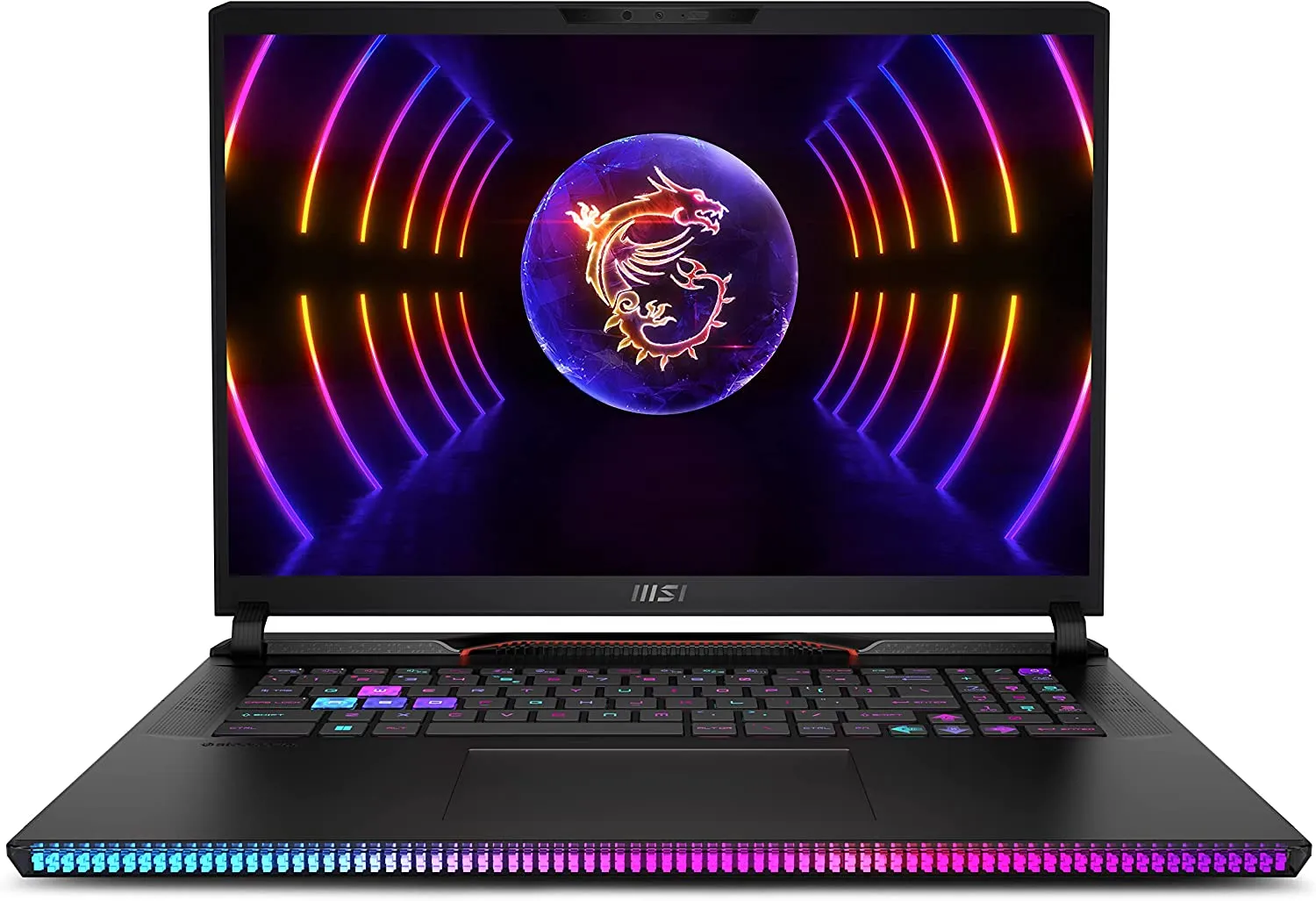
The best gaming laptops in 2026 range from sensible 1080p machines to enormous RTX 5090 desktop replacements.
Best Gaming Laptops UK: Value Picks, GPU Choices and What to Avoid
A practical, no-nonsense guide to the laptops worth shortlisting this year, including HP Victus 15, Razer Blade 18, MSI Stealth 16 AI+, MSI Raider A18 HX, Alienware 16 Area-51, Alienware 16X Aurora and budget alternatives.
We link to the exact model on Amazon UK. Prices change often, so check the live price before you buy. As an Amazon Associate we earn from qualifying purchases.
Gaming laptops in 2026 are more confusing than they look. Two machines can both say "RTX 50-series" on the box yet behave very differently because of chassis size, cooling and GPU power limits. My advice is simple: buy the laptop that matches how you actually play, not the one with the most aggressive badge. A student playing Valorant, Fortnite and Minecraft does not need the same machine as someone replacing a desktop with an 18-inch RTX 5090 monster.
For UK buyers, the sweet spot is not just about raw frame rates. It is about getting the right GPU, a screen that suits the games you play, enough storage for modern installs, and a chassis you will not regret carrying. The current field is broad: the HP Victus 15 remains the approachable entry point; the Razer Blade 18 is a polished premium desktop replacement; MSI has both slim and heavyweight options with the Stealth 16 AI+ and Raider A18 HX; Alienware splits its range between the flagship Area-51 models and the more value-focused 16X Aurora; and Acer and Lenovo continue to make sense for budget buyers.
What this guide covers
- Quick recommendations by type of gamer
- How to choose between RTX 4050, 5060, 5070, 5080 and 5090 options
- Full comparison of the main 2026 gaming laptop contenders
- HP Victus 15 as an entry-level pick
- Razer Blade 18, MSI Raider A18 HX and Alienware 18 Area-51 as desktop replacements
- MSI Stealth 16 AI+ and Alienware 16X Aurora for 16-inch buyers
- Budget alternatives including Acer Nitro V AI and Lenovo LOQ 15
- What to avoid before spending your money
Exact configuration matters: laptop GPU, display, memory and power limits vary by model code and region. MSI Stealth 16 AI+ listings can include RTX 5060, 5080 or 5090 configurations; verify the complete UK SKU rather than treating “up to” specifications as one machine.
Amazon UK model searches: Razer Blade 18 · MSI Raider A18 HX · Alienware 18 Area-51 · MSI Stealth 16 AI+ · Acer Nitro V AI · Lenovo LOQ 15. Match the model code and GPU before buying.
1. Quick Verdict: The Best Gaming Laptops to Shortlist
If you want the short version, I would split the 2026 gaming laptop market into three lanes. First, there are budget and entry-level machines such as the HP Victus 15, Acer Nitro V 15/16 AI and Lenovo LOQ 15. These are the sensible buys for 1080p gaming, students and anyone who wants a real gaming GPU without paying for a luxury chassis. Secondly, there are premium 16-inch laptops like the MSI Stealth 16 AI+ and Alienware 16X Aurora, which aim to balance power, portability and polish. Finally, there are the 18-inch desktop replacements: Razer Blade 18, MSI Raider A18 HX and Alienware 18 Area-51. These are powerful, expensive-feeling machines for people who care more about performance and screen size than travel weight.
Best for students and casual players
HP Victus 15 is the obvious starting point. It has a 15.6-inch FHD 144Hz IPS display, sensible 16GB DDR5 configurations and GPU options that include RTX 2050 or RTX 4050 depending on model.
Best value-minded Alienware
Alienware 16X Aurora is the more pragmatic Alienware choice. It sits below the Area-51 line and offers Intel Core Ultra 7/9 processors with RTX 5060 or RTX 5070 options.
Best desktop replacement shortlist
Razer Blade 18, MSI Raider A18 HX and Alienware 18 Area-51 are the big-screen beasts. Choose these if you want maximum laptop performance and rarely carry your machine far.
My favourite way to choose is to start with the GPU class, then sanity-check the chassis. An RTX 5090 Laptop GPU in a large, well-cooled 18-inch laptop is a very different proposition from a slim machine with a lower power limit. That does not make the slim laptop bad; it just means you should not compare the GPU name in isolation. The Razer Blade 18, for instance, runs an RTX 5090 Laptop GPU with 24GB of VRAM and a 175W GPU power figure including Dynamic Boost, whilst MSI's Stealth 16 AI+ is a thinner 16-inch design with up to a 125W RTX 5090 Laptop GPU configuration. Those two laptops are not trying to solve the same problem.
Gadget Scout tip
Do not buy a gaming laptop purely because it has the newest GPU number. Look at the size of the chassis, the power limit where stated, the screen resolution and the games you play. A well-priced RTX 5060 or RTX 5070 laptop can be a better buy than a hot-running premium model you never use away from the wall socket.
2. GPU Choices Explained: Where the Value Really Is
The GPU is still the heart of a gaming laptop, but in 2026 it is also the easiest part to misunderstand. The range in this guide stretches from the older RTX 2050 option seen in some HP Victus 15 configurations, through RTX 4050 and RTX 5050-style budget choices, up to RTX 5060, RTX 5070, RTX 5070 Ti, RTX 5080 and RTX 5090 laptops. That is a massive spread, and not every buyer benefits from moving up the ladder.
For esports and lighter games, the entry-level machines can make plenty of sense. The HP Victus 15 with a 15.6-inch FHD 144Hz IPS display is built around that kind of experience: simple, affordable-feeling, and focused on 1080p. Step up to an Acer Nitro V 15/16 AI with Core i7 and RTX 5060 and you are in a more modern budget-performance zone, still with sensible display expectations. Lenovo's LOQ 15 is similarly practical, with Core i7 and RTX 4050/5050 options, a 144Hz FHD screen and Rapid Charge Pro.
The RTX 5070 and RTX 5070 Ti class, where available is where many buyers should pause. The MSI Stealth A16 AI+ is commonly listed around the RTX 5070 Ti class with an OLED screen in a roughly 2.1kg chassis, but exact UK SKUs can vary, which makes it a more portable thin-and-powerful hybrid than the big 18-inch machines. Alienware's 16X Aurora also sits in this sensible middle ground with RTX 5060/5070 options. If you play a mixture of competitive games and big single-player releases, that mid-tier GPU band is often where the compromise feels right.
The RTX 5080 and RTX 5090 tier is for buyers who know why they need it. The Razer Blade 18's RTX 5090 Laptop GPU has 24GB VRAM, GDDR7 memory and a stated 175W GPU power figure including Dynamic Boost. The MSI Raider A18 HX can be configured with RTX 5090 or RTX 5080 and pairs that with an AMD Ryzen 9 9955HX3D. These are serious desktop replacement parts, and the laptops around them are correspondingly large, powerful and less commuter-friendly.
RTX 4050 / RTX 5050 / RTX 2050 zone
Best treated as 1080p gaming territory. Look here if you mainly play esports, older titles or less demanding games and want to keep the laptop practical.
RTX 5060 / RTX 5070 zone
The most sensible performance band for many buyers. Alienware 16X Aurora and Acer Nitro V AI options sit around this area, depending on configuration.
RTX 5070 Ti thin-and-powerful
The MSI Stealth A16 AI+ shows how this class can suit a premium portable gaming laptop, pairing RTX 5070 Ti with an OLED screen and AMD Ryzen AI 9 HX 370.
RTX 5080 / RTX 5090 desktop replacement
For the heaviest games, creator workloads and big-screen laptop setups. Prioritise cooling, power limits and chassis size before assuming every RTX 5090 laptop is equal.
3. Main Contenders Compared
Here is the practical comparison I would use before making a shortlist. Rather than pretending these laptops are all direct rivals, it helps to see the role each one plays. The HP Victus 15 and Lenovo LOQ 15 are not trying to beat a Razer Blade 18; they are trying to deliver usable gaming for far less fuss. Likewise, the MSI Raider A18 HX is not a coffee-shop laptop. It is a high-performance 18-inch machine for someone who wants desktop-style hardware in a movable form.
| Model | Best for | Confirmed CPU / GPU details | Display details | Key strengths |
|---|---|---|---|---|
| HP Victus 15 | Entry-level 1080p gaming, students, casual players | AMD Ryzen 5 7535HS tested; variants include RTX 2050 or RTX 4050 Laptop GPU with 6GB GDDR6 | 15.6-inch FHD 144Hz IPS | Simple design, 16GB DDR5 options, 512GB or 1TB PCIe M.2 SSD, useful ports including HDMI 2.1 and RJ-45 |
| Razer Blade 18 | Premium 18-inch desktop replacement | Intel Core Ultra 9 275HX; RTX 5090 Laptop GPU, 24GB VRAM, 175W GPU figure including Dynamic Boost | Dual-mode 18-inch IPS: UHD+ 240Hz or FHD+ 440Hz, 100% DCI-P3 | CNC aluminium feel, Thunderbolt 5, 4TB reviewed storage, upgradeable RAM and storage, vapour chamber cooling |
| MSI Stealth 16 AI+ | Slim 16-inch performance laptop | Up to Intel Core Ultra 9 386H; RTX 5060, 5080 and 5090 options are SKU- and region-specific | 16-inch class | Redesigned slim-and-powerful approach, up to 128GB DDR5, Copilot+ PC positioning |
| MSI Raider A18 HX | Maximum-performance AMD 18-inch machine | AMD Ryzen 9 9955HX3D; RTX 5090 or RTX 5080 options | Mini-LED 4K display | High-end gaming hardware, 6-speaker Dynaudio audio, big-screen desktop replacement design |
| Alienware 16X Aurora | Value-focused Alienware 16-inch option | Intel Core Ultra 7/9 with RTX 5060 or RTX 5070 options | 16-inch class | Mid-tier Alienware alternative, positioned well below Area-51 pricing |
| Acer Nitro V 15/16 AI | Budget gaming under £1,000 | Core i7 with RTX 5060 | 165Hz IPS display | Strong budget specification, around 8 hours of light-use battery life |
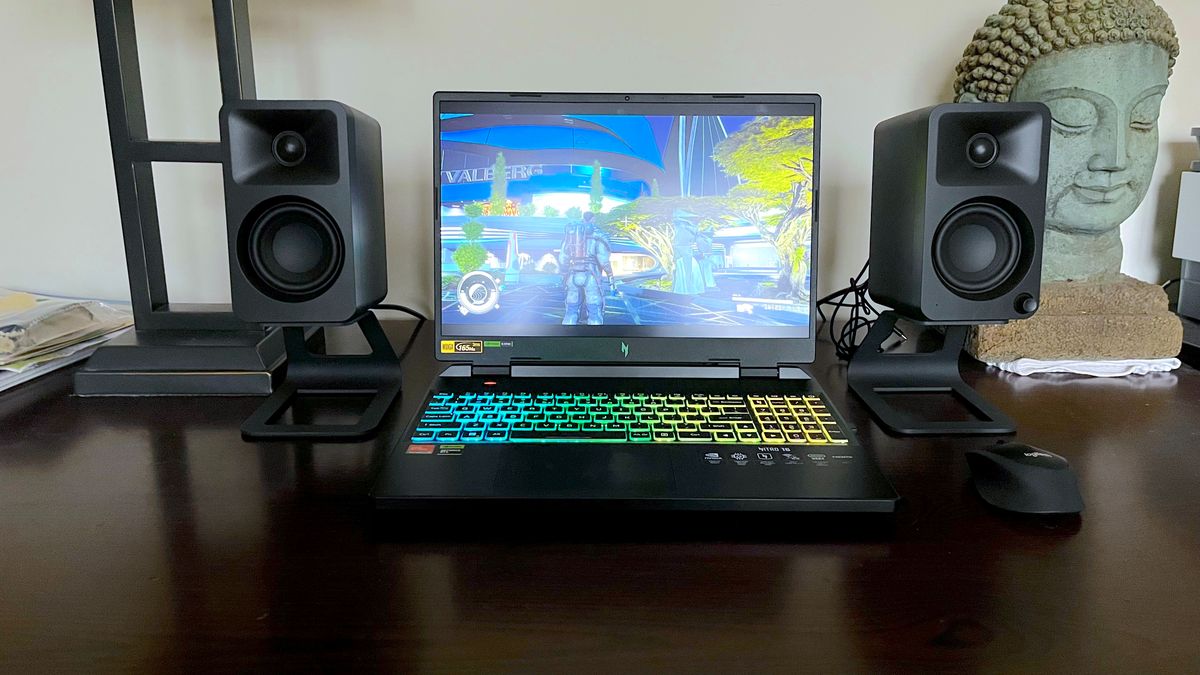
A good gaming laptop shortlist should compare GPU class, screen type, cooling approach and portability together.
The standout theme is that 16-inch laptops have become the mainstream power-user size, whilst 18-inch laptops are increasingly unapologetic desktop replacements. I like 16 inches for most people because it gives you a larger canvas than old 15-inch machines without becoming a transport problem. But if you are keeping the laptop on a desk, an 18-inch model can make a lot of sense. The Blade 18's dual-mode display is a great example: UHD+ at 240Hz when you want detail, or FHD+ at 440Hz when you want speed.
4. HP Victus 15 Review: The Sensible Entry Point

See HP Victus 15 on Amazon UK
Check today's price & availability on Amazon UK
The HP Victus 15 is the laptop I would point to first if someone asks, "What is the least silly way to get into PC gaming?" It is not a luxury machine and it is not built to compete with the Blade 18 or MSI Raider A18 HX. Its job is to offer a proper gaming-laptop shape, a high-refresh 1080p screen and configurations that suit students, casual gamers and families buying a first gaming laptop.
The tested Victus 15 configuration uses an AMD Ryzen 5 7535HS, a 6-core, 12-thread processor with boost up to 4.5GHz. The GPU situation varies by configuration: some machines use integrated Radeon graphics, whilst other versions include NVIDIA GeForce RTX 2050 or RTX 4050 Laptop GPU options. HP also sells Victus 15 models with Intel Core Ultra and RTX 4050 graphics, 16GB memory and a 1TB SSD. That means you need to look carefully at the exact configuration before buying, because "Victus 15" alone does not tell the whole story.
In day-to-day use, the biggest selling point is balance. A 15.6-inch FHD 144Hz IPS panel is a sensible match for an entry-level GPU. You are not paying for a screen resolution the GPU cannot properly exploit, and 144Hz is enough to make esports titles feel smoother than a standard office laptop. The inclusion of RJ-45 Ethernet is also welcome for students in halls or anyone who wants a more stable connection than Wi-Fi when playing competitive games.
HP Victus 15 pros
- Good basic formula for 1080p gaming with a 15.6-inch FHD 144Hz IPS screen.
- Useful port selection including HDMI 2.1, RJ-45 Ethernet, USB-A and USB-C.
- 16GB DDR5 and 1TB SSD configurations are available, which is sensible for modern gaming.
- Backlit keyboard with numeric keypad makes it practical for school, university and productivity.
HP Victus 15 cons
- Configurations vary a lot, so the GPU must be checked carefully before purchase.
- The lowest-end graphics options are better suited to esports and lighter games than demanding AAA titles.
- At 2.29kg, it is portable enough, but still noticeably heavier than a regular thin-and-light laptop.
- It is an entry-level machine, so do not expect the premium materials or display tricks of high-end models.
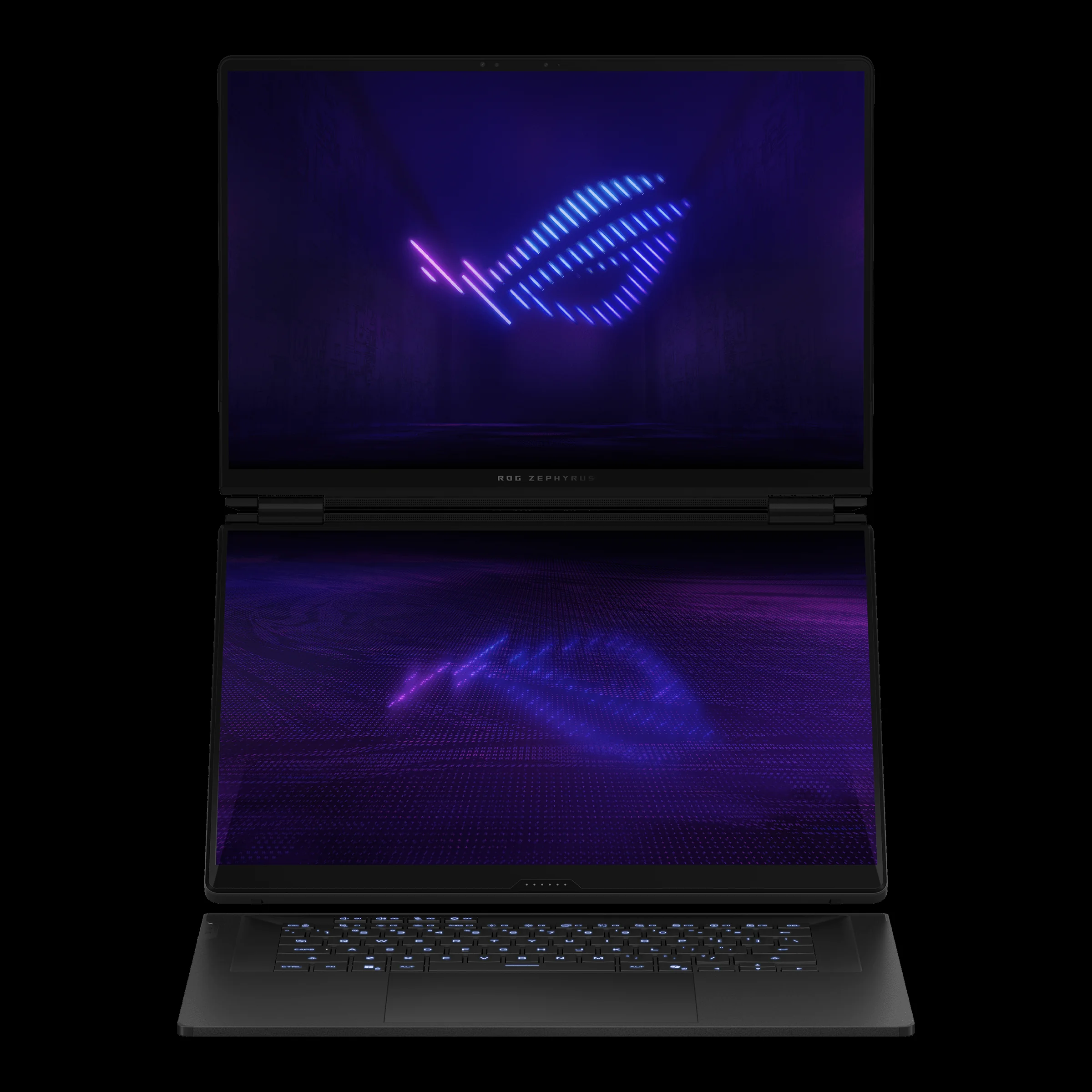
The HP Victus 15 is best approached as a practical 1080p gaming laptop, not a high-end AAA powerhouse.
What should you avoid with the Victus 15? The main trap is buying the cheapest listing without checking the graphics. If you are buying specifically for games, I would prioritise a configuration with a dedicated NVIDIA GPU over one that relies on integrated Radeon graphics. I would also avoid tiny storage configurations where possible. Modern games are enormous, and whilst 512GB is workable, 1TB is much more comfortable if the laptop will be your only gaming machine.
5. Premium 18-Inch Laptops: Razer Blade 18, MSI Raider A18 HX and Alienware 18 Area-51
The 18-inch gaming laptop is back in a serious way. These machines are not trying to be subtle. They are large, powerful and designed for buyers who want a desktop-like gaming experience but still need the option to move the whole setup between rooms, offices or homes. The trade-off is obvious: you get more screen, stronger cooling potential and top-tier hardware, but you also get more weight and a much larger charger.
The Razer Blade 18 is the most polished of the bunch. Its 2025 configuration pairs an Intel Core Ultra 9 275HX with an NVIDIA GeForce RTX 5090 Laptop GPU. That GPU has 24GB of VRAM, GDDR7 memory and a 175W figure including Dynamic Boost. Razer also claims sustained 280W total power delivery, split as 105W CPU and 175W GPU. In other words, this is not merely a thin premium laptop with an ambitious sticker; it is a genuine high-power desktop replacement.
The Blade 18's display is one of its most interesting features. Instead of forcing one panel mode on everyone, it offers UHD+ at 3840×2400 and 240Hz, or FHD+ at 1920×1200 and 440Hz. That makes sense for a laptop that might be used for both cinematic single-player games and ultra-fast competitive play. It is a matte IPS panel rather than OLED or Mini-LED, but Razer claims 500 nits and tests show it exceeds that claim. For many gamers, the dual-mode refresh approach will be more useful than chasing OLED alone.
The port selection is another reason the Blade 18 feels like a proper desktop replacement. On the left, it has two USB-A 3.2 Gen 2 ports, a USB-C 4.0/Thunderbolt 4 port with DisplayPort 2.1 via the integrated GPU and power delivery, a 3.5mm audio jack and 2.5GbE Ethernet. On the right, it adds an SD card reader, USB-C 4.0/Thunderbolt 5 with up to 120Gbps and DisplayPort 2.1 via the dGPU, another USB-A 3.2 Gen 2 port, HDMI 2.1 and a Kensington lock. That is exactly the sort of I/O a serious desk setup needs.
The MSI Raider A18 HX is the AMD powerhouse of the group. It uses an AMD Ryzen 9 9955HX3D and offers RTX 5090 or RTX 5080 graphics options. The Mini-LED 4K display and 6-speaker Dynaudio audio system push it firmly into high-end territory. Its listed MSRP is £4,499, which tells you the sort of buyer MSI is targeting: someone who wants a top-tier machine and is not pretending this is a budget purchase.
Alienware's 18 Area-51 is similarly unapologetic. It is Dell's flagship 18-inch desktop replacement, with high-end configurations offering Thunderbolt 5, a 300Hz LCD, Cryo-tech cooling and weight up to 4.34kg. That last number matters. Once a laptop reaches that size, you should think of it as movable rather than portable. It is something you can take to a different desk, not something you casually carry every day.
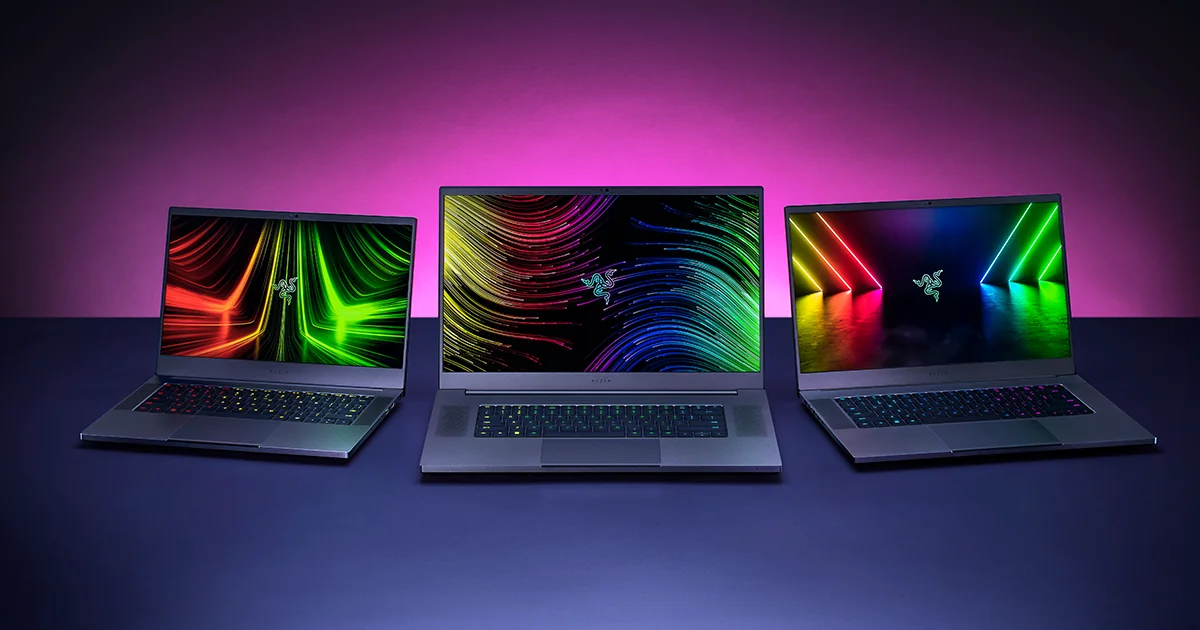
The 18-inch class is all about desktop-style performance, large displays and cooling headroom, but weight rises quickly.
If you are choosing between these 18-inch models, decide first whether you care more about design polish, AMD CPU performance, display technology or Alienware's ecosystem. The Razer Blade 18 is beautifully specified and unusually refined; the MSI Raider A18 HX leans into AMD power and Mini-LED; the Alienware 18 Area-51 is the big flagship choice with high-end cooling ambitions.
6. Slim Power Laptops: MSI Stealth 16 AI+, Stealth A16 AI+ and Alienware 16 Options
Not everyone wants an 18-inch machine. In fact, I think the 16-inch category is the most interesting part of the market because it forces manufacturers to make harder decisions. You can still fit serious hardware inside, but you cannot rely on sheer chassis volume in quite the same way. That means cooling, GPU power limits, screen choice and battery behaviour matter enormously.
The MSI Stealth 16 AI+ for 2026 is a redesigned slim-and-powerful laptop built around Intel Panther Lake-H, with configurations up to Intel Core Ultra 9 386H. GPU options go up to RTX 5080 Laptop GPU, with a 125W RTX 5090 Laptop GPU configuration also part of the conversation. It is positioned as a Copilot+ PC and supports up to 128GB DDR5, which makes it more than a pure gaming laptop; it is also aimed at creators, power users and anyone who wants a high-spec 16-inch machine.
The important caveat is battery behaviour under gaming load. The MSI Stealth 16 AI+ manages just 1 hour 55 minutes in the PCMark 10 gaming battery life benchmark. That result is not shocking for a powerful gaming laptop, but it is a useful reality check. Slim gaming laptops may have better light-use stamina than old-school gaming bricks, but serious gaming still belongs near a wall socket.
Those two figures are not the same test scenario, so I would not treat them as a direct performance shootout. They do, however, illustrate the basic truth of gaming laptops: battery life depends heavily on what you are doing. A budget gaming laptop can last far longer during light use than a powerful slim machine does during a gaming battery benchmark. If you will be playing plugged in most of the time, that is fine. If you expect long unplugged gaming sessions, you will be disappointed by almost every serious gaming laptop.
The MSI Stealth A16 AI+ is also worth keeping in mind as a related option. It pairs AMD Ryzen AI 9 HX 370 with RTX 5070 Ti, uses an OLED screen and weighs roughly 2.1kg. I like this kind of machine for people who want a premium laptop that can game properly but still feels plausible as a daily computer. It will not behave like a thick 18-inch RTX 5090 laptop, but that is exactly the point.
Alienware's 16-inch range is split between the flagship Alienware 16 Area-51 and the more attainable Alienware 16X Aurora. The 16 Area-51 uses Intel Core Ultra 9 275HX and RTX 50-series graphics, with an OLED option added in 2026. The 16X Aurora is the one I would expect many buyers to prefer because it is positioned around £849 cheaper than Area-51 and offers Intel Core Ultra 7/9 with RTX 5060/5070 options. In other words, it keeps the Alienware feel whilst making fewer extreme performance promises.
MSI Stealth 16 AI+
A slim 16-inch Copilot+ PC with Intel Core Ultra 9 386H configurations, up to 128GB DDR5 and high-end RTX laptop GPU options.
MSI Stealth A16 AI+
An AMD-based predecessor with Ryzen AI 9 HX 370, RTX 5070 Ti, OLED screen and roughly 2.1kg weight.
Alienware 16 Area-51
Dell's flagship 16-inch high-performance model with Intel Core Ultra 9 275HX, RTX 50-series graphics and a 2026 OLED option.
Alienware 16X Aurora
The value-minded Alienware with Intel Core Ultra 7/9 and RTX 5060/5070 options, positioned well below Area-51.
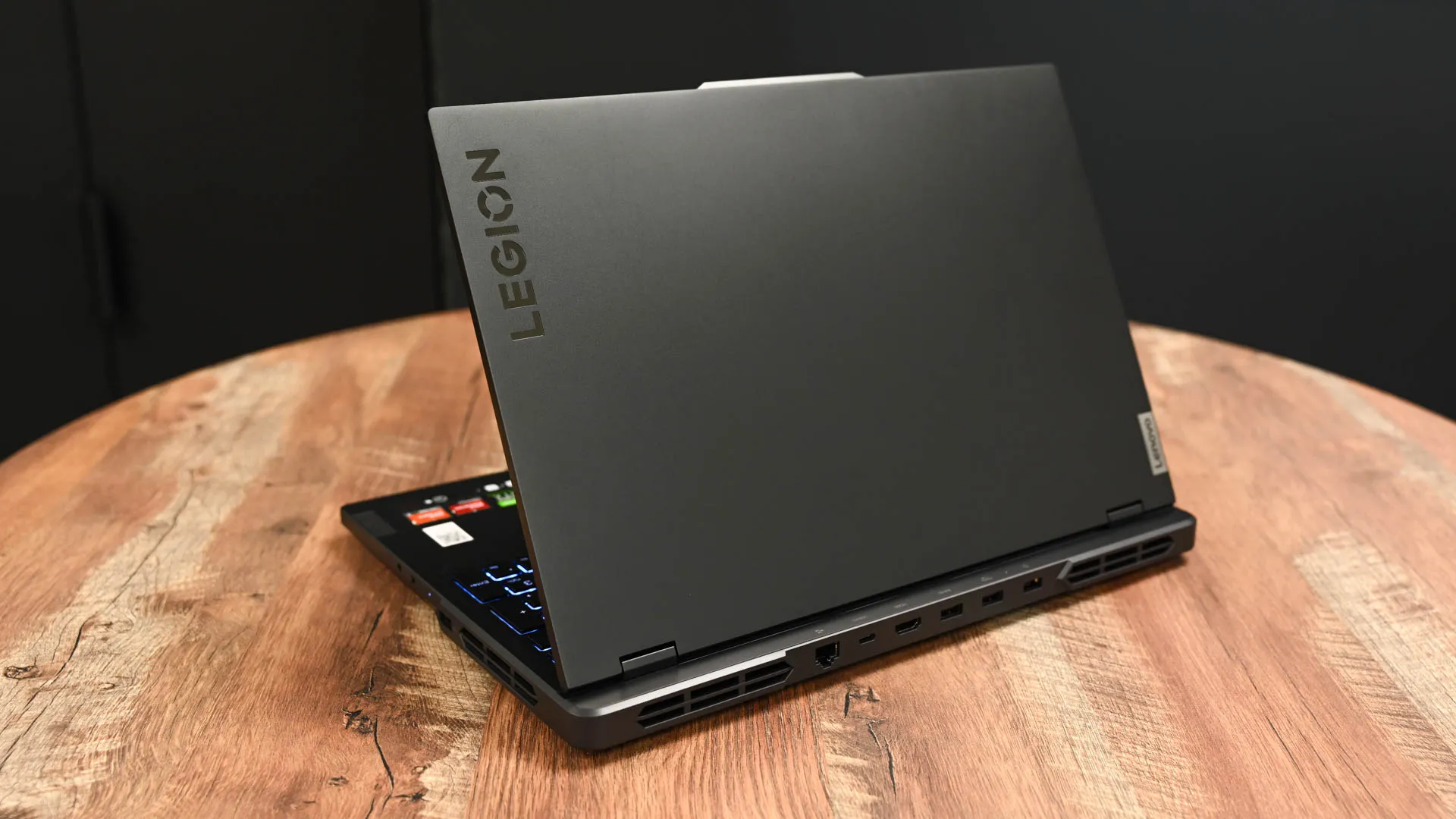
The 16-inch gaming laptop category is the best compromise for many buyers, especially if you need power and portability.
7. Budget Alternatives: Acer Nitro V AI and Lenovo LOQ 15
Budget gaming laptops are better than they used to be, but they still demand a careful eye. I would not chase premium extras here. Instead, look for three basics: a modern dedicated GPU, a high-refresh 1080p or sensible IPS display, and enough RAM and storage to avoid immediate upgrades. Build quality, speakers and screen colour quality may not match premium models, but that is acceptable if the core gaming experience is right.
The Acer Nitro V 15/16 AI is one of the standout budget options because it combines a Core i7 processor with RTX 5060 graphics, a 165Hz IPS display and around 8 hours of light-use battery life. The important phrase there is "light-use". You should not expect eight hours of plugged-in-equivalent gaming performance on battery, but for schoolwork, browsing and general use, that figure makes it more flexible than many older gaming laptops.
The Lenovo LOQ 15 is the other practical recommendation. It is a no-frills gaming laptop around the £800 mark, with Core i7 and RTX 4050/5050 options, a 144Hz FHD screen and Rapid Charge Pro. Lenovo's LOQ line makes sense for buyers who want function over flash. If you do not care about ultra-thin metal construction or RGB-heavy styling, the LOQ approach can be refreshingly honest.
| Budget model | Confirmed hardware | Display | Why it makes sense | Best avoided if... |
|---|---|---|---|---|
| Acer Nitro V 15/16 AI | Core i7 with RTX 5060 | 165Hz IPS | Strong budget gaming specification under £1,000 and around 8 hours of light-use battery life | You want premium materials, ultra-slim design or flagship GPU performance |
| Lenovo LOQ 15 | Core i7 with RTX 4050/5050 options | 144Hz FHD | No-frills gaming laptop around £800 with Rapid Charge Pro | You want a luxury chassis or a high-end display experience |
| HP Victus 15 | Ryzen 5 7535HS tested; RTX 2050 or RTX 4050 variants available | 15.6-inch FHD 144Hz IPS | Good entry-level pick for students and casual gamers when configured with a dedicated GPU | You plan to play demanding AAA games at high settings |
Of these, I would choose based on the exact deal and GPU. An RTX 5060 Acer Nitro V AI is an attractive budget-performance option if you can find it in the right configuration. A Lenovo LOQ 15 makes sense when the price is sharp and you want reliability over theatre. The HP Victus 15 remains appealing when you find a strong RTX 4050 configuration with 16GB RAM and enough SSD space.
8. Current Configurations and Buying Checks
The single most important buying step is checking the exact configuration name and component list before you pay. Gaming laptop ranges often share the same product name across several CPUs, GPUs, RAM amounts and SSD sizes. That is especially important with models such as the HP Victus 15, where different versions can include integrated Radeon graphics, RTX 2050 or RTX 4050 graphics.
Ready to compare live configurations? Check the latest price and any current bundles before choosing a specific model.
Always confirm the CPU, GPU, RAM and SSD on the retailer page before ordering.
When I am comparing listings, I look for the GPU first, then RAM, then storage, then screen. A laptop with the right GPU but too little RAM or storage can still be frustrating, but the GPU is usually the least convenient thing to compromise on. Screen choice matters too: there is little point paying extra for an ultra-high-resolution panel if you are buying an entry-level GPU, whilst a premium GPU deserves a display that can actually show off its performance.
9. What to Avoid When Buying a Gaming Laptop in 2026
The first thing to avoid is vague GPU shopping. If a listing does not make the graphics configuration clear, pause. A model name alone is not enough. "HP Victus 15" can describe very different gaming experiences depending on whether you are looking at integrated Radeon graphics, RTX 2050 or RTX 4050. The same broader warning applies across the industry: check the exact GPU, not just the family name.
Secondly, avoid assuming that every RTX 5090 laptop is equivalent. The Razer Blade 18's RTX 5090 Laptop GPU is specified with 24GB VRAM and a 175W GPU figure including Dynamic Boost, whilst the MSI Stealth 16 AI+ is a slim 16-inch design with a 125W RTX 5090 configuration. Both can be valid, but they are not identical. A thinner laptop can be the better everyday computer, whilst a thicker 18-inch model can sustain higher performance targets more comfortably.
Thirdly, do not buy an 18-inch machine if you secretly need portability. The Razer Blade 18 weighs around 3.1kg, and its 400W GaN charger adds about 1.3kg, taking total carry weight to roughly 4.4kg. The Alienware 18 Area-51 can reach up to 4.34kg before you even think about carrying accessories. These are superb desk machines, but they are not ideal daily backpacks.
Fourth, be realistic about battery life. The MSI Stealth 16 AI+ records 1 hour 55 minutes in the PCMark 10 gaming battery life benchmark. That is a useful reminder that gaming on battery is still a compromise. A laptop may have acceptable light-use battery life and still drain quickly when the GPU is active. If you want top performance, plug in.
Avoid these common mistakes
Do not overbuy GPU for esports, do not underbuy GPU for AAA games, do not ignore laptop weight, and do not assume a premium brand automatically means better value. The right laptop is the one whose CPU, GPU, screen and chassis all make sense together.
Finally, avoid paying for status features you will not use. Thunderbolt 5, dual-mode displays, Mini-LED panels, OLED options and massive RAM ceilings are all exciting, but they should serve your actual workflow. If you mostly play competitive games at 1080p, a sensible RTX 5060 laptop with a fast IPS panel may feel better value than a flagship machine bought for bragging rights.
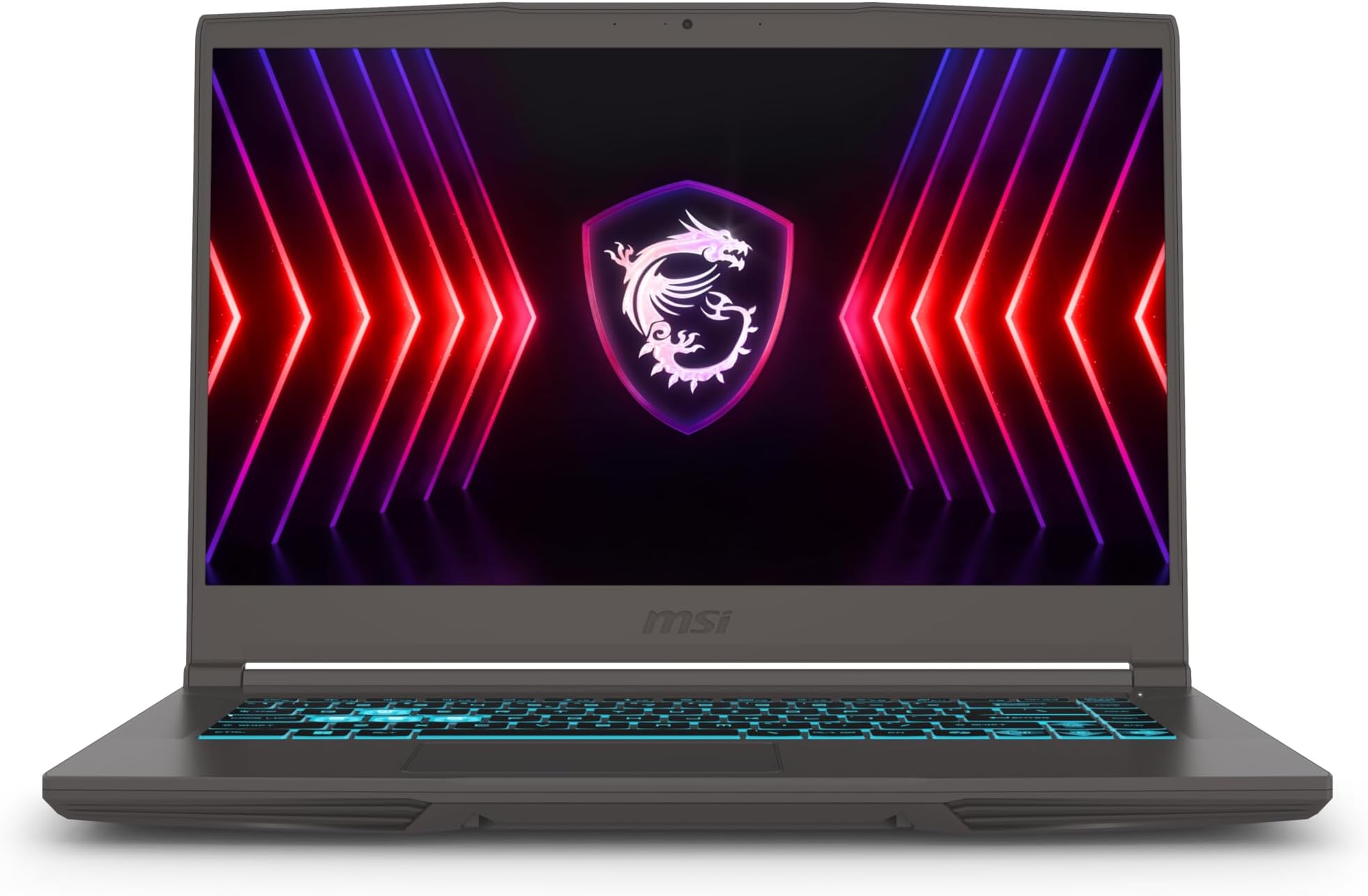
Portability is often the hidden cost of high-end gaming laptops: the machine and charger can weigh as much as a compact desktop setup.
10. FAQ: Best Gaming Laptops 2026 UK
The best laptop is not always the fastest one; it is the one that fits your games, desk, bag and budget priorities.
Final Verdict
If I were buying a gaming laptop in 2026, I would not start with the most expensive flagship. I would start with the games I play and work backwards. For casual 1080p gaming, the HP Victus 15, Acer Nitro V AI and Lenovo LOQ 15 are the sensible places to look. For a stronger all-rounder, the Alienware 16X Aurora and MSI Stealth-style machines are more balanced than the giant flagships. For maximum performance, the Razer Blade 18, MSI Raider A18 HX and Alienware 18 Area-51 are the machines to shortlist.
- Best entry route: HP Victus 15, especially with a dedicated RTX GPU configuration.
- Best budget-performance angle: Acer Nitro V 15/16 AI with Core i7 and RTX 5060.
- Best value-minded Alienware: Alienware 16X Aurora with RTX 5060/5070 options.
- Best premium desktop replacement: Razer Blade 18 if you want polish, ports and a powerful RTX 5090 implementation.
- Best AMD powerhouse: MSI Raider A18 HX with Ryzen 9 9955HX3D and RTX 5090/5080 options.
My final advice is to be suspicious of extremes. The cheapest listing may hide a weaker GPU than you expected, whilst the most expensive machine may be far heavier than your lifestyle allows. Choose the GPU tier carefully, match it to the screen, and remember that cooling and power delivery matter just as much as the name printed on the graphics chip.
- HP Victus 15View on Amazon
 MSI Raider A18 HXView on Amazon