
Best Business Laptops for UK Small Businesses: £550 to £1,500
The best laptop for small business in the UK isn't the cheapest one - it's the one that survives the next four years of invoices, emails, Sage runs and Excel reports without grinding to a halt. After years of fixing other people's bad laptop choices, here's what we'd actually buy.
We link to the exact model on Amazon UK. Prices change often, so check the live price before you buy. As an Amazon Associate we earn from qualifying purchases.

See Microsoft 365 on Amazon UK
Check today's price & availability on Amazon UK
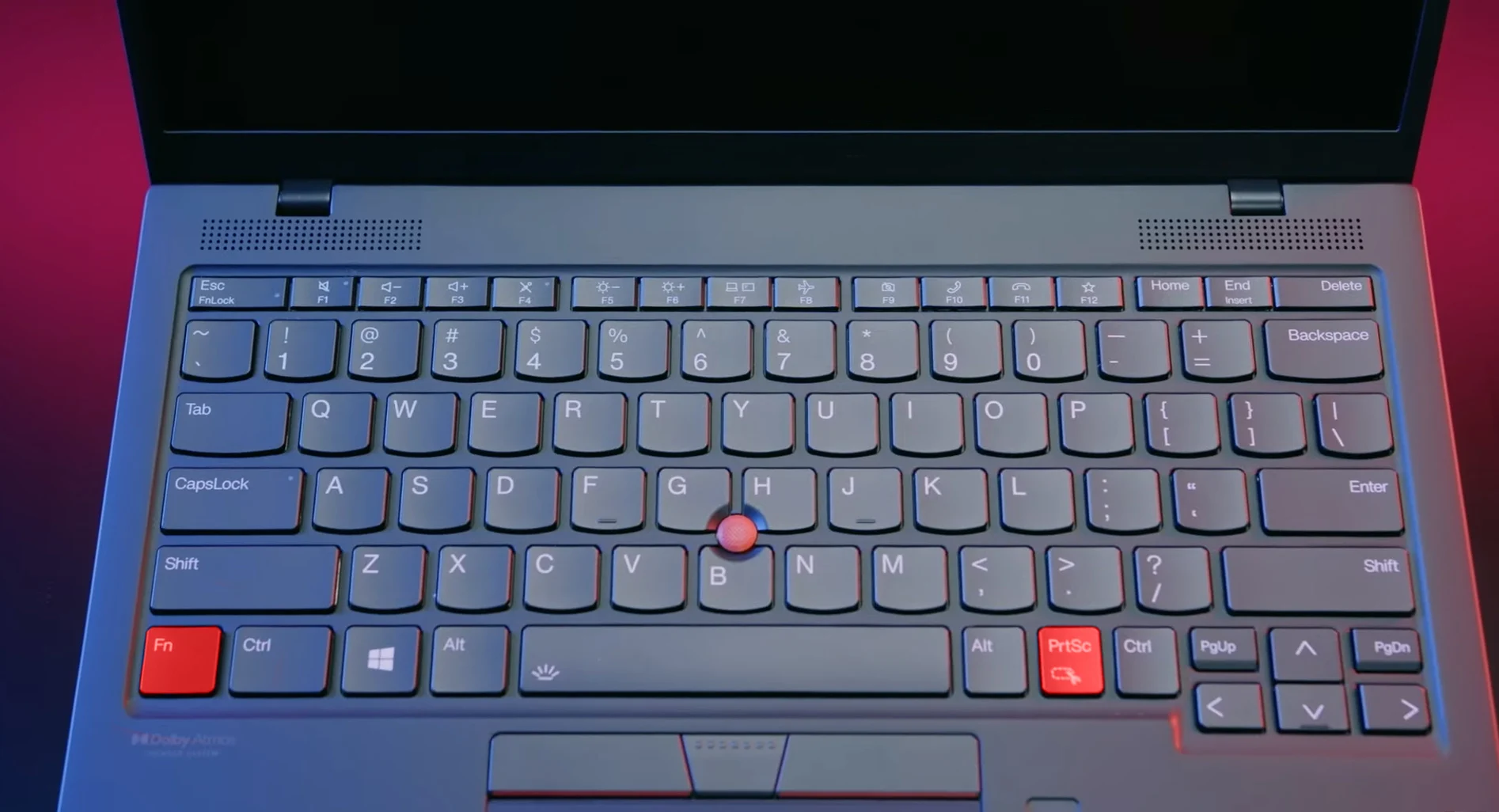
A modern business laptop on a desk - the right sub-£700 model in 2026 can run a small UK business without compromise.
Price scope: live checked examples range from roughly £550 to £1,500. The linked E14, ProBook and Latitude configurations were above the old £900 ceiling, so compare the exact SKU and current price rather than treating every link as a sub-£900 pick.
1. The 'budget laptop' trap small businesses fall into
Walk into any UK supermarket or browse Amazon's 'top selling laptops' list and you'll find machines for £279, £349, £399. They look great in photos. They have the latest Windows 11 sticker on the palm rest. The spec sheet says 'Intel Pentium' or 'Intel N100' or 'Intel Core 3'. Reviewers give them four stars.
And then they sit on a small business owner's desk for three months before they bring it to us, asking why opening Sage takes 90 seconds and Excel freezes when there's any pivot table.
The three traps in plain English
- 4GB RAM laptops still being sold in 2026. Windows 11 needs 4GB minimum. By the time Edge has 8 tabs open, Outlook is running, Teams is in the background and Sage is loaded, you're swapping to disk and everything crawls. You need 16GB minimum in 2026.
- 'Budget' CPUs that aren't really laptop CPUs. The Intel Pentium Silver, Celeron, N100, N200 and similar low-cost chips are designed for Chromebooks and basic web browsing. They run Sage and QuickBooks - just slowly enough that you'll notice every single time. You need an Intel Core i5/i7 or AMD Ryzen 5/7 (any recent generation).
- EMMC storage instead of an SSD. Some bargain laptops use slow eMMC flash storage instead of a real NVMe SSD. Loading times are 3-10x slower. Make sure the spec says SSD, ideally NVMe SSD, ideally 256GB or larger.
Why these three things matter together
Small business workflows are RAM-heavy and storage-heavy more than they're CPU-heavy. The slowdown isn't because the processor can't handle Excel - it's because Outlook has cached gigabytes of email, QuickBooks Online has tabs open in three browsers, your VPN is running, your antivirus is scanning, and there's not enough memory to keep all of it active. So Windows is constantly shuffling data to and from storage. If the storage is slow eMMC, every shuffle takes seconds.
Buy 16GB RAM and a fast SSD, and almost every 'small business laptop' problem disappears. Save £100 by accepting 8GB and a slow SSD, and you'll spend it back in lost hours within months.
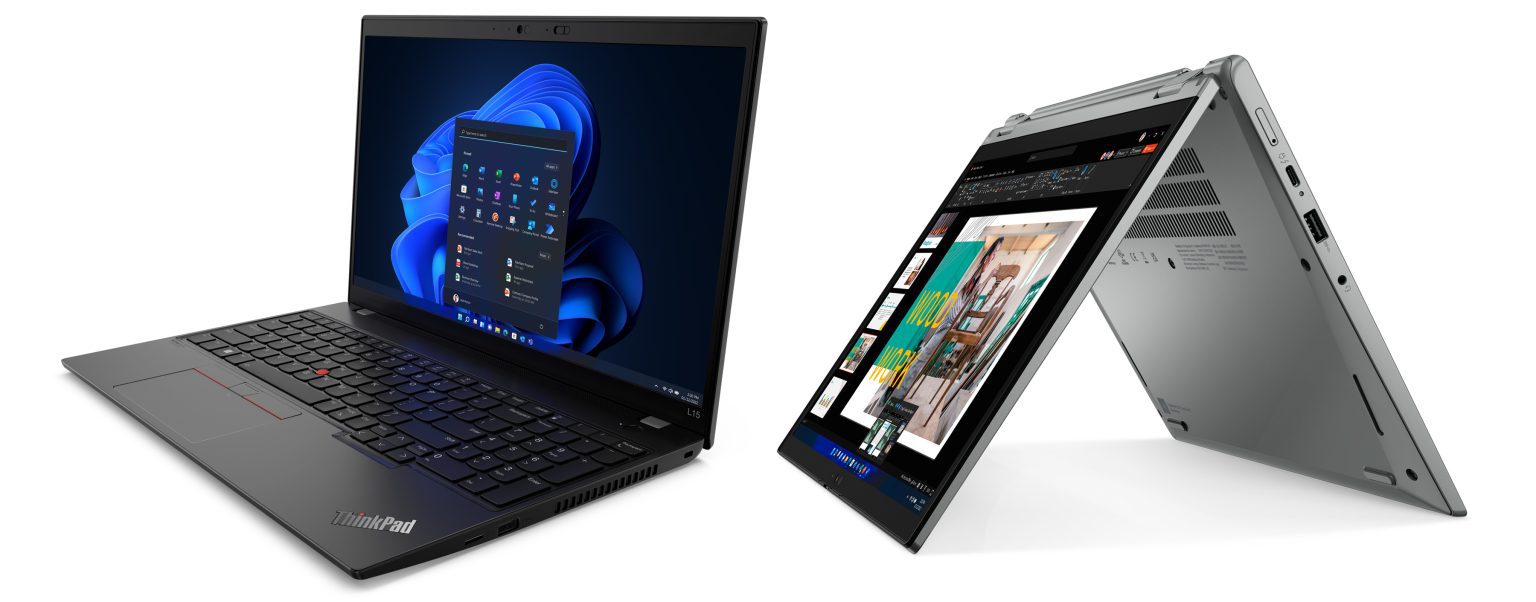
Three years of small-business laptops, side by side - the £350 budget laptop on the left has half the lifespan of the £600 business laptop on the right.
2. What small business laptops actually do daily
Spec advice without context is useless. Let's start with what real small businesses actually run on these laptops.
The accounting reality - Sage, Xero, QuickBooks
UK small businesses divide neatly into three accounting camps:
- Sage 50cloud - desktop application that uses RAM aggressively. 8GB is workable, 16GB is comfortable. Network drive setups can hammer storage; SSD is essential.
- Xero - browser-based, lighter on the laptop but heavier on the browser. Multiple tabs open + Edge or Chrome consume 1-2GB RAM each. 16GB recommended for any laptop that runs Xero alongside Outlook and Teams.
- QuickBooks Online - similar to Xero. Browser-based, multi-tab heavy.
- QuickBooks Desktop - rare in the UK in 2026 but still around. Like Sage, RAM-heavy.
Microsoft 365 (the universal small business stack)
See Microsoft 365 on Amazon UK
Check today's price & availability on Amazon UK
Word, Excel, Outlook and Teams are the big four. Outlook caches your mailbox locally - if you've been with a business 3 years, your Outlook .ost file can easily be 5-10GB. Teams is the heaviest of the four for RAM and CPU; we routinely see Teams alone using 1-2GB of RAM in the background. PowerPoint is moderate; Excel can be modest or extreme depending on whether you have huge spreadsheets with many sheets and pivot tables.
The browser tabs problem
Most small business work in 2026 happens across 10-30 browser tabs. HMRC, Companies House, the bank, Xero, customer CRM, Royal Mail Click & Drop, supplier order portals, internal sharepoint or Drive, two or three reference tabs left open from yesterday. Each tab is between 50MB and 500MB of RAM depending on what's on it. A typical small business browser session uses 4-8GB of RAM by itself.
Light Photoshop / Canva / video calls
Most small businesses don't do heavy creative work but do produce some marketing materials. Canva is browser-based and light. Photoshop Elements, Affinity Photo, or full Adobe Photoshop are genuinely demanding on weaker laptops; if you do this regularly you want 16GB minimum and a discrete or proper integrated GPU. Zoom and Teams video calls hammer the CPU and webcam, plus they run continuous network encryption - a budget laptop dropping to 50% CPU just to be on Teams is not unusual.
The honest test
If you can open everything you actually use - Outlook, Sage/Xero, Teams, your browser with all your usual tabs, and Excel - and the laptop responds quickly, it's enough. If it grinds, swaps to disk, or makes you wait several seconds for window switches, you didn't buy enough RAM or fast enough storage. There's no other variable.
3. Specs that won't haunt you in two years
Here's the honest 2026 minimum spec for a UK small business laptop - the one we recommend to every customer.
Processor
- Intel Core i5 (12th gen or later) - the safe default. Intel Core Ultra 5/7 200-series and 14th gen are widely available in 2026. Avoid Core i3 unless cost is critical and the workload is light email/web only.
- AMD Ryzen 5 (7000 series or later) - equivalent performance, often slightly cheaper. AMD's Ryzen 5 7530U or 7535U is the sweet spot in business laptops.
- Intel Core Ultra 5 - 2024+ generation. Strong battery life and AI features (which mostly don't matter yet but won't hurt to have).
- Avoid: Intel Pentium, Celeron, N100, N200, N4500, N5000, N5100. These are not business-grade processors regardless of marketing.
RAM
- 16GB minimum in 2026. No exceptions for small business use. 8GB was acceptable in 2020; it isn't now.
- 32GB if you're heavy on Photoshop, video, or run multiple VMs.
- Soldered vs SODIMM - SODIMM (user-upgradeable) is preferable for longevity. Many modern thin laptops solder RAM permanently. Check the spec sheet before buying.
Storage
- 256GB NVMe SSD minimum.
- 512GB recommended if your Outlook .ost is large or you keep client files locally.
- 1TB if you handle photo or video work.
- Avoid: eMMC storage at all costs. Avoid SATA SSDs in favour of NVMe (SATA SSDs are still much faster than HDDs, but in 2026 there's no reason to buy SATA-only).
Display
- 14-inch or 16-inch is the sweet spot. 13-inch is portable but cramped for spreadsheets; 17-inch is too big for travel.
- Full HD (1920x1080) or higher resolution. Avoid 1366x768 panels - they're rare now but still appear on the cheapest laptops.
- Matte (anti-glare) finish for office use. Glossy displays look great in shops but show every reflection in real lighting.
- 250 nits brightness minimum; 300+ nits if you ever work in bright rooms.
Battery
- 8+ hours real-world. Manufacturer claims are optimistic; aim for laptops that claim 10+ hours and expect about 7-8 in real use.
- USB-C charging via Power Delivery is genuinely useful - one charger powers laptop, phone and Switch.
Ports
- HDMI - for projecting in client meetings.
- USB-C with DisplayPort and PD - charging plus monitor.
- 2x USB-A - for the legacy mouse / printer / USB stick.
- SD card reader - useful for photographers, accountants importing receipts, etc.
- 3.5mm headphone jack - still standard.
- Wired Ethernet - rare on thin laptops; not essential if Wi-Fi is reliable.
The 30-second spec test
'Intel Core i5 (12th gen or newer) or AMD Ryzen 5, 16GB RAM, 256GB NVMe SSD, 14-inch Full HD anti-glare display, Windows 11 Pro, business-grade brand.' If a laptop matches that, it's worth considering. If any of those specs are missing, look elsewhere.
4. Best new laptops for under the typical 'budget' threshold
For a new UK business laptop, the realistic budget tier in 2026 is roughly £550-£900 on Amazon, John Lewis, Currys for Business, or direct from the manufacturer. Here are the picks we'd actually recommend - all available new in the UK, all meeting the spec minimums above.
Lenovo ThinkPad E14 Gen 6
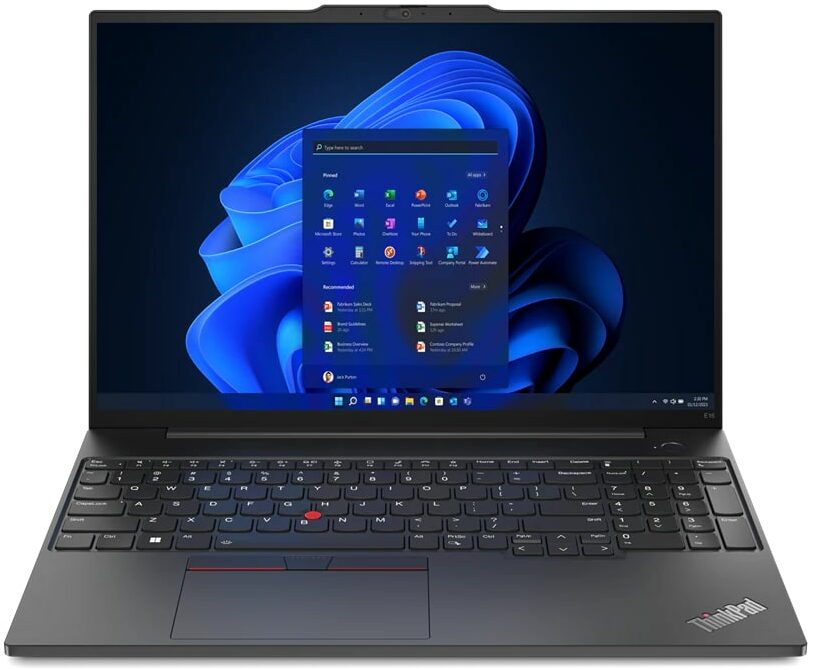
The ThinkPad E-series is Lenovo's entry-level business range and the easy default for any UK small business buying new. AMD Ryzen 5 or Intel Core i5 options, 16GB RAM (often configurable to 32GB), 256GB or 512GB SSD, 14-inch FHD anti-glare display, the famous ThinkPad keyboard, fingerprint reader, business-grade build with a real spill-resistant keyboard. Available with Windows 11 Pro pre-installed.
See Lenovo ThinkPad E14 Gen 6 on Amazon UKWhy ThinkPads win for small business
- Service manuals are publicly available. If anything breaks, an IT shop can get the part and fix it in a day. Lenovo publishes the Hardware Maintenance Manual for every ThinkPad.
- Battery is replaceable. Most modern ThinkPads use removable internal batteries (a few screws) rather than glued-in batteries.
- Keyboards are best in class. Genuinely. Spend a day on a ThinkPad keyboard and any other laptop feels mushy.
- Three-year warranty options at moderate cost - on-site repair available even on entry-level E-series.
HP ProBook 445 G11 (or 465 G11)
See HP ProBook 445 G11 on Amazon UK
See HP ProBook 445 G11 (or 465 G11) on Amazon UK
HP's ProBook range is the EliteBook's smaller, cheaper sibling. AMD Ryzen 5 or Intel Core i5, 16GB RAM, 512GB SSD options. 14-inch or 16-inch screen sizes. Excellent build quality, decent keyboard (not quite ThinkPad standard but close). HP's warranty service in the UK is solid.
Dell Latitude 3450 / 5450
See Dell Latitude 3450 / 5450 on Amazon UK
Dell's Latitude business range is the third major option. The 3000 series is the budget tier, the 5000 series is mid-tier. Latitude 5450 is the value sweet spot - Intel Core Ultra 5, 16GB RAM, 256GB SSD, 14-inch Full HD display, three-year ProSupport available. Slightly thinner and lighter than the ThinkPad E14.
Asus ExpertBook B1 / B5
See Asus ExpertBook B1 / B5 on Amazon UK
See Asus ExpertBook B1 / B5 on Amazon UK
Asus's business range is less famous but offers excellent value. The ExpertBook B5 in particular often comes with 16GB RAM and a 1TB SSD at a similar price to ThinkPad's E-series 256GB config. Build quality is good but not quite ThinkPad-tier; the keyboard is decent. Worth considering if the Lenovo isn't in stock or you want a slightly thinner machine.
What we don't recommend at this price tier (new)
- HP Pavilion, Lenovo IdeaPad, Dell Inspiron - the consumer ranges. Build quality, keyboard quality and serviceability are worse than the business equivalents at similar price.
- Acer and MSI consumer ranges. Some are okay; many use weaker plastic chassis that crack within months of normal handling.
- Microsoft Surface Laptop Go - underspec'd for business workflows.
- Anything from Geekbuying, Banggood, AliExpress 'business laptop' listings. The quality control isn't there.
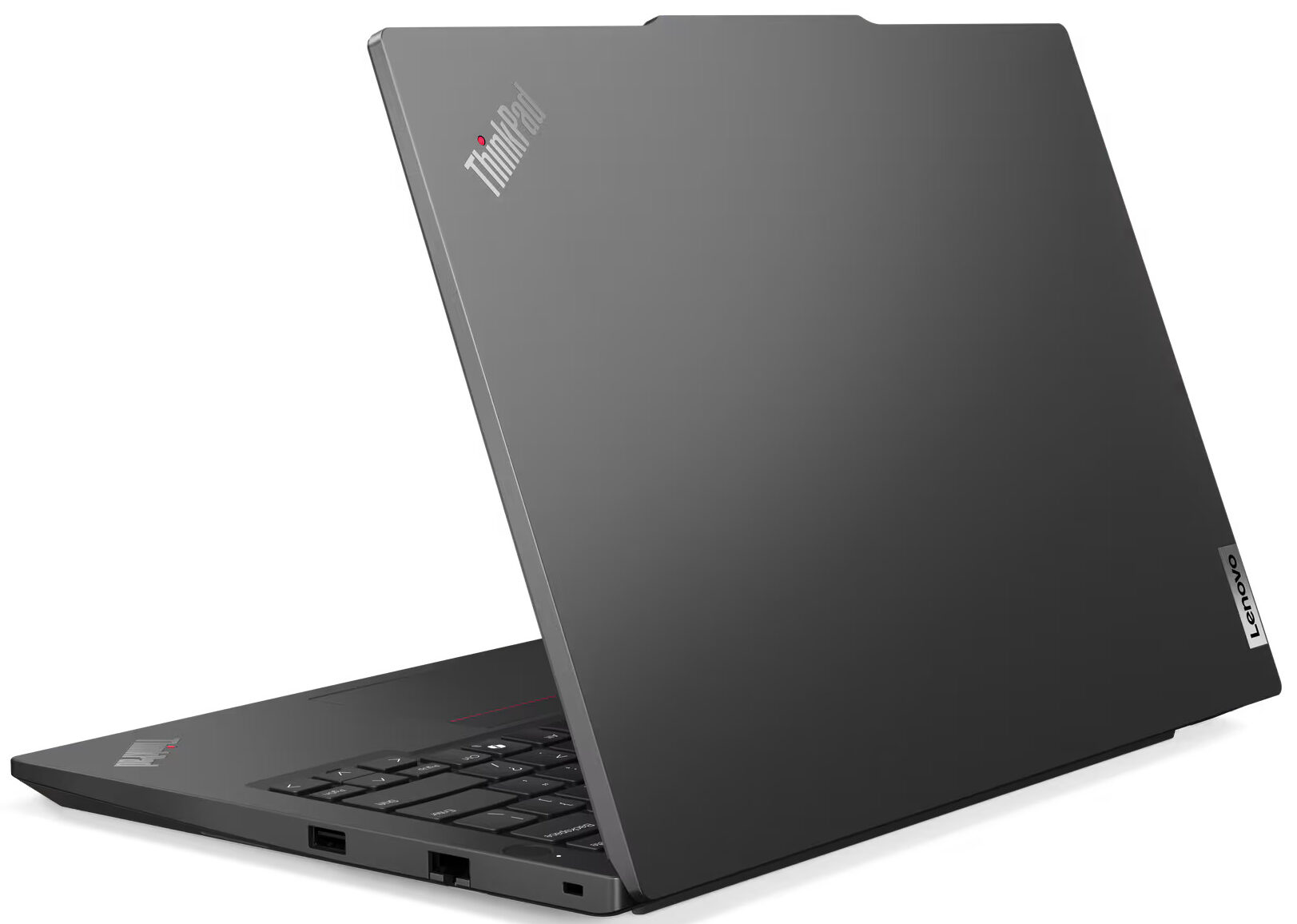
Lenovo ThinkPad E14 Gen 6 - the most-recommended new budget business laptop in our shop, by a mile.
5. The mid-tier upgrade if you can stretch the budget
If you can spend a bit more (£900-£1,500), the next tier up gets you a meaningfully better laptop that'll serve you for 5+ years rather than 3-4.
Lenovo ThinkPad T14 Gen 5 / T16 Gen 3

See Lenovo ThinkPad T14 Gen 5 / T16 Gen 3 on Amazon UK
Check today's price & availability on Amazon UK
The T-series is the pro-grade ThinkPad for serious business use. Better build (more metal, less plastic), better cooling, better display options, longer battery life, more user- serviceable. T14 (14-inch) for portability, T16 (16-inch) for spreadsheet-heavy office work. Intel Core Ultra 7 or AMD Ryzen 7, 16-32GB RAM, 512GB-1TB SSD. The T-series is what we recommend when a customer says 'I want a laptop I'll keep forever'.
HP EliteBook 845 G11 (or 865)
See HP EliteBook 845 G11 on Amazon UK
See HP EliteBook 845 G11 (or 865) on Amazon UK
HP's EliteBook line is genuinely premium - aluminium chassis, excellent keyboard, fast SSDs, MIL-STD-810H tested. The 845 is the AMD variant, the 865 is the larger 16-inch. HP also offers the EliteBook Ultra G1 with even thinner profile if travel is the priority.
Dell Latitude 7450 / 7460
See Dell Latitude 7450 (Renewed) on Amazon UK
Dell's premium business line. Intel Core Ultra 7, 16-32GB RAM, 512GB-1TB SSD, ProSupport warranty options including next-business- day on-site. The Latitude 7000 series is the safest pick for larger UK SMBs that want a fleet of identical machines with consistent support.
Why the upgrade is often worth it
Three concrete reasons we tell customers to consider the mid-tier over the entry-level:
- Lifespan. Entry-level business laptops typically last 4 years before they start feeling their age. Mid-tier laptops typically last 6-7 years. The annualised cost is similar or better.
- Battery life. Mid-tier laptops genuinely deliver 12+ hours; entry-level deliver 7-8. If you work away from a desk, this is a daily-quality-of-life difference.
- Repair economics. Mid-tier laptops are typically more user-serviceable (replaceable batteries, swappable RAM, accessible SSDs). When something fails after 3 years, repair costs £80-150 vs £400+ on entry-level.
6. Why refurbished business laptops are often the smartest buy
This is where being an IT shop owner gives a perspective most online guides don't. For most UK small businesses, a refurbished business-grade laptop is a better buy than a new consumer laptop at the same price. Hear us out.
What 'refurbished business-grade' actually means
Companies replace laptop fleets every 3-4 years - typically because of leasing agreements, not because the laptops are worn out. Those laptops then go to refurbishers (often the original manufacturer, or authorised partners), get tested, get a fresh OS install, get a warranty, and resell at 40-60% off the original price.
What you're buying:
- A 2-3 year old ThinkPad T14, EliteBook 845, or Latitude 7440
- 16GB RAM (frequently upgraded by the refurbisher), 256GB-1TB SSD
- A genuine Windows 11 Pro licence transferred onto the device
- A 12-month warranty, usually return-to-base
- A laptop that originally cost £1,500+ when new
- A price typically £350-£600
The trade-offs
- The battery is part-worn. Most refurbished laptops have 70-85% of original battery capacity. A new replacement is £40-90 if you want full life.
- Cosmetic wear. Visible on the lid corners, occasionally small marks on the palm rest. Functionally invisible after a wipe.
- The keyboard might be slightly worn. Letters on E, A, S keys sometimes have shine where they've been hit. Not affecting use; affects looks.
- You lose the new-machine smell. Genuinely the only thing.
Why ThinkPads, EliteBooks and Latitudes refurb so well
These three brands' business lines are designed around 5-7 year lifespans. The chassis is metal, the hinges are over-engineered, the keyboards are designed to survive millions of keypresses. A 2022 ThinkPad T14 in 2026 is - other than the battery - functionally as robust as it was on day one. The same can't be said of consumer laptops; cheap plastic chassis cracks in 3 years even with careful use.
Where to buy refurbished business laptops in the UK
- Manufacturer outlets: Lenovo Outlet, HP Renew, Dell Outlet. These resell their own refurbished machines with proper warranties. Safest source.
- Established refurbishers: Bargain Hardware, Newegg UK Refurbished, Tier1, ITC Sales, RDC. UK-based, usually offer 12-month warranties.
- Avoid: Random eBay 'refurbished' listings without seller history. Facebook Marketplace 'refurbished' listings. Amazon Marketplace third-party refurbs unless the seller has a clear track record.
Our shop recommendation
We tell most small business customers: buy a refurbished Lenovo ThinkPad T-series (T480, T490, T14, T14s) for £350-£500 and replace the battery for £50. You'll have a £1,500-when- new laptop with a fresh battery, full Windows 11 Pro licence, the ThinkPad keyboard, and 4-5 more years of useful life ahead. The same money buys an underwhelming new consumer laptop.
For the deeper how-to-buy-refurbished argument, see our companion article: 'Refurbished Laptop Buying Guide UK: What to Check Before You Buy'.
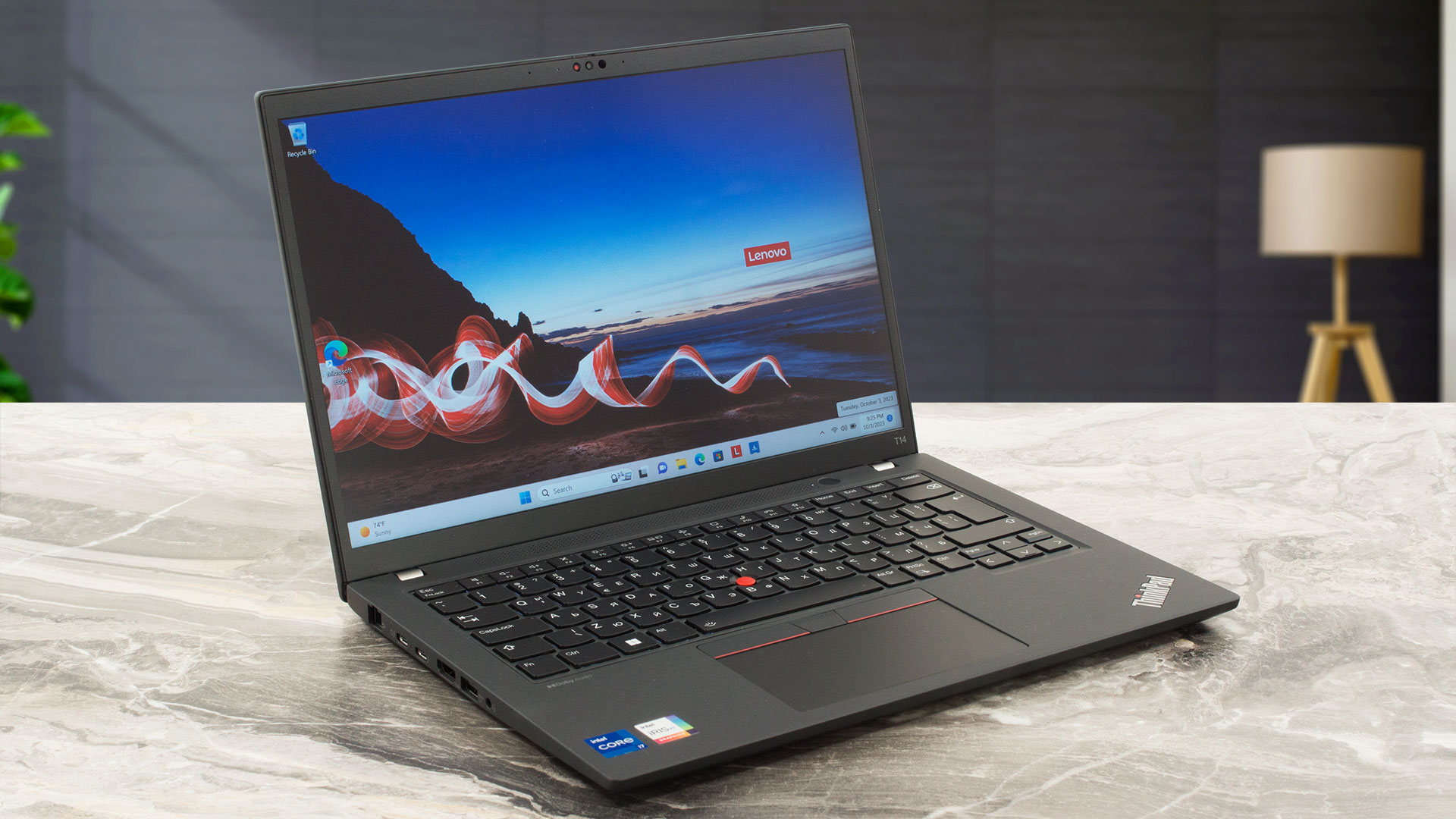
A 3-year-old ThinkPad T14 from a UK refurbisher, plus a £50 new battery, often outperforms a brand-new £600 consumer laptop.
7. Brand-by-brand reality check
Five years of repairing UK small business laptops gives you a clear sense of which brands actually hold up. Here's the unvarnished take.
Lenovo ThinkPad (E, T, X series)
The default safe recommendation. Repairable, durable, predictable. The E-series is entry-level (good build, basic chassis), T-series is mid-tier (premium build, longest service life), X-series is small ultra-portable. We see far fewer ThinkPads back in for repair than any other brand. Avoid the consumer Lenovo lines (IdeaPad, Yoga, Legion) for business use - they're fine consumer laptops but lack the business build.
HP EliteBook / ProBook
Shop HP EliteBook / ProBook on Amazon UK
Strong second pick. EliteBooks are premium, ProBooks are mid-tier. Both are solid; we see them in for repair occasionally but at lower rates than HP's consumer lines. The HP Pavilion and Envy ranges look appealing in shops but break more often. If buying HP, stick to ProBook 445/465 or EliteBook 845/865.
Dell Latitude / Vostro
Shop Dell Latitude / Vostro on Amazon UK
Latitude is the business range; Vostro is the consumer-business hybrid. Latitude 5000 and 7000 series hold up well; the 3000 entry range is acceptable but cheaper-feeling. Vostro is okay for the price but cuts more corners than Latitude. ProSupport warranty (next- business-day on-site engineer) is genuinely worth paying for in a business context.
Microsoft Surface
Shop Microsoft Surface on Amazon UK
The Surface Laptop and Surface Pro line are good but expensive for what you get. Microsoft's repair process can be slow - many Surface faults require sending the device back to Microsoft, which can mean 2-3 weeks without a laptop. For a business that needs continuity, this is a meaningful drawback. We don't recommend Surface for small-business primary machines.
Apple MacBook
Shop Apple MacBook on Amazon UK
If your business runs entirely in the browser, in Microsoft 365 web versions, in Xero or QuickBooks, and you don't run Sage 50 desktop - a MacBook Air is excellent. Battery life is class-leading, performance is excellent, the trackpad is unbeatable. The compatibility caveats matter: Sage 50, some Windows-only line-of-business apps, and some industry-specific software won't run natively on macOS. Check before switching.
Asus ExpertBook
Underrated. Good build, often great value, less common in UK business than the Big Three. A reasonable 'Plan B' if Lenovo, HP and Dell are out of stock or pricing is bad.
Acer TravelMate
Acer's business range. Variable quality - some models are fine, others feel cheap. We see a lot of Acer consumer laptops in for repair (palm rest cracking, hinges loose). The TravelMate is built better than the consumer Aspire range; still wouldn't be our first recommendation.
Avoid for business use
- Generic 'gaming laptops' (HP Victus, Lenovo Legion) for business workloads - too noisy, hot, heavy, and tuned for graphics over reliability.
- Chromebooks marketed as business laptops - they can't run Sage, can run Excel only via the browser, and Microsoft 365 desktop apps don't exist on ChromeOS.
- The very cheapest Lenovo IdeaPad, HP Pavilion, Dell Inspiron sub-£400 models. The build quality saves on plastic and hinges; you pay later.
8. Office software - what's actually worth paying for
You've bought the laptop. Now you need software. The default small-business stack is straightforward but worth knowing what to pay for and what to skip.
Microsoft 365 Business Basic vs Standard vs Premium
For most small businesses with 1-25 users:
- Microsoft 365 Business Basic - web/mobile Word, Excel, PowerPoint and Outlook plus business email; it does not include the desktop Office apps. The checked UK annual-commitment price is £4.60/user/month excluding VAT.
- Microsoft 365 Business Standard - everything in Basic plus full desktop apps. Around £10.30/user/month. The right tier for most small businesses; you get desktop Office on every device.
- Microsoft 365 Business Premium - Standard plus Intune mobile management, Defender for Business, Azure AD Premium. Around £19/user/month. Worth it if you have remote workers and need device management.
Pay annually rather than monthly - around 10% cheaper.
Sage, Xero or QuickBooks - which one?
This is the biggest accounting software decision for UK small business. We're not accountants but we see the consequences daily:
- Xero - cloud-based, very easy to use, excellent app support, market-leading in UK SMB. Most accountants in 2026 prefer Xero. Strong recommendation for new businesses.
- QuickBooks Online - cloud-based, similar to Xero, slightly cheaper at lower tiers. Some accountants prefer QB; check what your accountant uses before signing up.
- Sage 50cloud - desktop-based with cloud sync. Powerful but more complex to learn. Strong for established businesses with employees, payroll, stock control. Less appealing for new starters.
- FreeAgent - free with NatWest, Mettle, Royal Bank of Scotland and Ulster Bank business accounts. Genuinely capable; perfect for sole traders and very small companies if you bank with one of those.
The free alternatives that actually work
- LibreOffice - free, cross-platform, mostly compatible with Word/Excel/PowerPoint. Use it if you really can't afford Microsoft 365. Note: complex Excel macros and conditional formatting can render incorrectly.
- Google Workspace - browser-based alternative to Microsoft 365 from £4.60/user/month. Strong if your business is fully cloud-native; weaker for desktop-app-heavy workflows.
- Microsoft 365 Family / Personal - the consumer subscription. Cheaper than Business tiers but not licensed for business use; Microsoft can audit and require an upgrade.
Antivirus - mostly don't bother
Windows 11 includes Microsoft Defender, which is excellent in 2026. Independent tests rank it among the top antivirus products. For a typical small business, Defender plus careful email habits is enough. Do not automatically pay for a third-party antivirus suite: compare independent protection, performance, privacy policy and support results with Microsoft Defender for your risk and compliance needs. The exception: if your business handles sensitive client data or has compliance requirements, Microsoft 365 Business Premium with Defender for Business is worth the upgrade.
Backup - the often-forgotten line
One ransomware incident can end a small business. Two simple backup approaches:
- OneDrive (with Microsoft 365) - included with Business Standard or higher, gives you 1TB per user with version history.
- Backblaze - unlimited computer backup is available, but use Backblaze's current UK-billed price because the old £6/month figure is stale.
Don't rely on a single USB stick or external drive. They fail. Have a cloud backup of any business-critical file.
9. New laptop setup - the first hour matters
What we do for every new business laptop in our workshop, in order. This avoids most of the 'why is my laptop slow already' problems within months.
Step 1 - skip the OOBE 'recommended' apps
Windows 11 first-run wizard tries to install games, dumps Edge tabs about Microsoft 365 trial offers, and signs you into a Microsoft account that ties your business laptop to a personal email. Choose the 'set up for business' option, sign in with a Microsoft 365 work account if you have one, or create a local account first if you'd rather configure things separately.
Step 2 - uninstall bloatware
Even business-grade ThinkPads, EliteBooks and Latitudes ship with some manufacturer bloat. Open Settings > Apps and remove anything you don't recognise or won't use:
- McAfee, Norton, or any pre-installed antivirus trial - removes them and let Defender take over.
- Manufacturer 'optimisation' apps that mostly run startup tasks you don't need.
- Cortana (in older Windows 11 builds), Xbox Game Bar (unless you'll game).
- Microsoft Solitaire, Candy Crush, Disney+ stub.
Step 3 - run Windows Update
Settings > Windows Update > Check for updates. Then again. Then again. New laptops often have 6-12 months of updates pending; get them all installed in one go before you start working.
Step 4 - check SSD TRIM and choose a power mode
Windows 11 should do this automatically, but verify. Run Command Prompt as administrator:
- 'fsutil behavior query DisableDeleteNotify' - should return '0' (TRIM enabled).
- Hibernation is optional: enable it only if the business workflow benefits and disk/encryption policy permits it; modern standby or sleep may be preferable.
Step 5 - install your business software
In this order:
- Microsoft 365 Apps for Business (signed in with your work account)
- Your accounting software (Xero / QuickBooks / Sage)
- Your browser of choice and migrate bookmarks/passwords
- A password manager (Bitwarden free is fine; we have a separate guide)
- Adobe Reader for PDF reading (or stick with Edge's built-in PDF viewer)
- Anything industry-specific
Step 6 - set up backup
OneDrive backup folder enabled, or Backblaze installed and running. Don't put this off; it's the most important thing you do in the first hour.
Step 7 - personalise without bloating
Set the desktop, taskbar, and File Explorer view to match your preferences. Pin business apps to the taskbar. Set up Outlook profiles. Don't install random Chrome/Edge extensions; almost all of them are productivity-killers, security risks, or both.
A clean, configured business laptop in 60 minutes - the difference between a setup that lasts 5 years and one that's choking on bloatware in 6 months.
10. Warranty, repairs and the 'cheapest now, expensive later' problem
The cheapest business laptop is the one you actually use for the longest time. Two things determine that lifespan: warranty quality and repairability.
Standard warranties on UK business laptops
- Lenovo ThinkPad E-series: 1-year carry-in standard, upgradeable to 3-year on-site for £80-150.
- Lenovo ThinkPad T-series: 1-year on-site standard (depending on configuration), upgradeable to 3-year next-business-day for £100-200.
- HP EliteBook / ProBook: Similar tiers - 1-year base, upgrade to 3 years.
- Dell Latitude: ProSupport options include next-business-day on-site engineer in major UK cities.
Pay for the extended warranty
For a £700-£900 business laptop, the £80-150 cost of a 3-year on-site warranty is genuinely good value. One trip to the workshop costs more than that, and laptop repair time means lost productive hours.
Repairability score
Some laptops are designed to be opened and serviced; others are glued shut. Our shop's rough ranking:
- Easy to repair: Lenovo ThinkPad T-series, HP EliteBook 800-series, Dell Latitude 7000-series, business Asus ExpertBook B-series.
- Moderate: Lenovo ThinkPad E-series, HP ProBook, Dell Latitude 5000-series.
- Difficult: Most ultrabooks (Surface Laptop, Dell XPS, MacBook Air).
- Hostile: Some thin consumer laptops with everything soldered including SSD.
Common business laptop failures and what they cost
Real numbers from our workshop in 2025-2026:
- Battery replacement: £40-90 plus an hour of labour (£60-90 typical) - most users see degradation at 3-4 years.
- SSD failure: Rare for NVMe, more common for older SATA. £40-80 part plus £40-60 fitting and OS reinstall.
- Keyboard replacement: £40-100 part plus 1-2 hours labour. Spilled coffee is the #1 cause.
- Screen crack: £100-250 depending on resolution and laptop model. Drops and closing on objects are the main causes.
- Hinge failure: £80-150 - usually fixable on business laptops, often write-off on cheap consumer machines.
The right repair vs replace threshold
Rough rule: if a repair costs more than 60% of buying a similarly-spec'd refurbished replacement, replace instead. A 4-year-old laptop with a £250 motherboard fault is rarely worth fixing; a 4-year- old laptop with a £80 battery problem absolutely is.
11. What to avoid - red flags from a UK repair shop
Five specific warning signs we see weekly that should make a small business buyer pause.
Red flag 1: 'Brand new sealed in box, £279'
If a known business-grade laptop is being sold dramatically below market price, it's almost certainly either: (a) a much older model than the listing implies, (b) a stolen item with restrictive licensing, (c) a refurbished unit being sold as new, or (d) a counterfeit. Stick to authorised UK retailers - John Lewis, Argos, Currys for Business, Amazon (where the seller is the brand or an authorised reseller), direct from manufacturer.
Red flag 2: 'Office Pro Plus 2021 Lifetime Licence £15'
Cheap Office and Windows licences on eBay, Facebook Marketplace, or random Amazon Marketplace listings are usually grey-market or stolen. They activate fine for a few months, then Microsoft revokes the licence and you're left with a deactivated install. Pay for legitimate Microsoft 365 subscriptions or buy retail licence cards from authorised UK resellers.
Red flag 3: 'Refurbished i7 with 1TB SSD, £180'
If the refurb price seems too low, the spec is usually a lie. Common scams: 'i7' is a 7th-gen mobile chip from 2017 (slower than a modern i3); '1TB SSD' is a 1TB hard drive (eMMC or HDD); '16GB RAM' is 16GB total max but only 8GB installed. Verify spec details before buying. Reputable refurbishers list the exact CPU model, RAM type and SSD model.
Red flag 4: 'Windows 11 already activated' from non-manufacturer
If a refurbisher pre-activates Windows 11 with their own licence and that licence is then attached to many devices, you're looking at volume-licence misuse. Microsoft can detect this and deactivate. Genuine refurbishers either ship Windows 11 with a transferred OEM licence or include a fresh retail key with the device.
Red flag 5: 'Free wireless mouse, free bag, free Office'
The freebies are usually the markup in disguise. Compare the same laptop spec from a reputable retailer without the bundle - you'll often find the bundled deal is actually more expensive once you ignore the £8 mouse and £5 bag.
Buying from Facebook Marketplace or Gumtree
Sometimes legitimate, often risky. Insist on:
- Meeting in a public place (a coffee shop with Wi-Fi is ideal).
- Powering on the laptop and verifying the spec yourself in BIOS or Windows Settings.
- Booting into Windows and confirming the activation status (Settings > Activation).
- Verifying battery health (more on this in our refurbished buying guide).
- Cash or PayPal Goods & Services - never bank transfer.
For more red flags specific to refurbished laptops, see our companion article: 'Refurbished Laptop Buying Guide UK: What to Check Before You Buy'.
Frequently asked questions
What's the cheapest laptop that's actually good enough for small business in the UK?
In 2026, around £550-£600 is the realistic floor for a new business-grade laptop you won't regret. The Lenovo ThinkPad E14 Gen 6, HP ProBook 445 G11 and Dell Latitude 3450 all sit in this range and meet the 16GB RAM / 256GB SSD / business-grade build minimum. A refurbished ThinkPad T-series can drop you to £350-£500 with an upgraded battery, and is often the smarter buy for a tight budget.
Do I need Windows 11 Pro or is Windows 11 Home fine for a small business?
For most micro businesses (1-3 users, no domain, no group policy), Home is fine. Pro adds BitLocker encryption, joining Active Directory or Microsoft Entra ID, Hyper-V virtualisation, Remote Desktop server. If you're a sole trader or partnership using Microsoft 365 Business Basic, Home will do. If you have a Microsoft 365 Business Premium subscription, get Pro to use Intune device management properly.
Can I run Sage 50 on a MacBook?
Not directly - Sage 50 is Windows-only. You can run it on a Mac via Parallels Desktop (a virtual machine that runs Windows inside macOS), but you'll need a Windows 11 licence on top, plus Parallels itself, plus Sage 50. The cumulative cost and complexity often makes a dedicated Windows business laptop the better choice if Sage is core to your workflow.
How much RAM does a small business laptop actually need in 2026?
16GB is the realistic minimum. 8GB will work but you'll feel it slow within a year as Outlook caches grow, browser tabs accumulate, and Teams runs in the background. 32GB is overkill for typical email/Excel/accounting workflows; reserve it for photo editing, video work, or running multiple VMs.
Should I buy on Amazon or direct from the manufacturer?
Direct from manufacturer (Lenovo.com, HP.com, Dell.com) often offers better business-tier warranties, configuration options, and education/business discounts. Amazon is faster and easier for returns, with good warranty handling on Sold-by-Amazon items. We tend to recommend manufacturer-direct for serious business purchases (where warranty and support matter), Amazon for personal-use or non-critical machines.
Are 2-in-1 convertible laptops good for business use?
For most small business use, no. The hinges add cost and a failure point, the touchscreens add weight, and the convertible mode is rarely actually used by business owners after the first month. Stick with traditional clamshell laptops unless you have a specific use case (signing PDFs at client sites, drawing diagrams in meetings).
Will my laptop work for video calls and Teams meetings reliably?
Yes, on any laptop meeting our spec recommendations. The webcam and microphone in modern business laptops are genuinely good (Lenovo ThinkPads have especially good webcams in recent generations). Wi-Fi 6 or Wi-Fi 7 helps with call stability. If you do a lot of calls, a separate USB or wireless headset (Jabra Evolve, Logitech Zone) dramatically improves audio quality on both sides.
How long should a business laptop last in real use?
Business-grade laptops (ThinkPad T, EliteBook 800, Latitude 7000): 5-7 years with one battery replacement. Entry business laptops (ThinkPad E, ProBook, Latitude 3000/5000): 4-5 years. Consumer laptops sold for business use: 2-4 years before becoming frustrating. The build quality difference shows up in years 3-7.
Can I replace the battery myself on a modern business laptop?
On most ThinkPads, EliteBooks and Latitudes - yes, with a small screwdriver and 30 minutes. The hardware maintenance manual on the manufacturer's website will show step-by-step. iFixit also has guides for popular models. On most ultra-thin or consumer laptops the battery is glued in and far harder to replace - check before buying if longevity matters.
What's the best laptop for a sole trader who mostly does invoices and emails?
A refurbished Lenovo ThinkPad T14 (or T480/T490) with a fresh battery - around £400-£500 total. Or a new ThinkPad E14 Gen 6 at around £600-£700. Either one will handle Outlook, Word, Excel, browser-based accounting (FreeAgent, Xero, QuickBooks Online) for years. Don't overspend on specs you won't use; do invest in a battery you can rely on.
Do I need a SIM card / mobile broadband in my business laptop?
Probably not. Mobile-broadband-equipped laptops cost £100-200 more, plus you need a separate data SIM with monthly cost. Most UK small business owners are better served by tethering from their phone (most contracts allow this) on the rare occasions they're not on Wi-Fi.
Should I get a touchscreen on my business laptop?
Probably not, unless you specifically draw, take handwritten notes, or have accessibility needs. Touchscreens add £50-100 to the cost, slightly more weight, slightly less battery life, and most business owners use the touchscreen twice in the first week then stop. The keyboard and trackpad get used 99% of the time.
What we'd actually buy in 2026 - the IT shop owner's recommendation
For most UK small businesses on a budget: A refurbished Lenovo ThinkPad T14 (T480, T490, T14 Gen 1-3) with a fresh battery, around £400-£500 total. It outperforms most £700 new consumer laptops, lasts another 4-5 years, and is repairable.
If you must buy new: Lenovo ThinkPad E14 Gen 6 (or E16 if you want the larger 16-inch screen) - £600-£800. The default recommendation in 2026 for new budget business laptops.
Stretch budget option: Lenovo ThinkPad T14 Gen 5 or HP EliteBook 845 G11 - £900-£1,300. The pro-grade version that'll serve you for 6+ years with better build, battery and serviceability.
Software: Microsoft 365 Business Standard for Office. Xero or QuickBooks Online for accounting (or Sage if your accountant insists). Bitwarden for passwords. OneDrive or Backblaze for backup.
Avoid: Anything with 8GB RAM, eMMC storage, Pentium/Celeron/N100 processors. Cheap 'gaming laptops' for business work. Bargain Amazon listings without UK after-sales support. Any Microsoft 365 'lifetime' licence on eBay or Facebook Marketplace - it'll deactivate within months.
The right business laptop for a UK small business doesn't change much year to year. ThinkPads, EliteBooks and Latitudes have been the right answer for a decade and remain the right answer in 2026. Spend a little more upfront on the right machine, configure it properly in the first hour, and it'll be the boring, reliable tool that lets you focus on running your business instead of wrestling with technology.
- Microsoft 365View on Amazon
 Lenovo ThinkPad E14 Gen 6View on Amazon
- Lenovo ThinkPad T14 Gen 5 / T16 Gen 3View on Amazon
 Logitech MX Anywhere 3SView on Amazon
 YubiKey 5C NFCView on Amazon