
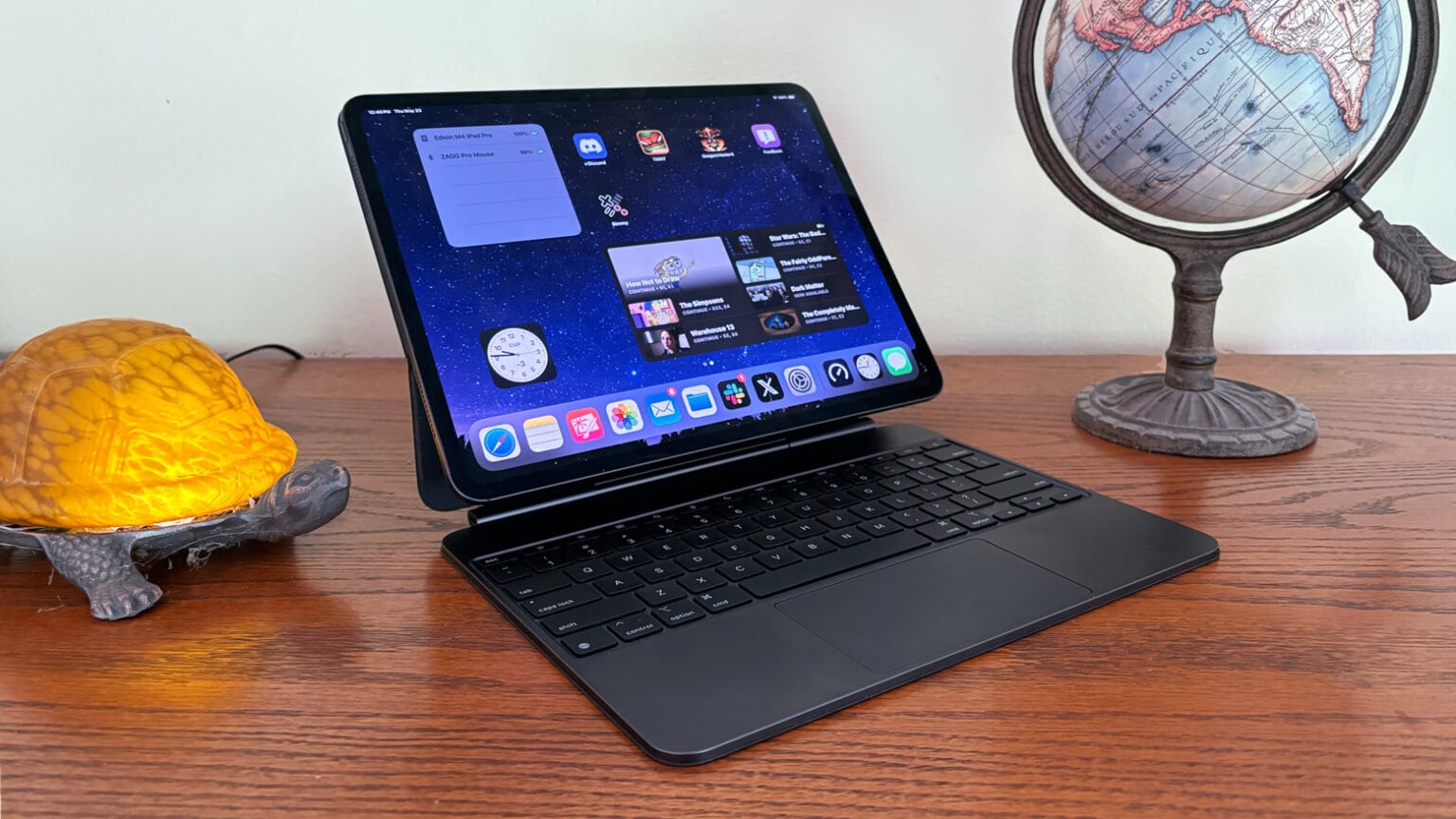
Apple iPad Pro 13 M4 Review: The OLED iPad That Wants To Replace Your Pro Laptop
Apple's 13-inch M4 iPad Pro is impossibly thin, brutally fast and built around one of the best tablet displays you can buy. The bigger question for UK buyers is not whether it is impressive — it is whether your work can justify it.
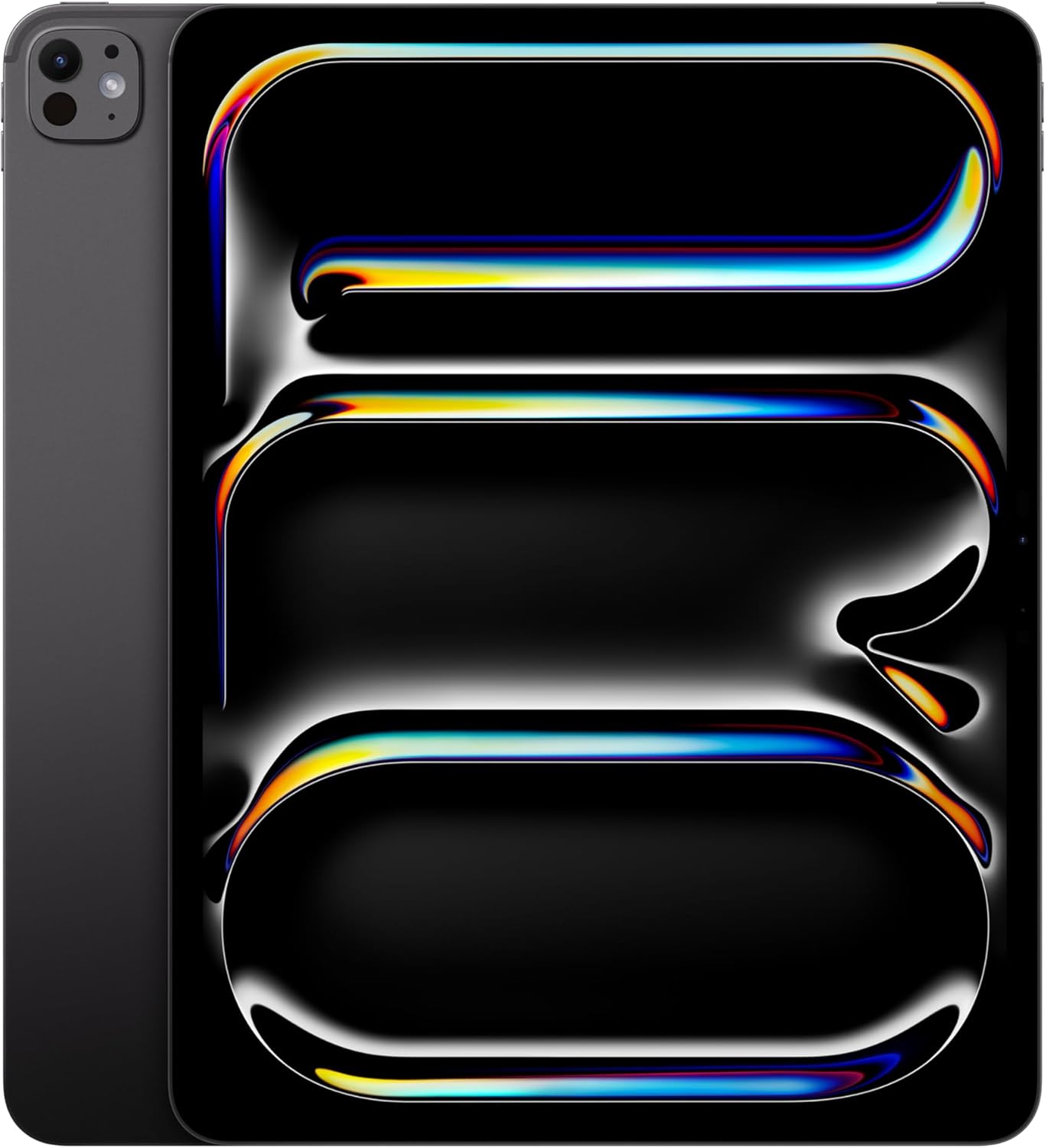
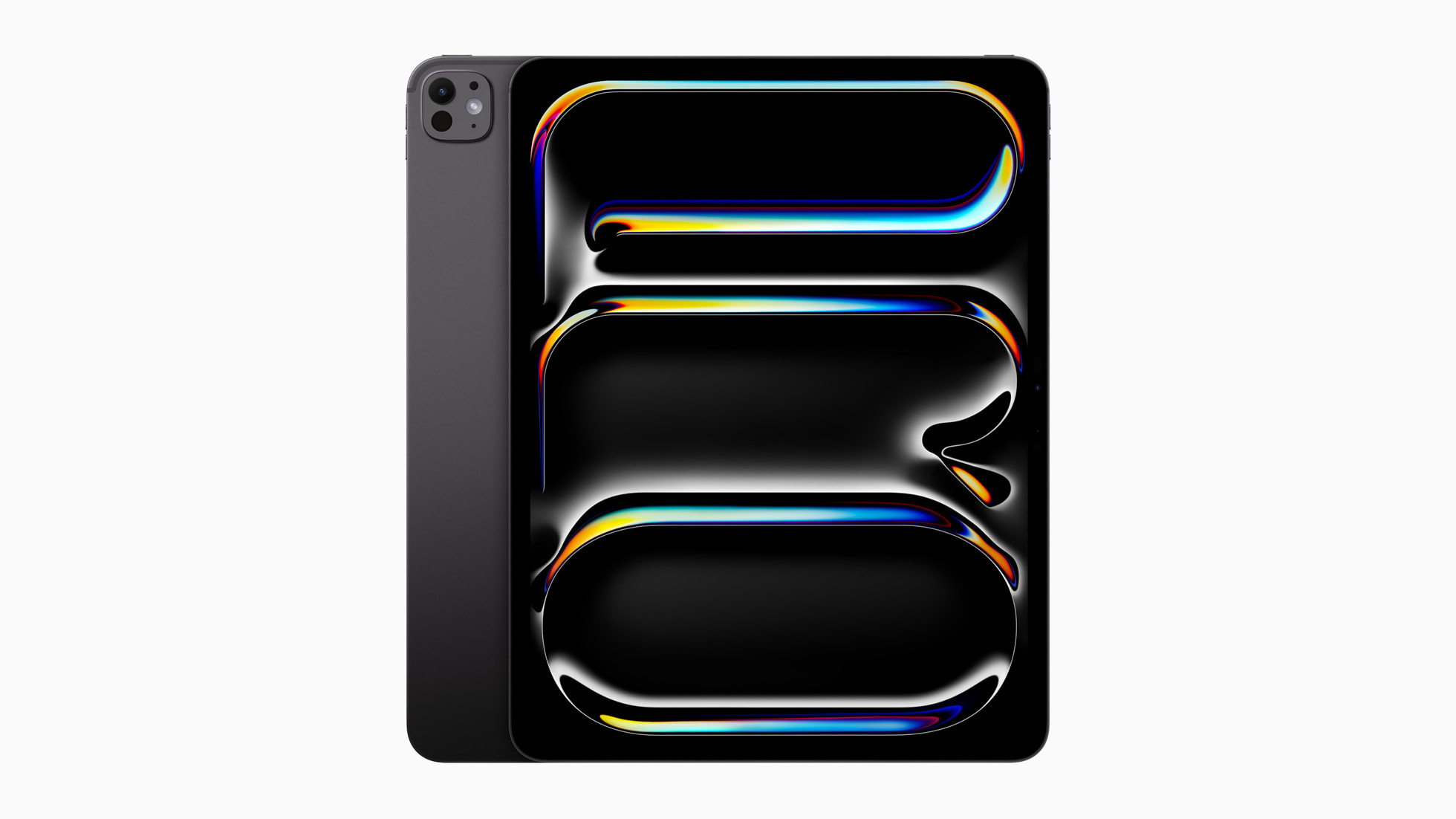
The 13-inch iPad Pro M4 pairs a Tandem OLED display with Apple's latest M4 chip in an ultra-thin aluminium chassis.
We link to the exact model on Amazon UK. Prices change often, so check the live price before you buy. As an Amazon Associate we earn from qualifying purchases.
The Apple iPad Pro 13-inch with M4 is a fascinating machine because it is both obviously brilliant and slightly awkward to recommend universally. As a piece of hardware, it is extraordinary: a 5.1mm-thin slab with a 13-inch Ultra Retina Tandem OLED display, a desktop-class M4 chip, Thunderbolt / USB 4, excellent speakers, Pencil support and a redesigned Magic Keyboard ecosystem. As a buying decision, though, it asks the familiar iPad Pro question: are you buying a professional creative tool, or are you buying a very luxurious tablet?
I've approached this review from the perspective of UK readers trying to make a sensible decision. That means looking beyond the showroom sparkle and asking how the 13-inch M4 iPad Pro behaves for creative work, multitasking, travel, video, note-taking, photo editing, external-display workflows and day-to-day media use. It also means looking at the storage tiers carefully, because this is not one identical iPad sold with different capacities: the 256GB and 512GB models use a 9-core M4 with 8GB of unified memory, whilst the 1TB and 2TB versions step up to a 10-core M4 with 16GB of unified memory and unlock the nano-texture glass option.
See Apple iPad Pro 13-inch M4 256GB Wi-Fi + Cellular (Renewed) on Amazon UK
See Apple iPad Pro 13-inch M4 256GB Wi-Fi + Cellular (Renewed) on Amazon UK
In this review
- Design, size and build quality
- Ultra Retina Tandem OLED display quality
- M4 performance and storage-tier differences
- Creative and professional workflows
- Apple Pencil Pro and Magic Keyboard
- Cameras, speakers and connectivity
- Battery life and portability
- Which version should you buy?
- FAQs and final verdict
1. Apple iPad Pro 13 M4 at a glance
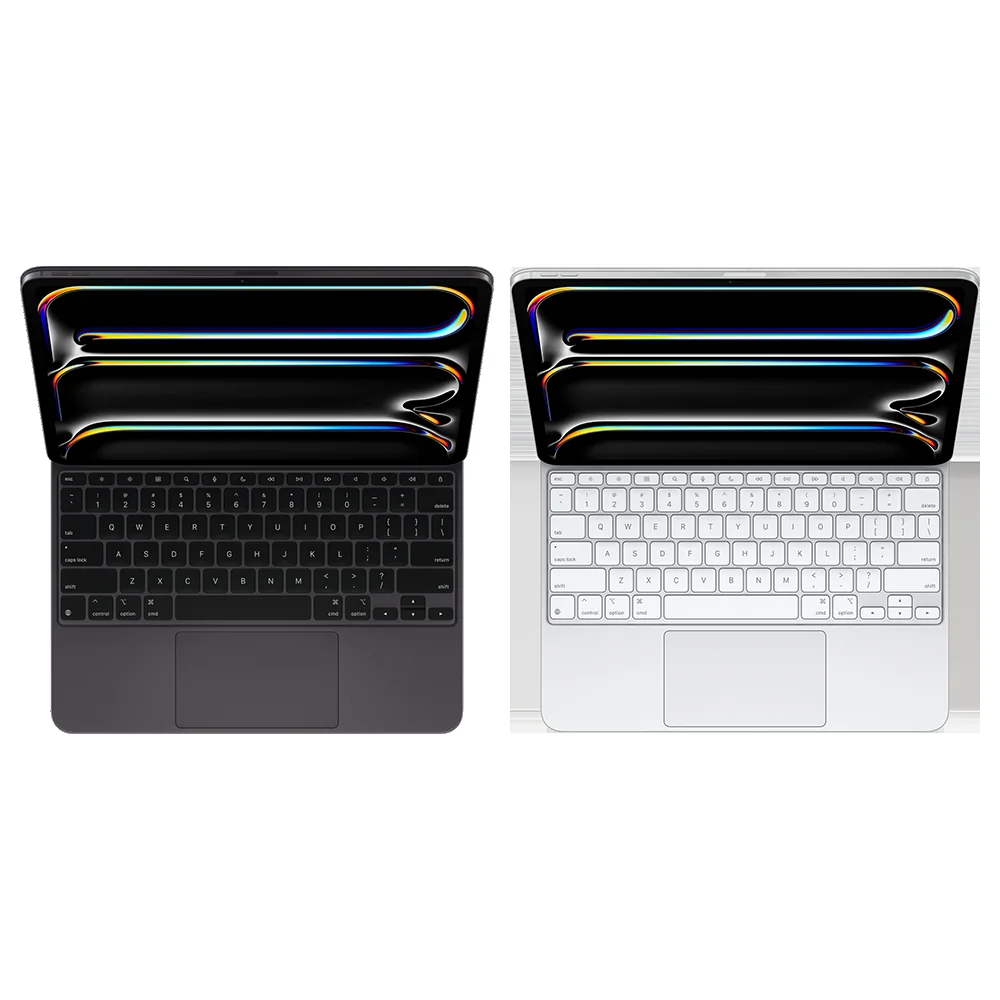
The headline is simple: this is Apple's most technically advanced iPad Pro, and the 13-inch version is the one to buy if screen space is central to your workflow. It is available in Silver and Space Black, with Wi-Fi and Wi-Fi + Cellular versions. The cellular model uses eSIM only, so if you are moving over from an older iPad with a physical SIM, that is worth noting before you start your setup.
The physical design is almost comically slim. At 281.6 × 215.5 × 5.1mm and 579g for the Wi-Fi model, the 13-inch iPad Pro M4 is lighter than you expect when you first pick it up. The 5G version is only slightly heavier at 582g. Apple has also reworked the chassis with graphite and copper to help dissipate heat, which matters because the M4 is not a modest tablet chip hiding behind a pretty display — it is a serious processor in a very compact body.
The 13-inch model is aimed at people who want maximum canvas space for drawing, editing, reading and multitasking.
Pros
- Superb 13-inch Tandem OLED display with 120Hz ProMotion, P3 wide colour, True Tone and very high HDR brightness.
- M4 chip delivers huge headroom, with hardware-accelerated ray tracing and a 16-core Neural Engine.
- Ridiculously thin 5.1mm body without feeling flimsy in normal use.
- Landscape front camera finally makes video calls feel natural with a keyboard attached.
- Thunderbolt / USB 4 and Stage Manager make it more credible for external-display workflows.
- Apple Pencil Pro and the updated Magic Keyboard significantly improve the creative and laptop-style experience.
Cons
- The 256GB and 512GB models get less RAM and one fewer CPU core than the 1TB and 2TB versions.
- Nano-texture glass is only available on the 1TB and 2TB configurations.
- The rear ultra-wide camera has been removed compared with the previous camera approach.
- No 3.5mm headphone jack, so wired audio users need USB-C or an adapter-based setup.
- iPadOS still determines whether this replaces a laptop for you, not the raw power of the M4 chip.
2. Design and build: shockingly thin, mostly practical
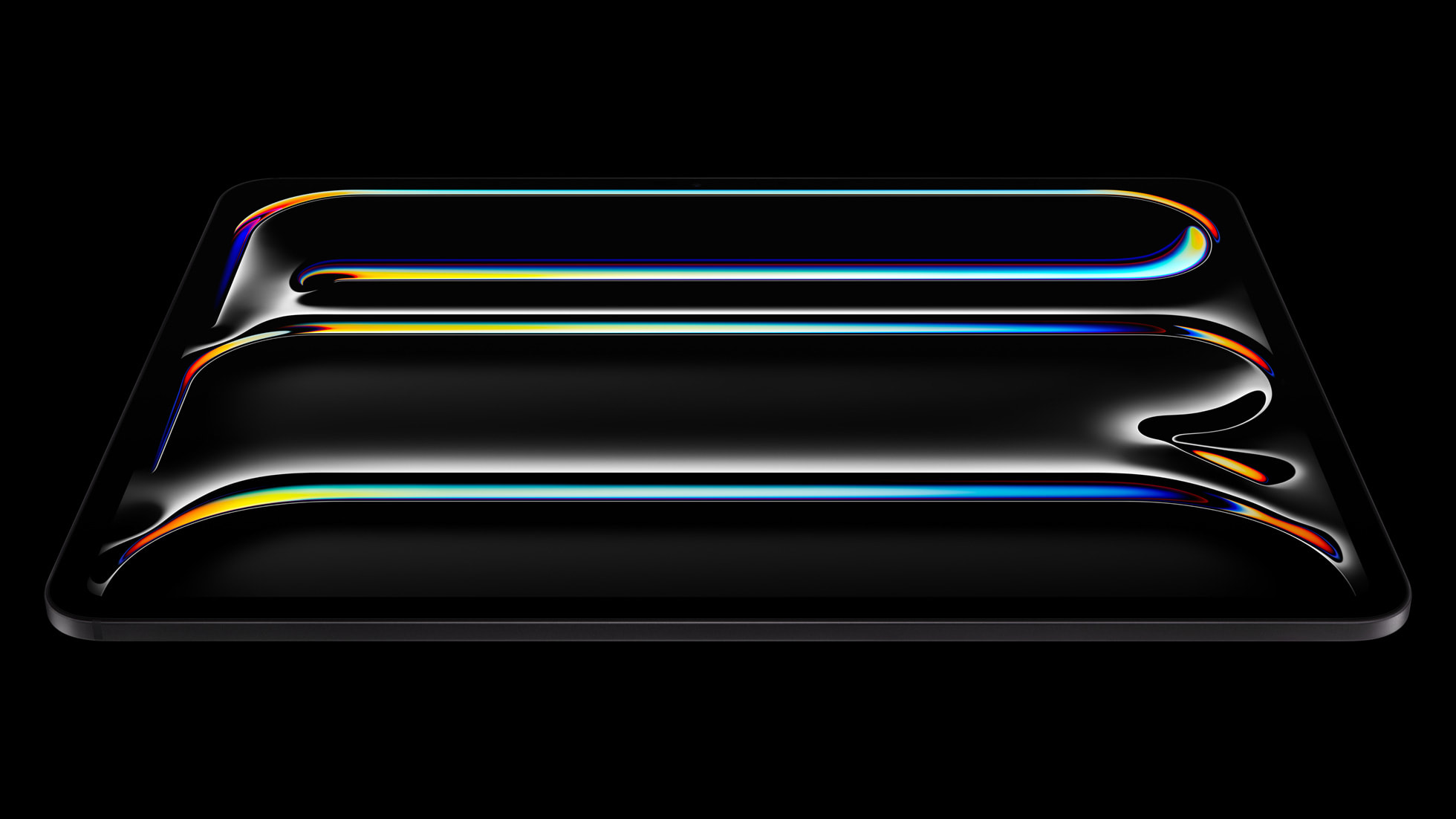
The first thing you notice about the iPad Pro 13 M4 is not the chip. It is the thinness. At 5.1mm, this is the sort of device that makes you instinctively handle it with more care than usual, not because it feels cheap, but because your brain takes a moment to accept that something this broad and thin can be a serious work machine.
The construction is classic high-end Apple: glass on the front, aluminium on the back and an aluminium frame. The finish is minimalist, precise and very much in line with the MacBook Pro family, especially in Space Black, which has a darker tone than the old Space Grey look. Silver remains the cleaner, more traditional choice if you prefer a brighter device that hides small marks more easily.
Despite the large 13-inch screen, the weight is well judged. The Wi-Fi version is 579g and the 5G model is 582g, which means it feels comfortable as a tablet for short sessions. It is still a big slab, though. If you plan to hold it one-handed for long reading sessions, you will quickly be reminded that this is the expansive model, not the super-portable one. It excels on a desk, on a sofa with two hands, in a keyboard case, on a drawing stand or propped beside a laptop as a second screen-style device.
The landscape front camera is a very welcome change. On older iPads, video calls with the iPad attached to a keyboard could make you look as though you were staring off to the side. Here, the 12MP front camera sits on the landscape edge, so FaceTime and video meetings feel more natural. Center Stage is also supported, which helps keep framing sensible if you shift around during a call.
The Wi-Fi + Cellular version uses eSIM only and is not compatible with physical SIM cards. If you regularly swap a physical data SIM between devices, factor that into your buying decision.
Apple has also made internal thermal changes, using graphite and copper in the chassis to help heat dissipation. In practice, the relevance is simple: the M4 chip has far more headroom than many tablet tasks require, and the chassis needs to move heat away efficiently when you are exporting video, working with large creative files or running demanding apps for extended periods.
3. Display quality: Tandem OLED is the star of the whole product
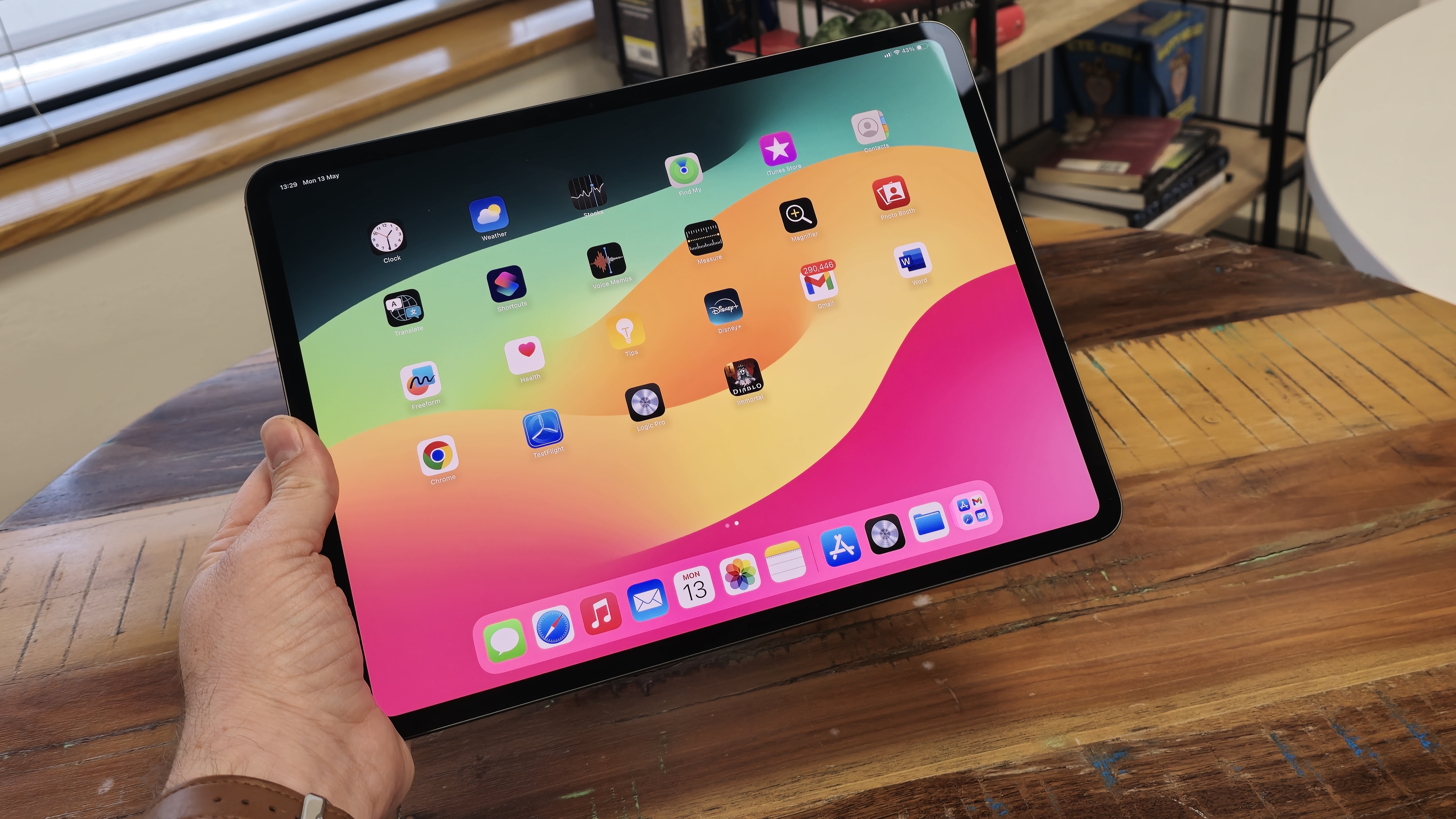
If you buy the 13-inch iPad Pro M4 for one reason, make it the display. Apple calls it Ultra Retina XDR, and technically it is a Tandem OLED panel. Rather than using a single OLED layer, the display technology is designed to deliver the rich contrast of OLED whilst pushing brightness higher than you would normally expect from a large OLED tablet screen.
The numbers are excellent: 13.0 inches, 2064 × 2752 resolution, a 4:3 aspect ratio and around 264 pixels per inch. It supports ProMotion up to 120Hz, HDR10, Dolby Vision, P3 wide colour and True Tone. Brightness reaches 1,000 nits for high-brightness use and 1,600 nits for peak HDR. That combination matters because the iPad Pro is not just a Netflix machine. It is a drawing canvas, a photo review tool, a video monitor, a digital magazine reader and, for some people, the screen they stare at for hours of actual work.
The Tandem OLED panel is the biggest upgrade for anyone who edits photos, grades video or simply wants a stunning portable screen.
OLED gives the iPad Pro the kind of black levels that make films and HDR footage look properly dramatic. Shadows look inky rather than grey, highlights pop, and the whole image has a clean, laminated immediacy that makes older LCD tablets feel a bit flat by comparison. The 4:3 ratio is also still a good fit for a tablet. It gives documents, sketches, web pages and split-screen apps more useful vertical space than a narrow widescreen shape would.
For creative users, colour consistency and brightness are the more important points. The display is not just pretty; it is useful. Reviewing photos on a bright, high-contrast OLED screen is more confidence-inspiring, and the combination of P3 wide colour and HDR support makes the iPad Pro a serious portable display for modern content. If your work involves visual judgement, this is where the 13-inch model earns its keep over smaller devices.
Gadget Scout tip
If you work mainly in bright studios, by windows or under awkward overhead lighting, pay attention to the nano-texture glass option — but remember it is only available on the 1TB and 2TB models. For many people the standard anti-reflective coating will be enough, but the storage-tier restriction matters if glare reduction is central to your workflow.
The nano-texture choice is one of the few areas where the line-up feels deliberately segmented. It is not available on the 256GB or 512GB configurations, so buyers who want the most glare-resistant display finish also have to choose one of the higher storage tiers. For artists, photographers and video editors, that might align naturally with storage needs. For someone who mainly wants the best reading and writing screen, it makes the decision more complicated.
4. M4 performance: more power than most iPad users can exhaust
The M4 chip is the other headline feature, and it gives the iPad Pro 13 a frankly enormous amount of performance headroom. It is built on a 3nm architecture and contains 28 billion transistors. Both chip tiers include a 10-core GPU, hardware-accelerated ray tracing, a 16-core Neural Engine and 120GB/s memory bandwidth.
The important distinction is the CPU and memory split. The 256GB and 512GB iPad Pro models use a 9-core CPU with three performance cores and six efficiency cores, paired with 8GB of unified memory. The 1TB and 2TB versions use a 10-core CPU with four performance cores and six efficiency cores, paired with 16GB of unified memory. The CPU clock speed is listed at 4.4GHz.
Day to day, the iPad Pro feels instant. Apps open quickly, big canvases respond fluidly, web pages render without fuss and the 120Hz display makes every swipe and animation feel connected to your fingers. But the real point of M4 is not that Notes or Safari feel fast; it is that the iPad has enough power for heavier creative workloads, modern AI features, complex multitasking and pro media engines.
The Media Engine supports ProRes, which is crucial if your work involves professional video formats. The GPU supports hardware-accelerated ray tracing, which gives developers room to build more visually ambitious 3D, design and gaming applications. The 16-core Neural Engine is also relevant as Apple Intelligence features become more deeply integrated into iPad workflows, especially where on-device processing and privacy protections are part of the pitch.
However, performance is also where I would urge buyers to be honest. If your iPad life is browsing, streaming, email, document markup, video calls and occasional photo tweaks, the M4 is not merely enough — it is excessive. That is not a criticism of the hardware. It is a reminder that the iPad Pro is now so powerful that software fit matters more than raw speed. If your favourite professional app is brilliant on iPadOS, this machine can fly. If your workflow still depends on desktop-only utilities, plug-ins or window management habits, M4 alone will not magically solve that.
5. iPadOS, Stage Manager and professional workflows
The 13-inch iPad Pro M4 is at its best when you use it as more than a tablet but less than a conventional laptop. That sounds vague, but it is the sweet spot: sketching whilst referencing a document, editing photos with Pencil input, reviewing video on a superb HDR screen, annotating PDFs, running a writing app beside research, or connecting to an external display and using Stage Manager for a more desktop-like arrangement.
Stage Manager is central to the iPad Pro's professional pitch because it allows resizable, overlapping apps and external display support. On the 13-inch screen, it makes more sense than it does on smaller tablets. There is enough room to keep a main app dominant whilst leaving a second or third app accessible. It still feels like iPadOS rather than macOS, but that is not automatically a bad thing. The touch-first approach can be wonderfully direct for creative work.
Illustration and design
The large OLED canvas, 120Hz refresh rate and Apple Pencil Pro support make the 13-inch model especially appealing for sketching, layout work and visual ideation.
Photo and video review
The 1,600-nit peak HDR brightness, Dolby Vision support and P3 wide colour make it a strong portable screen for reviewing modern visual content.
Documents and research
The 4:3 aspect ratio works well for PDFs, web research, note-taking and split-view reading without feeling as cramped as smaller tablets.
Desk setups
Thunderbolt / USB 4 and Stage Manager give the iPad Pro a more credible role in external-display and accessory-heavy workflows.
With Stage Manager, Apple Pencil input and keyboard support, the iPad Pro works best as a flexible creative workstation rather than a simple tablet.
For writers, students and office users, the iPad Pro can be a beautiful distraction-free machine. The problem is not typing performance or screen quality; it is whether your job relies on desktop browser extensions, specialist file handling or applications that still work better on a traditional computer. The Magic Keyboard helps hugely, but it does not turn iPadOS into macOS.
For artists and photographers, the case is stronger. Pencil input is something a MacBook does not offer directly, and the immediacy of drawing on the screen is still the iPad's killer advantage. For video editors, the M4 and ProRes-capable Media Engine give the device serious credibility, though your comfort will depend on the apps and storage tier you choose.
6. Accessories: Apple Pencil Pro and Magic Keyboard matter more than ever
Buying the 13-inch iPad Pro without thinking about accessories is like reviewing a sports car only in first gear. The tablet itself is excellent, but its personality changes dramatically depending on whether you pair it with Apple Pencil Pro, the Apple Pencil USB-C, the Magic Keyboard or a more basic case.
Both Apple Pencil Pro and Apple Pencil USB-C are compatible. The Pencil USB-C is the simpler route for notes, annotations and occasional sketches. Apple Pencil Pro is the one that makes sense if drawing, creative control and professional input are part of the reason you are buying an iPad Pro in the first place. On a 13-inch Tandem OLED screen, Pencil interaction feels like a core feature rather than an optional extra.
The upgraded Magic Keyboard is also a major part of the story. It adds function keys and a more spacious trackpad, moving the experience closer to a laptop-style setup. I would still stop short of calling it a laptop replacement for everyone, but as a writing, admin and travel workstation, it is much more convincing than a bare tablet on a stand.
Accessory buying advice
If you are already stretching to buy the 13-inch iPad Pro, do not ignore the cost and importance of the accessories. Apple Pencil Pro is central for artists and note-takers, whilst the Magic Keyboard is central for anyone hoping to use the iPad as a work machine. The iPad alone is a brilliant tablet; the iPad with the right accessory becomes a proper workflow device.
The Smart Connector keeps the keyboard experience clean, and Thunderbolt / USB 4 gives the iPad Pro flexibility for docks, displays and high-speed accessories. The lack of a 3.5mm headphone jack is not surprising, but it still matters for musicians, editors and anyone with trusted wired headphones. USB-C audio gear is the sensible route, but it is another reminder that the iPad Pro's sleekness sometimes assumes a modern accessory ecosystem around it.
7. Cameras, audio and connectivity
The camera system is more about utility than replacing your phone. On the back, the 2024 model uses a 12MP wide camera and retains a LiDAR scanner for depth-sensing. Apple has removed the ultra-wide rear camera, which is worth knowing if you used an older iPad Pro for wide room captures, scanning or quick reference shots. Video recording goes up to 4K at 60fps, with slow-motion up to 240fps.
The front camera is the more important one for most people. It is a 12MP camera on the landscape edge with Center Stage support, and that placement is simply better for how people use large iPads in 2024-style work setups. If your iPad is attached to the Magic Keyboard, sitting on a desk or used in a meeting, landscape orientation is natural. The camera now matches that reality.
Audio remains one of the iPad Pro's underrated strengths. The quad-speaker setup has plenty of presence for films, calls, music while working and quick video edits. Dolby Atmos support adds to the media credentials, and the four built-in microphones help with voice clarity on calls and recordings. It is not a replacement for dedicated audio gear, but for a device this thin, the sound is impressively robust.
Connectivity is strong. You get Wi-Fi 6E with 2×2 MIMO, Bluetooth 5.3, Thunderbolt / USB 4 and the Smart Connector. Cellular models add 5G and LTE support, plus location systems including GPS, A-GPS, GLONASS, Galileo and QZSS. The move to eSIM-only cellular will suit many modern users perfectly, but it is less convenient if you like physically moving SIM cards between devices.
For most home and studio users, the Wi-Fi model will be the cleaner choice. The cellular version makes sense if you travel frequently, work on trains, visit client sites or want the iPad to remain independent of phone tethering.
8. Battery life and portability
The 13-inch iPad Pro M4 has a 38.99Wh battery, also specified as 10,210mAh. Apple claims up to 10 hours of web browsing or video playback, which is the familiar iPad target and a sensible expectation for mixed tablet use. As ever, the actual result depends heavily on brightness, 5G use, creative apps, external accessories and whether you are pushing HDR content or heavy exports.
What matters more than the headline number is the balance Apple has struck. This is a large OLED tablet with a high-performance M4 chip, yet it remains extremely thin and light. That makes it a brilliant carry-around screen for work and entertainment. In a backpack, it feels less burdensome than a traditional laptop. On a train table, it is easier to position. On a sofa, it is more relaxed than a notebook computer. The trade-off is that once you attach a keyboard case, the total package becomes more laptop-like in weight and behaviour.
For reading and streaming, the 13-inch size is luxurious. For handheld gaming or one-handed browsing, it is less ideal. For note-taking, it depends on your setup: flat on a desk, the large canvas is excellent; held in one hand in a lecture hall or meeting, it can feel oversized. This is why the 13-inch iPad Pro should be seen as a portable workstation first and a casual tablet second.
Thermals also deserve a mention here. The graphite and copper enhancements are designed to help heat dissipation, and that is relevant when the iPad Pro is being used for long creative sessions rather than short bursts. A device this thin will always be more thermally constrained than a chunky laptop, but Apple has clearly designed the M4 iPad Pro around more than light consumption tasks.
9. Variants, buying choices and value
Apple's 13-inch iPad Pro M4 line-up is deceptively simple until you look closely. The base storage is 256GB, then there are 512GB, 1TB and 2TB options. The storage choice also affects the chip tier, memory and display glass availability. That makes choosing the right version more important than usual.
If you want the lightest financial commitment and your work is mostly cloud-based, the 256GB or 512GB model gives you the same core iPad Pro experience: the Tandem OLED display, 10-core GPU, 16-core Neural Engine, Thunderbolt / USB 4, Apple Pencil Pro support and Magic Keyboard compatibility. You do, however, get the 9-core CPU and 8GB unified memory configuration.
If you are buying for demanding creative work, large local media libraries, long-term ownership or heavier multitasking, the 1TB and 2TB models are more compelling. They move to the 10-core CPU and 16GB unified memory configuration, and they are the only versions that offer nano-texture glass. For professional buyers, that combination may matter more than the raw storage number.
The most important comparison is within the 13-inch M4 iPad Pro range, because storage affects CPU tier, memory and nano-texture availability.
| Feature | 13-inch Wi‑Fi 256GB / 512GB | 13-inch Wi‑Fi 1TB / 2TB | 13-inch Wi‑Fi + Cellular |
|---|---|---|---|
| CPU configuration | 9-core M4 CPU with 3 performance cores and 6 efficiency cores | 10-core M4 CPU with 4 performance cores and 6 efficiency cores | Matches storage tier: 9-core on 256GB / 512GB; 10-core on 1TB / 2TB |
| GPU and graphics features | 10-core GPU with hardware-accelerated ray tracing | 10-core GPU with hardware-accelerated ray tracing | 10-core GPU with hardware-accelerated ray tracing |
| Unified memory | 8GB | 16GB | Matches storage tier: 8GB on 256GB / 512GB; 16GB on 1TB / 2TB |
| Display | 13.0-inch Ultra Retina Tandem OLED, 120Hz, HDR10, Dolby Vision | 13.0-inch Ultra Retina Tandem OLED, 120Hz, HDR10, Dolby Vision | 13.0-inch Ultra Retina Tandem OLED, 120Hz, HDR10, Dolby Vision |
| Nano-texture glass option | Not offered | Available | Available only on 1TB and 2TB cellular configurations |
| Weight | 579g | 579g | 582g |
| Connectivity | Wi‑Fi 6E, Bluetooth 5.3, Thunderbolt / USB 4 | Wi‑Fi 6E, Bluetooth 5.3, Thunderbolt / USB 4 | Adds 5G / LTE, eSIM-only mobile data and cellular location support |
| Best suited to | General pro tablet use, notes, media, writing, lighter creative work | Demanding creative workflows, heavier multitasking, large files, nano-texture buyers | Travellers, field workers and anyone who wants always-connected iPad use |
In value terms, I would not buy the 13-inch iPad Pro M4 just because it is the "best iPad". That is a quick route to overbuying. I would buy it because at least two of its premium strengths matter to you: the 13-inch OLED display, Pencil-based creative work, the M4 chip, the Magic Keyboard laptop-like setup, Thunderbolt workflows, or the need for a large but very portable screen.
If only one of those things appeals, pause. If all you want is a lovely streaming tablet, this is a lot of machine. If all you want is a laptop, a MacBook-style device may still fit your habits better. But if your day genuinely moves between drawing, writing, reviewing, presenting, editing and travelling, the iPad Pro's flexibility becomes much easier to justify.
10. Who should buy the Apple iPad Pro 13 M4?
Digital artists
If you draw, paint, design or annotate visually, the 13-inch OLED canvas and Apple Pencil Pro compatibility are the strongest reasons to choose this model.
Video and photo pros
The Tandem OLED panel, 1,600-nit peak HDR brightness, P3 wide colour, ProRes-capable Media Engine and M4 performance make it a serious portable review and editing tool.
Mobile professionals
With the Magic Keyboard, Stage Manager, Thunderbolt / USB 4 and the option of 5G, it can become a compact workstation for people who move between offices, trains and client sites.
Researchers and students
The big 4:3 display is excellent for PDFs, notes and split-screen reading, though the 13-inch size is best if you work mostly at a desk or table.
Frequent travellers
The 579g Wi‑Fi weight and 5.1mm thickness make it impressively portable for such a large screen, especially if you value media, reading and work in one device.
Who should skip it?
If your needs are mostly browsing, streaming, email and basic notes, the M4 iPad Pro is likely more power and display technology than you truly need.
The simplest recommendation is this: buy the 13-inch iPad Pro M4 if you can name the workflows that need it. "I want the best" is understandable, but "I edit HDR footage, draw with Pencil, use an external display and want one portable work screen" is a far stronger reason. The more specific your use case, the better this iPad looks.
See Apple iPad Pro 13-inch M4 256GB Wi-Fi + Cellular (Renewed) on Amazon UK
Frequently asked questions
The iPad Pro 13 M4 is not just a bigger iPad — it is a specialist creative and productivity device for people who will use its screen, chip and accessories properly.
Final verdict: brilliant hardware, best for clearly defined pro needs
The Apple iPad Pro 13 M4 is an exceptional tablet. The Tandem OLED display is genuinely stunning, the M4 chip is massively capable, the 5.1mm design is a technical flex, and the accessory ecosystem makes it more versatile than a conventional tablet. The move to a landscape front camera fixes a long-standing annoyance, the speakers remain excellent, and Thunderbolt / USB 4 keeps the door open for more ambitious desk setups.
But the honest verdict is not "everyone should buy one". This is a premium professional iPad for people who can exploit its advantages. Artists, photographers, video editors, designers, travelling professionals and serious note-takers will find a lot to love. Casual users may enjoy every minute with it, but they will be paying for performance and display capability they rarely stretch.
If you are choosing between configurations, the 256GB and 512GB versions deliver the core experience, but the 1TB and 2TB models are the ones to consider if you want the full 10-core CPU, 16GB unified memory and the option of nano-texture glass. In other words, the "best" 13-inch iPad Pro M4 is not just the biggest storage option — it is the one that matches how seriously you plan to use it.
Gadget Scout recommendation: buy it if the 13-inch OLED display, Apple Pencil Pro, Magic Keyboard and M4 performance will actively improve your work. If you simply want a lovely iPad for sofa browsing and streaming, admire this one from a distance and spend more sensibly elsewhere.
 Apple Pencil ProView on Amazon